ENEnglish
 LTLietuviškai
 DEDeutsch
 FRFrançais
 RUРусский
 ESEspañol
 PLPolski
 ITItaliano
 UKУкраїнська
 CSČeština
 PTPortuguês
 JA日本語
JA日本語 LVLatviešu valoda
 ETEesti
 HUMagyar
 IDBahasa Indonesia
 TRTürkçe
 HIहिन्दी
 ELΕλληνικά
 ARالعربية
 THไทย
THไทย VITiếng Việt
 RORomână
 MSBahasa Melayu
 BNবাংলা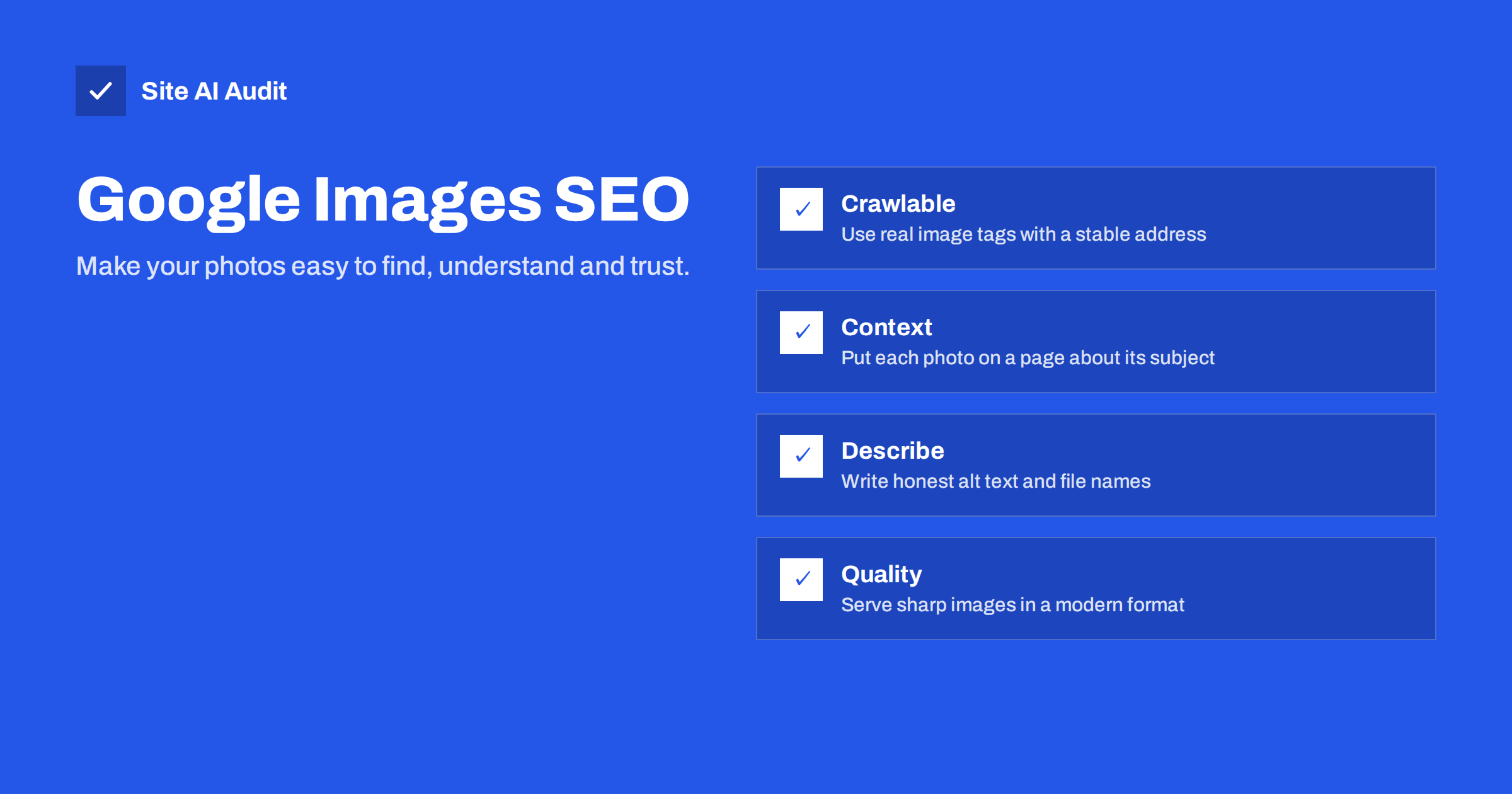
Short answer: Google Images ranks photos mainly by what it can learn from the page around them. To help yours get found, use real image tags that crawlers can reach, place each photo on a page that is clearly about its subject, describe it with an honest file name and alt text, serve a sharp but light file in a supported format and keep the address stable. An image sitemap can help discovery, but the page and its text matter most.
Why image search is worth a look
For many small businesses, pictures are the product. A furniture maker, a florist, a restaurant, a builder or a craft shop all have things that people want to see before they decide. Searchers look through image results to compare styles, find ideas and decide who to contact. Google Lens and similar tools also match photos taken with a phone to pages on the web.
The visits from images are often smaller than those from normal results, but they come early in the buying process and cost nothing but care. Many sites also leave the topic to chance, so a little attention can set you ahead of competitors.
Not every business gains equally. Image search suits subjects that are visual and easy to compare: interiors, food, products, fashion, gardens, vehicles, crafts and before-and-after work. It suits less well a service that has little to show, such as bookkeeping. If your work is visual, treat photos as content, not as decoration.
Make images crawlable
Google can only index an image that it can find and fetch. The most reliable way is a standard image element with a source address in the page’s HTML.
- Use real image tags. Pictures drawn only through style sheets as backgrounds are often treated as decoration and not indexed. See CSS background images: speed and SEO pitfalls for details.
- Avoid images that exist only after interaction. A photo that appears only after a click or a scroll event, or one loaded by a script that crawlers do not run, may be missed. Lazy loading is fine when it is done properly, as explained in lazy loading images: when it helps and when it hurts.
- Do not block the files. Check your robots.txt, because a rule that blocks the image folder keeps the pictures out of the index. The guide to robots.txt shows how to read your rules.
- Keep the address stable. If you rename or move files with each redesign, the image loses whatever history it had. If you must move, redirect the old address.
Put each image where it belongs
Search engines learn what a picture shows from three kinds of signals: the picture itself, its text labels and, most importantly, the page around it. A photo of a kitchen on a page about kitchen renovation is easy to classify. The same photo on a page about something else sends mixed signals.
- Place the image near the text that describes it, not at the bottom of a long page.
- Make sure the page title, heading and body are about the same subject as the picture.
- Use a caption where it helps a human reader. Captions are among the most read text on a page.
- Avoid using the same image on dozens of unrelated pages. Pick the page where it fits best.
A page with a clear purpose and a few well-chosen images beats a gallery of fifty photos with no text.
Write file names and alt text for people first
A file name such as IMG_4821.jpg tells nobody anything. Replace it with a short, plain description before you upload, for example “oak-kitchen-island-with-pendant-lights.jpg”. Use lower case and hyphens between words.
Alt text describes the picture for people who cannot see it and gives search engines an extra clue. Write one natural sentence or phrase that says what is in the photo and why it matters on this page. Do not stuff keywords, and leave the attribute empty for purely decorative pictures. The full method is in writing image alt text: a practical checklist.
The same care applies to the surrounding text. Use words that real customers use, rather than internal product codes, and keep the language consistent between the alt text, the caption and the headline.
Choose the right format and size
Google supports the common formats: JPEG, PNG, GIF, WebP, SVG, BMP and AVIF. For photos, a modern format such as WebP or AVIF gives smaller files at the same visual quality, and JPEG remains a safe fallback. Compare the options in WebP, AVIF and JPEG.
- Offer a sharp original. Image results show a preview and then a larger view. A tiny, blurry source never looks appealing, so keep enough resolution for the largest size you display.
- Keep the file light. Compress before uploading and serve sizes that fit the layout, as covered in image optimization for faster websites.
- Use responsive images. Provide several sizes so phones do not download desktop-size files.
- Do not crop away the subject. Previews are often shown in a frame with a fixed shape, so keep the main subject near the centre.
Slow pages lose visitors, and image-heavy pages are the most at risk, so this work helps both search and people.
Use an image sitemap when discovery is the problem
If Google already finds your images through normal pages, you do not need anything special. An image sitemap helps when pictures are loaded in unusual ways, such as from a gallery script, or when you want to be sure that important files are known. It lists the image addresses connected to each page. Today the address of the image is the key piece of information, and several older optional fields are no longer used.
Many SEO plugins include images in the normal sitemap automatically. Read XML sitemaps explained to learn how to create and submit one, and check in Search Console that the file is read without errors.
Add structured data where it applies
Some kinds of structured data make image results richer. Product markup can show price and availability next to a product photo, and recipe, video and similar types do the same in their fields. Image license markup can add a “licensable” label and a link to your terms, which is useful if you sell or license photographs. You will find an introduction in structured data for small business websites. For shops, combine it with the advice in product page SEO: a checklist for online shops.
Protect and monitor your images
Good photos attract copies. Other sites may embed your files directly and use your bandwidth, a problem described in how to stop hotlinking. Watermarks that cover the subject spoil the look, so a small, discreet mark in a corner is usually enough, and a clear licence statement on the page sets expectations.
To track progress, open Search Console and use the performance report filtered by search type “Image”. You will see the queries, the pages and the clicks that come from image results. Watch the trend after changes, and be patient: image indexing can take weeks.
A short check you can repeat every few months: search Google for your business name or a main product followed by the word images, and see which of your photos appear. Then open the page for each one and ask whether the picture, the text and the title tell the same story. Replace weak, dark or cluttered photos with clear ones, and add real photos of your own work where a stock image stands now. Better pictures also improve how the page looks when it is shared on social media, since the same file is often used as the preview image.
How Site AI Audit helps
Site AI Audit does not rank your photos or crawl image results. Its SEO checks cover the pages that carry them: titles and descriptions, headings and alt texts, broken links and redirects, sitemap, robots.txt and noindex settings, plus page weight and speed, security and e-mail authentication. The first check is free, covers up to 50 pages and needs no sign-up. You can run a free check of your website or see the plans.
Related reading
- Video SEO for Small Business: Get Your Videos Indexed
- Image CDNs Explained: Automatic Resizing and Modern Formats
- Responsive Images with srcset and sizes: A Practical Guide
- Open Graph Tags: Control How Your Pages Look When Shared
The bottom line
Image SEO is mostly good housekeeping: crawlable files, useful context, honest descriptions and light, sharp pictures on stable addresses. Do those well on the pages that matter and your photos can bring in visitors who are already close to choosing.
FAQ
Does alt text help images rank?
It helps Google understand the picture and is essential for accessibility. It works best together with a relevant page, a sensible file name and good surrounding text.
Do I need an image sitemap?
Not always. If your images appear in normal pages that Google can crawl, they will usually be found. A sitemap helps when images load in unusual ways.
Which image format is best for Google Images?
Several are supported. For photos, WebP or AVIF with a JPEG fallback is a strong choice because of the smaller size.
Can stock photos rank?
They can, but the same picture appears on many sites, so original photos from your own business usually stand out and build more trust.
How long does it take for new images to appear?
It can take days or several weeks, depending on how often your pages are crawled. Submitting a sitemap and linking to the page internally helps.