ENEnglish
 LTLietuviškai
 DEDeutsch
 FRFrançais
 RUРусский
 ESEspañol
 PLPolski
 ITItaliano
 UKУкраїнська
 CSČeština
 PTPortuguês
 JA日本語
JA日本語 LVLatviešu valoda
 ETEesti
 HUMagyar
 IDBahasa Indonesia
 TRTürkçe
 HIहिन्दी
 ELΕλληνικά
 ARالعربية
 THไทย
THไทย VITiếng Việt
 RORomână
 MSBahasa Melayu
 BNবাংলা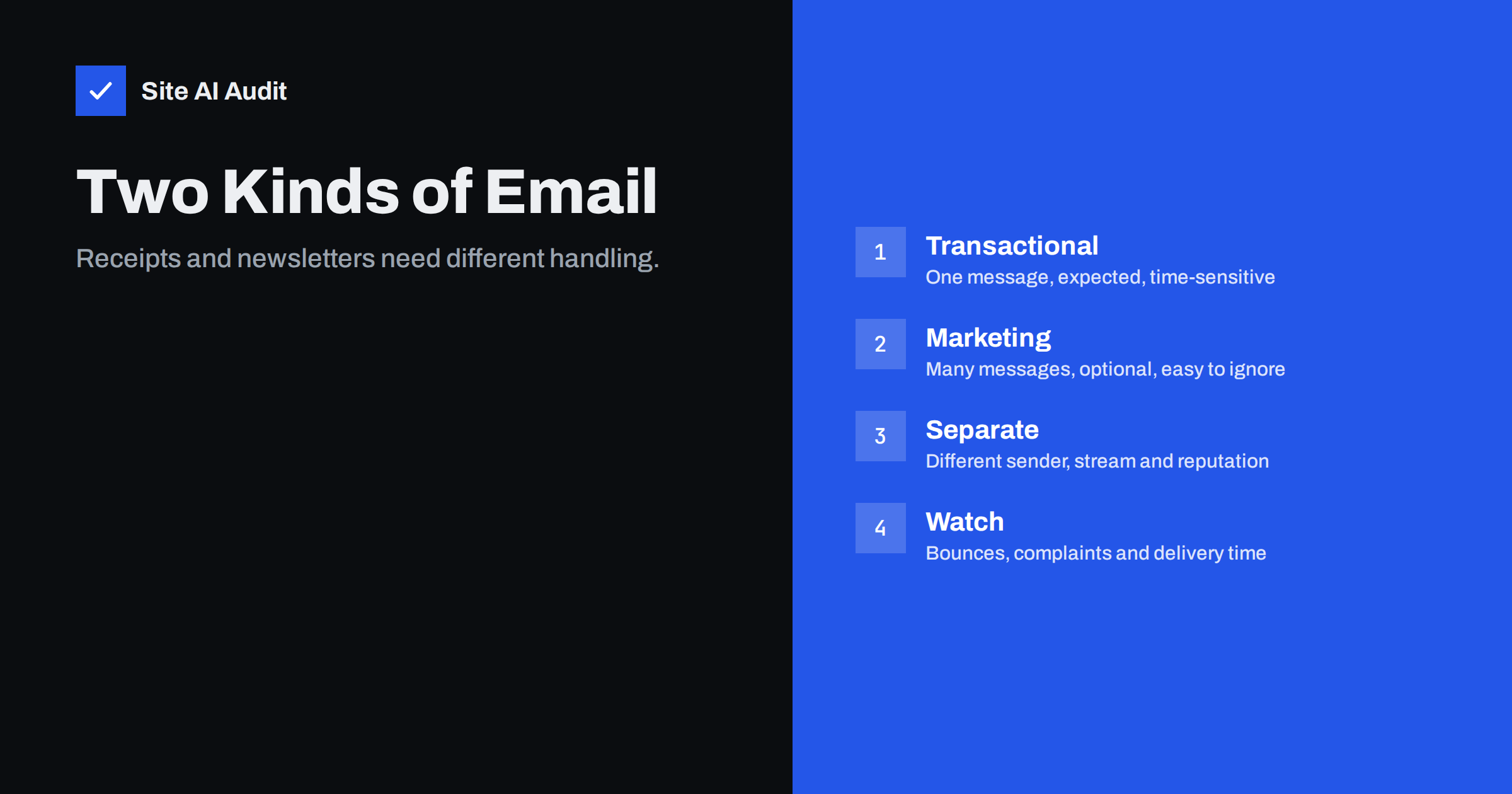
Short answer: Transactional e-mail is triggered by a person’s action, such as an order receipt or a password reset. Marketing e-mail is sent to many people to promote something, such as a newsletter. Inbox providers judge them differently, because people expect and open the first and often ignore or complain about the second. Keep the two streams apart, with separate sender addresses or sub-domains and ideally separate sending services, so that a weak newsletter cannot delay the messages that customers are waiting for.
What each type means
The difference is simple to state and easy to blur in practice.
- Transactional messages are sent because someone did something: placed an order, created an account, asked to reset a password, booked an appointment or submitted a form. They carry information the person needs, and they are usually expected within seconds.
- Marketing messages are sent because you want to promote something: newsletters, offers, product announcements and re-engagement campaigns. They go to a list, and the recipient could do without them.
Between them lie messages such as shipping updates, review requests and abandoned cart reminders. Some are clearly service messages, while others are promotional. When in doubt, ask whether the person would be upset not to receive it, and whether the main purpose is to sell.
It also helps to list every automatic message your website sends. Contact form copies, account activation, invoice reminders, booking confirmations and system alerts to staff all count. Many owners are surprised by how many messages leave the server each week, and each one needs a deliberate sender, a correct reply route and a place in your monitoring. Once the list exists, tagging each item as transactional or marketing takes only a few minutes and reveals where the streams currently overlap.
Why inbox providers treat them differently
Mailbox providers watch how recipients react. For a password reset, nearly everyone opens the message within minutes, rarely marks it as spam and often clicks the link. For a newsletter, a large share of recipients never open it, some delete it unread and a few click “report spam”. That is normal, but it creates a very different pattern of engagement.
Providers use those patterns when they decide where your next message goes. The article on email engagement and inbox placement explains the signals. If both streams share one sender, the weaker behaviour of the marketing mail pulls down the standing of the transactional mail, because the provider sees one sender with mixed results.
What goes wrong when they are mixed
Most shops and sites discover the problem the hard way. A promotional campaign with a poor list gets a high rate of complaints. A few days later, order confirmations start arriving late or land in spam. Customers think the order failed and contact support or place it twice.
- Delays. Receiving servers may slow down or defer messages from a sender whose reputation has dropped. A reset link that arrives after twenty minutes is useless.
- Spam placement. Important receipts end up in junk, and customers stop trusting your messages. See order confirmation emails not arriving for troubleshooting.
- Blocking. A serious reputation problem can cause an entire domain to be blocked, which affects every message, including day-to-day business mail.
- Muddled reports. Bounce and complaint numbers mix, so you cannot tell which stream has the problem.
How to separate the streams
You do not need a large budget to do this. Start with the cheapest separation and add more as you grow.
- Use different sender addresses. For example, a no-nonsense address for service messages and a named address for the newsletter. Choose a reply route that works for both, because no-reply addresses have their own drawbacks.
- Use different sub-domains. Keeping marketing on its own sub-domain gives it a separate reputation within the same brand. The trade-offs are covered in sending marketing email from a subdomain.
- Use different services or streams. Many sending platforms offer separate streams or pools. If volume is high, a dedicated address for each stream gives the most control, as discussed in shared versus dedicated IP.
- Authenticate each stream properly. Every sender needs SPF, DKIM and a DMARC policy that aligns. The steps for services you do not run yourself are in authenticating third-party email senders.
Whichever method you choose, write it down. A diagram with the sender, domain and service for each type of message prevents a developer or a new marketing hire from sending newsletters through the order system by accident.
Keep transactional messages clean
The value of a transactional stream lies in its predictability, so protect it.
- Keep the content focused. A receipt should be about the order. Adding a banner for a sale or a long block of offers moves it towards promotion, and in many places that changes the rules that apply to it.
- Keep the design light. Text with a few simple elements arrives more reliably than a heavy template full of images.
- Make links match the sender. A reset link that goes through an unknown tracking domain looks suspicious. Read links in emails and tracking domains.
- Send immediately. Do not queue receipts behind a bulk campaign. If one system handles both, give transactional messages priority.
- Test regularly. After any change to the shop, the plugin or the DNS records, place a test order and a test reset to see that messages arrive. WordPress sites should also read WordPress emails going to spam.
Keep marketing messages accountable
Marketing mail can do real damage to your reputation, so it needs stricter habits.
- Send only to people who agreed to hear from you, and keep a record of when and how they agreed.
- Include an easy unsubscribe, ideally the one-click header described in how List-Unsubscribe works.
- Meet the sender rules that big providers now publish, as summarised in Gmail and Yahoo bulk sender requirements.
- Clean the list regularly and stop writing to people who never respond.
- Watch complaints, and pause a campaign if they rise.
Rules on consent and unsubscribes differ by country, and pure service messages are often treated differently from promotions. Check the rules where your customers live, and ask a lawyer if you are unsure.
What to monitor in each stream
Because the streams have different jobs, their key numbers differ.
- Transactional: delivery time from action to inbox, bounce rate, and the share of messages that reach the inbox rather than spam. A seed test or a few test accounts at major providers gives a quick check.
- Marketing: complaint rate, unsubscribe rate, bounce rate and engagement trend over time.
Provider tools help. Google Postmaster Tools shows domain reputation and spam rate, and the DMARC reports described in how to read DMARC aggregate reports show which sources send mail in your name. Look at the two streams separately every week for the first month, then monthly.
A practical example
Imagine a small online shop that sends everything from one address on its main domain, using the web host’s mail server. Orders arrive throughout the day, and once a month the owner sends a newsletter to a list collected over five years. After the latest newsletter, a few hundred recipients mark it as spam and many addresses bounce. Within days, customers write that they never received their order confirmation.
The owner fixes this in an afternoon. Order messages move to a transactional service, sent from a dedicated address with its own DKIM key. The newsletter moves to a marketing platform on a sub-domain, and the list is cleaned before the next send. DMARC reports confirm that both sources pass alignment. Over the next weeks, confirmations arrive within seconds again, and the newsletter’s complaint rate falls because only engaged readers remain. Nothing in this story required expensive tools. It required deciding which messages matter most and giving them their own protected route.
How Site AI Audit helps
Site AI Audit does not send or track your messages. It checks the foundation that both streams depend on: SPF, including the lookup limit, DKIM signatures, the DMARC policy and MX records, together with SEO, speed and security. The first check is free, covers up to 50 pages and needs no sign-up. You can run a free check of your website or see the plans, where the Business plan adds daily SSL and e-mail checks.
Related reading
- SPF vs DKIM vs DMARC: What Each One Does and Why You Need All
- Email Deliverability Checklist: 20 Checks for Small Businesses
- How to Reduce Spam Complaints and Keep Your Spam Rate Low
- Domain Reputation vs IP Reputation in Email: What Counts
The bottom line
A receipt and a newsletter are not the same kind of message, and mailbox providers know it. Give each its own sender, its own sub-domain or stream and its own monitoring, keep service messages plain and keep promotions accountable. Then a bad campaign cannot hold your customers’ orders hostage.
FAQ
Do transactional emails need an unsubscribe link?
Pure service messages usually do not, in many places, but rules vary and promotional content changes the picture. Check local law and keep service messages free of promotion.
Can I put a small offer in an order confirmation?
It is risky. A small, relevant suggestion is often tolerated, but a prominent promotion can make the message count as marketing and may harm deliverability.
Is a separate sending service necessary?
Not at first. Separate addresses and sub-domains are a good start. Use separate services or IPs when volume or risk grows.
Should both streams use the same domain?
They can share your main domain if you use different sub-domains. Both must pass SPF, DKIM and DMARC alignment.
How do I know the separation is working?
Compare bounce, complaint and inbox-placement figures for each stream. The transactional numbers should stay steady even when a campaign performs badly.