ENEnglish
 LTLietuviškai
 DEDeutsch
 FRFrançais
 RUРусский
 ESEspañol
 PLPolski
 ITItaliano
 UKУкраїнська
 CSČeština
 PTPortuguês
 JA日本語
JA日本語 LVLatviešu valoda
 ETEesti
 HUMagyar
 IDBahasa Indonesia
 TRTürkçe
 HIहिन्दी
 ELΕλληνικά
 ARالعربية
 THไทย
THไทย VITiếng Việt
 RORomână
 MSBahasa Melayu
 BNবাংলা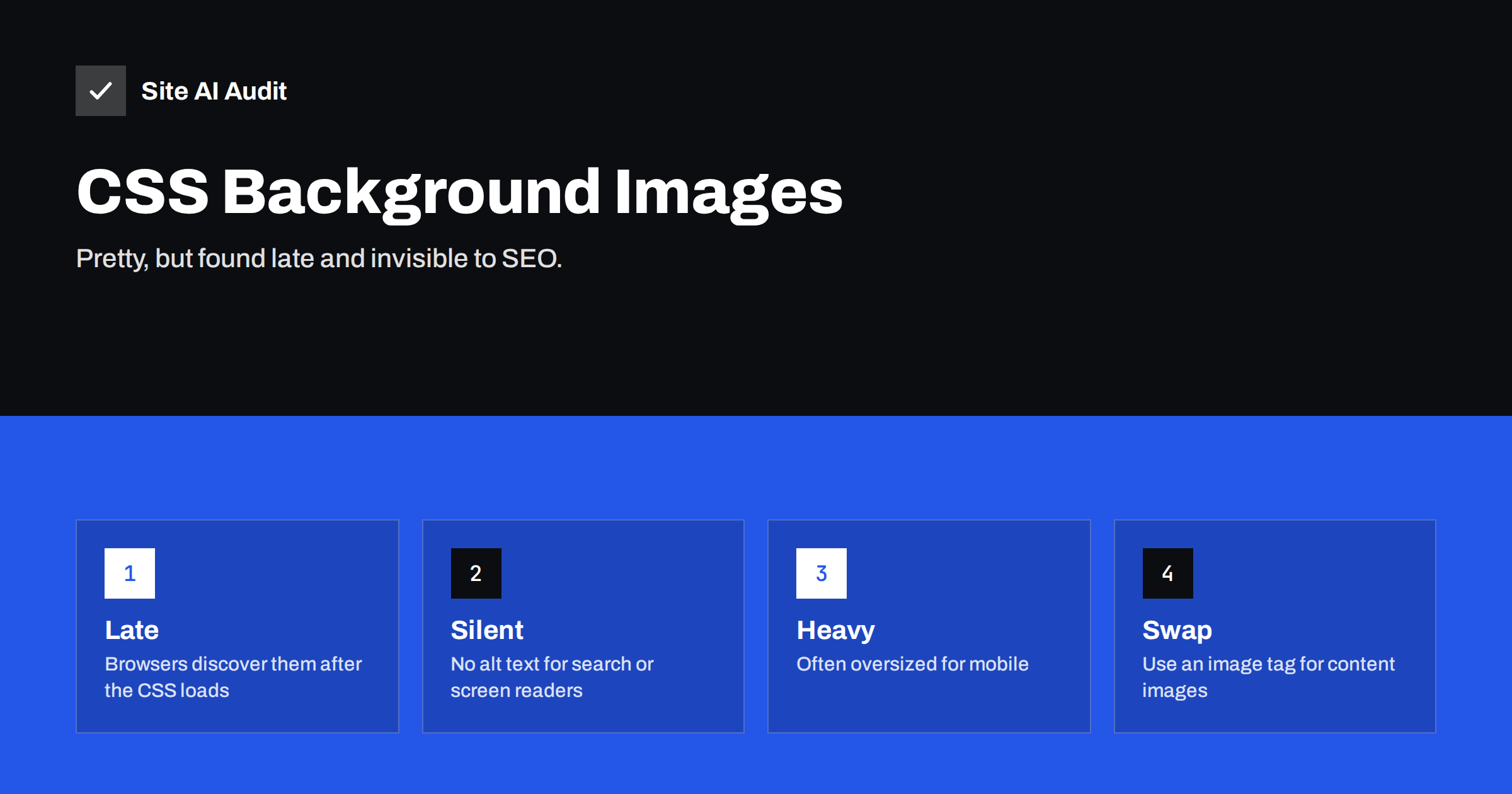
Short answer: A CSS background image is fine for decoration, but it is a poor choice for important content such as a hero photo or a product picture. Browsers discover it only after the stylesheet has loaded, so it often appears late and hurts Largest Contentful Paint. It also has no alt text and is usually ignored by image search. Use a normal image element for images that carry meaning, and keep background images for patterns, gradients and decoration.
Two ways to put an image on a page
Web pages can show an image in two very different ways. The first is an image element in the HTML, which carries a source, alternative text and, optionally, dimensions and loading hints. The second is a CSS rule that sets a background image on a section, a button or the whole page.
They look the same to a visitor, but they behave differently for browsers and search engines. The image element is part of the content. The background image is part of the styling. That difference explains almost every problem in this article, and it explains why designers and page builders often choose backgrounds even when they should not.
Why background images load late
When a browser receives a page, it scans the HTML very early and starts downloading images it finds there, often before the styles are ready. This early scanning is one of the reasons image elements load quickly.
A CSS background image is not visible in the HTML. The browser must first download the stylesheet, read it, work out which elements it applies to and only then start downloading the image. On a slow connection, that delay can be a full second or more. If the image is the largest thing in the first screen, your Largest Contentful Paint time includes the whole delay. Our article on improving Largest Contentful Paint explains why this number matters.
Stylesheets that are large or slow to download make the problem worse, because the image cannot start until they finish. Techniques that shorten that path, such as critical CSS, also help here.
What you lose for SEO and accessibility
An image element can have alternative text, a file name, a caption and a position in the page. These details tell search engines what the image shows and why it is on the page. A background image carries none of them.
- No alt text. Google and other engines read alt text to understand images. A background image has nothing to read. See image alt text for SEO for what a good description looks like.
- Little or no image search visibility. Search engines generally do not treat CSS images as content images, so they are unlikely to appear in image results.
- Invisible to screen readers. A visitor who uses assistive technology gets no information from the picture. For decoration this is correct, but for a product photo it is a loss.
- Missing when styles fail. If the CSS does not load, the image disappears with it, and so does any text that depended on it for contrast.
If a picture helps explain something, sells a product or shows your work, it belongs in the content, and the guidance in image optimization for faster websites applies to it.
Other performance problems
Late discovery is the biggest issue, but not the only one.
- No native lazy loading. Image elements can use the loading attribute to delay offscreen pictures. Background images have no such attribute, so a stack of large backgrounds further down the page may still load early. The notes in the lazy loading guide show what is possible with image elements.
- No simple responsive sources. Image elements can offer several sizes and let the browser pick the right one, as explained in responsive images with srcset and sizes. Backgrounds need media queries to do the same, and many sites skip this, so phones download a desktop-sized photo.
- Layout shifts. A section whose height depends on a background image can jump when the image arrives, unless the height is fixed in CSS. See how to fix Cumulative Layout Shift.
- Fixed backgrounds. The background-attachment: fixed effect, often used for a parallax look, is redrawn while scrolling and can make scrolling feel heavy on phones.
- Several large layers. Stacked backgrounds, overlays and slideshow sections multiply the cost, which is a typical issue with sliders and carousels.
When a background image is fine
None of this means that background images are bad. They are the right tool for decoration that carries no meaning: a subtle texture, a gradient, a pattern behind a heading, a small icon next to a link or a faint shape in a corner. For such images, missing alt text is correct, because there is nothing to describe, and a small, well-compressed file does little harm.
A simple test helps. If the page would still make sense and no information would be lost without the picture, it is decoration and can be a background. If a visitor would miss it, or if a search engine should know about it, it should be an image element.
How to find the problem on your site
The easiest way to spot a late background image is to run a speed test and look at the Largest Contentful Paint element. Tools such as PageSpeed Insights name the element and show whether it is an image. If it is a background image and its start time is late in the waterfall, you have found the cause. Our guide to reading a waterfall chart explains how to see this.
You can also inspect the page in the browser developer tools: select the hero section, look at its styles and check whether the picture is set with a background-image property. Page builders often hide this behind a “section background” option, and a theme may apply the same technique to banners and headers. The article on page builders and performance describes the usual patterns.
How to fix it
The best fix for an important image is to replace the background with an image element and style it so that it fills the section. With the CSS property object-fit set to cover, an image element can look exactly like a background while keeping alt text, dimensions and loading hints. Then add a high fetch priority to the main image, as covered in the fetchpriority attribute, and do not lazy-load the first image on the page.
If you cannot change the markup, for example because the theme controls it, you can ask the browser to fetch the background early with a preload hint. This lets the download begin before the stylesheet is processed. See preload, preconnect and prefetch for how hints work and when they backfire. Preload only the one image that matters most.
Whichever route you choose, also reduce the file: use a modern format such as WebP or AVIF where supported, serve a smaller version to phones and compress it. The comparison in WebP vs AVIF vs JPEG helps you choose.
A quick checklist before you publish
- Is any image that carries meaning set as a background? If yes, move it to an image element with alt text.
- Is the largest image in the first screen an image element with a high fetch priority and no lazy loading?
- Does the phone version download a smaller file than the desktop version?
- Is the height of every image section fixed in CSS so that the page does not jump?
- Are decorative backgrounds small, compressed and few in number?
Five yes answers mean you have avoided the usual traps. Run the check again after each redesign or theme update, because new templates often bring the old habits back without anyone noticing.
How Site AI Audit helps
Site AI Audit does not inspect your CSS rules or tell you which images are backgrounds. Its free check reports the Google PageSpeed score with LCP, CLS and INP, server response time, compression and page weight, and also flags missing alt texts and other on-page issues, each with a plain-language fix. A slow Largest Contentful Paint or a heavy page is the cue to look for oversized hero images. The Monitor plan repeats the check every week and sends e-mail alerts when something breaks. You can run a free check of your website or see the plans.
Related reading
- Background Video Hero Sections: How to Keep Them Fast
- How to Eliminate Render-Blocking Resources on Your Website
- Page Weight: How Heavy Is Too Heavy and How to Trim It
- Core Web Vitals Explained for Small Business Websites
The bottom line
Use background images for decoration and image elements for content. A hero photo, a product picture or a diagram deserves alt text, dimensions, responsive sizes and an early download, and an image element gives you all of that. If you must keep a background, preload it, shrink it and make sure the layout does not jump when it arrives.
FAQ
Do CSS background images hurt SEO?
They do not hurt rankings by themselves, but search engines treat them as decoration, so they bring no image search value and carry no alt text. Important images should be image elements.
Can I lazy-load a CSS background image?
Not with a simple attribute. It needs JavaScript or a CSS technique that applies the image only when the section is near the screen. Image elements are simpler.
Why is my hero image slow even though it is compressed?
If it is a background image, the browser may find it late, after the stylesheet loads. Preloading it or using an image element lets the download start much sooner.
Is object-fit cover a good replacement for a background?
Yes. An image element with object-fit set to cover fills its container like a background, while keeping alt text, dimensions and loading hints.
Does my page builder use background images for sections?
Often it does for section and row backgrounds. Check the section settings and the page source, and use an image widget or element for important pictures.