ENEnglish
 LTLietuviškai
 DEDeutsch
 FRFrançais
 RUРусский
 ESEspañol
 PLPolski
 ITItaliano
 UKУкраїнська
 CSČeština
 PTPortuguês
 JA日本語
JA日本語 LVLatviešu valoda
 ETEesti
 HUMagyar
 IDBahasa Indonesia
 TRTürkçe
 HIहिन्दी
 ELΕλληνικά
 ARالعربية
 THไทย
THไทย VITiếng Việt
 RORomână
 MSBahasa Melayu
 BNবাংলা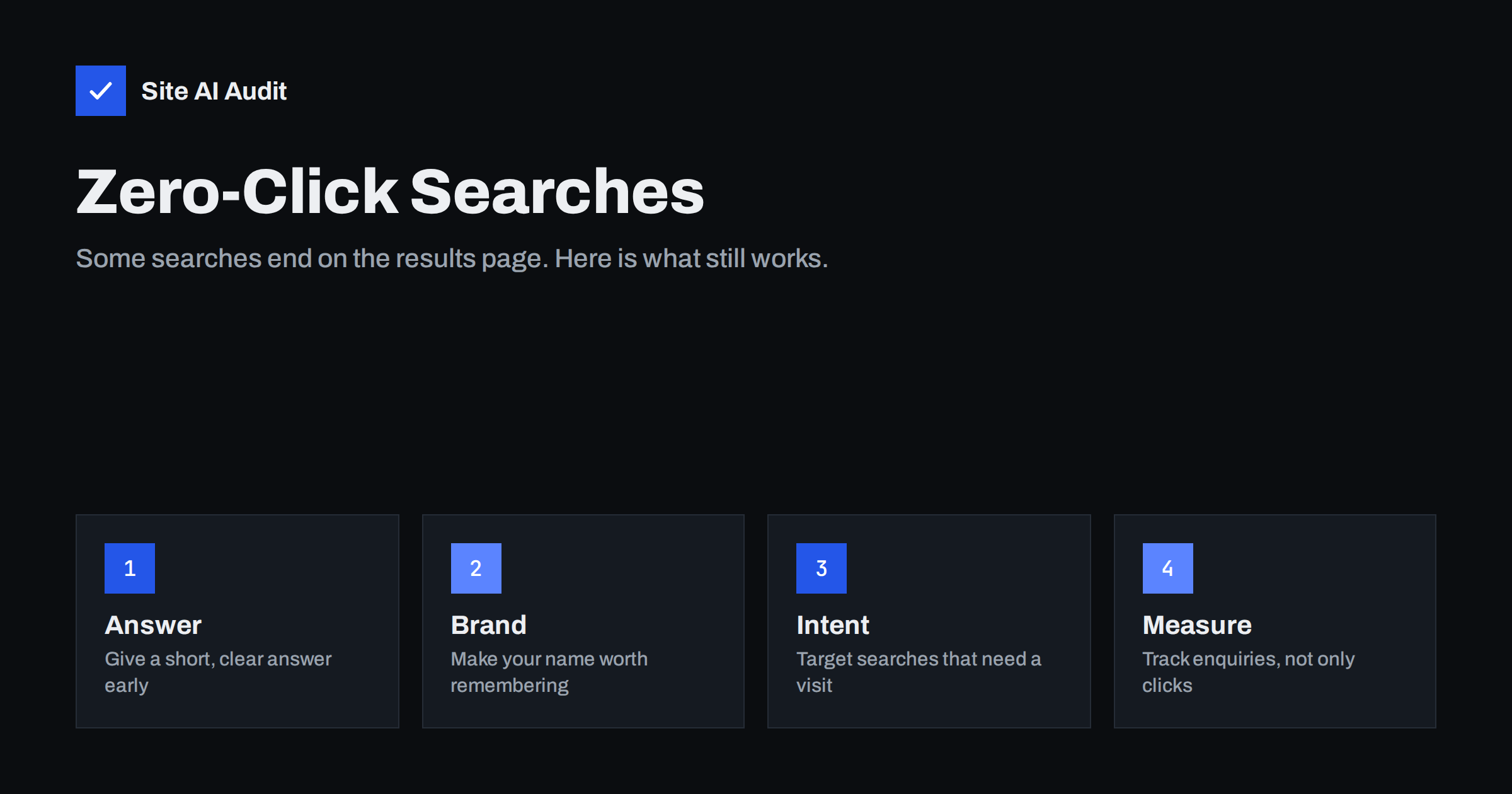
Short answer: A zero-click search is one where the searcher gets what they need on the results page and never visits a website. For a small site it means that impressions can grow while clicks stay flat, so the goal shifts from “rank for everything” to “win the searches that need a visit, and be remembered in the ones that do not”. Focus on questions where the answer is only the start, on a recognisable brand name and on measuring enquiries instead of raw traffic.
What a zero-click search is
Years ago a Google results page was a list of ten links. Today it often contains a direct answer, a map with business details, a box of related questions, a product carousel, a weather forecast or a calculator. When the answer is right there, many people read it and leave. Nothing went wrong with your website. The search simply did not need one.
This is not new, but it is more visible now. Anyone who looks at Google Search Console and sees impressions rising while clicks stay the same is looking at the effect. The data in the Search Console performance report shows it clearly once you know where to look.
Which searches stay zero-click
Not every query is equally affected. The searches that most often end without a click are the ones with a short factual answer that does not depend on who you are:
- Simple facts. Opening hours of a public place, the height of a building, the date of an event, the meaning of a word.
- Quick conversions and calculations. Currency, units, time zones.
- Navigation to a known place. Someone types a business name and wants only the phone number or the address from the map box.
- Short definitions. “What is a canonical tag” can be answered in two lines in a snippet.
If your whole content plan is built on this kind of query, it is fragile. A page that only repeats a fact will lose visits whenever Google decides to show that fact itself.
Which searches still need a visit
The other side is more encouraging. Many searches cannot be fully answered on the results page, because the person needs judgment, detail, proof or a transaction:
- Comparisons and decisions. “Which type of heating suits an old house” needs reasoning that does not fit in a box.
- How-to tasks with steps. A person fixing something wants the full sequence, screenshots and warnings.
- Buying and booking. Prices, availability, reviews from real customers, a form to fill in.
- Local services. People want to see your work, your area and a way to contact you.
- Problems with several possible causes. The answer depends on the situation, so the reader needs a diagnostic path.
Understanding this difference starts with search intent. Ask what the person wants to do after reading, not only what they typed.
Write the answer, then give a reason to continue
It may feel wrong to give away the answer, but pages that begin with a direct answer are the ones that appear in snippets and summaries, and that is also where trust is built. The trick is to give the short version and then make the full version clearly more valuable.
- Start with two or three sentences that answer the main question plainly.
- Follow with the conditions, exceptions and costs that the short answer hides.
- Add something the results page cannot show: a worked example, a checklist to download, a comparison of options, a photo of real work or a calculator.
- End with a next step that fits the reader, such as a quote request, a booking link or a related guide.
The format advice in how to format content Google can quote applies here. Being quoted is a form of exposure, and a good page turns a small share of that exposure into visits.
Be the name people search for
When searchers see you even without clicking, they form an impression. Later, some of them search for your business name or type your address directly. Those branded visits are among the most valuable you can get, because the person already trusts you.
You can support this in simple ways. Use the same business name everywhere, including the title tag, headings and social profiles. Keep your contact details identical across your site and directories. Make sure your site name and favicon look professional in results, since they are visible even without a click. A distinctive, consistent presence is easier to recall than a generic one.
Use the features that do send visitors
Some results features show enough to be useful and still hold back enough to invite a click. Structured data is the main tool. Review stars, product details, event dates and similar enhancements can make your listing stand out among plain ones. Our guide to structured data for small business websites explains which types are worth adding.
For businesses that serve a local area, the map box is both a risk and a chance. A visitor may call you directly from it and never open your site. That is fine, because a phone call is a better outcome than a visit. What matters is that the details shown are correct and that your website supports them with real service pages, as described in local SEO basics.
Measure what actually matters
Judging success by clicks alone can mislead you in a zero-click world. Add measures that connect more closely to the business:
- Enquiries and calls. Count form submissions, phone clicks and bookings, not only sessions.
- Branded searches. In Search Console, filter queries that contain your business name. A rising line means more people know you.
- Click-through rate on key pages. If a page has many impressions and few clicks, test a clearer title and description, following the steps in how to fix a low click-through rate.
- Conversion rate per visit. With fewer but better-qualified visitors, the share who act should go up.
If total traffic falls but enquiries stay level, your site may be doing its job better than before.
Mistakes to avoid.
Several reactions to zero-click results make things worse. Hiding answers deep in the page or behind a form rarely works, because competitors will give them freely and Google will quote them. Stuffing pages with extra length to look “deeper” wastes the reader’s time. Chasing every trending question dilutes your topic focus. And ignoring technical health is costly: a page that is slow, hard to crawl or blocked by a configuration mistake cannot win any kind of result.
It helps to check the basics first. Make sure important pages can be crawled and indexed, that titles are unique and clear and that your key pages load quickly on a phone.
A simple plan for the next month
You do not need a new strategy to respond. A month of focused work is enough to see where you stand and to improve the pages that matter.
- Week one: export queries and pages from Search Console and mark the ones with many impressions and almost no clicks. These are the pages most likely affected.
- Week two: for each marked page, ask whether the search needs a visit. If the answer is no, decide whether the page should still exist, be merged into a stronger one or be kept as a short supporting answer.
- Week three: rewrite the opening of your best pages so that the answer comes first, then add the extras that make the full page worth reading: examples, costs, photos, tools or a clear comparison.
- Week four: add or fix structured data, check your business details in directories and map listings, and add a visible contact step to each service page.
Repeat the review every quarter. Search results change, and a small team can adapt faster than a large one if it looks at the numbers regularly.
How Site AI Audit helps
Site AI Audit does not track clicks or rankings. It checks the technical basics that every kind of search result depends on: titles and descriptions, headings and alt text, broken links and redirects, sitemap, robots.txt and noindex settings, plus speed, security and e-mail authentication. The first check is free, covers up to 50 pages and needs no sign-up. You can run a free check of your website or look at the plans for weekly monitoring.
Related reading
- Search Intent Explained: Match Your Pages to What People Want
- Topic Clusters and Pillar Pages: Organise Your Content for SEO
- Google Discover: How Small Websites Can Get Traffic
- Search Console vs Google Analytics: Why the Numbers Differ
The bottom line
Zero-click searches are a reason to change the target, not to give up on search. Answer questions clearly, aim for the searches that need judgment or a purchase, make your name familiar and measure enquiries as well as clicks. A small site that is clear, consistent and technically sound can still win the visits that matter most.
SSS
Are zero-click searches bad for small businesses?
Not always. A caller who finds your number in a map box is as valuable as a visitor. The harm falls mainly on sites that rely on pages that only repeat simple facts.
Should I stop writing short answers?
No. A short, clear answer at the top of a page helps readers and can earn a snippet. Just make sure the rest of the page offers more than the snippet can show.
How can I tell whether zero-click results affect my site?
Open Search Console and compare impressions with clicks over several months for your main pages. Rising impressions with flat clicks suggest that results are answering the question for the searcher.
Does structured data prevent zero-click results?
No, but it can make your listing richer and more attractive, which helps in the searches that still lead to a visit.
What is the most important thing to do first?
List your ten most valuable pages, check whether each serves a search that needs a visit and improve the ones that do not.