ENEnglish
 LTLietuviškai
 DEDeutsch
 FRFrançais
 RUРусский
 ESEspañol
 PLPolski
 ITItaliano
 UKУкраїнська
 CSČeština
 PTPortuguês
 JA日本語
JA日本語 LVLatviešu valoda
 ETEesti
 HUMagyar
 IDBahasa Indonesia
 TRTürkçe
 HIहिन्दी
 ELΕλληνικά
 ARالعربية
 THไทย
THไทย VITiếng Việt
 RORomână
 MSBahasa Melayu
 BNবাংলা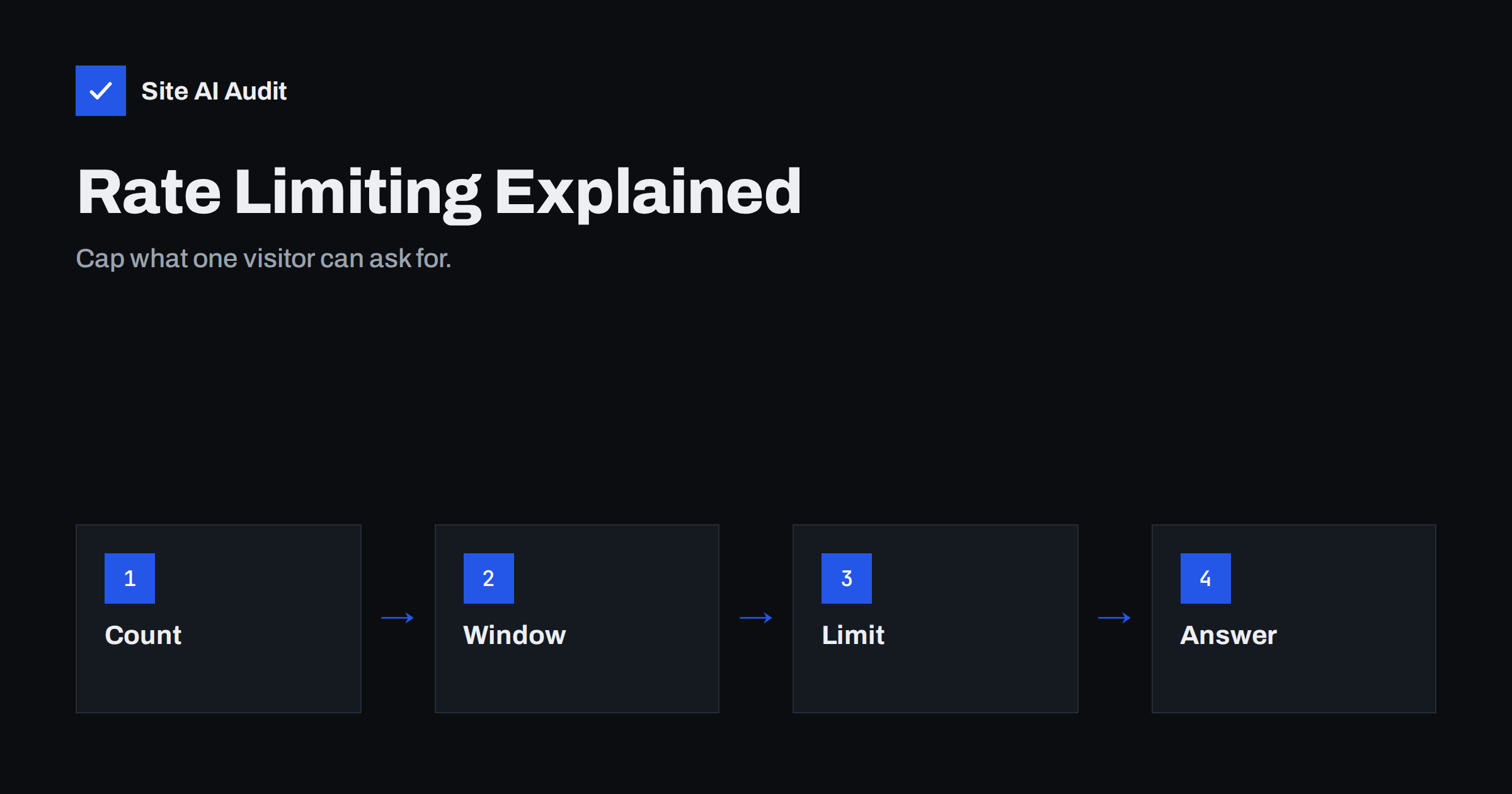
Short answer: Rate limiting means setting a ceiling on how many requests one visitor, address or account may make within a period of time. Real people stay far below the ceiling, while password-guessing scripts, scrapers and flooding tools hit it quickly and get slowed or blocked. It does not replace other defences, but it is one of the cheapest ways to protect login pages, forms and search from abuse.
What rate limiting does
Every visit to your website is a request. A person reading a page sends a handful of requests in a few seconds: the page itself, then images, styles and scripts. A script that tries thousands of passwords or copies your whole catalogue sends far more, and it does so repeatedly. Rate limiting counts requests per visitor over a short window and acts when the count goes above a threshold you chose.
The action can be mild or strict. The server can delay the response, show a challenge such as a verification step, return an error that tells the client to wait, or block the visitor for a period. The idea is to make abuse slow and costly while leaving ordinary use untouched.
Where rate limiting helps most
You do not need to limit everything. Focus on the places that attackers and bad scripts like to hit, because they are expensive for your server or valuable to an attacker.
- Login pages: limits slow down password guessing. Our guide to protecting a login from brute force covers the wider set of measures.
- Password reset and sign-up forms: without limits, these can be used to flood people with emails or create thousands of fake accounts.
- Contact and comment forms: limits reduce spam. See also our article on contact form spam protection.
- Search and filter pages: every search can trigger heavy database work, so a script that runs thousands of searches can slow the whole site.
- APIs and background endpoints: these often have no visible interface, but they accept requests from anywhere. WordPress sites with high load on the admin background endpoint are described in our article on high admin-ajax usage.
- Whole-site limits per address: a broad ceiling stops the most aggressive scrapers and crawlers. Our article on bad bots and aggressive crawlers explains how to recognise them.
How to choose a limit
A limit that is too loose does nothing. One that is too strict blocks real customers, which is worse than the problem you are solving. Start from real behaviour instead of guessing.
Look at your access logs for a normal busy day and note how many requests a typical visitor makes to the endpoint in question. For a login page, a person rarely needs more than a few attempts in a minute, so something like five failed attempts in several minutes is generous for a human and painful for a script. For whole-site limits, remember that one page view can produce dozens of requests for images and scripts, so count page requests or use a much higher ceiling. Our guide to reading access logs shows how to find the numbers.
Then start gently. Many tools let you run a rule in a log-only mode first, which shows what would have been blocked without blocking anyone. Review the list, adjust, and only then switch to enforcement.
What counts as one visitor
Rate limiting needs a way to tell visitors apart. The usual key is the IP address, but that is imperfect. Many people share one address, for example everyone in an office, a school or behind a mobile network. A strict per-address limit can block them all because of one busy user. On the other hand, attackers can spread requests across thousands of addresses, so each address stays under the ceiling.
To handle both cases, combine keys where you can. Limit by address for coarse protection, and limit by account name or email for sensitive forms, so that guessing one account’s password from many addresses still triggers a limit. This is the pattern used against stolen password lists, described in our article on credential stuffing.
If your site sits behind a proxy or content delivery network, make sure the limit uses the visitor’s real address and not the address of the proxy. Otherwise every visitor looks the same and the first person to trigger the rule blocks everybody. Your provider’s documentation usually names the header that carries the original address.
How the server should answer
The standard way to tell a client it is going too fast is the HTTP status 429, which means too many requests. A good response also includes a header called Retry-After that says how many seconds to wait. Well-behaved clients, including search engine crawlers, slow down when they see this. Badly behaved ones ignore it, which is when blocking becomes necessary.
For people, show a short message in plain words, such as “Too many attempts, please try again in a few minutes”. Avoid messages that reveal details, for example whether an account exists. For login pages the message should be identical whether the username is right or wrong.
Be careful with search engines. Blocking a legitimate crawler with a very low limit can slow down how quickly your new pages are discovered. If your server struggles with crawler traffic, a 429 or 503 response with a Retry-After header is the polite way to ask for a slower pace. Our article on slow websites during traffic spikes looks at the wider problem.
Where to set it up
There are several layers, and they can be combined.
- Web server or proxy: servers such as nginx and Apache have modules that limit requests per address. This is efficient because abusive requests are stopped before they reach your application.
- Content delivery network or firewall service: many offer rate rules in a control panel, often with a log-only mode. This stops traffic before it reaches your server at all. See our guide to the web application firewall for what these services do.
- Application or plugin: a WordPress security plugin can limit login attempts. This is the easiest to set up, but the request has already reached your application, so it saves less server effort.
- Hosting provider: some hosts apply their own limits. Ask what they do, so that you do not configure rules that conflict with theirs.
For most small sites, a managed firewall or the host’s built-in protection plus a login-limiting plugin is a sensible and low-effort combination.
Limits of rate limiting
Rate limiting is not a complete defence. A distributed attack that spreads requests across many addresses can stay under every per-address limit. A flood large enough to fill your network connection has to be stopped upstream by a provider, as discussed in our guide to DDoS protection for small websites. Slow, patient guessing that stays under the ceiling is still possible, which is why strong passwords and two-factor login matter alongside limits.
It can also cause harm if configured badly. Blocking an address for a long time after a few mistakes can lock out a customer who simply forgot their password, or lock out you when you are travelling. Prefer short, temporary blocks that grow if the behaviour continues, and make sure you have a way to unblock yourself, such as access through your hosting panel.
A simple starting plan
- Pick the three most abused places on your site, usually login, password reset and a form.
- Check your logs to see what normal use looks like.
- Add a limit for each place, in log-only mode if the tool allows it.
- Review the blocked entries after a week and adjust any that hit real users.
- Switch to enforcement, and keep a note of how to unblock an address.
- Review the rules every few months, because traffic and attackers change.
How Site AI Audit helps
Site AI Audit checks the visible basics of your website’s security: the SSL certificate, the redirect from HTTP to HTTPS, security headers and exposed software versions. It does not test rate limits or try to attack your login page, so use your hosting panel or firewall service to check those. You can run a free check of your website or see the plans.
Related reading
- Brute-Force Login Attacks: How to Protect Your Website Logins
- Bad Bots and Aggressive Crawlers: How to Control Bot Traffic
- DDoS Protection for Small Websites: What You Actually Need
- Web Application Firewall (WAF): Does Your Website Need One?
The bottom line
Rate limiting is a cheap and effective way to make abuse slow while keeping normal use smooth. Protect the login, reset and form pages first, base your limits on real traffic, answer with a clear 429 message and keep temporary blocks short. Combine it with strong passwords, two-factor login and a firewall, and review the rules from time to time.
SSS
What is a good rate limit for a login page?
There is no universal number. A common approach is to allow a few failed attempts within several minutes per address and per account, then slow down or block temporarily. Check your logs and adjust.
Will rate limiting hurt my search rankings?
Not if it is set sensibly. Do not block legitimate crawlers with very low limits. If you need them to slow down, a 429 or 503 response with a Retry-After header is the polite way.
Can I rate limit on shared hosting?
Often through a security plugin for login attempts, or through a firewall service placed in front of your site. Server-level rules may not be available, so ask your host what they offer.
Does rate limiting stop DDoS attacks?
Only small ones. Large floods must be absorbed upstream by a network or protection provider, because they can overload your connection before your rules run.
Why do real visitors get blocked?
Usually because many people share one address, or because the limit is too low for pages that trigger many requests. Raise the limit, count page requests rather than all files, or add an account-based key.