ENEnglish
 LTLietuviškai
 DEDeutsch
 FRFrançais
 RUРусский
 ESEspañol
 PLPolski
 ITItaliano
 UKУкраїнська
 CSČeština
 PTPortuguês
 JA日本語
JA日本語 LVLatviešu valoda
 ETEesti
 HUMagyar
 IDBahasa Indonesia
 TRTürkçe
 HIहिन्दी
 ELΕλληνικά
 ARالعربية
 THไทย
THไทย VITiếng Việt
 RORomână
 MSBahasa Melayu
 BNবাংলা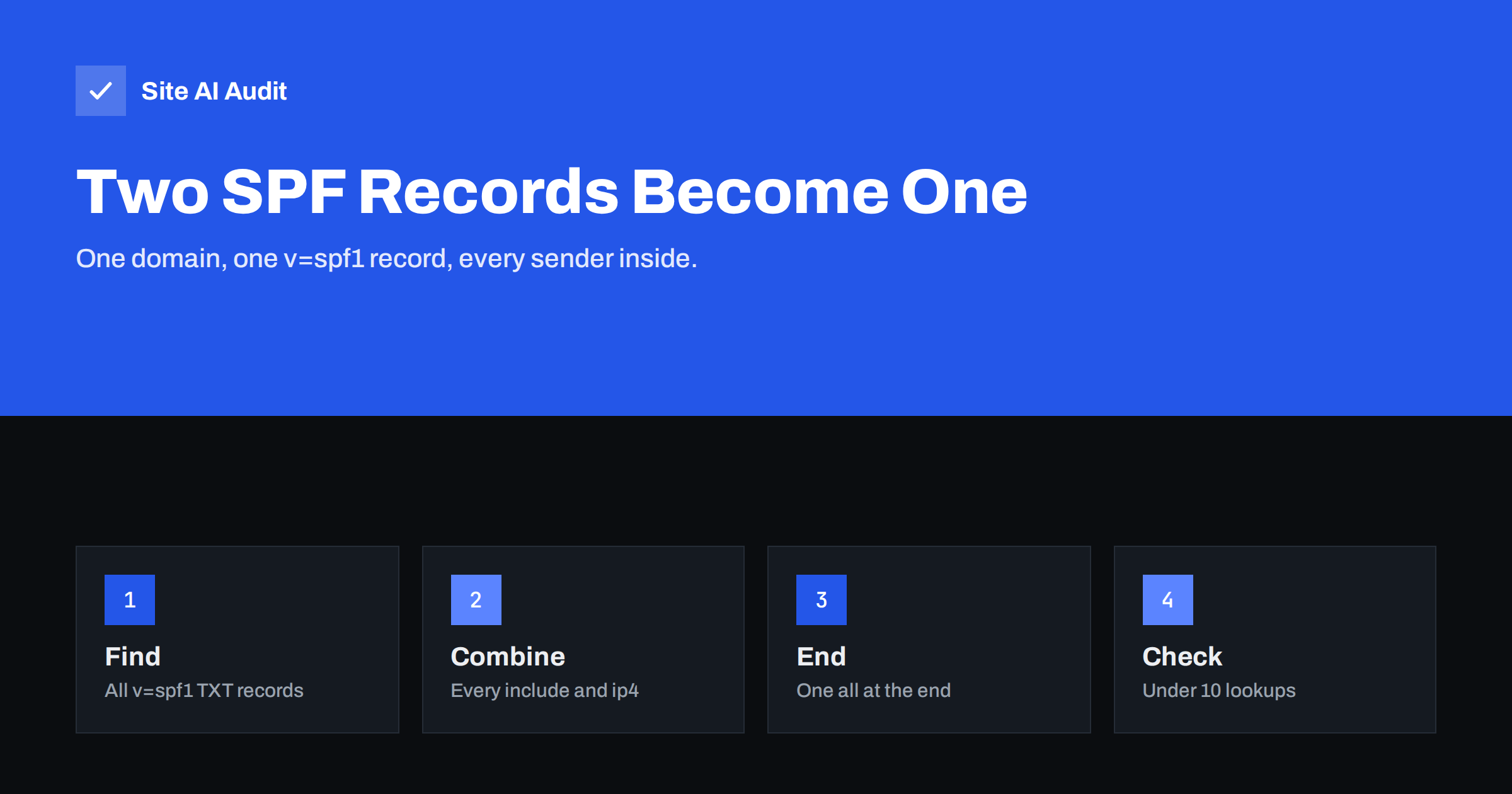
Short answer: A domain may publish only one SPF record. If a DNS lookup finds two or more TXT records starting with v=spf1, receiving servers do not pick one; SPF evaluation ends with a permanent error, which counts as an SPF failure. The fix is to merge all mechanisms into a single record, with one v=spf1 at the start and one all at the end, and to keep it within the limit of ten DNS lookups.
Why a second SPF record breaks SPF
SPF, the Sender Policy Framework, is published as a TXT record on your domain. When a mail server receives a message, it looks up the TXT records of the sending domain and selects those that begin with v=spf1. The SPF standard is strict here: if there is not exactly one such record, the result is permerror, a permanent error. The receiver does not try to combine records or guess which one you meant.
In practice this means that both records are ignored. Your legitimate mail servers are not confirmed, and the domain behaves almost as if it had no SPF at all. Many receivers treat permerror like a fail, and DMARC counts it as an SPF result that did not pass.
Other TXT records on the same name are not a problem. Domains often have several TXT records for site verification, for example for search consoles, office suites or certificate validation. Only records starting with v=spf1 count as SPF, and only one of them is allowed.
How domains end up with two SPF records
Nobody plans to have two SPF records. They appear through ordinary changes:
- A new email service is added. Its setup guide says “add this TXT record”, and the person follows it literally instead of editing the existing record.
- The hosting company creates a default record. Some DNS panels add
v=spf1 a mx ~allautomatically, and a second record is added later for the real email provider. - A provider switch. The old provider’s record stays in DNS while the new one is added.
- DNS moved between providers. Records are copied from two sources, such as the registrar’s and the hosting company’s zone, and both versions end up in the new zone.
- Separate teams. Marketing sets up a newsletter tool while IT manages the office mailboxes, and each adds its own record.
Because mail often keeps arriving through DKIM, the problem can go unnoticed for months, until a receiver starts rejecting messages or a DMARC report shows SPF failing for every source.
How to check whether you have more than one
Look up the TXT records for the exact domain used in your email addresses, for example yourshop.com:
- On macOS or Linux:
dig +short TXT yourshop.com - On Windows:
nslookup -type=TXT yourshop.com - Or open the DNS zone in your DNS provider’s panel and filter by TXT.
Count the lines that begin with v=spf1. One is correct. Two or more is the error described here. Also check the email headers of a test message: in Gmail’s “Show original”, an SPF result of permerror is a strong hint. Our guide to reading email headers shows where to look.
Remember that subdomains are separate. news.yourshop.com can and should have its own single SPF record if it sends mail; that does not conflict with the record on yourshop.com.
How to merge two SPF records into one
Suppose your domain has these two records:
v=spf1 include:_spf.mailprovider.example ~allv=spf1 include:newsletter-tool.example ip4:203.0.113.10 -all
Merge them like this:
- Start with one version tag:
v=spf1. - Add every mechanism from both records, without duplicates:
include:_spf.mailprovider.example include:newsletter-tool.example ip4:203.0.113.10. - End with a single
all. Seç~allwhile you are still checking that every sender is listed, or-allwhen you are confident. Our article on softfail versus hardfail explains the choice. - Publish the merged record and delete the old ones in the same change, so that there is never a moment with zero or two records for long.
The result: v=spf1 include:_spf.mailprovider.example include:newsletter-tool.example ip4:203.0.113.10 ~all.
Before merging, ask whether every entry is still needed. Old providers, retired servers and services you tested once are common leftovers. Removing them makes the record shorter and safer. If you are unsure what an entry belongs to, check the include domain or IP address against the services you actually use, and look at your DMARC aggregate reports to see which sources really send for your domain.
A frequent special case is the hosting default v=spf1 a mx ~all sitting next to the record from your email provider. Keep a only if your web server really sends mail as your domain, for example order emails from the shop, and keep mx only if your incoming mail servers also send outgoing mail. If your mailboxes are hosted elsewhere, the mx entry often points to servers that never send for you, and dropping it saves a lookup. When in doubt, check the hosting company’s documentation for the address of its outgoing mail servers instead of guessing.
Watch the 10-lookup limit and the record length
Merging can push a record over SPF’s limit of ten DNS lookups. Each include, a, mx, exists and redirect counts, including the lookups nested inside included records. A record with eleven lookups also ends in permerror, so you would swap one error for another. Count before you publish, and if you are over the limit, remove unused entries, replace a and mx with explicit IP ranges where they are stable, or move bulk senders to a subdomain. Our guide to fixing too many SPF lookups covers the options.
Length is a separate, smaller issue. A single text string in DNS can hold up to 255 characters, but one TXT record can contain several strings, which receivers join together. Most DNS panels split long values automatically. That is still one record, so it is fine. What is not fine is splitting the policy into two separate v=spf1 records to save space.
What not to do
- Do not add a second
v=spf1“for the new service”. Always edit the existing record. - Do not put two
allmechanisms in one record. Anything after the firstallis ignored. - Do not rely on the old SPF record type. The separate DNS type named SPF was abandoned years ago; publish SPF as TXT only.
- Do not use
+allto make errors disappear. It allows every server on the internet to send as you. - Do not forget DKIM. SPF breaks on forwarding anyway, so every service should also sign with DKIM for your domain.
After the fix: verify and monitor
DNS changes take effect when cached copies expire, which depends on the record’s TTL, often minutes to a few hours. Then look up the TXT records again and confirm that exactly one SPF record remains. Send test messages from each service that uses your domain, such as your mailbox, your shop and your newsletter tool, and check that SPF now shows pass or, for services that use their own bounce domain, that DKIM passes and aligns.
Over the next weeks, your DMARC aggregate reports should show SPF passing for your own servers again. Keep a short note of which entry in the record belongs to which service, so the next person who adds a provider edits the record instead of adding another one.
How Site AI Audit helps
Site AI Audit checks your domain’s SPF record as part of every audit. It reports a critical finding when there is more than one SPF record, when there is none, when the record allows any server with +all, or when it does not say what to do with other senders, and it counts the DNS lookups the record needs against the limit of ten. Each finding explains the impact and the fix in plain words. On the Business and Agency plans, daily email checks also warn you if your SPF record disappears. You can check your domain for free, and the pricing page lists all plans.
Related reading
- SPF Record Explained: What It Does and How to Set It Up
- SPF Record Examples for Common Small Business Setups
- How to Authenticate Third-Party Email Senders for Your Domain
- How to Read DMARC Aggregate Reports Without Getting Lost
The bottom line
Two SPF records do not give you twice the protection; they give you none, because receivers stop with a permanent error. Find every TXT record that starts with v=spf1, merge their mechanisms into one record with a single all at the end, remove entries you no longer use, stay under ten lookups, and test each sending service. Then make it a rule that new providers are added to the existing record, never next to it.
SSS
Can a domain have two SPF records?
No. A domain may publish only one TXT record that starts with v=spf1. With two or more, SPF evaluation returns a permanent error.
Does a second SPF record affect DMARC?
Yes. The SPF result becomes permerror, which does not count as a pass for DMARC. Messages can still pass DMARC through aligned DKIM, but you lose SPF as a backup.
Are other TXT records on the same domain a problem?
No. Verification records and other TXT values can sit next to SPF. Only records beginning with v=spf1 count, and only one of those is allowed.
My SPF record is too long. Can I split it into two?
Not into two records. You can split the value into several quoted strings within one TXT record, which receivers join, or reduce the number of entries.
Do subdomains need their own SPF record?
Yes, if they send mail. A subdomain’s SPF record is separate and does not count as a duplicate of the main domain’s record.