ENEnglish
 LTLietuviškai
 DEDeutsch
 FRFrançais
 RUРусский
 ESEspañol
 PLPolski
 ITItaliano
 UKУкраїнська
 CSČeština
 PTPortuguês
 JA日本語
JA日本語 LVLatviešu valoda
 ETEesti
 HUMagyar
 IDBahasa Indonesia
 TRTürkçe
 HIहिन्दी
 ELΕλληνικά
 ARالعربية
 THไทย
THไทย VITiếng Việt
 RORomână
 MSBahasa Melayu
 BNবাংলা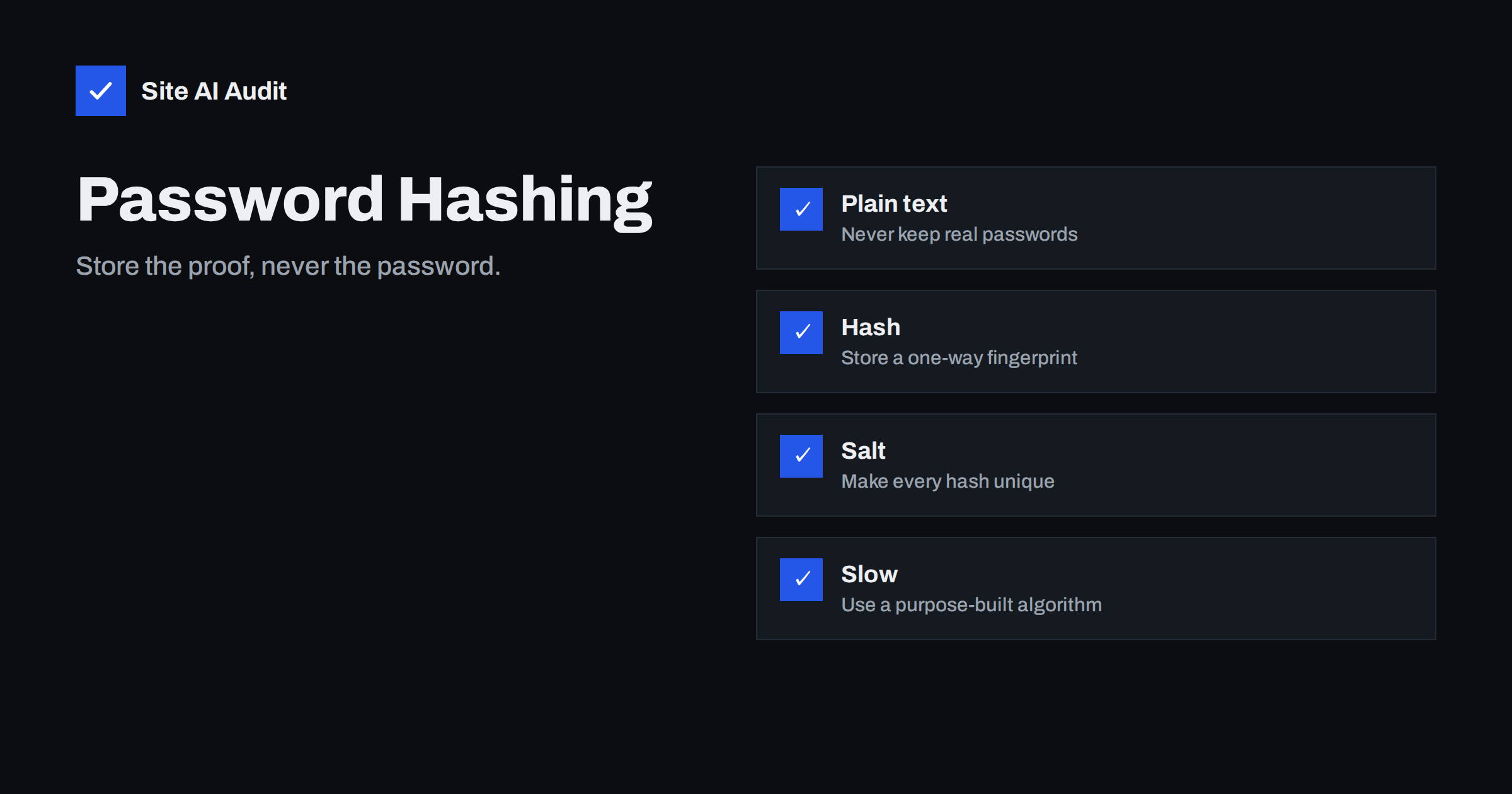
Short answer: A website should never store the password a person typed. It should store a hash, which is a one-way fingerprint made by a slow algorithm designed for passwords, together with a random salt that makes every fingerprint unique. When someone logs in, the site hashes what was typed and compares the result. If the database leaks, the attacker gets fingerprints that are very costly to reverse, not the passwords themselves.
Why passwords must not be stored as they are
Every database can be leaked. A bug, a stolen backup, a careless employee or a compromised plugin can expose it. The question that matters is what the attacker gets when it happens. If the passwords are stored as plain text, the answer is everything: every account, and, because many people reuse passwords, accounts on other websites too. The harm spreads far beyond your own site.
Storing passwords safely does not prevent a breach. It limits the damage, and it gives your users time to change their passwords before an attacker can use them.
What a hash is
A hash function takes an input of any length and produces a fixed-length output that looks like random characters. Two properties make it useful here.
- It is one-way. It is easy to compute the hash from the password, but there is no direct way to go back from the hash to the password.
- The same input always gives the same output. So the site can check a login by hashing the typed password and comparing the two hashes.
Hashing is not the same as encryption. Encryption is designed to be reversed with a key. If your site can send a user their old password by e-mail, it has stored the password in a form that can be reversed, which is a warning sign. A proper site can only reset a password, never show it.
Why a simple hash is not enough
General-purpose hash functions were made to be fast, because they are used to check files and data quickly. Speed is the enemy here. An attacker with a list of stolen hashes can try billions of guesses per second on modern hardware. People choose predictable passwords, so a fast hash falls to a dictionary of common passwords in a short time.
Attackers also use precomputed tables that map common passwords to their hashes. If two users have the same password and the same fast hash, one lookup cracks both. This is why two further ingredients are needed.
Salt and slowness
Salt
A salt is a random value, generated for each password, that is mixed in before hashing and stored next to the result. It is not secret. Its job is to make sure that two identical passwords give different hashes, and to make precomputed tables useless, because the attacker would need a new table for every salt.
Work factor
A password hashing algorithm is deliberately slow and often memory hungry. A setting called the work factor or cost controls how much effort a single hash takes. A legitimate login needs only one hash, so a delay of a fraction of a second is unnoticeable. An attacker who must try billions of guesses finds the same delay crippling.
Which algorithms to use
Use an algorithm made for passwords and well supported in your platform. The widely recommended choices are:
- Argon2id, the modern choice, which resists attacks that use graphics cards and custom hardware.
- bcrypt, an older and very widely deployed algorithm that is still acceptable when configured with a suitable cost.
- scrypt and PBKDF2, which are acceptable where the others are not available, with a high enough number of iterations.
Avoid MD5 and SHA-1 for passwords, and avoid plain SHA-256 without a proper password hashing construction. Never invent your own scheme. Use the functions built into your language or framework, which already handle salts and comparisons correctly. The settings should be reviewed every few years, because hardware gets faster and costs must rise with it.
What about WordPress and other platforms
Most mature platforms already do this correctly, and your task is to keep them updated. WordPress uses a salted and stretched hash, and newer versions have moved toward stronger algorithms. Problems appear mostly in custom code, older systems and abandoned plugins that create their own login tables. If a plugin handles sign-ups, ask what it stores. The advice in the WordPress security checklist and in the guide to hardening wp-config.php covers the surrounding setup, including the keys and salts used for cookies, as described in WordPress salts and security keys. Note that those keys are a different thing from password salts, although they share the word.
Other parts of safe login
Hashing is one layer. It works best together with the others.
- Allow long passwords and passphrases. Do not set a low maximum length, and do not force strange composition rules.
- Check against known breached passwords. Refusing passwords that appear in public leaks stops the worst choices.
- Limit login attempts. Slow down repeated guesses, as described in the guide to brute force protection.
- Offer two-factor login or passkeys. A stolen password alone then no longer opens the account. See the two-factor authentication guide.
- Use HTTPS everywhere. Passwords travel from the browser to the server, and they must be protected on the way.
- Never log passwords. Error logs and debug output sometimes capture form data by accident.
How to check your own setup
- Ask your developer or vendor which algorithm is used and how it is configured.
- Test the password reset: you should receive a link to set a new password, never the old one.
- Check that the database does not contain readable passwords, in a safe copy and with proper permission.
- If you find weak storage, plan a migration. Many systems can upgrade each hash at the next successful login, so users need not be disturbed.
- If you suspect a leak, tell users promptly and force a reset. The steps in data breach response for small business help you act in order.
A word about migration deserves attention, because many older sites still run on weak storage. If your system uses an old, fast hash, you do not have to ask every user to reset a password on the same day. A common approach is to verify the login with the old method, and if it succeeds, immediately compute a new hash with the strong algorithm and replace the stored value. Over weeks, active accounts move to safe storage without anyone noticing. Accounts that never log in can be locked and require a reset when the owners return. Plan this with your developer and test it on a copy, because a mistake can lock everybody out.
Also think about who can see the hashes. Access to the user table should be limited to the application itself, and backups that contain it should be encrypted and kept away from the web root, as described in the guide to a website backup strategy. Hashes are strong protection, but there is no reason to hand them out. A leaked hash of a weak password can still be cracked, so the quality of the passwords people choose still matters. Encourage long passphrases and a password manager, and give users a clear way to change their password and to see recent sign-ins. These small features turn a technical safeguard into a habit that protects real people.
Finally, document the decision. Write down which algorithm and cost you chose, who approved it and when it should be reviewed. A short note in the project folder helps the next developer, and it makes audits and customer questions much easier to answer. If a client or a partner asks how you protect accounts, a clear and honest answer builds more trust than any badge on the page.
How Site AI Audit helps
Site AI Audit cannot look inside your database or test how a login stores passwords. It checks the visible protection around it: whether the SSL certificate is valid and when it expires, whether HTTP redirects to HTTPS, and which security headers are set, together with exposed software versions. It also reviews SEO, speed and e-mail authentication. The first check is free, covers up to 50 pages and needs no sign-up. You can run a free check of your website or look at the plans for weekly monitoring and alerts.
Related reading
- Credential Stuffing: Why Leaked Passwords Threaten Your Site
- Password Managers for Website Teams: Safer Shared Logins
- Passkeys for Website Logins: Passwordless Sign-In Explained
- Two-Factor Authentication for Website Owners: What to Protect
The bottom line
Store the proof of a password, not the password. Use a slow, salted algorithm that was designed for the purpose, keep the settings current, and add the surrounding protections such as rate limits and two-factor login. Done well, a leak becomes an incident that you can recover from, not a disaster for your users.
FAQ
Is hashing the same as encryption?
No. Encryption is meant to be reversed with a key, while a password hash is meant to be one-way. A site that can show your old password has not hashed it.
What is a salt and does it need to be secret?
A salt is a random value added to each password before hashing. It does not need to be secret. It makes identical passwords produce different hashes.
Which algorithm is best today?
Argon2id is the usual recommendation, and bcrypt is still acceptable with a suitable cost. Use the implementation that comes with your platform.
Why does my site send me my password by e-mail?
That means it stores the password in a readable or reversible form, which is unsafe. Ask the owner to switch to hashing and to send reset links instead.
Do I need to change anything if my platform is up to date?
Usually not. Keep it updated, use strong settings for custom code, and add two-factor login for administrators and important accounts.