ENEnglish
 LTLietuviškai
 DEDeutsch
 FRFrançais
 RUРусский
 ESEspañol
 PLPolski
 ITItaliano
 UKУкраїнська
 CSČeština
 PTPortuguês
 JA日本語
JA日本語 LVLatviešu valoda
 ETEesti
 HUMagyar
 IDBahasa Indonesia
 TRTürkçe
 HIहिन्दी
 ELΕλληνικά
 ARالعربية
 THไทย
THไทย VITiếng Việt
 RORomână
 MSBahasa Melayu
 BNবাংলা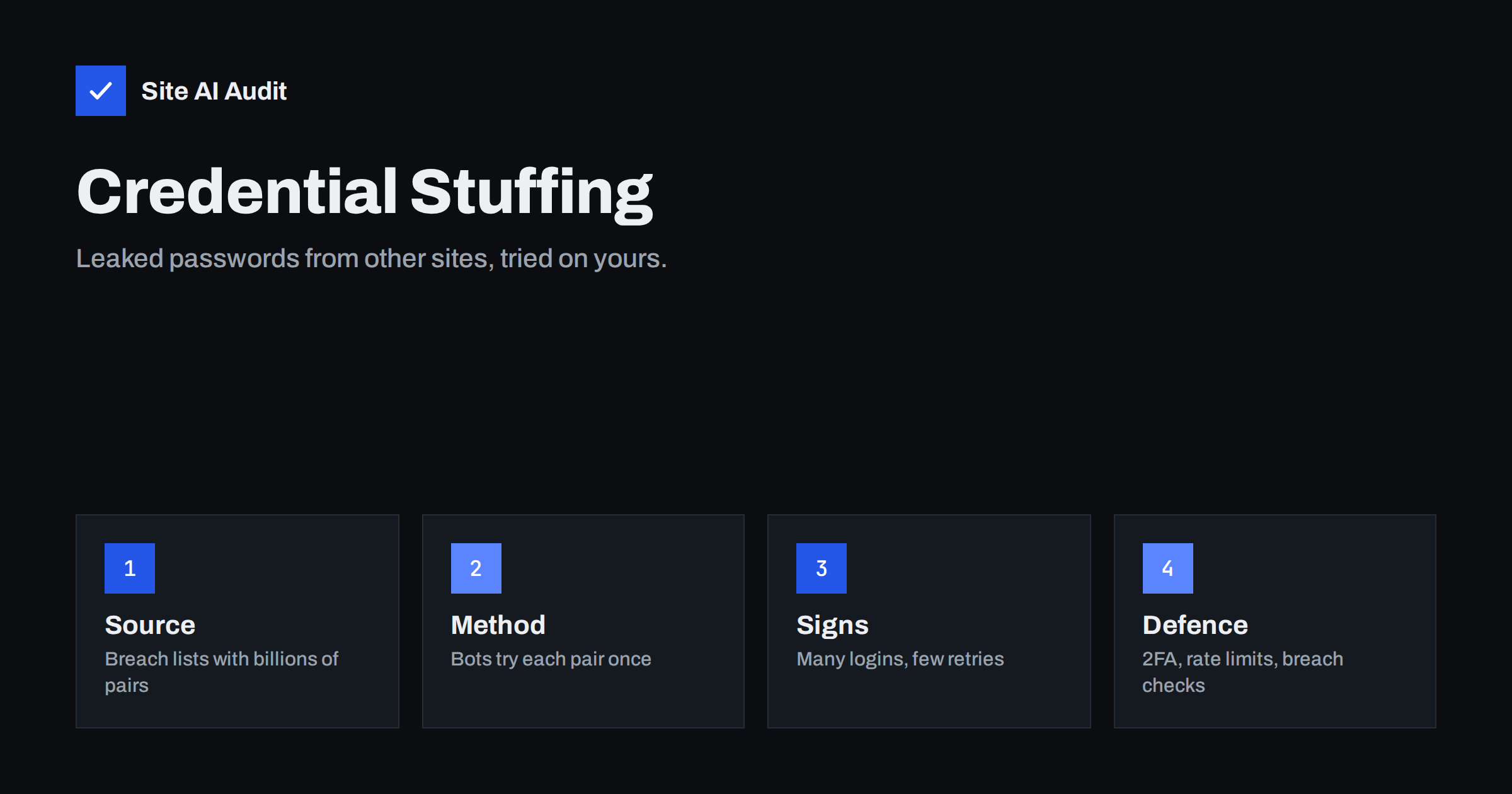
Short answer: Credential stuffing is an attack in which bots try email and password pairs stolen from other websites on your login form. It works because people reuse passwords. Unlike brute force, each account is tried only once or twice with a known password, so the usual lockout rules do not trigger. The defences are two-factor authentication, rate limiting by IP and by account, checking new passwords against known breach lists, bot protection on login forms and alerts for unusual login patterns. Customer accounts, not only admin accounts, are the target.
How the attack works
Data breaches at large services release lists of usernames, email addresses and passwords. Those lists are sold and combined into collections with billions of entries. Attackers feed a collection into a tool that visits login pages across the web and tries each email and password pair. Wherever a person reused their password, the login succeeds.
The tools are built to look like normal traffic. They spread requests across thousands of IP addresses from proxy networks, use real browser signatures, solve simple challenges and pause between attempts. From the server’s point of view, each attempt looks like one person logging in once.
The targets are any site with accounts: online shops, membership sites, customer portals, booking systems and the admin area of a CMS. A hijacked customer account can be used to buy with saved payment details, redeem points, read private data or send spam through the site. A hijacked admin account gives full control.
How it differs from brute force
Brute-force attacks try many passwords against one account. They produce a stream of failures on a single username, which is easy to detect and block with lockouts. Our guide to brute-force login protection covers that pattern.
Credential stuffing tries one password against many accounts. The failure rate is high but spread thin, and the attempts that succeed look like ordinary logins. Per-account lockouts do nothing, because no single account sees many failures. Per-IP lockouts help only a little, because the traffic comes from a large pool of addresses.
The difference matters for defence: measures that stop brute force are necessary but not sufficient.
Signs that it is happening
- A sharp rise in login requests, with a failure rate far above normal, from many different IP addresses.
- Logins for accounts that have not been used in months, or for email addresses that do not exist on your site.
- Successful logins followed by immediate changes of email address, password or delivery address, or by unusual orders.
- Many requests with the same browser signature and timing but different addresses, or traffic from hosting and proxy networks rather than consumer connections.
- Customer complaints about accounts they did not access, or about password reset emails they did not request.
Access logs are the place to look. Count login requests per hour and compare with a normal week. Our article on reading access logs shows the basic commands.
Defences that work
- Two-factor authentication. A stolen password alone is not enough when a second factor is required. Make it mandatory for admin and staff accounts, and available, ideally encouraged, for customers. See two-factor authentication for website owners.
- Rate limiting at several levels. Limit login attempts per IP, per account and globally. A global limit, for example a cap on failed logins per minute across the whole site, catches distributed attacks that per-IP limits miss. When the cap is exceeded, add a challenge or a delay rather than blocking everyone.
- Breached-password checks. When a user sets or changes a password, check it against a known-breach service and refuse passwords that appear in leaks. Services exist that allow this without sending the full password. Most CMS platforms have plugins for it.
- Bot protection on login forms. A web application firewall or a bot management service can detect automated traffic by behaviour and signature and challenge it. Our article on web application firewalls explains the options for small sites.
- Login notifications. Email users when a login comes from a new device or location. Customers often spot a hijack before you do.
- Re-authentication for sensitive actions. Ask for the password or the second factor again before changing the email address, viewing saved payment details or placing a high-value order. This limits the damage from a successful login.
- Hide whether an account exists. Error messages and response times should not reveal whether an email address is registered. Attackers use that to prune their lists. Our article on user enumeration covers the CMS side.
What to do during an attack
First, reduce the attack surface quickly: enable a challenge on the login page, tighten rate limits and, if your firewall supports it, block the hosting and proxy networks that the traffic comes from. Do not lock all accounts, because that punishes customers and the attacker simply waits.
Second, find the accounts that were accessed successfully. Compare successful logins during the attack window with each account’s usual addresses and devices. Force a password reset for those accounts, end their sessions and notify the owners with a plain explanation.
Third, check what the hijacked accounts did: orders, address changes, downloads, messages. Reverse what you can and keep a record. Depending on the data involved and your location, you may have reporting duties under privacy law.
Finally, review admin accounts separately. If any admin login succeeded from an unknown source, treat the site as compromised and follow the full recovery steps, because an attacker with admin access may have installed a backdoor.
Reduce the value of a stolen login
Even with good defences, some attempts will succeed, so design the account area to limit what a hijacker gains. Store as little payment data as possible and rely on your payment provider’s vault. Mask stored card numbers and addresses. Require the second factor for payouts, refunds and data exports. Keep an audit log of account changes that staff can review. These steps turn a successful login into a minor incident instead of a loss.
Helping your users
Most of the risk comes from reused passwords, which you cannot control directly. You can make the safe choice easy: support password managers by not blocking paste in password fields, allow long passwords, and avoid rules that force frequent changes, because they push people towards predictable patterns. Offer passkeys or sign-in through established identity providers if your platform supports them; a login without a password cannot be stuffed. Explain in plain words, at registration and in account settings, why a unique password and a second factor matter.
Staff accounts deserve the same attention as customer accounts. Employees reuse passwords too, and a staff login often has more rights than any customer. Keep a list of who has access to what, remove accounts when people leave and give each person the smallest role that lets them do their work. Our guides on least privilege for admins and staff and access offboarding cover the details.
It also helps to test your own defences once. Try logging in to a test account from a script a few dozen times with wrong passwords, then from several addresses, and watch what your site does. If nothing slows the attempts, your rate limits are not working, and it is better to learn that from your own test than from an attacker.
For small businesses, the practical minimum is clear: two-factor authentication on every admin and staff account, a rate limit on the login page, a breached-password check and login alerts. Those four measures cost little and remove most of the easy wins for automated attacks. Everything else can be added as the site grows.
What Site AI Audit can and cannot tell you
Site AI Audit checks the security basics of your site, including the SSL certificate, the HTTPS redirect, security headers and exposed software versions, and reports them in plain language. It does not test your login form or monitor login traffic, so credential stuffing detection relies on your logs, your firewall and the measures above. A clean result on the basics is still part of the picture: an exposed software version or missing headers make the follow-up attacks easier. You can run a free check of your website or see the plans.
Related reading
- Brute-Force Login Attacks: How to Protect Your Website Logins
- Two-Factor Authentication for Website Owners: What to Protect
- Session Hijacking and Fixation: Protect Logged-In Users
- 9 Signs Your Website Has Been Hacked (and How to Check)
The bottom line
Credential stuffing turns other companies’ breaches into logins on your site. It slips past per-account lockouts because each account is tried only once. Require two-factor authentication where it matters, limit login rates at several levels, reject breached passwords, challenge bots and alert users about new logins. Then design the account area so that a stolen login cannot do much damage.
FAQ
Is credential stuffing the same as brute force?
No. Brute force tries many passwords on one account. Credential stuffing tries known leaked passwords on many accounts, one or two attempts each, so account lockouts do not catch it.
My site is small. Would attackers bother?
Yes. The tools run against lists of thousands of sites automatically. Any site with a login form and user accounts is tested eventually.
Does a CAPTCHA stop it?
It raises the cost and stops simple tools. Advanced tools solve or outsource challenges, so combine it with rate limits, two-factor authentication and breach checks.
How do I check whether my users’ passwords are leaked?
Use a breached-password check at registration and password change. Several services allow this without sending the full password. Many CMS plugins include the feature.
What should I tell affected customers?
Explain that a password reused from another site was used to log in, that you reset their password and ended sessions, what the account did during that time and how to turn on two-factor authentication.