ENEnglish
 LTLietuviškai
 DEDeutsch
 FRFrançais
 RUРусский
 ESEspañol
 PLPolski
 ITItaliano
 UKУкраїнська
 CSČeština
 PTPortuguês
 JA日本語
JA日本語 LVLatviešu valoda
 ETEesti
 HUMagyar
 IDBahasa Indonesia
 TRTürkçe
 HIहिन्दी
 ELΕλληνικά
 ARالعربية
 THไทย
THไทย VITiếng Việt
 RORomână
 MSBahasa Melayu
 BNবাংলা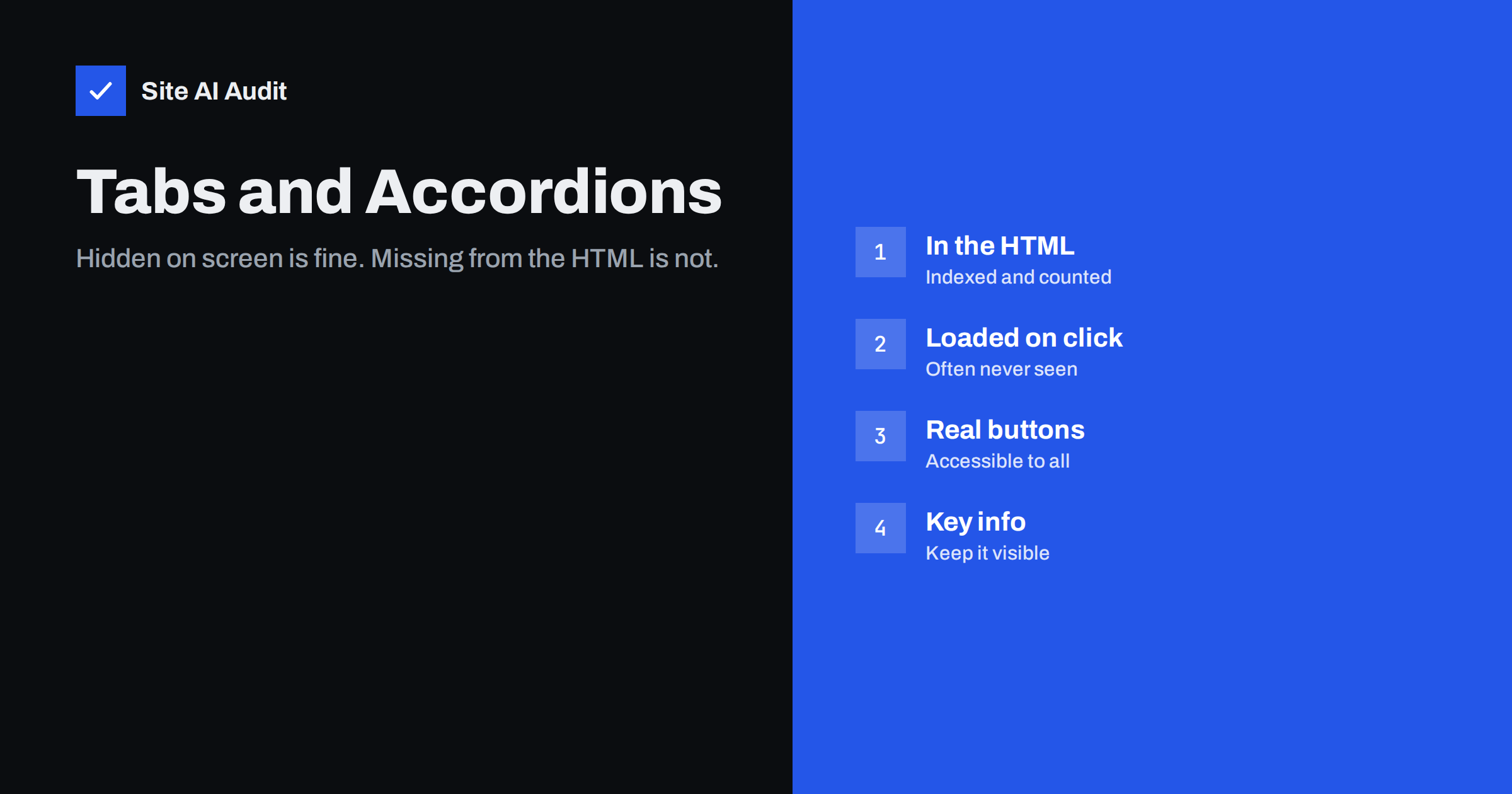
Short answer: Yes, Google indexes content inside tabs, accordions and “read more” sections, as long as that text is present in the page’s HTML when the page loads. Since mobile-first indexing, Google has said that content hidden for usability reasons on small screens is treated like visible content. What Google can miss is content that is loaded only after a click, through JavaScript requests or separate URLs. Put the text in the initial HTML, hide it with CSS or the hidden attribute, use real buttons for the toggles, and keep the most important information visible without a click.
Why this question keeps coming up
Tabs and accordions are everywhere on small business websites: product specifications, delivery information, FAQ sections, service details and long legal texts. They make a page shorter and easier to scan, especially on phones.
For years, SEO advice warned that Google gave less weight to hidden text. That made sense when pages were indexed from a desktop perspective: hiding text that was perfectly readable on a large screen looked suspicious. With mobile-first indexing, Google evaluates the mobile version of your page, where collapsing content is often the only sensible design. Google’s public statements since then have been consistent: content that is hidden in tabs or accordions for good user experience reasons is indexed and treated normally. If you want background on that shift, see our guide to mobile-first indexing.
Hidden versus missing: the distinction that matters
There are two very different ways to build a tab or accordion:
- All content in the HTML, visibility toggled. Every panel’s text is already in the page source. CSS, a
hiddenattribute or the native<details>element decides what is shown. Clicking only changes visibility. Google sees all of it. - Content loaded on demand. The panel is empty until a visitor clicks; then JavaScript fetches the text from the server and inserts it. Google does not click buttons, so in most cases it never sees this content.
The second pattern is common in page builders, review widgets, “load more” buttons and some shop themes that fetch specifications or reviews separately. It saves a little data on the first load but makes the content invisible to search. Our article on JavaScript SEO explains how Google renders pages and why user interactions are not part of that process.
How to check what Google sees
- View the page source. In your browser, open the source of the page (not the developer tools’ live view) and search for a sentence from a closed tab. If it is there, the content is in the initial HTML.
- Use the URL Inspection tool. In Search Console, inspect the URL, run a live test and open the rendered HTML. Search for the same sentence. If it appears, Google can index it.
- Search Google for an exact sentence. Put a distinctive phrase from the tab in quotes, combined with
site:yourdomain.com. If the page appears, the content has been indexed. If it does not, it may not be indexed yet or may not be visible to Google.
Do this for one page of each template: a product page, a service page, an FAQ page. If one product page works, the others built with the same template almost certainly do too.
How to build tabs and accordions that work for search and visitors
Use the native details element where it fits. <details><summary>Question</summary>Answer</details> is supported by all modern browsers, works without JavaScript, is accessible by keyboard and keeps the text in the HTML. Modern browsers can even open a closed details element automatically when a visitor uses the browser’s find-in-page function on its text.
For custom tabs, keep all panels in the markup. Hide inactive panels with the hidden attribute or a CSS class, and switch them with a small script. Do not remove panels from the page or fetch them later.
Use real buttons. The element that opens a panel should be a <button> with aria-expanded and aria-controls, so screen readers and keyboard users can operate it. Tabs should follow the standard tab pattern with role="tab" and role="tabpanel".
Use proper headings. If a panel contains a section of text, give it a heading at the right level. The button label can be the heading text. Our guide to heading tags explains how to structure them.
Make panels linkable. Give important panels an id and open the matching panel when the URL contains that fragment, so you and others can link directly to “Delivery information” or a specific FAQ answer.
What should stay visible
That Google indexes hidden text does not mean everything should be hidden. Visitors decide in seconds whether a page answers their question, and they cannot do that if the answer is behind a click they do not notice. Keep these visible without interaction:
- The main description of the product or service and what makes it different.
- Prices or how pricing works, if you publish them.
- The key facts people search for, such as size, compatibility, area served or delivery time.
- The main call to action.
Use tabs and accordions for supporting detail: full specifications, care instructions, terms, longer FAQ answers and secondary questions. If analytics show that most visitors open a particular tab, its content probably deserves to be visible by default.
For FAQ sections, a common and sensible pattern is a list of questions with collapsed answers. All answers should be in the HTML, and the visible question text should match any FAQ structured data you add; see our guide to structured data.
Common mistakes
- Loading reviews or specifications by AJAX on click. Valuable unique text never reaches the index.
- Putting the only copy of important text in a closed tab on desktop and a separate mobile template that leaves it out entirely. With mobile-first indexing, the mobile version is what counts.
- Hiding keyword lists or text that is not meant for visitors. That is hidden text spam, not a tab, and it can lead to a manual action.
- Using links with
href="#"instead of buttons, which confuses keyboard users and screen readers and adds meaningless URLs. - Nesting accordions inside tabs inside accordions. Visitors get lost, and so does the structure of the page.
- Duplicating the same long tab text on hundreds of pages, for example identical delivery terms. It is not harmful as such, but it adds no unique value, so make sure each page also has enough of its own content.
Tabs, accordions and page speed
Content that is in the HTML but hidden still has to be downloaded, so very long panels make the HTML heavier. In practice text is small: even several thousand words of hidden text add only kilobytes after compression. Images, videos and embedded widgets inside hidden panels are a different story. Give images in closed panels the loading="lazy" attribute and load video players only when the panel opens, using a lightweight preview first. That way you keep the text indexable while not paying for media nobody looks at.
Avoid layout jumps when panels open on page load, for example when a script opens the first tab after rendering. Set the default open state in the HTML itself so that the page renders correctly from the start.
How Site AI Audit helps
Site AI Audit crawls the pages of your site as they are delivered and checks the basics that tell you whether a page has enough indexable content: it lists pages with very little text, pages without a main heading or with several H1 headings, missing or duplicate titles and descriptions, and pages without structured data. If a page that should be rich in content shows up as thin, it is worth checking whether its tabs load their text on click. You can run a free check, and the pricing page lists the plans with full details for every affected page.
Related reading
- Thin Content: What It Is and How to Fix It on Your Website
- Product Page SEO: A Checklist for Online Shops
- Featured Snippets: How to Format Content Google Can Quote
The bottom line
Google indexes text inside tabs and accordions when it is part of the page’s HTML, and it treats that text much like visible content. The real risk is content that only appears after a click triggers a new request. Keep all panel content in the markup, build toggles with real buttons or the details element, keep the essentials visible, and check the source and the URL Inspection tool to confirm that Google sees what your visitors can open.
DUK
Does Google give less weight to text in accordions?
Google has said that content hidden for usability reasons, such as in tabs and accordions on mobile, is treated normally. It still makes sense to keep your most important information visible for visitors.
Will Google index content that loads when a tab is clicked?
Usually not. Google does not click buttons when it renders a page, so content fetched only after a click is often never seen.
Is the details element good for SEO?
Yes. Its content is in the HTML, it works without JavaScript and it is accessible, which makes it a simple and safe choice for FAQs and expandable sections.
Can hidden text cause a penalty?
Not when it is genuine content that visitors can open. Text hidden purely for search engines, such as keyword lists, is spam and can lead to a manual action.
How can I check whether Google sees my tab content?
Search the page source and the rendered HTML in Search Console’s URL Inspection tool for a sentence from a closed tab. If it is there, Google can index it.