ENEnglish
 LTLietuviškai
 DEDeutsch
 FRFrançais
 RUРусский
 ESEspañol
 PLPolski
 ITItaliano
 UKУкраїнська
 CSČeština
 PTPortuguês
 JA日本語
JA日本語 LVLatviešu valoda
 ETEesti
 HUMagyar
 IDBahasa Indonesia
 TRTürkçe
 HIहिन्दी
 ELΕλληνικά
 ARالعربية
 THไทย
THไทย VITiếng Việt
 RORomână
 MSBahasa Melayu
 BNবাংলা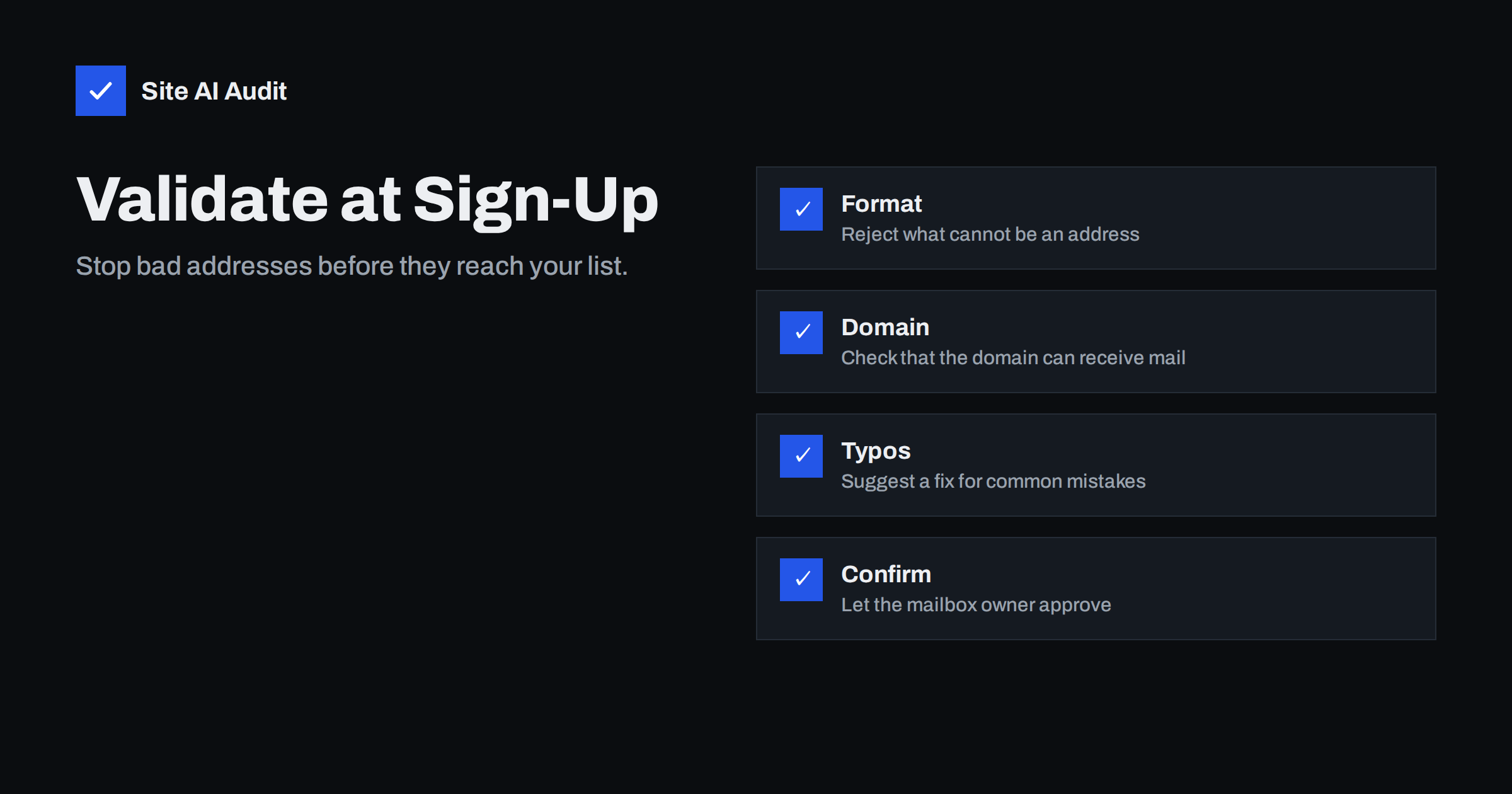
Short answer: Check addresses at the moment people type them. A good form rejects text that cannot be an address, checks that the domain can receive mail, offers a correction for common typos such as “gmial.com” and, for lists you send to repeatedly, asks the owner to confirm by clicking a link. These steps keep bounces low, protect your sender reputation and save money on sending, and they cost far less than cleaning a polluted list afterwards.
Why bad addresses cost you more than you think
Every message sent to an address that does not exist comes back as a bounce. A few bounces are normal. A steady stream tells mailbox providers that you collect addresses carelessly, and that is one of the signals they use when deciding whether your future mail deserves the inbox. The explanation in email bounce codes shows how to read the replies, and domain versus IP reputation explains why the damage follows your domain.
The damage is not limited to marketing. If your shop sends order confirmations and password resets from the same domain, a polluted newsletter list can push those important messages towards spam. Prevention at the form is the cheapest fix there is.
There is also a direct cost. Many sending services charge by the number of contacts or messages, so every dead address is paid for every month. A list of ten thousand addresses with a tenth of them dead means you pay for a thousand mailboxes that will never read anything, and you lose accurate figures for opens and clicks as well. Clean data makes every later decision better.
The kinds of bad addresses
Not every bad address comes from the same cause, and the right defence depends on the cause.
- Honest typos. A visitor writes “[email protected]” or leaves out a letter. They wanted your message and will never receive it.
- Made-up addresses. Someone wants a download or a discount code without joining your list and types “[email protected]”.
- Disposable addresses. Temporary mailboxes that disappear after a short time. They bounce a week later.
- Addresses of other people. A bot or a prankster signs up a victim’s address. This is the one that leads to complaints, and it is the pattern behind subscription bombing.
- Old, abandoned mailboxes. Valid when entered, dead later. Some are recycled into spam traps.
Check one: format
The first check is simple. Reject entries that cannot be an address: no at sign, spaces, nothing before or after the at sign, or no dot in the domain part. Most browsers do this when you use the proper email field type in the form.
Keep the rule loose. The official rules for addresses allow more characters than people expect, including plus signs, which many users use to sort their mail. A very strict pattern will reject real customers, which is worse than accepting an occasional odd entry. Trim spaces from the start and end, and change the domain part to lower case before saving.
Check two: does the domain accept mail
A correct-looking address can still point to a domain that has no mail service. The server can look up the DNS records of the domain after the at sign. If there is no MX record and no fallback address record, mail cannot arrive. The guide to MX įrašai shows what these records do.
This check catches typos in the domain such as “gmail.con”, invented domains and expired ones. Keep it fast: use a short timeout and, if the lookup fails because of a temporary DNS problem, accept the address and rely on the later confirmation instead of blocking the visitor.
Check three: suggest a correction
The most useful checks are friendly. If the domain is one letter away from a very common provider, show a message such as “Did you mean [email protected]?” and let the person click to accept or ignore it. Typo suggestions are not perfect, so do not change the entry silently.
- Compare the domain to a short list of the providers your audience uses.
- Offer the correction only when the match is close and the entered domain is not itself valid and in use.
- Ask the person to type the address once, not twice. Two fields annoy people and many just copy and paste the typo.
These small prompts reduce honest typos considerably, and honest typos are the group that matters most, because those people want to hear from you.
What about disposable and role addresses
You can block known disposable email services, and some businesses do. Think about your purpose first. For a free trial that costs real money, blocking them can be reasonable. For a newsletter, a temporary address is a polite way for the visitor to say no, and you lose nothing by letting it go.
Role addresses such as info@ or sales@ often reach several people and sometimes cause complaints. They are not wrong, and for business-to-business forms they are common. Accept them, but expect lower engagement. The background on required mailboxes is in postmaster and abuse mailboxes.
Mailbox verification is unreliable.
Some services claim to check whether a specific mailbox exists by starting a conversation with the receiving server and stopping before a message is sent. This is unreliable. Many servers accept every address and bounce later, some refuse to answer, and repeated checks from one source can get that source blocked or listed. Treat such results as hints and never as proof.
The only strong proof that an address belongs to the person who typed it is that the person can read mail sent to it. That is why confirmation matters.
Use confirmation where it counts
For a list that you will mail repeatedly, send a confirmation message with a link and add the person only after they click. This is called double opt-in, and the trade-offs are discussed in double versus single opt-in. It removes typos, stops other people’s addresses from entering your list and gives you a clear record of consent.
For one-off transactions, such as a download or an order, you do not need a full confirmation, but you should still validate the format and domain. Keep the transactional message itself plain, so it arrives even if the address later proves wrong. The same care applies to your contact form, where the address helps you reply, and the advice in stopping contact form spam without losing leads covers the abuse side.
Here is a short setup you can apply to almost any form:
- Use the email input type, so phones show the right keyboard and browsers catch obvious errors.
- On the server, trim, lower-case the domain and run the format and domain checks again, because browser checks can be bypassed.
- Show a clear, polite message when a check fails, and say what to change.
- Log rejected entries without storing the personal part for long, so you can see which mistakes are common and improve the suggestions.
- Send a confirmation or a welcome message promptly. A quick first message shows whether the address works while the visitor still remembers signing up.
Test the form yourself with a typo, a made-up domain and a valid address before you publish, and test again after any redesign, because form plugins sometimes change their checks in updates.
Keep the list clean afterwards
Validation at the form does not finish the job. Addresses go stale over time. Remove hard bounces at once, stop sending to people who never open for many months, and honour unsubscribes immediately. The routine in email list hygiene turns this into a monthly habit. Watch your bounce rate after each send. If it climbs above a small fraction of a percent, find the source of the new addresses and fix the form.
How Site AI Audit helps
Site AI Audit does not test your sign-up forms or validate addresses. It checks the sender side that decides whether your mail is trusted: SPF, including the lookup limit, DKIM, DMARC and MX records for your domain, together with SEO, speed and security. The first check is free and needs no sign-up. You can run a free check of your website or see the plans, where the Business plan adds daily SSL and e-mail checks.
Related reading
- Email Deliverability Checklist: 20 Checks for Small Businesses
- What Is Email Deliverability? A Plain-English Guide for Owners
- How to Reduce Spam Complaints and Keep Your Spam Rate Low
- Order Confirmation Emails Not Arriving? Fix Your Shop’s Mail
The bottom line
Good addresses start at the form. Check the format loosely, confirm that the domain can receive mail, offer a friendly typo correction and use a confirmation link for any list you will mail more than once. A clean start is easier and cheaper than repairing a damaged reputation later.
DUK
Should I ask visitors to type their email twice?
Usually not. People copy the first entry into the second field, so typos survive. A single field with a typo suggestion works better.
Is a regular expression enough to validate an address?
It is a good first step but not enough. It cannot tell whether the domain exists or whether the owner agrees to receive mail.
Can I block free email providers on a form?
You can, but think twice. Many real customers and small firms use free providers, so blocking them may cost you genuine leads.
What bounce rate is acceptable?
Aim for well under one percent on marketing mail. Rates above that suggest list quality problems that can harm your reputation.
Does double opt-in reduce my list size?
It does, because some people never confirm. The people who do are real, interested and far less likely to bounce or complain.