ENEnglish
 LTLietuviškai
 DEDeutsch
 FRFrançais
 RUРусский
 ESEspañol
 PLPolski
 ITItaliano
 UKУкраїнська
 CSČeština
 PTPortuguês
 JA日本語
JA日本語 LVLatviešu valoda
 ETEesti
 HUMagyar
 IDBahasa Indonesia
 TRTürkçe
 HIहिन्दी
 ELΕλληνικά
 ARالعربية
 THไทย
THไทย VITiếng Việt
 RORomână
 MSBahasa Melayu
 BNবাংলা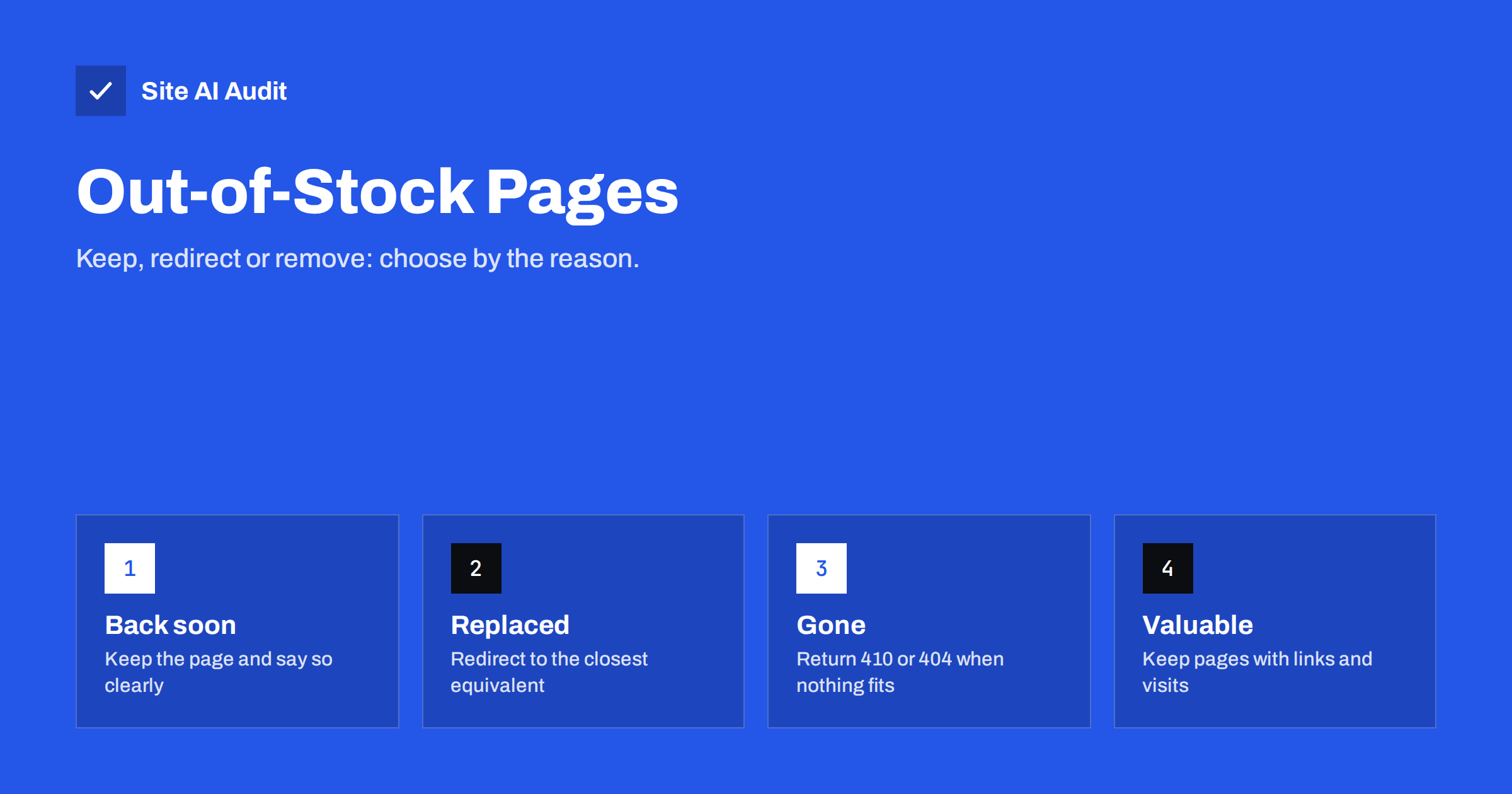
Short answer: The right treatment depends on why the product is unavailable. If it will return, keep the page live with a clear message and an honest availability status. If a direct replacement exists, redirect the old page to it with a 301. If it is gone for good and nothing similar exists, let the page return 410 or 404, or keep it as a helpful page that points to alternatives when it still earns visits or links. Never redirect every old product to the home page.
Why this decision matters
In an online shop, product pages are often the pages that bring in the most targeted visits. Each one collects links, reviews, history and rankings over time. When an item sells out or is withdrawn, what you do with its address decides whether that value is kept, moved or thrown away.
The two common reactions are both wrong. Deleting every unavailable page creates a pile of error pages and loses the rankings. Leaving every page up with no explanation frustrates visitors, who land on a dead end and leave, and it wastes search engine attention on pages that cannot sell. A short decision process avoids both.
There is a customer side as well. A shopper who finds an unavailable item through search is still a potential buyer. If the page is helpful, that person may choose an alternative, join a waiting list or come back later. If the page is empty or gone, they return to the search results and choose a competitor. Treating unavailable pages as part of the shopping journey, and not as leftovers, protects revenue as well as rankings.
Step one: ask why it is unavailable
Sort every unavailable product into one of four groups before you decide anything.
- Temporarily out of stock. A restock is planned within weeks or a few months.
- Seasonal. It will return at the same time next year.
- Replaced. A newer model or an equivalent product takes its place.
- Discontinued. It will not come back, and there is no close substitute.
Write the group in your product data or spreadsheet. The reason, not the stock number, drives the action.
Temporary and seasonal gaps: keep the page
For items that will return, keep the page live and return a normal 200 status. Search engines treat a page that disappears and comes back as a new beginning, and you may lose the position you had.
- Say it clearly near the top. “Out of stock, expected back in March” is far better than a greyed-out button that gives no reason.
- Mark the availability in structured data. Use the product markup to show the item as out of stock, so search results do not promise something you cannot deliver. See structured data for small business websites for the basics.
- Offer a way to wait. A back-in-stock e-mail request captures interest and gives you a list of buyers for the restock.
- Show alternatives. A short block of similar items keeps visitors in your shop. Link to them with plain text links, as recommended in internal linking for SEO.
- Do not hide the page from menus too early. Move it lower in the category if you wish, but keep it reachable.
For seasonal products, keep the same address all year. The page that returns in autumn with its old reviews and links will rank sooner than a new one.
Replaced products: redirect to the equivalent
When a newer model or a direct substitute exists, send the old address to it with a permanent redirect. Search engines pass most of the value to the new page, and customers who bookmarked or found the old link arrive at something useful.
Choose the target carefully. It should serve the same need: the new version of the same item, or a very close alternative. A redirect to a product that is only loosely related can be treated as a soft error, as explained in soft 404 errors. Use a 301 for a permanent change, and read 301 or 302 if you are unsure when a temporary redirect is more suitable.
Update internal links and sitemap entries to point directly to the new address, so you avoid chains. If you have already built several redirects over the years, check them with the advice in finding redirect chains and loops.
Discontinued products: choose between three options
When an item is gone and nothing replaces it, you have three reasonable options. The best one depends on the value of the page.
- Keep it as an “unavailable” page. If the page still gets traffic or has backlinks, leave it up with a clear message that the product has been discontinued, plus links to related items and the parent category. It keeps the visits and gives visitors a next step.
- Redirect to the category. If the page has some value and a close category exists, a redirect to that category can be sensible. Pick the most specific category that fits, not the top of the shop.
- Return 410 or 404. If the page has no traffic, no links and no use, let it go. A 410 tells search engines the removal is deliberate and permanent, while a 404 is also acceptable. See 410 Gone versus 404 Not Found for the difference.
Do not redirect everything to the home page. It confuses visitors and search engines usually see it as a mismatch and treat it like a missing page.
Check which pages have value before removing them
A quick audit saves you from deleting your best pages. For each unavailable product, look at three numbers: visits from search over the last year, the number of sites that link to it and any sales history. Search Console shows the first, and a backlink tool or your server logs can show the second.
If a page has external links, be careful. Removing it can waste them, a problem described in how to reclaim lost backlinks. In that case prefer a redirect or a kept page to a deletion.
Avoid these common mistakes
- Mass deletion after a stock clean-up. A feed or plugin may unpublish all items at zero stock. Check whether your shop does this automatically.
- Soft errors. A page that says “not found” but returns a normal status confuses search engines. Return the right status code.
- Keeping unavailable pages in sitemaps forever. Remove discontinued items so crawl time goes to products you sell. The ideas in crawl budget explained explain why this matters for larger shops.
- Leaving “Add to cart” active. Selling a product that is not available leads to cancellations and complaints.
- Forgetting variants. One size or colour may be out of stock while others are available. Keep the page and mark only the unavailable option.
Plan it as a routine
Do not treat this as a one-time clean-up. Once a quarter, list the products that have been unavailable for more than sixty days and sort them again into the four groups. Move the ones that returned back to normal, redirect replaced products, and retire what is gone.
If you run WooCommerce, ask your developer how the platform handles stock status and unpublished products, and see how to speed up a slow WooCommerce store if the catalogue has grown. A short written policy, even one page long, helps everyone who edits the shop make the same decision.
A simple review table helps. Give each unavailable product a row with the reason, the date it became unavailable, its search visits, its number of linking sites and the chosen action. When someone new joins the team, the table shows how decisions were made. Keep the redirect targets in the same sheet, so you can check them after a redesign or a platform change and make sure none of them points to a page that has since been removed.
How Site AI Audit helps
Site AI Audit does not read your stock levels or product data. It checks the technical results of these decisions: broken links, redirects, sitemap, robots.txt and noindex settings, plus titles, descriptions and headings, speed, security headers and SSL. The first check is free, covers up to 50 pages and needs no sign-up. You can run a free check of your website or see the plans, where weekly monitoring flags a page that starts to break.
Related reading
- Product Page SEO: A Checklist for Online Shops
- Category Page SEO for Online Shops: A Practical Guide
- Faceted Navigation and Filter URLs: How to Avoid SEO Traps
- Index Bloat: How to Find and Remove Unwanted Pages from Google
The bottom line
An unavailable product is not automatically a problem page. Keep pages that will come back, redirect the ones that have a true replacement and retire the ones with no value, using the right status code. Decide by the reason and the value of each page, and your shop keeps its rankings while visitors always find a useful next step.
DUK
Will an out-of-stock page hurt my rankings?
Not for a short gap, as long as the page stays live and explains the status. Problems arise from deleting the page or leaving visitors without alternatives.
Should I noindex out-of-stock products?
Usually not for temporary gaps, because you want the page to keep its position. For permanently discontinued items with no value, removal is cleaner than noindex.
Is it fine to redirect a discontinued product to its category?
Yes, if the category is closely related and the old page had some value. Pick the most specific category available.
How long can a product stay out of stock before I act?
There is no fixed limit. Review items that stay unavailable for more than two months and decide whether they will return.
Do I need structured data for availability?
It is strongly recommended. It keeps your search listing accurate, which protects the trust of buyers.