ENEnglish
 LTLietuviškai
 DEDeutsch
 FRFrançais
 RUРусский
 ESEspañol
 PLPolski
 ITItaliano
 UKУкраїнська
 CSČeština
 PTPortuguês
 JA日本語
JA日本語 LVLatviešu valoda
 ETEesti
 HUMagyar
 IDBahasa Indonesia
 TRTürkçe
 HIहिन्दी
 ELΕλληνικά
 ARالعربية
 THไทย
THไทย VITiếng Việt
 RORomână
 MSBahasa Melayu
 BNবাংলা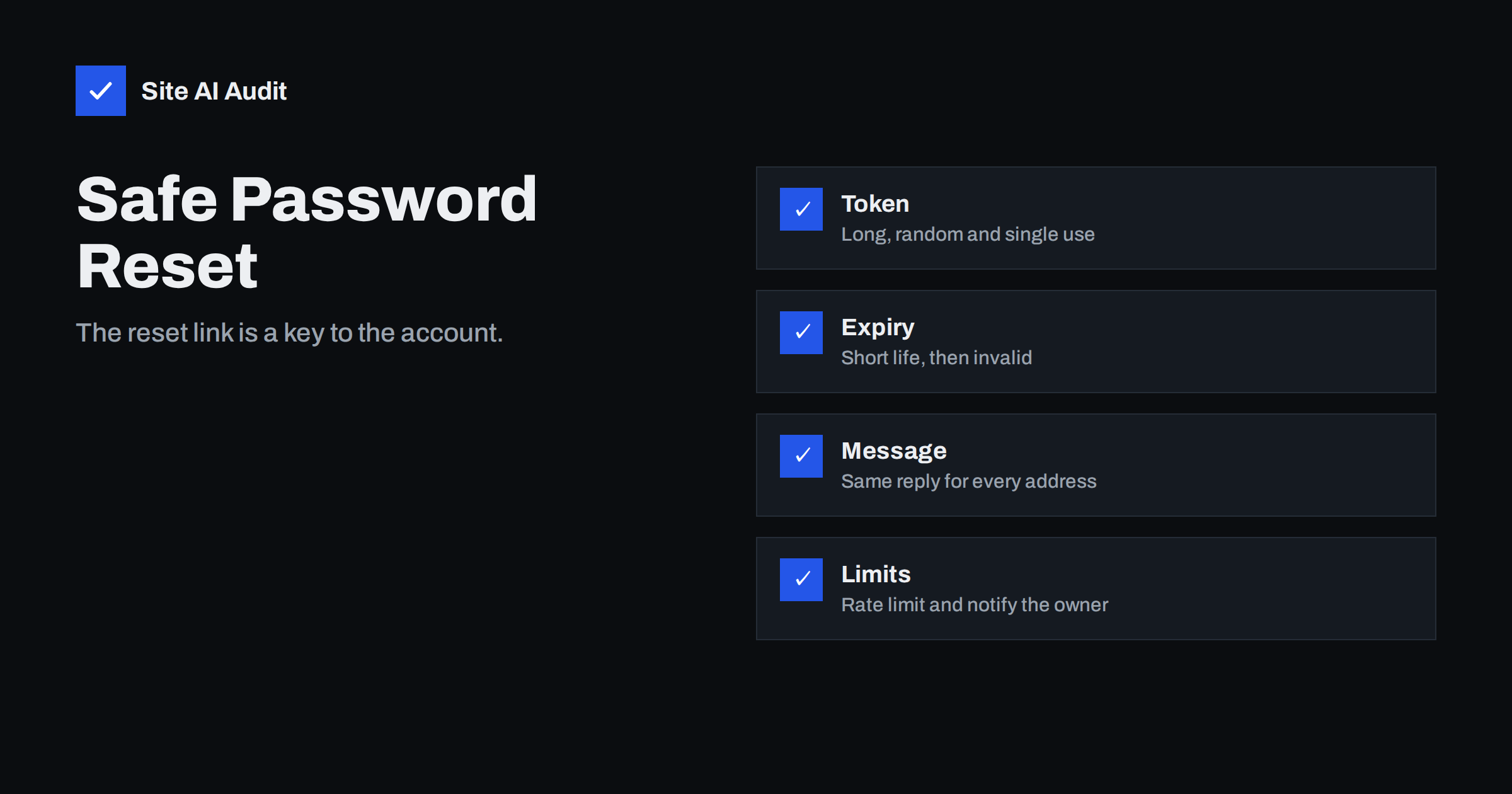
Short answer: A password reset feature is a second way into every account, and attackers often prefer it to guessing passwords. Common flaws include predictable or reusable tokens, links that never expire, messages that reveal which e-mail addresses exist, reset links built from untrusted input and no limit on attempts. A safe flow uses a long random single-use token with a short life, gives the same reply for every address, limits requests, notifies the owner and signs out old sessions after the change.
Why reset is a target
People forget passwords, so every site that has accounts must offer a way back in. The usual method sends a link or a code to the e-mail address on file. Whoever opens that link can choose a new password and take control of the account. That makes the reset flow as valuable to an attacker as the login form itself, and often easier to attack, because it was built quickly and tested less.
The aim of the attacker is rarely to break in once. A successful takeover of an administrator or a customer account can lead to stolen data, fraudulent orders, hidden malware and abuse of the site’s reputation. The design choices below decide whether that path is open or closed.
How a safe reset works
- The visitor enters an e-mail address or username.
- The site always replies with the same neutral message, such as “If an account exists, we have sent instructions.”
- If the account exists, the site creates a random token, stores a hashed copy with an expiry time and sends the link to the address on file.
- The visitor opens the link, and the site checks the token, the expiry and whether it was already used.
- The visitor chooses a new password. The site saves it, marks the token as used, ends other sessions and informs the owner by e-mail.
Every step has a typical mistake. The following sections go through the most common ones.
Weak or predictable tokens
A token should be impossible to guess. Flaws appear when it is built from something guessable, such as the current time, a counter, the user’s ID or a short number. A six-digit code that allows many attempts can be tried one by one. Even a long-looking token is weak if it comes from a poor random number generator.
The fix is to generate the token with a secure random source provided by the platform, to make it long enough that guessing is not realistic, and to store only a hash of it, as you would with a password. If the database is read by an attacker, they then cannot use the stored values to reset accounts.
Tokens that live too long or can be reused
- No expiry. A link in an old e-mail can still work months later, after the mailbox has been shared, forwarded or hacked.
- Reuse. If the token works after the password has changed, anyone who finds the link can change it again.
- Many active tokens. If each new request creates another valid token without cancelling the old ones, the attacker has more chances.
Set a short life, usually a matter of minutes to an hour, make every token single use, and cancel older tokens when a new one is issued. A short life also limits the harm from links that stay in browser history or logs.
Leaky links and untrusted input
The link itself can leak. A reset address that contains the token sits in the browser history, in server logs and possibly in the Referer header sent to other sites when the page loads an external image or script. Reduce this by loading no third-party resources on the reset page and by setting a strict referrer policy, as in the Referrer-Policy header guide.
A more serious problem arises when the application builds the link from the Host header of the incoming request. An attacker can send a request with a forged host name, and the e-mail the victim receives then contains a link to the attacker’s site, which collects the token. The article on host header injection explains this in detail. The remedy is to build links from a fixed, configured site address and never from request data.
Revealing who has an account
Messages such as “no account with this e-mail” help the honest user, but they also help attackers who want a list of valid addresses for phishing or credential attacks. Responses can leak in other ways too: a different wording, a different page, or a noticeably different response time when the address exists. Use the same reply and make timing similar. For more on this theme, see WordPress user enumeration.
There is a balance with usability, and sites that must show registration errors elsewhere cannot hide everything. Protect the reset form at least, and add rate limits so that bulk testing becomes slow.
Missing limits and weak extra checks
- No rate limiting. Without limits, attackers can flood a user with reset e-mails, test thousands of addresses or guess short codes. Limit requests per address, per IP and per time window, as described in rate limiting explained.
- Security questions. Answers such as a mother’s maiden name or a first pet are often public or easy to guess. Avoid them.
- Sending the password itself. A site that e-mails the old or a new plain-text password has stored it unsafely, or exposes it in transit.
- No second factor. A reset that bypasses multi-factor authentication turns the extra protection into decoration. Require the second factor, or a verified recovery method, before changing it.
- Old sessions stay alive. After a reset, other logged-in sessions should end, because they may belong to the attacker. See session hijacking and fixation.
- No notification. Send an e-mail to the owner after every reset and after e-mail address changes.
What small sites can do today
If you run WordPress or a shop, you rarely write the reset code yourself, so your best steps are practical.
- Keep the platform and plugins updated, since many reset flaws are fixed in plugin releases.
- Use well-known login and membership plugins, and test the reset yourself with a spare account.
- Turn on two-factor sign-in for administrators and shop managers.
- Add brute-force protection, as in the guide to login brute-force protection.
- Protect the mailbox behind the accounts. If an attacker controls the e-mail, they control every reset.
- Consider passkeys for sign-in, which remove the password from the picture. Plan a safe recovery path for them as well.
A short test plan
You can check most of these points yourself, on your own site, with a spare account. Request a reset and read the message: does it arrive quickly, does the link point to your real domain and does the text avoid giving away private details? Open the link and note how long it works. Use it once, then try it again, and confirm that the second attempt is refused. Request two links in a row and check that the first one stops working.
Next, test the form with an address that does not exist and compare the reply with the reply for a real address. The wording and the page should be the same. Finally, change the password and see whether other browsers that were logged in are signed out, and whether you receive a notice. If any of these checks fail, tell your developer or the plugin vendor, and do not wait for a real incident to find out.
How Site AI Audit helps
Site AI Audit does not test the logic of your reset form or send reset requests. It checks the surrounding protection that makes accounts harder to attack, such as SSL, redirects from HTTP to HTTPS, security headers and exposed software versions, and it also checks e-mail authentication so that your reset messages are more likely to reach the inbox. Findings are explained in plain words and ranked by impact. The first check is free, covers up to 50 pages and needs no sign-up. You can run a free check of your website or see the plans for regular monitoring.
Related reading
- Host Header Injection: How Password Reset Links Get Hijacked
- Brute-Force Login Attacks: How to Protect Your Website Logins
- Two-Factor Authentication for Website Owners: What to Protect
- Credential Stuffing: Why Leaked Passwords Threaten Your Site
The bottom line
A password reset link is as powerful as the password it replaces, so it must be treated with the same care. Use long random single-use tokens with a short life, build links from a fixed address, give the same reply for every request, limit attempts, notify the owner and end old sessions after the change. Test the flow with a spare account whenever you change plugins or hosting.
FAQ
How long should a reset link stay valid?
Keep it short, from several minutes up to about an hour. After use, or when a newer link is requested, the old one should stop working.
Should the site say whether an e-mail address exists?
For the reset form, no. Use a neutral message such as “If an account exists, we have sent instructions” so that attackers cannot collect valid addresses.
Are security questions a good backup?
Generally not. The answers are often public, guessable or reused elsewhere. Prefer a verified e-mail address or another recovery method that you control.
Why should other sessions end after a reset?
If an attacker was already logged in, a password change alone would not remove them. Ending old sessions closes that gap.
Can I test my own reset flow safely?
Yes, on your own site with a test account. Check the token life, single use, message wording and e-mail link. Do not test other people’s sites without permission.