ENEnglish
 LTLietuviškai
 DEDeutsch
 FRFrançais
 RUРусский
 ESEspañol
 PLPolski
 ITItaliano
 UKУкраїнська
 CSČeština
 PTPortuguês
 JA日本語
JA日本語 LVLatviešu valoda
 ETEesti
 HUMagyar
 IDBahasa Indonesia
 TRTürkçe
 HIहिन्दी
 ELΕλληνικά
 ARالعربية
 THไทย
THไทย VITiếng Việt
 RORomână
 MSBahasa Melayu
 BNবাংলা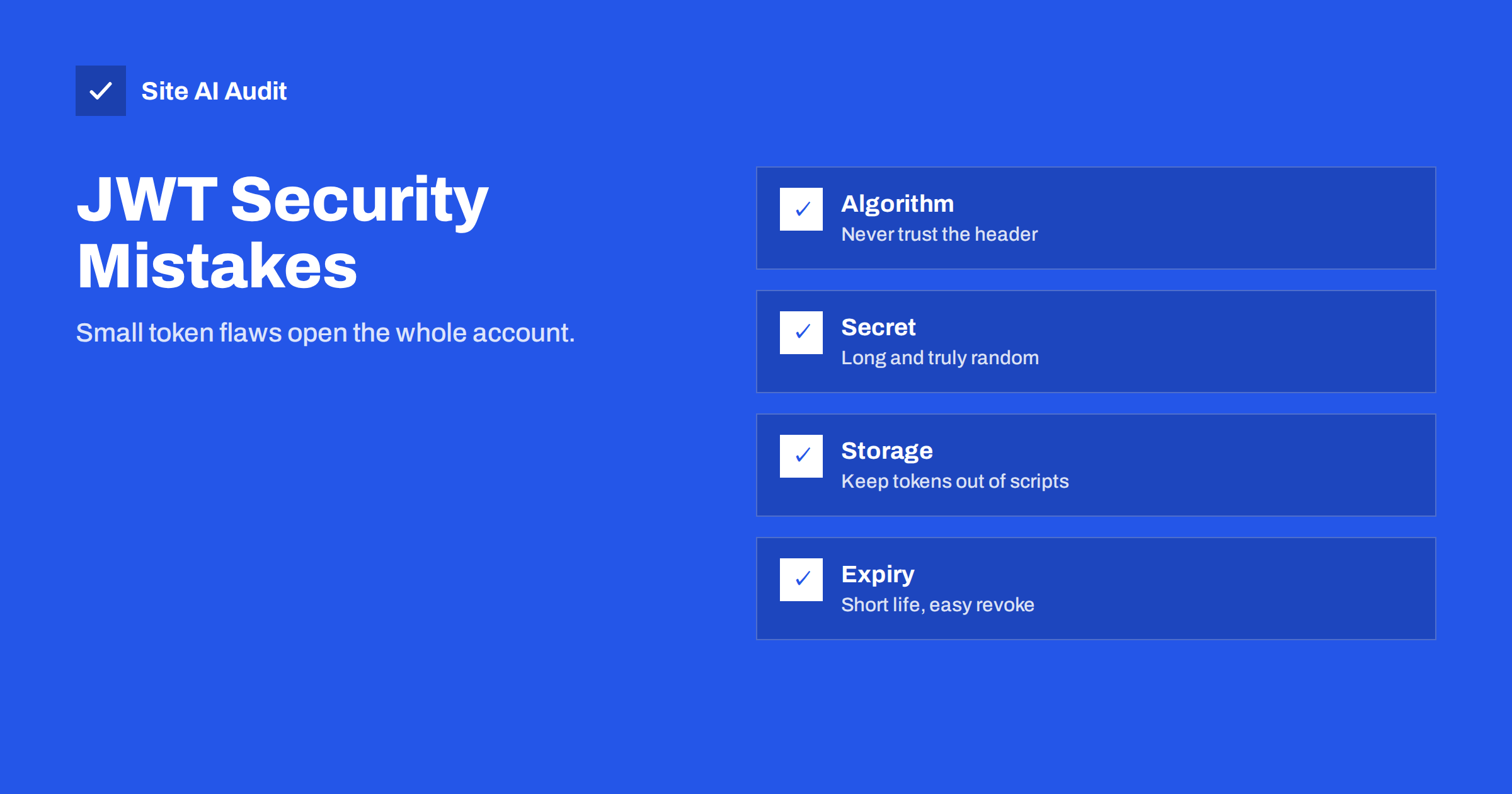
Short answer: A JSON Web Token, or JWT, is a signed piece of text that tells a website who is logged in. It is safe only when it is signed with a strong secret, checked on the server for algorithm, signature, expiry and audience, stored where scripts cannot read it, and given a short life. The usual mistakes are accepting the “none” algorithm, using a weak or default secret, keeping tokens in browser storage and never expiring them. Each one can let an attacker forge or steal a login.
What a JWT is and why sites use it
A JWT looks like three blocks of text separated by dots. The first block, the header, says which algorithm signed the token. The second, the payload, holds claims such as the user ID, the role and the expiry time. The third is the signature. The blocks are encoded, not encrypted, so anyone who holds the token can read the payload. What protects the token is the signature: only a party that knows the signing key can produce a valid one.
Websites and APIs like this design because the server does not need to look up a session in a database for each request. It can check the signature and trust the claims inside. That makes tokens popular in single-page apps, mobile apps and services that talk to each other. It also moves a lot of responsibility into the way tokens are created and checked, and that is where mistakes happen.
Mistake 1: trusting the algorithm in the token
The header of a JWT names the algorithm. Early libraries trusted it. Two famous problems followed.
The first is the “none” algorithm. A token that says its algorithm is “none” has no signature at all. If the server accepts it, an attacker can write any payload, for example a different user ID or an admin role, and the server believes it.
The second is algorithm confusion. A server may expect a token signed with an asymmetric pair, where a private key signs and a public key verifies. An attacker changes the header to a symmetric algorithm and signs the token using the public key as the secret. A library that follows the header will verify it with that same public key and accept the forged token.
The fix is to decide the allowed algorithm in your own code and reject anything else. Never let the token choose how it is verified.
Mistake 2: weak or default signing secrets
With symmetric signing, one secret both creates and verifies tokens. If the secret is short, a dictionary word or a value copied from a tutorial, an attacker who captures one token can try millions of guesses offline until the signature matches. After that they can sign any token they like. No traffic to your site is needed, so you will see nothing in your logs.
Use a long random value, at least 32 random bytes, generated by a proper tool and stored outside the code repository. Do not reuse the same secret across environments. Treat it as seriously as a database password. Our guide on exposed environment and backup files shows how secrets leak from the places people forget.
Mistake 3: skipping checks on the claims
A valid signature proves who issued the token. It does not prove the token should be accepted right now, by this service, for this action. A safe check covers more than the signature:
- Expiry (exp). Reject tokens past their expiry time.
- Not before (nbf). Reject tokens that are not valid yet.
- Issuer (iss). Accept tokens only from the service you trust.
- Audience (aud). Make sure the token was meant for your application and not for another service that shares the same key.
- Permissions. Check roles and scopes on the server for every sensitive action, not only at login.
Many libraries check expiry by default, but audience and issuer often need explicit settings. Read the documentation of the library you use and confirm each check with a test token.
Mistake 4: storing tokens where scripts can read them
Where the browser keeps the token matters as much as how it is signed. Tokens placed in localStorage or sessionStorage can be read by any JavaScript that runs on the page. One cross-site scripting flaw, or one compromised third-party script, is enough to steal them. Our article on cross-site scripting explains how that happens.
A cookie with the HttpOnly flag cannot be read by scripts. Add Secure so that it travels only over HTTPS, and a SameSite setting to limit cross-site requests. Cookies bring their own issue, cross-site request forgery, so pair them with protections described in our guide to CSRF attacks. The trade-off is real, but for a normal website a hardened cookie is usually the safer home for a login token than browser storage. The details are in our article on secure cookie flags.
Mistake 5: tokens that live forever
Because a server does not store JWT sessions, it cannot easily cancel one. A token with no expiry, or an expiry in a year, stays valid even after the user changes the password or the device is stolen. Reduce the damage with a short lifetime for the access token, often minutes to an hour, and a separate refresh token that can be revoked. Keep a small deny list for tokens you must cancel early, such as after a password reset or a logout on all devices.
Mistake 6: secrets in the payload. Because the payload is only encoded, anyone can read it. Do not place passwords, personal data, card details or internal notes in it. Keep claims small: a user ID, a role and times. If you need to hide the content, use an encrypted token format and not a plain signed one. Large payloads also slow every request, since the token is sent with each call.
How attackers find weak tokens
Attackers rarely start with clever mathematics. They look at a login response, copy the token and paste it into a free decoder. In seconds they can read the algorithm, the claims and the expiry. Then they test the easy things: change the algorithm to “none”, change the user ID, try an expired token, try a token from one environment on another, and run a list of common secrets against the signature.
Automated scanners do the same at scale. A site that ships a default secret from a code sample can be found and abused without anyone targeting it personally. This is why the boring checks matter most: a strict algorithm list, a random secret and a server that rejects anything unexpected.
Logging helps too. Record failed token checks with the reason, such as bad signature, expired or wrong audience, and watch for spikes. A sudden rise in bad signatures often means someone is probing your login.
A quick review for your own site
- Find out whether your login uses JWTs. Look at cookies and request headers in the browser developer tools; tokens usually start with “eyJ”.
- Check where the token is stored and whether the cookie has HttpOnly, Secure and SameSite flags.
- Check the lifetime. If the expiry is far away, shorten it.
- Ask your developer which algorithm is allowed and whether the code rejects all others.
- Confirm that the signing secret is long, random, private and different in each environment.
- Update the JWT library, since older versions contain known flaws.
If you use a WordPress plugin or hosted service that issues tokens, ask the vendor the same questions and keep the plugin updated.
What Site AI Audit can and cannot tell you
Site AI Audit checks the security basics of your website from the outside: the SSL certificate and its expiry, the HTTP to HTTPS redirect, security headers and exposed software versions. It does not log in, read your tokens or test how your application checks them, so the review above remains a manual task for your developer. The audit does confirm that HTTPS is in place, which matters because tokens sent over plain http can be intercepted. You can run a free check of your website or see the plans.
Related reading
- Secure Cookies Explained: Secure, HttpOnly and SameSite Flags
- Session Hijacking and Fixation: Protect Logged-In Users
- IDOR Vulnerability Explained: Broken Access Control Basics
- Brute-Force Login Attacks: How to Protect Your Website Logins
The bottom line
JWTs are a sound tool when they are used carefully. Fix the allowed algorithm on the server, use a long random secret, check expiry, issuer and audience, keep tokens in hardened cookies instead of browser storage, make them short-lived and keep sensitive data out of the payload. These habits close the most common holes that attackers look for.
FAQ
Is a JWT encrypted?
Usually not. A standard signed JWT is only encoded, so anyone holding it can read the payload. The signature prevents changes but does not hide the content.
Where should I store a JWT in the browser?
For a normal website, an HttpOnly, Secure cookie with a SameSite setting is generally safer than localStorage, because scripts cannot read it. Add CSRF protection when you use cookies.
How long should a JWT be valid?
Keep access tokens short, from a few minutes to about an hour, and use a revocable refresh token for longer sessions. Shorter lifetimes limit the damage of a stolen token.
Can I cancel a JWT before it expires?
Not by itself, because the server does not keep a record. You can keep a deny list of cancelled tokens or change the signing key, which signs everyone out.
Are sessions safer than JWTs?
Server-side sessions are simpler to revoke and keep data on the server. JWTs suit distributed services. Either approach is safe when implemented correctly.