ENEnglish
 LTLietuviškai
 DEDeutsch
 FRFrançais
 RUРусский
 ESEspañol
 PLPolski
 ITItaliano
 UKУкраїнська
 CSČeština
 PTPortuguês
 JA日本語
JA日本語 LVLatviešu valoda
 ETEesti
 HUMagyar
 IDBahasa Indonesia
 TRTürkçe
 HIहिन्दी
 ELΕλληνικά
 ARالعربية
 THไทย
THไทย VITiếng Việt
 RORomână
 MSBahasa Melayu
 BNবাংলা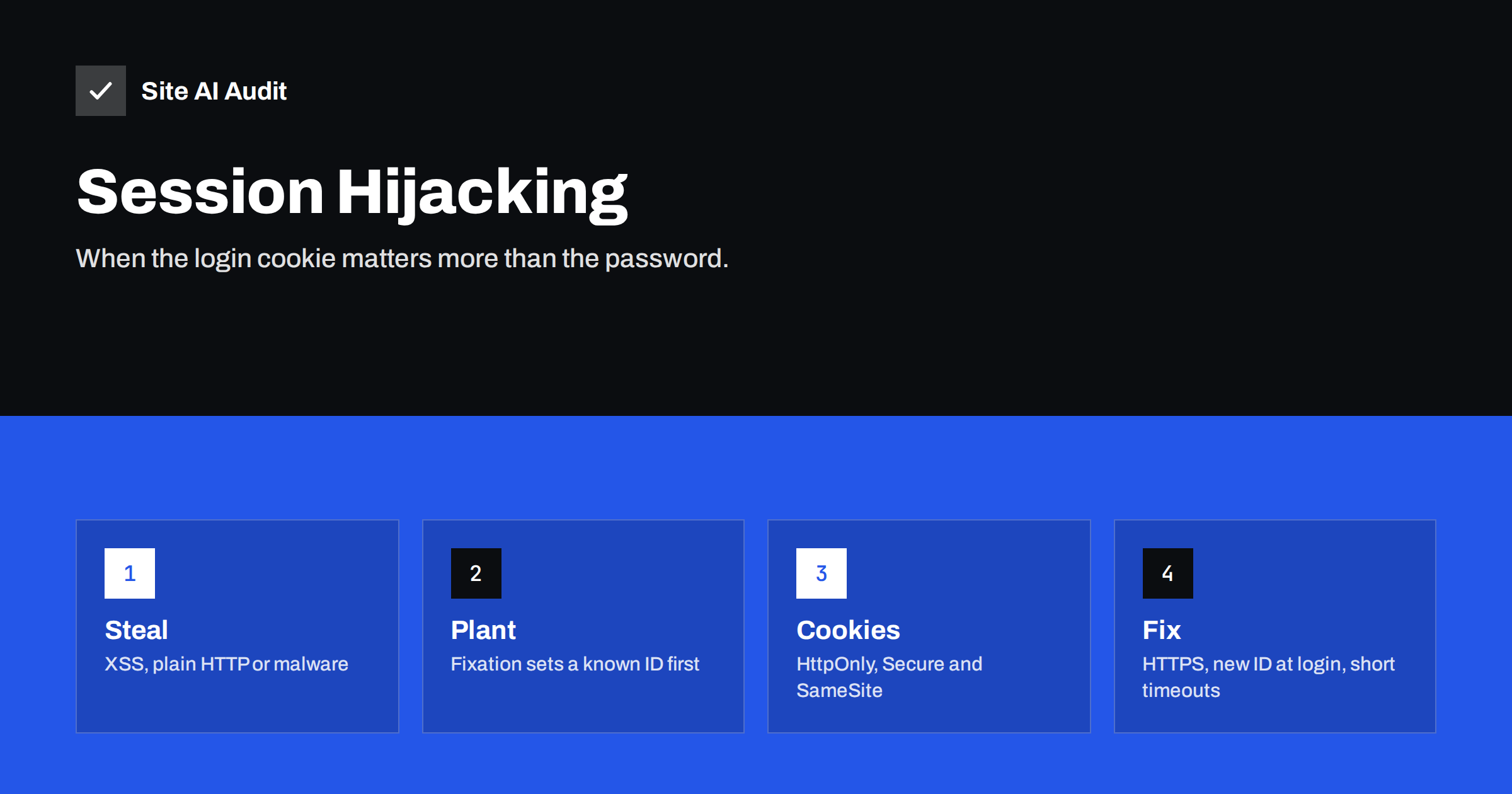
Short answer: After you log in, a website recognises you by a session identifier, usually stored in a cookie. If an attacker steals that identifier, or tricks the site into using one the attacker already knows, they can act as you without a password. The defences are well known: use HTTPS everywhere, set cookie flags, create a new session ID at login, set sensible timeouts and add a second login factor.
What a session is
The web has no built-in memory. Each request is separate, so the server cannot tell by itself that two requests came from the same person. To solve this, a site gives you a session identifier when you log in. Your browser sends it back with every request, and the server looks it up and recognises you.
That identifier works like a temporary key. While it is valid, whoever presents it is treated as the logged-in user. The password is checked only once, at login. Afterwards the key does the work. This is why protecting session identifiers is as important as protecting passwords.
WordPress works in a similar way, using authentication cookies that prove who you are for a limited time. Other applications use session cookies, tokens or both.
How session hijacking works
Session hijacking means that an attacker obtains a valid session identifier belonging to someone else and uses it. The main routes are:
- Cross-site scripting. A script injected into a page reads the cookie and sends it to the attacker. See cross-site scripting explained.
- Unencrypted traffic. On plain HTTP, anyone on the same network, such as shared public Wi-Fi, can read the cookie in transit.
- Malware on the device. Software on the user’s computer copies cookies from the browser.
- Predictable identifiers. If an application creates session IDs with a weak pattern, attackers may guess them. Modern frameworks avoid this, but custom code sometimes does not.
- Leaks in logs and addresses. If the identifier appears in a web address, it can end up in logs, browser history and referrer information.
Once the attacker has the identifier, they paste it into their own browser. The website sees a valid session and treats the attacker as the user, with the same rights. If the victim is an administrator, the damage can be large.
How session fixation works
Fixation reverses the order. Instead of stealing an identifier after login, the attacker plants one before it. The attacker first obtains a valid but anonymous session ID from the site. Then they make the victim use that same ID, for instance through a crafted link or by setting a cookie from a related site.
The victim logs in. If the application keeps the same identifier after login, that identifier is now attached to a logged-in user, and the attacker already knows it. The attacker simply uses it and is logged in as the victim.
The fix is a rule every login system should follow: always create a new session identifier at login and whenever the user’s privilege level changes. A planted ID then becomes useless the moment the victim logs in.
Cookie flags that make theft harder
Cookies carry flags that control how browsers handle them. Three of them matter for sessions:
- HttpOnly. Scripts on the page cannot read the cookie. This blocks the most common XSS theft method.
- Secure. The browser sends the cookie only over HTTPS, never over plain HTTP.
- SameSite. Limits when the cookie is sent in requests started from other sites, which reduces cross-site request attacks. Read more in secure cookie flags and CSRF attacks explained.
These flags do not remove the need to fix the underlying flaws, but they raise the cost of an attack considerably.
HTTPS everywhere and HSTS
A session cookie that travels over plain HTTP can be read by anyone on the path. The fix is to serve the entire site over HTTPS, not only the login page. Redirect every HTTP request to HTTPS and avoid mixed content. Then add the HSTS header, which tells browsers to use HTTPS for your domain without trying HTTP first. See our guide to the HSTS header for the steps and risks.
Without HSTS, a first request over HTTP can still be intercepted before the redirect happens. With HSTS, browsers remember the rule, which closes that gap for returning visitors.
Timeouts, logout and session management
Even a protected session should not live forever. Good session management includes:
- Idle timeout. End the session after a period without activity. Shorter for admin areas and longer for ordinary visitors.
- Absolute timeout. End every session after a maximum time, even if the user is active.
- Real logout. Logging out must invalidate the session on the server, not only delete the cookie in the browser.
- Re-authentication for sensitive actions. Ask for the password again before changing the email address, password or payment details.
- Visibility. Show users where they are logged in and let them end other sessions.
Do not tie a session strictly to an IP address. Mobile users change networks constantly, and this causes false logouts. Device and behaviour signals are more flexible.
What to do on a WordPress site
WordPress offers several useful tools for session security:
- In each user profile, the option to log out everywhere else ends other active sessions.
- Changing a user’s password ends that user’s other sessions.
- Changing the secret keys and salts in the configuration file invalidates all login cookies for every user. This is useful after a suspected breach. Our guide to hardening wp-config.php shows where those values live.
- Two-factor authentication protects the login itself. It does not stop a stolen cookie directly, but it reduces other routes to an account. See website two-factor authentication.
- Keep plugins updated, because XSS flaws in plugins are the most common source of stolen cookies.
- Give each person the lowest role they need, as described in least privilege user roles.
Signs that a session has been hijacked
Hijacking is quiet by design. Possible signs include logins from unfamiliar places or devices, changes in settings that nobody remembers making, new administrator accounts and sudden changes to content. A security log with timestamps, IP addresses and user agents makes these visible. If you suspect hijacking, end all sessions, change passwords, rotate the secret keys and look for the original weakness, such as an injected script or a vulnerable plugin.
Developers building custom login systems should treat session handling as a feature that is easy to get wrong. Use the session mechanism of a mature framework instead of writing your own, store only a random identifier in the cookie and keep all other data on the server. Make identifiers long and unpredictable, never put them in web addresses, and delete them from the server when they expire. Log the creation and end of sessions so that suspicious patterns can be investigated later.
For ordinary visitors, a few habits reduce the risk. Avoid logging in to important accounts on public Wi-Fi without a trusted connection, log out of shared computers, keep the browser and operating system up to date and be careful with browser extensions, because a malicious extension can read cookies. If you manage a website for a team, remind everyone to use a password manager and two-factor login and to log out of the admin area on devices that others can reach.
If you ever suspect that an account has been taken over, act in a fixed order: end all sessions, change the password, check for changes made by the intruder, rotate keys and review the site for the weakness that allowed it. Doing the steps in this order stops the attacker first and then cleans up.
What Site AI Audit can and cannot tell you
Site AI Audit checks the public side of these protections: the SSL certificate and its expiry, the redirect from HTTP to HTTPS, security headers and exposed software versions. It does not log in to your site, so it cannot inspect session handling or cookie behaviour behind the login. It helps you confirm that the basic transport protection is in place. You can run a free check of your website or see the plans.
Related reading
- Brute-Force Login Attacks: How to Protect Your Website Logins
- Content Security Policy for Beginners: A Practical Setup Guide
- 9 Signs Your Website Has Been Hacked (and How to Check)
- WordPress Security Checklist: 20 Steps That Actually Matter
The bottom line
A session ID is a key that works without a password. Keep it from being stolen with HTTPS, HttpOnly and Secure cookies and by fixing XSS. Keep it from being planted by issuing a new ID at login. Limit its lifetime, and add two-factor login for accounts that matter.
FAQ
What is the difference between hijacking and fixation?
Hijacking steals a session ID after the user has logged in. Fixation plants a known ID before login and waits for the victim to authenticate with it. The defences overlap, but a new ID at login stops fixation specifically.
Does two-factor authentication stop session hijacking?
Not directly, because the stolen cookie already represents a completed login. It does protect the login itself and limits other attacks, so use it together with cookie protection.
Is it enough to use HTTPS on the login page only?
No. The session cookie is sent with every request, so every page must use HTTPS. Otherwise the cookie can be read on any page loaded over plain HTTP.
How do I log everyone out of my WordPress site?
Change the secret keys and salts in the configuration file. All existing login cookies become invalid and every user must log in again.
Can antivirus software prevent cookie theft?
It can help against malware on a device, but it cannot fix a vulnerable website. Protect the site with updates, headers and secure cookie settings as well.