ENEnglish
 LTLietuviškai
 DEDeutsch
 FRFrançais
 RUРусский
 ESEspañol
 PLPolski
 ITItaliano
 UKУкраїнська
 CSČeština
 PTPortuguês
 JA日本語
JA日本語 LVLatviešu valoda
 ETEesti
 HUMagyar
 IDBahasa Indonesia
 TRTürkçe
 HIहिन्दी
 ELΕλληνικά
 ARالعربية
 THไทย
THไทย VITiếng Việt
 RORomână
 MSBahasa Melayu
 BNবাংলা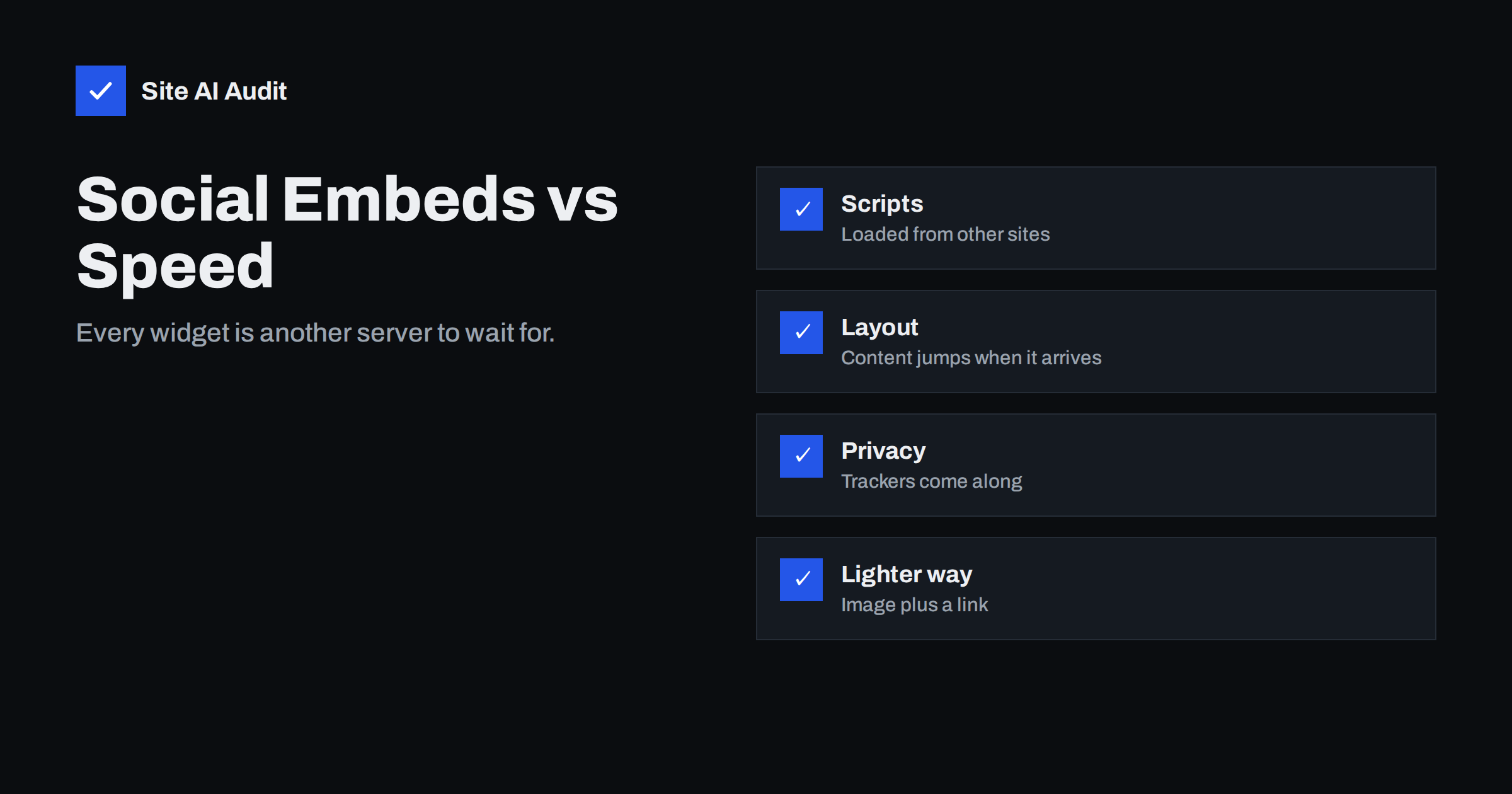
Short answer: Embedded social posts, live feeds and share buttons load extra scripts, styles, images and sometimes entire frames from other servers. This adds requests, blocks the main thread and can move your content as it appears, which hurts load time, interactivity and layout stability. You can keep social content with much less cost by loading it only when needed, replacing live feeds with static images and links, and removing widgets that visitors do not use.
Why embeds are expensive
A social post embed looks small: a few lines of text and a picture. Behind it, the page usually loads a script from the social network, which then fetches styles, fonts, images, tracking code and the content itself. Each step may need a new connection to a different server before data arrives. The result is more work than the visible content suggests.
A feed widget, which shows the latest posts from an account, is heavier still. It often loads a library, requests data from the provider, builds the markup in the browser and downloads several images. If you place two or three of them on a page, for example a feed in the footer and a share bar at the top, the cost multiplies.
The page also depends on someone else’s server. If it responds slowly, your page waits or renders incompletely. If the provider changes the script, your layout may break without you changing a thing. We explain this wider problem in our guide to third-party scripts and performance.
How embeds hurt the Core Web Vitals
The effect on visitors is measured by Google’s Core Web Vitals, and embeds can damage all three.
- Loading (LCP). When embed scripts compete for bandwidth with your main image or heading, the largest element appears later. Our guide to improving Largest Contentful Paint shows why every early request matters.
- Layout stability (CLS). An embed that arrives without a reserved space pushes text and buttons down. This is among the most common causes of layout shifts; see how to fix Cumulative Layout Shift.
- Responsiveness (INP). Embed scripts run on the main thread. While they run, taps and clicks wait. The article on Interaction to Next Paint explains why long tasks hurt, and our article on long tasks shows how to recognise them.
These effects are strongest on phones with a slow connection or a weak processor, which is where many visitors are.
Kinds of social content on pages
Not all social features cost the same. It helps to separate them.
- Share buttons. Official buttons often load a script and tracking code for each network. Simple links with an icon cost almost nothing.
- Follow and like boxes. These embed a frame with the page of the account. They are heavy and rarely used.
- Single post embeds. A quote of one post. Moderate cost, but the cost repeats if you embed many in one article.
- Live feeds. The heaviest option, because content and images change and the widget must fetch them.
- Video embeds. Usually the heaviest per item. Our guide on how to embed videos without slowing your site describes the best techniques.
How to measure the cost
Do not guess. Run a speed test on a page with the embed and read the waterfall, which lists every request. Look for domains that belong to social networks and add up the number of requests, the total size and the time they take. Our guide to reading a waterfall chart helps with this. Then test a copy of the page without the embed, or with a lighter version, and compare the results.
Check also what happens on a slow phone connection. Many testing tools offer a throttled mobile profile. If a page that loads in two seconds on fast Wi-Fi takes six seconds there, the widget may be the reason. Finally, look at your real-user data in Search Console, where the Core Web Vitals report shows groups of pages that fail, so you can see whether pages with embeds are overrepresented.
Lighter alternatives
- Replace live feeds with static content. Show a few of your best images as normal pictures with a link to the profile. You control the size, format and loading, and the page needs no external script.
- Use plain share links. A link with an icon that opens the share window of the network does the same job as a heavy button.
- Load on interaction. Show a placeholder image with a “load post” button, and load the real embed only after a click. This is similar to the click-to-load technique for videos.
- Lazy load below the fold. If the embed is far down the page, delay it until the visitor scrolls near it. The principles are in our lazy loading guide.
- Reserve space. Give the embed container a fixed height or ratio so that content below it does not jump.
- Take screenshots of notable posts. For a testimonial or news item, a screenshot with alt text and a link to the original is fast and stable, though you should respect the rights of the author and keep the link visible.
- Remove what nobody uses. Check your analytics for clicks on share buttons and follow boxes. If almost nobody uses them, delete them.
Privacy and consent
Social embeds do more than slow the page. When a visitor loads an embed, the social network can receive information about that visit, even if the visitor never clicks on it. In many regions this means that you need consent before loading the embed, and a consent banner also costs time, as discussed in our article on cookie consent banners and speed. Click-to-load placeholders solve both problems: nothing is requested from the network until the person chooses to see the content, and the page stays fast.
If you must keep a script from another site, consider whether you can verify it. Our guide to subresource integrity explains how a hash can stop a changed script from running, although it works only with files that do not change often, which social widgets rarely are.
A step-by-step cleanup
If your site already has several social widgets, you can clean it up in an afternoon.
- List every page template that contains a social feature: the header, the footer, blog posts, the home page and the contact page.
- Write next to each feature what it is for. If you cannot name a clear purpose, mark it for removal.
- Test the home page and a blog post with a speed tool and save the results as a reference.
- Remove the marked widgets and replace the useful ones with the lighter alternatives above.
- Test the same pages again on a mobile profile, and compare load time, total weight and layout shift.
- Click through the pages on a real phone to be sure that links and buttons still work.
Repeat the check after a month. Widgets are often added back by a plugin update, a new theme option or a colleague who wants a feed on the home page. A short note in your site documentation that explains why the feed was removed prevents the same discussion from starting again.
Keep in mind that people still want to find you on social networks. Put clear links to your profiles in the footer and on the contact page. A link costs a few bytes, opens the real profile and lets visitors follow you in the app they already use.
For blog posts that quote a post from a social network, a good compromise is a short quote in your own text, a link to the original and a note of the author. The reader gets the context, the page loads fast and you are not dependent on a script that may change or disappear. If the original post is deleted, your page still makes sense, which is not true for a broken embed that shows an empty box.
What Site AI Audit can and cannot tell you
Site AI Audit’s speed results include the Google PageSpeed score, LCP, CLS and INP, server response time and the compression and weight of your pages. It does not name the social widget that causes a poor result, so use a waterfall to identify the requests. The scores do show whether your pages are slow or unstable on mobile, and a repeat check after removing or replacing an embed shows the improvement. You can run a free check of your website or see the plans.
Related reading
- How Third-Party Scripts Slow Down Your Website (and Fixes)
- How to Embed Videos Without Slowing Down Your Website
- Embedding Google Maps Without Slowing Down Your Pages
- How to Fix Cumulative Layout Shift (CLS) on Your Website
The bottom line
Social content should support your page, not slow it down. Measure what each embed costs, remove the ones nobody uses, replace live feeds with static images and links, and load the rest only when the visitor asks for them. You keep your social presence and give visitors a faster, more stable page.
FAQ
Do share buttons slow down a website?
Official buttons that load scripts from each network can, especially on mobile. Plain links with icons are nearly free and do the same job.
Is a live social feed worth the cost?
Rarely. A few static images with a link to your profile usually give visitors the same benefit with far less load.
How can I stop an embed from moving my content?
Reserve space for it with a fixed height or aspect ratio, so the layout is already the right size when the embed arrives.
Do I need consent to show social embeds?
In many regions, yes, because the network can collect visitor data when the embed loads. Click-to-load placeholders keep the request back until the visitor agrees.
Which is better, an embed or a screenshot?
A screenshot is faster and more stable, but it must show the source and link to the original post. Use a real embed only when the live content matters.