ENEnglish
 LTLietuviškai
 DEDeutsch
 FRFrançais
 RUРусский
 ESEspañol
 PLPolski
 ITItaliano
 UKУкраїнська
 CSČeština
 PTPortuguês
 JA日本語
JA日本語 LVLatviešu valoda
 ETEesti
 HUMagyar
 IDBahasa Indonesia
 TRTürkçe
 HIहिन्दी
 ELΕλληνικά
 ARالعربية
 THไทย
THไทย VITiếng Việt
 RORomână
 MSBahasa Melayu
 BNবাংলা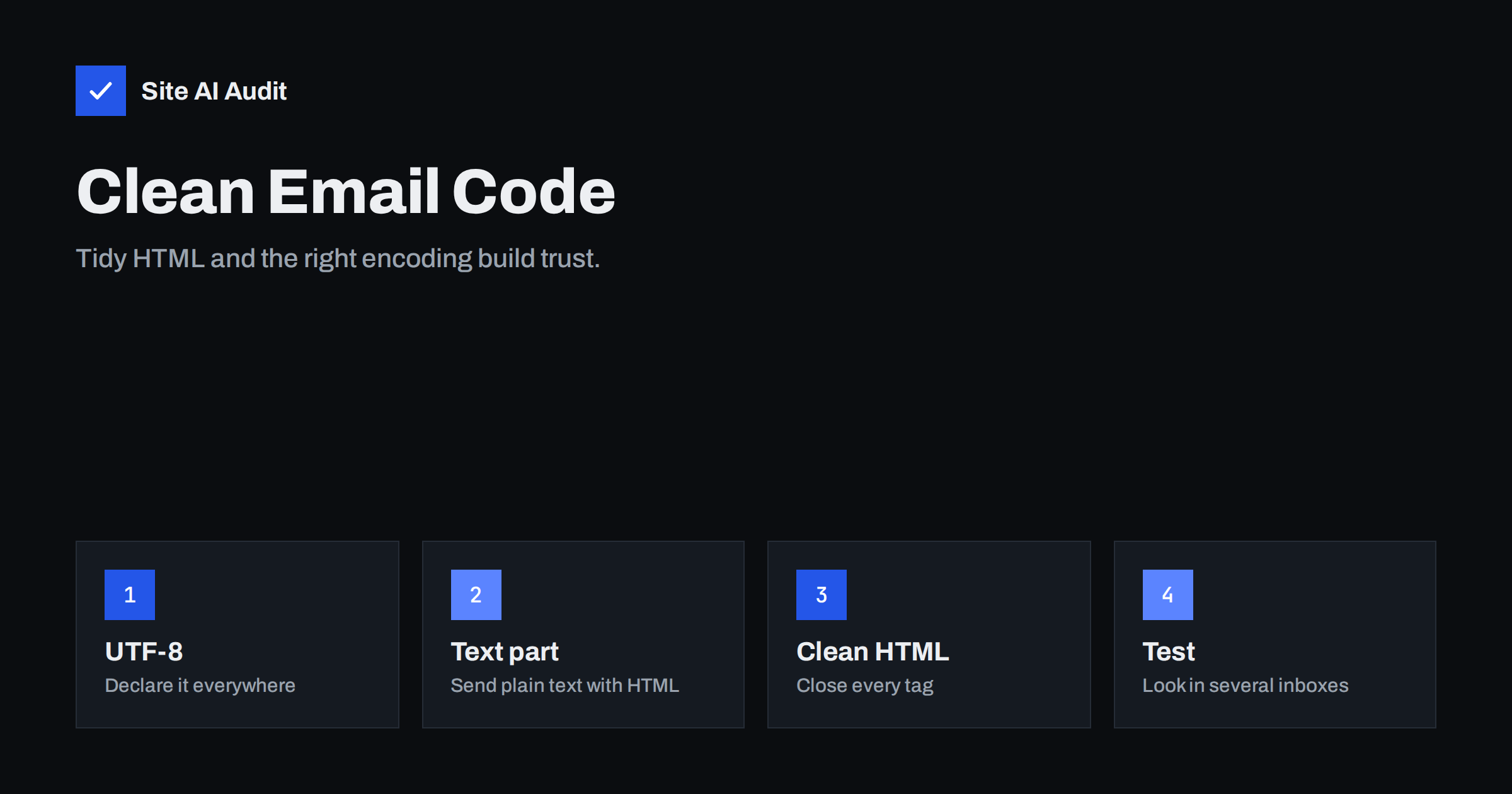
Short answer: A spam filter reads the technical structure of your email, not just the words. Broken HTML, a missing plain text version, a wrong or missing character set and badly encoded subject lines are all signs of sloppy or automated bulk mail, and they also cause garbled symbols for real readers. Send multipart messages with a clean text part and a tidy HTML part, declare UTF-8, close your tags and test in several mail programs before you send.
What an email is made of
An email looks like a simple page, but under the surface it is a structured package. It has headers, such as the sender, the subject and the date, followed by one or more body parts. Each part states what type of content it contains, which character set it uses and how it has been encoded for transport. The whole structure follows a standard called MIME.
Mail programs and spam filters read this structure carefully. A message that follows the standard looks like the output of a normal mail program. A message with mistakes looks like something assembled by a script that nobody checked, which is exactly what bulk spammers produce. You can see the same parts yourself by looking at the source of a message, as described in how to read email headers.
Always send a text part with the HTML
The correct way to send a rich message is a “multipart/alternative” email. It carries two versions of the same content: plain text and HTML. The reader’s program chooses the best one it can show. Spam filters like this structure because legitimate mail programs create it by default.
- A message that has only an HTML part, with no text version, is a minor red flag.
- A text part that is empty, or says only “view this email in your browser”, suggests an image-heavy marketing message.
- A text part that is a different message from the HTML is a bigger flag, because spammers use that trick to hide content from filters.
Make the text version a real, readable copy of the content, with the same links. Most mail platforms can generate it automatically; read it once to make sure that it makes sense. For a deeper look at the choice between formats, see plain text versus HTML email.
Declare the character set: use UTF-8
A character set tells the receiving program how to turn bytes into letters. If you do not declare it, or declare it wrongly, accented letters, currency signs, quotation marks and emoji can turn into strange sequences such as “é” instead of “é”. That looks unprofessional, and for languages with many special characters it can make the message unreadable.
- Use UTF-8 for everything. It covers practically every language and symbol.
- Declare it in the content type of each part, not only inside the HTML.
- Make sure that the actual bytes match the declaration. A file saved in an older Windows encoding but declared as UTF-8 produces mojibake, the technical name for garbled text.
- If you copy text from a word processor, check for “smart” quotes and long dashes, and confirm that they display correctly after sending.
Encoding of the subject and sender name
Headers are older than modern text and are limited to simple characters. Anything outside plain ASCII, such as an accented letter or an emoji in the subject line or in the sender’s display name, must be wrapped in a special encoded form. It usually looks like a string beginning with “=?UTF-8?” in the raw source. Good mail software does this for you.
The problems appear when a home-made script or an old plugin puts raw special characters into headers. Receivers may show broken text or treat the message as malformed. If you build messages in code, use a maintained mail library and do not assemble headers by hand. If you use emoji in subject lines, send a test to the main providers and confirm they display. For the display name rules, see from name and address.
Transfer encoding and line length
Email was designed for short lines of simple text. When a message contains long lines or special characters, it is converted into a safe form, usually quoted-printable or base64, so that it survives the journey. You will see this as a header called Content-Transfer-Encoding.
- The standard limits a line to 998 characters, and recommends keeping lines near 78. One enormous line of minified HTML can be cut by a server at the wrong place, breaking a tag or a link.
- Quoted-printable is a good choice for mostly text content; base64 is common for attachments and large blocks.
- Avoid sending the whole message as a single base64 block when you can use quoted-printable. Some filters are wary of fully base64-encoded text, because spammers use it to hide words.
Your mail platform normally handles all this. It matters mainly if you send mail from your own code or server. The sending route itself is discussed in SMTP relay versus direct sending.
Clean the HTML
Email HTML is not the same as web HTML. Mail programs, especially some desktop ones, support only a small portion of modern code, and they do not forgive errors. Broken markup can make a layout collapse, hide a button or leave a stray fragment of code on the screen.
- Close every tag and nest them correctly. An unclosed table or link can swallow the rest of the message.
- Use simple structure. Tables for layout and inline styles are still the most reliable approach.
- Keep the code small. Heavy generated code adds weight and risks clipping, as in the Gmail 102 KB limit.
- Do not hide text. Text in the same colour as the background, microscopic fonts or invisible blocks are classic spam tricks, even when you use them innocently for a preview line.
- Avoid scripts, forms and embedded video. Most mail programs remove them, and filters distrust them.
- Add alt text to images and keep a good balance of text and images, as explained in image-only emails and spam filters.
Links and addresses in the message
Check that every link in the HTML is written in full, starts with https and goes where the visible text says. A link whose text shows one address but points to another is a phishing pattern that filters search for. Tracking links and shorteners add further risk, covered in links in emails and tracking domains. Also look at the signature, which often adds large images and extra links, as in email signatures and deliverability.
A testing routine
- Send the message to test mailboxes at Gmail, Outlook and Yahoo, plus one company mailbox.
- Open it on a phone and a computer, and in one older desktop mail program if you have one.
- Check that accented letters, symbols and emoji look right, in the subject as well as the body.
- View the original source of one test message. Confirm that it has both text and HTML parts, UTF-8 declared, and valid authentication results.
- Click each link and make sure that the destination is correct.
- Run a deliverability test as described in how to test email deliverability before a large send.
Frequent causes of broken messages
- A template copied from a web page with scripts and complex styles.
- A visual editor that leaves empty or unclosed tags.
- A WordPress plugin or form tool that sends HTML without a text part.
- Text pasted from a document with an unusual character set.
- Special characters in the subject typed straight into a custom script.
If the messages come from a contact form or a shop, see WordPress emails going to spam, where these causes appear often.
How Site AI Audit helps
Site AI Audit does not read the contents of your emails. It checks the domain-level items that spam filters weigh next to message structure: SPF with its lookup limit, DKIM signatures, the DMARC policy and MX records, along with SEO, speed, SSL and security headers. The first check is free, covers up to 50 pages and needs no sign-up. You can run a free check of your website or see the plans for weekly monitoring.
Related reading
- Plain Text vs HTML Email: Which Delivers Better?
- Image-Only Emails: Why Spam Filters Distrust Them and What to Do
- Gmail Clipped Message: The 102 KB Limit and How to Avoid It
- How to Read Email Headers to Check SPF, DKIM and DMARC
The bottom line
Email filters judge the structure of your message as much as its words. Send a multipart message with a genuine text part, declare UTF-8 everywhere, encode headers correctly through a maintained library, keep the HTML small and tidy, and test in real inboxes. Clean code costs little, prevents garbled symbols and removes several small signals that add up to a spam decision.
FAQ
Do I really need a plain text version?
It is strongly advised. It improves compatibility and looks like normal mail to filters. The text part should be a real copy of the content, not an empty placeholder.
Why do some of my emails show strange characters?
The declared character set probably does not match the actual encoding, or a header contains unencoded special characters. Use UTF-8 for the content and let a mail library encode the headers.
Are emoji in subject lines safe?
They display well in modern mail programs when encoded correctly. Overusing them can look promotional, so use few, and test how they appear in the inboxes your readers use.
Can bad HTML alone send me to spam?
Rarely by itself. It adds to a pattern of small warning signs, together with weak authentication, poor lists or suspicious links. Fixing it removes one contributing factor and improves how the message looks.
How large should an HTML email be?
Keep it well below the clipping limit of large providers and as small as the design allows. Lean code loads faster and is less likely to be cut off or flagged.