ENEnglish
 LTLietuviškai
 DEDeutsch
 FRFrançais
 RUРусский
 ESEspañol
 PLPolski
 ITItaliano
 UKУкраїнська
 CSČeština
 PTPortuguês
 JA日本語
JA日本語 LVLatviešu valoda
 ETEesti
 HUMagyar
 IDBahasa Indonesia
 TRTürkçe
 HIहिन्दी
 ELΕλληνικά
 ARالعربية
 THไทย
THไทย VITiếng Việt
 RORomână
 MSBahasa Melayu
 BNবাংলা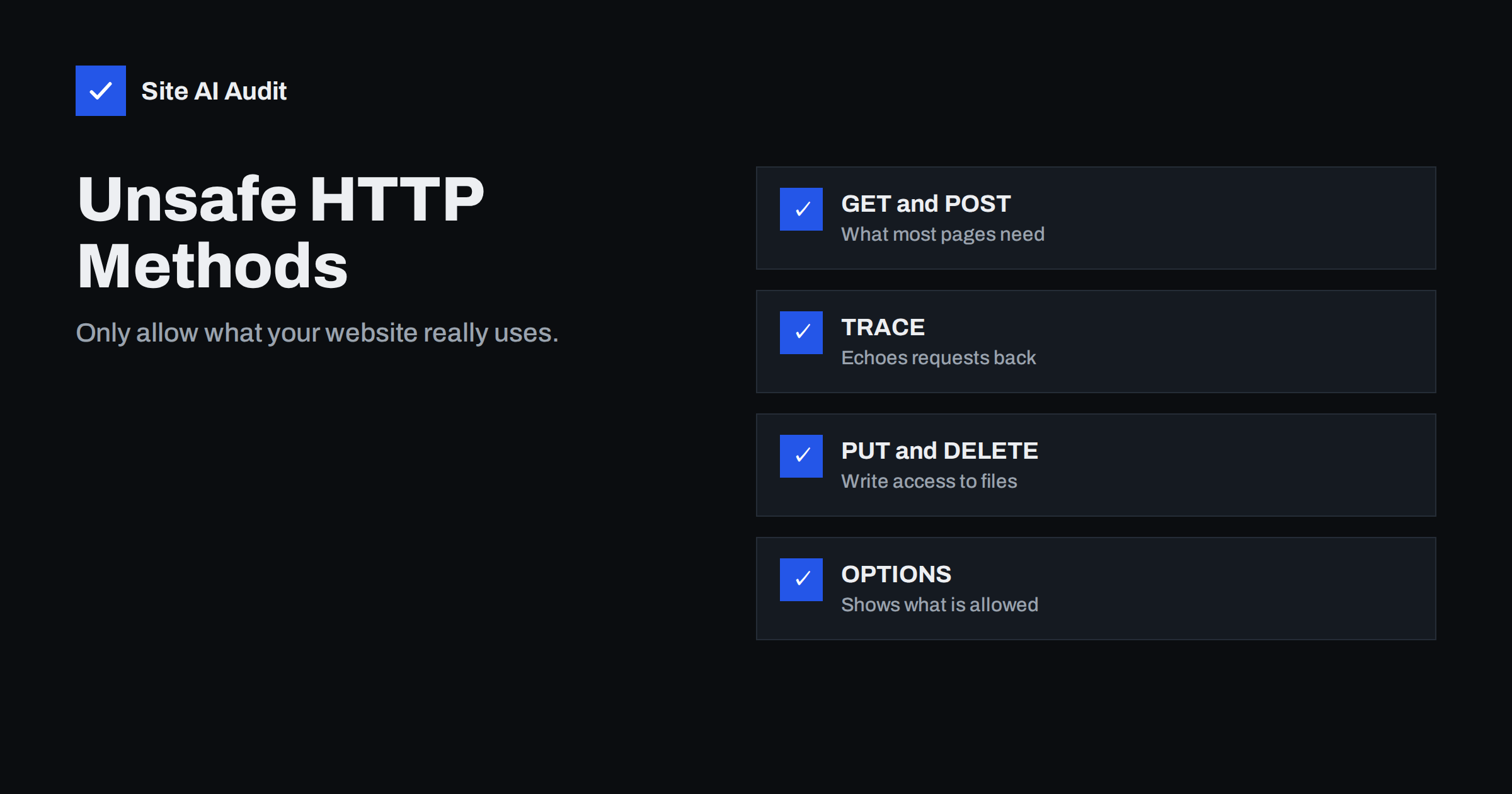
Short answer: A normal website needs only a few HTTP methods: GET, HEAD and POST, plus OPTIONS for some cross-origin requests. Methods such as TRACE, PUT, DELETE and the WebDAV extensions should be disabled unless an application on the server really uses them and protects them with authentication. You can test your site with a single command, and you can turn the extra methods off in Apache, Nginx or your CDN in a few lines, without affecting visitors.
What HTTP methods are
Every request a browser sends starts with a method, a verb that tells the server what the client wants to do. When you open a page, the browser sends GET /page/. When you submit a contact form, it usually sends POST. The method is followed by the path and the headers, and the server decides how to respond.
The HTTP standard defines several methods, and extensions add more:
- GET reads a resource. Almost everything a visitor does uses it.
- HEAD is like GET but returns only headers. Monitoring tools and crawlers use it.
- POST sends data, for example a form, a login or a comment.
- OPTIONS asks which methods are allowed. Browsers use it for CORS preflight requests.
- PUT and DELETE create, replace or remove a resource at a URL.
- PATCH changes part of a resource. APIs use it.
- TRACE asks the server to echo the request back, for debugging.
- CONNECT opens a tunnel, used by proxies.
- WebDAV methods such as PROPFIND, MKCOL, COPY and MOVE turn a web server into a remote file system.
Whether these methods do anything depends on the server software and its modules. On many servers they simply return an error. The risk comes from servers where a module or an old configuration quietly accepts them.
Why extra methods are a risk
PUT and WebDAV can allow file uploads. If WebDAV is enabled on a directory without proper authentication, anyone can upload a file, including a script that the server then executes. This is one of the oldest ways web servers get taken over, and it still turns up on forgotten test servers, old hosting panels and misconfigured storage directories.
DELETE can remove content. Where a server or application maps DELETE to files without checking permissions, an attacker can delete pages or uploaded documents.
TRACE can leak headers. Because TRACE echoes the request, it was historically abused in “cross-site tracing” attacks to read cookies that were meant to be hidden from scripts. Modern browsers no longer let pages send TRACE requests, so this specific attack is largely history, but an enabled TRACE method still reveals headers added by proxies and load balancers, and security scanners flag it for good reason.
OPTIONS and the Allow header reveal information. A response that lists every method the server accepts tells an attacker exactly which doors are worth trying. OPTIONS itself is needed for CORS, so the aim is not to block it everywhere but to make sure it reveals only methods you actually support.
Taken together, extra methods widen the attack surface without giving a normal website anything in return. They belong to the same family of problems as directory listing and exposed backup files: leftovers that nobody uses but anybody can find.
How to test which methods your site accepts
You can check from any computer with curl. Replace the address with your own and test both the home page and a directory such as your uploads folder:
curl -i -X OPTIONS https://example.com/shows the status and, if present, anAllowheader listing methods.curl -i -X TRACE https://example.com/should return 405 Method Not Allowed, 403 or 501. A 200 response that echoes your request means TRACE is on.curl -i -X PUT -d test https://example.com/test.txtshould be refused. A 201 Created or 204 No Content is a serious problem; delete the file afterwards and fix the server immediately.curl -i -X PROPFIND https://example.com/should not return 207 Multi-Status, which is the typical WebDAV answer.
Keep in mind that a CDN or firewall in front of your site may answer differently from the origin server. If you can reach the origin directly, test both. Only test servers you own or are allowed to test.
When PUT, PATCH and DELETE are legitimate
Before you block everything, check what your applications need. REST APIs routinely use PUT, PATCH and DELETE. The WordPress REST API, for example, accepts them on /wp-json/ routes for logged-in users and applications, and the block editor relies on it. Headless shops, mobile app back ends and single-page applications do the same.
The difference is where the method is handled. In a healthy setup, the application receives the request, checks authentication and permissions, and then acts. The danger is a web server module that handles PUT or DELETE directly on the file system, before any application code runs. So the rule of thumb is: let the application handle these methods on its API paths, and make sure the web server itself never maps them to files.
How to disable unsafe methods on Apache
On Apache, TRACE is controlled by a single directive in the main server configuration:
TraceEnable offdisables TRACE for the whole server.- Make sure
mod_davandmod_dav_fsare not loaded unless you really use WebDAV, and that noDav Ondirective is left in old virtual host files. - To restrict methods for a site, you can use a rule such as
<LimitExcept GET POST HEAD OPTIONS> Require all denied </LimitExcept>inside the document root’s<Directory>block, and exclude API paths that need more.
On shared hosting you may not have access to the main configuration. In that case ask your host to confirm that TRACE and WebDAV are disabled, or use the hosting panel’s security settings.
How to disable unsafe methods on Nginx and CDNs
Nginx does not support TRACE or WebDAV unless the DAV module is compiled in and enabled with dav_methods, so the main task is to make sure no such directive exists. To be explicit, you can allow only the methods you need:
- Inside a
locationblock,limit_except GET POST { deny all; }allows GET, HEAD (implied by GET) and POST and denies the rest. - Alternatively, at server level,
if ($request_method !~ ^(GET|HEAD|POST|OPTIONS)$) { return 405; }rejects everything else. Add exceptions for API locations such as/wp-json/if your application needs PUT or DELETE.
Most CDNs and web application firewalls let you block methods with a rule as well. That is a useful extra layer, but fix the origin too: attackers sometimes find the origin’s IP address and bypass the CDN entirely. Our guide on web application firewalls explains what such rules can and cannot do.
Other hardening that goes with it
Disabling unused methods is one part of reducing what your server reveals and accepts. While you are in the configuration, check the related items:
- Hide detailed version numbers in the
ServerandX-Powered-Byheaders, as described in our guide to exposed software versions. - Block PHP execution in upload folders so that an uploaded file cannot run as code.
- Set file permissions so that the web server cannot write to directories it does not need to change.
- Remove test directories, old admin tools and WebDAV shares that were set up for a one-time file transfer.
- Add the basic security headers, such as HSTS and X-Content-Type-Options.
Retest with the curl commands after every change, and once more after server updates, because a control panel update can reset configuration files.
How Site AI Audit helps
Site AI Audit looks at your website from the outside, the way visitors and search engines see it. On the security side it checks the SSL certificate and its expiry, the HTTP to HTTPS redirect, security headers such as HSTS, X-Content-Type-Options and frame protection, mixed content and whether the server or WordPress reveals its version. It does not send PUT, DELETE or TRACE requests to your server, so use the commands above for that test. You can run a free check to see the other findings, and the pricing page lists the plans with re-checks and monitoring.
Related reading
- HTTP Security Headers Explained: What Each One Does
- Uploads Folder Security: How to Block PHP Execution
- CORS Explained: The Misconfigurations That Expose Your Data
- Website Security Audit Checklist: What to Check and in What Order
The bottom line
Most websites need only GET, HEAD, POST and OPTIONS from the web server itself. TRACE, WebDAV and file-level PUT or DELETE add risk and nothing else. Test your site with curl, disable what you do not use in Apache, Nginx or your CDN, leave API methods to applications that check permissions, and repeat the test after updates. It is a small change that closes an old but still real way into a server.
SSS
Is an enabled TRACE method still dangerous?
The classic cross-site tracing attack no longer works in modern browsers, but TRACE can still reveal internal headers and is flagged by security scanners. There is no reason to keep it enabled on a production website.
Will blocking PUT and DELETE break WordPress?
It can if you block them for the REST API, which the block editor and some plugins use. Allow them on /wp-json/ paths and block them elsewhere, so the application keeps checking permissions itself.
Should I block the OPTIONS method?
Usually not. Browsers send OPTIONS for CORS preflight requests. Make sure the response lists only methods you really support and does not reveal more than needed.
What status code should a blocked method return?
405 Method Not Allowed is the most accurate. 403 Forbidden or 501 Not Implemented are also acceptable, as long as the method is not executed.
Is WebDAV ever safe to use?
Yes, on a dedicated location with strong authentication over HTTPS and no script execution. It should never be enabled on the public document root of a website.