ENEnglish
 LTLietuviškai
 DEDeutsch
 FRFrançais
 RUРусский
 ESEspañol
 PLPolski
 ITItaliano
 UKУкраїнська
 CSČeština
 PTPortuguês
 JA日本語
 LVLatviešu valoda
 ETEesti
 HUMagyar
 IDBahasa Indonesia
 TRTürkçe
 HIहिन्दी
 ELΕλληνικά
 ARالعربية
 THไทย
 VITiếng Việt
 RORomână
 MSBahasa Melayu
 BNবাংলা
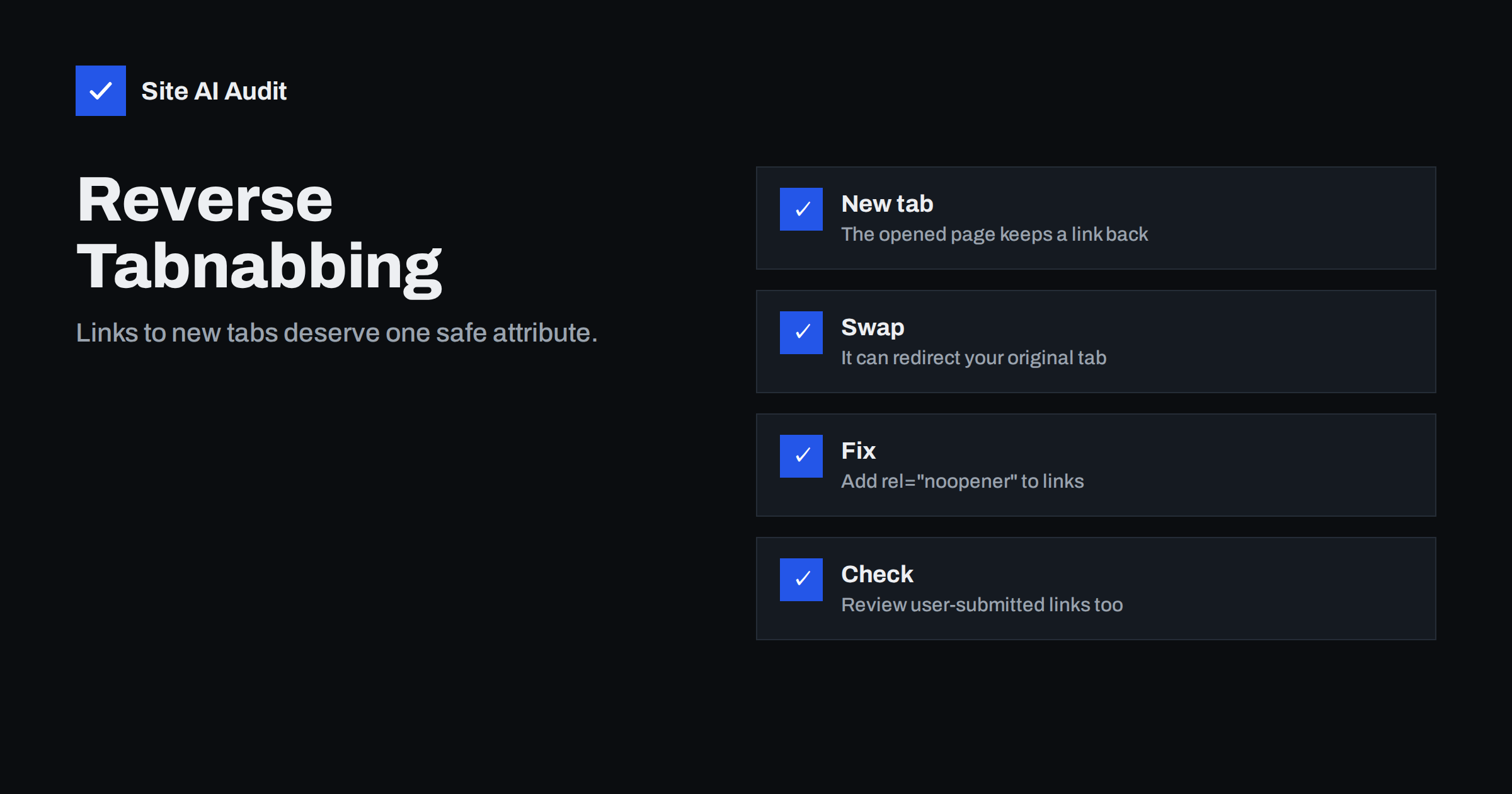
Short answer: Reverse tabnabbing is an attack in which a page opened from your site in a new tab quietly changes the address of your original tab, for example to a fake login page. Current browsers reduce the risk for links that use target=”_blank”, but the safe habit is still to add rel=”noopener” to every link that opens in a new tab, and to treat links from visitors with extra care.
What reverse tabnabbing means
When a visitor clicks a link that opens in a new tab, the new page receives a small reference back to the page that opened it. In scripting this reference is called window.opener. It was designed for useful things, such as a pop-up window that sends a result back to the main page. The trouble is that the reference is not limited to harmless actions. The new page can use it to change the location of the old tab.
An attacker can use this. The visitor reads your page, clicks a link to an outside site and looks at the new tab. While they are busy there, a script on that site changes your original tab to a page that looks like your login screen. When the visitor returns to the first tab, it seems to be your site asking them to sign in again. They type the password, and it goes to the attacker. The name comes from the fact that the original tab is “nabbed” while the person is not looking at it.
What has changed in browsers
Browser makers noticed the problem and changed the default. In the major current browsers, a link with target=”_blank” is treated as if it also had rel=”noopener”. The new page no longer receives the opener reference, so the attack does not work in the standard case. This is good news, but it does not make the topic obsolete, for these reasons:
- Some visitors use older browsers, older embedded browsers inside apps or devices that do not update.
- Scripts that open windows with window.open() have their own rules and need an explicit setting.
- Writing the attribute makes the intent clear to developers, reviewers and security scanners.
- Related attributes, such as noreferrer, also control what information is passed to the other site.
A small habit that costs nothing is better than relying on every visitor having a modern browser.
The attribute values that matter
- noopener. Stops the new page from reaching your page through window.opener. This is the important one.
- noreferrer. Does the same and also stops the browser from telling the other site which page the visitor came from. Use it when you do not want to pass that information.
- nofollow, sponsored and ugc. These are about search engines, not about tab safety. They are explained in the guide to link attributes on your site. You can combine them with noopener in the same rel value.
A safe link therefore looks like this: a normal link with target=”_blank” and rel=”noopener”. Where you also want to hide the source page, use rel=”noopener noreferrer”.
Where this appears on a real website
Most owners never write these attributes by hand, but links come from many places. Check these areas:
- Page builders and theme options. A button or menu item set to “open in new window” may or may not add the attribute.
- Widgets and footers. Social media icons and partner badges often open in a new tab and were written years ago.
- Old posts and pages. Content created before the current editor behaviour may lack the attribute.
- Comments and user profiles. Links submitted by visitors can point anywhere. Spam links are common, as described in the article on blog comment spam.
- Custom scripts. Code that calls window.open() should pass the noopener feature.
- Email templates and newsletters. Links in messages that open the browser are a separate case, but the same care applies to any web page you control.
The WordPress block editor adds rel=”noopener” to links that you set to open in a new tab, but content created in other ways may not have it. A short check of your most visited pages is worthwhile.
How to find and fix missing attributes
- View the page source. Search for target=”_blank” and look at the rel value on each match.
- Search the database or theme files. A developer can search for the same text in templates and stored content to find links without the attribute.
- Update templates first. Footer, header and widget links appear on every page, so one fix covers the whole site.
- Add the attribute in bulk where possible. A security plugin, a filter in the theme or a careful search and replace can add rel=”noopener” to existing links. Take a backup before any bulk change.
- Test after the change. Open a few links and confirm that they still work and still open in a new tab.
If you do not need a link to open in a new tab, the simplest fix is to remove target=”_blank”. Opening links in the same tab is often better for accessibility and for people who use a phone, because the back button works as expected.
Links from other people
The risk is highest where strangers can add links to your site: comments, forum posts, reviews, profile fields and support tickets. A hostile link can lead to a page that tries every trick. For these areas:
- Add rel=”noopener noreferrer ugc nofollow” automatically to links in user content.
- Moderate links in new comments and remove spam promptly.
- Do not allow arbitrary scripts or markup in user content, because that is a separate and more serious flaw, explained in the guide to cross-site scripting.
- Be careful with redirect links on your own domain that send people to another address, as covered in the article on open redirects.
Related protections
Reverse tabnabbing is one of several ways in which pages in different windows can affect each other. A header called Cross-Origin-Opener-Policy lets a site cut the connection to pages that it opens or that open it, and it is described in the article on the COOP header. Security headers do not replace safe links, but they add another layer, and the overview of HTTP security headers shows which ones are worth setting. Neither measure removes the need to look at how your own pages link to others.
It is also worth teaching your team a simple rule. If a tab that you left open suddenly asks you to sign in again, close it and open the site from your bookmarks instead of typing a password into it. A password manager helps here, because it fills the password only on the real address of your site and stays silent on a lookalike.
Common mistakes
- Assuming the problem is gone. The default in current browsers helps, but a security review still lists missing attributes, and old devices exist. Add the attribute anyway.
- Fixing only the editor. Links in widgets, menus and theme files are written separately. A site can be careful in posts and careless in the footer.
- Using noreferrer without thinking. Hiding the referrer is useful for privacy, but partners and affiliate programmes sometimes need to see where visits came from. Use it where it makes sense.
- Forgetting scripts. A button that calls window.open() does not get the safe default in every case. Ask the developer to pass the noopener setting.
- Trusting a link because it looks familiar. A lookalike address can pass a quick glance. When a tab asks for a password, check the address bar first.
- Not telling the team. Editors who add links every week are the people who decide whether the attribute is there. A one-line instruction in your editing guide is enough.
Treat the attribute as part of a normal link, in the same way as a descriptive link text. When it is part of your routine, you do not need to remember it each time, and new pages are safe from the start.
How Site AI Audit helps
Site AI Audit does not scan your links for missing noopener attributes. It checks the public basics that protect visitors: the SSL certificate and its expiry date, the redirect from HTTP to HTTPS, security headers and exposed software versions, and it also reviews SEO, speed and e-mail authentication. The first check is free, covers up to 50 pages and needs no sign-up. You can run a free check of your website or see the plans for weekly monitoring and alerts.
Related reading
- Cross-Origin-Opener-Policy: What COOP Does and When to Use It
- Link Attributes on Your Site: nofollow, sponsored and ugc
- Cross-Site Scripting (XSS) Explained for Website Owners
- Outbound Links: Do Links to Other Websites Help or Hurt SEO?
The bottom line
Modern browsers have reduced the danger, but adding rel=”noopener” to links that open in a new tab is a cheap habit that protects visitors on older browsers and shows care. Check footers, widgets and user content first, and remove target=”_blank” where a new tab is not really needed.
SSS
Is reverse tabnabbing still a problem?
Much less than before, because current browsers treat target=”_blank” links as noopener by default. Older browsers and some embedded browsers do not, and scripts that open windows need their own settings.
Does noopener hurt SEO?
No. It does not change how search engines treat the link. Attributes such as nofollow, sponsored and ugc are the ones that matter for search.
What is the difference between noopener and noreferrer?
Noopener cuts the connection back to your page. Noreferrer does that too and also hides the address of the page that sent the visitor.
Do I need to edit every old post?
Fix templates and widgets first, because they affect every page. For old posts, a careful bulk change after a backup is more practical than editing them one by one.
Should every external link open in a new tab?
Not necessarily. Many usability experts prefer the same tab for most links. Use a new tab where leaving the page would lose the visitor’s progress, such as a form.