ENEnglish
 LTLietuviškai
 DEDeutsch
 FRFrançais
 RUРусский
 ESEspañol
 PLPolski
 ITItaliano
 UKУкраїнська
 CSČeština
 PTPortuguês
 JA日本語
JA日本語 LVLatviešu valoda
 ETEesti
 HUMagyar
 IDBahasa Indonesia
 TRTürkçe
 HIहिन्दी
 ELΕλληνικά
 ARالعربية
 THไทย
THไทย VITiếng Việt
 RORomână
 MSBahasa Melayu
 BNবাংলা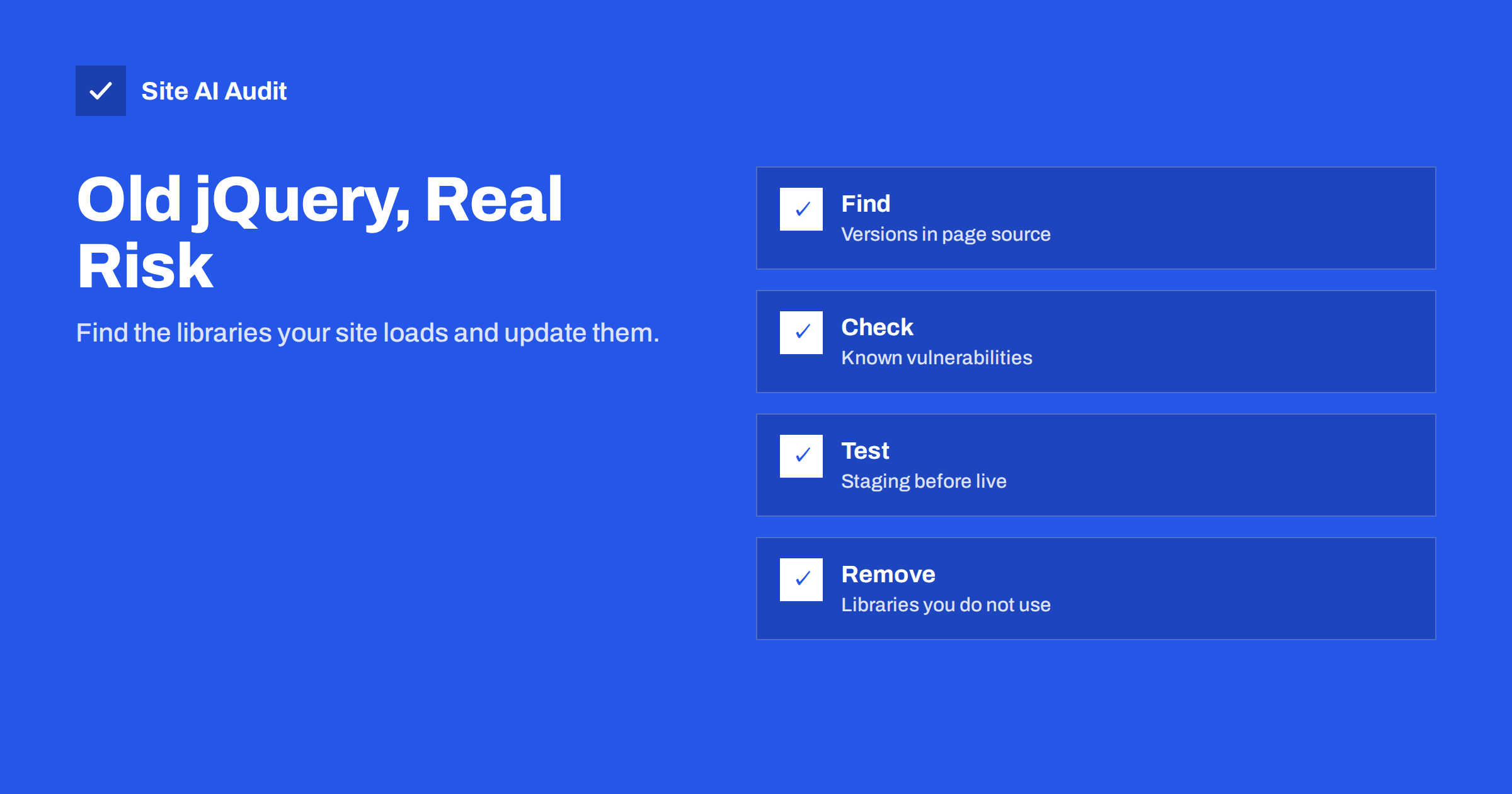
Short answer: Many websites still load old copies of jQuery, Bootstrap and other front-end libraries, bundled in a theme, a plugin or a hard-coded script tag. Old versions have publicly known vulnerabilities, mostly cross-site scripting flaws, and anyone can see which version a page loads. Find the libraries and versions in your page source or browser console, check them against known vulnerabilities, update or remove them on a staging copy first, and make libraries part of your normal update routine.
Why old front-end libraries matter
Front-end libraries run in your visitors’ browsers. A flaw in them does not usually let an attacker take over your server directly. The typical risk is cross-site scripting: under certain conditions, data that passes through a vulnerable function can run as JavaScript on your page. That can steal session cookies, change what visitors see, inject fake forms or redirect them elsewhere. Our guide to XSS explains how that works.
Whether a known flaw is exploitable on your site depends on how the library is used. Some sites never pass untrusted data to the affected functions. But you rarely know exactly how every theme, plugin and snippet uses a library, so the safe assumption is that an old version is a weakness.
There is a second reason. The version number is visible to anyone who views the page source. Automated scanners look for exactly these versions to find easy targets, and an outdated library is a signal that other parts of the site may not be maintained either.
Known examples: jQuery and Bootstrap
jQuery is the best-known case, because it is so widely used and so often bundled:
- Versions before 3.4.0 have a prototype pollution flaw in
jQuery.extend(CVE-2019-11358). - Versions before 3.5.0 have cross-site scripting flaws in how HTML is processed by methods such as
.html()and.append()(CVE-2020-11022 and CVE-2020-11023). - The 1.x and 2.x branches are no longer maintained and will not receive fixes.
Bootstrap’s JavaScript components had cross-site scripting flaws in the tooltip and popover data attributes, fixed in versions 3.4.1 and 4.3.1 (CVE-2019-8331). Other popular libraries, such as utility, date and template libraries, have had similar advisories over the years.
WordPress itself has shipped jQuery 3.x since version 5.6 at the end of 2020. The problem on WordPress sites is usually not the core copy, but themes and plugins that load their own older copy from the theme folder or from a public CDN, often alongside the core one.
How to find which libraries your site loads
You do not need special tools to start:
- View the page source and search for
.js. File names and query strings often contain the version, such asjquery-1.12.4.min.jsorbootstrap.min.js?ver=3.3.7. - Open the browser console and type
jQuery.fn.jquery. It prints the version that the page actually uses. If the page loads several copies, the last one loaded wins, which can hide an older one loaded first. - Open the file itself. Most libraries have a comment with the name and version at the top of the file.
- Check several page types. The home page, a blog post, a shop page, the checkout and a page with a form or slider can each load different scripts.
Browser extensions and open-source scanners, such as Retire.js, recognise common libraries and compare their versions with lists of known vulnerabilities. For sites built with npm or another package manager, npm audit or the equivalent reports vulnerable dependencies during the build.
Updating without breaking the site
Libraries are often old because updating once broke something. Plan the update properly:
- Work on a staging copy. Our guide to a safe update strategy covers backups and staging.
- Update the source, not the symptom. If a plugin or theme bundles the old library, update that plugin or theme. If it is no longer maintained, replace it. Editing files inside a third-party plugin is undone by its next update.
- Use the platform’s copy. On WordPress, themes and plugins should use the jQuery that core provides instead of their own. A developer can usually switch a hard-coded copy to the core one.
- Use migration helpers temporarily. jQuery Migrate restores removed functions and logs warnings in the console. Use it to find code that needs changes, then fix that code and remove the helper when the warnings are gone.
- Test what users do. Menus, sliders, forms, galleries, cart and checkout, cookie banners and anything interactive.
- Remove duplicates. Two or three copies of jQuery on the same page are common. Each one adds download and parsing time, and the oldest copy remains a risk.
Remove what you do not need
The safest library is the one you do not load. Many sites include large libraries for a single small effect, or keep scripts from features that were removed long ago. Modern browsers can do much of what jQuery was once needed for, such as selecting elements, handling events and making requests.
- Remove scripts left over from old sliders, popups and page builders.
- Load scripts only on the pages that need them, not site-wide.
- Replace a heavy plugin with a lighter one if it only provides one small feature.
This also helps speed. Our guide to reducing unused JavaScript shows how to find scripts that a page loads but barely uses.
Scripts loaded from public CDNs
Many old snippets load libraries from a public CDN with a fixed version in the URL. The CDN will keep serving that old version forever, so it never updates by itself. If you load third-party files this way, add Subresource Integrity, so the browser refuses a file that has been changed, and pin to a current version. Our guide to Subresource Integrity explains how. A Content Security Policy adds another layer by limiting where scripts may load from and reducing what an injected script can do.
Make it part of maintenance
Outdated libraries are a maintenance problem more than a technical one. A simple routine prevents most of them:
- Update plugins and themes regularly, and remove those you no longer use.
- Check the main page types for library versions every few months, and after installing new plugins.
- Prefer themes and plugins with recent updates and an active changelog.
- For custom sites, run dependency audits in the build and update dependencies on a schedule, not only when something breaks.
- Avoid pirated themes and plugins, which often ship old libraries and sometimes worse. See our article on nulled themes and plugins.
A quick checklist for site owners
If you do not develop the site yourself, this short list is enough to have a useful conversation with your developer or agency:
- Which JavaScript libraries and versions do our main page types load, and where does each copy come from: core, theme, plugin or an external CDN?
- Are any of them older than the versions in which known vulnerabilities were fixed?
- Does any page load the same library more than once?
- Which plugins or theme features would break if we updated, and can they be updated or replaced?
- Is there a staging copy where updates are tested before they go live?
- When were plugins and the theme last updated, and who is responsible for doing it?
- Are scripts from external CDNs pinned to a version and protected with Subresource Integrity?
Write the answers down. A short inventory of libraries and their sources makes the next update quick and keeps the problem from returning after a redesign or a new plugin. If an agency maintains the site, ask for the inventory as part of the regular maintenance report, next to plugin updates and backups.
How Site AI Audit helps
Site AI Audit does not list JavaScript library versions. It does check related signs that a site reveals too much or is not maintained: whether the WordPress version is publicly visible, whether the server reveals its software version, whether pages load insecure http:// resources, and whether basic security headers such as X-Content-Type-Options and protection against framing are in place. You can run a free check; plans with monitoring are on the pricing page.
Related reading
- WordPress Security Checklist: 20 Steps That Actually Matter
- 9 Signs Your Website Has Been Hacked (and How to Check)
- Defer vs Async: How to Load JavaScript Without Slowing Pages
The bottom line
Old front-end libraries are easy for attackers to spot and easy for site owners to forget. Find the versions your pages load, check them against known vulnerabilities, update them at the source on a staging copy, remove duplicates and unused scripts, and add library checks to your regular maintenance.
SSS
Is an old jQuery version always exploitable?
Not always. It depends on whether untrusted data reaches the affected functions. But you rarely know how every plugin and theme uses it, so treat an outdated version as a weakness and update it.
How do I check which jQuery version my site uses?
Open the browser console on your site and type jQuery.fn.jquery. Also search the page source for jquery file names, because a page can load more than one copy.
Will updating jQuery break my site?
It can, if old code relies on removed functions. Update on a staging copy, use jQuery Migrate temporarily to find problem code, test interactive features, then deploy.
Why does my WordPress site load two versions of jQuery?
Usually because a theme or plugin loads its own copy in addition to the one WordPress provides. Update or replace that theme or plugin so it uses the core copy.
Do I still need jQuery at all?
Often not for new code, because modern browsers handle most tasks natively. Existing themes and plugins may depend on it, so remove it only where nothing needs it.