ENEnglish
 LTLietuviškai
 DEDeutsch
 FRFrançais
 RUРусский
 ESEspañol
 PLPolski
 ITItaliano
 UKУкраїнська
 CSČeština
 PTPortuguês
 JA日本語
JA日本語 LVLatviešu valoda
 ETEesti
 HUMagyar
 IDBahasa Indonesia
 TRTürkçe
 HIहिन्दी
 ELΕλληνικά
 ARالعربية
 THไทย
THไทย VITiếng Việt
 RORomână
 MSBahasa Melayu
 BNবাংলা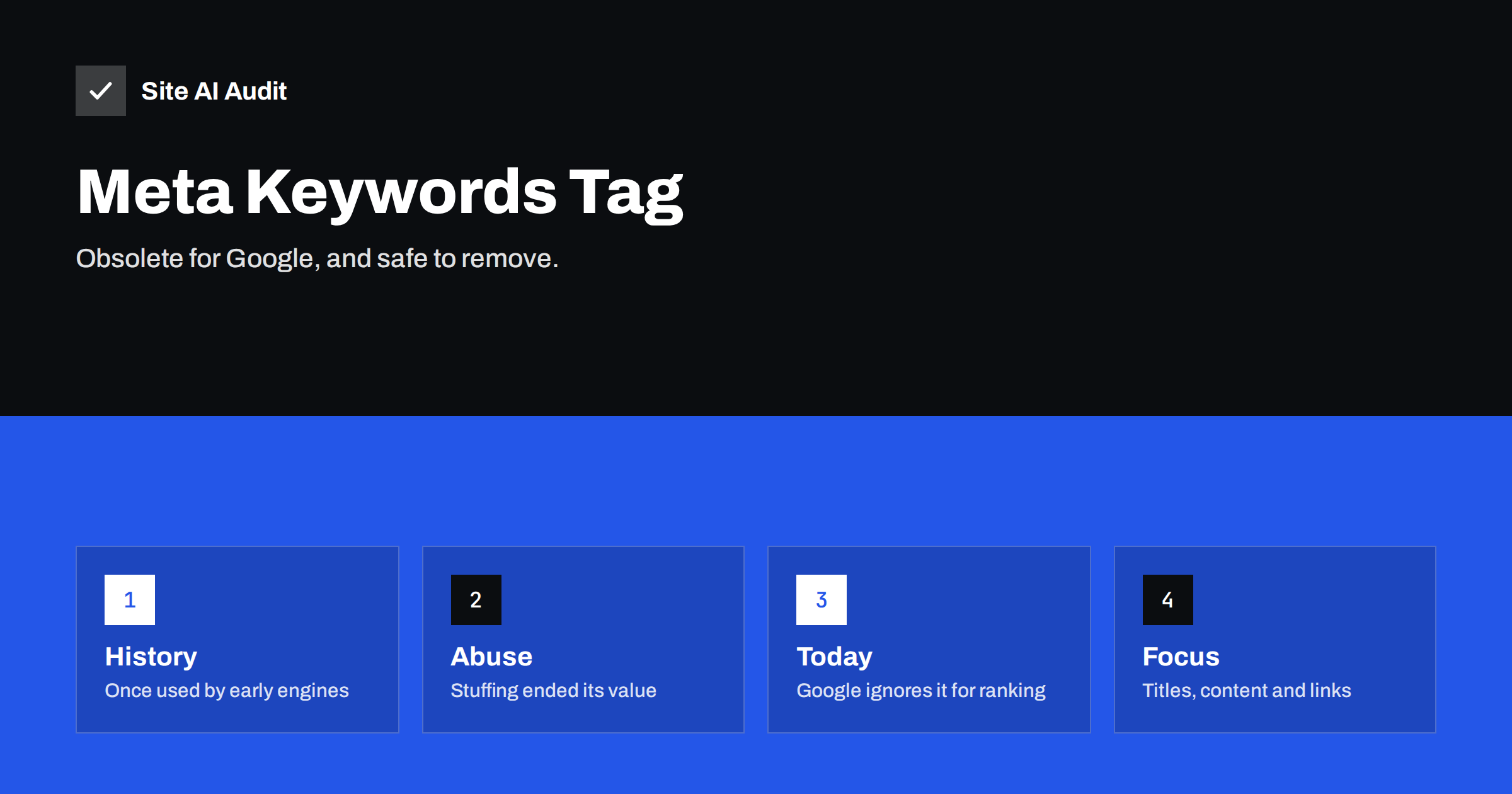
Short answer: The meta keywords tag is a line of code that once listed the words a page was about. Google has said that it does not use the tag for web ranking, and it has been ignored for many years. Keeping it does no direct harm, but it gives your competitors a list of your target phrases and takes time to maintain, so most sites can simply remove it and spend the effort on titles, content and links.
What the tag looks like
The tag sits in the head of a page, next to the title and the description. It has the name keywords and a content value with a comma separated list, for example a handful of phrases that the author believed described the page. Visitors never see it. Only software reads it, and in practice almost no major search engine reads it any more.
Many older themes, plugins and tutorials still add the field by default, which is why site owners keep meeting it in page source and in audit reports. Its presence is a sign of age, not a sign of a problem, but it is worth understanding so that you can decide what to do with it.
Why it was invented
In the early years of the web, search engines had little to work with. They did not understand pages well, and they relied on the text of a page and on whatever the author declared about it. The keywords tag was a simple way for the author to say what the page was about. For a short time, that worked, because most authors were honest and the web was small.
Why it stopped working
The tag had one fatal weakness: the author controlled it completely and nobody checked it. As soon as rankings began to bring traffic, people started to fill the tag with hundreds of popular words, whether or not the page had anything to do with them. Some listed their competitors’ names. Others repeated one word dozens of times. Search engines learned that the tag was full of noise and gave it less and less weight, until it counted for nothing at all.
- It was easy to abuse. A hidden list of words costs nothing to write, so it carried no real signal.
- Better signals appeared. Engines learned to read the visible text, the links to a page and how visitors used it.
- It could be compared with the page. When the tag does not match the content, an engine trusts the content.
Google has stated publicly that it does not use the tag in web search ranking. Some other systems, such as the search box of a single website or a business directory, may still read it for their own purposes, but that is a local feature and not a ranking factor on the open web.
Should you delete it?
Here is a practical way to decide.
- If it is empty or generated automatically, delete it. It adds weight to every page for no benefit.
- If it holds your real target phrases, delete it, or at least think twice. It shows rivals exactly which phrases you are aiming at, and it gives search engines nothing in return.
- If a plugin uses it for an internal search feature, keep it. A few site search tools read the field. Check before removing it, and test the search afterwards.
- If you are unsure, leave it for now and remove it later. It is a low priority compared with titles and content.
Removing it will not lower your rankings, because there was nothing in the tag that counted. Some SEO plugins have a setting to switch it off. If you edit the theme, make a backup first, in line with the advice in the guide to a safe website update strategy.
What is read by search engines instead
If you wish to tell search engines what a page is about, use the signals that are actually read. They are visible to readers as well, which keeps you honest.
- The title tag. It is the strongest short description of the page. Put the main topic first, as explained in the title tags guide.
- Headings. A clear H1 and logical subheadings show the structure. See the article on heading tags.
- The body text. Write naturally and cover the topic in depth, using the words that readers use.
- The meta description. It does not directly affect ranking, but a good one earns clicks. See the meta descriptions guide.
- Internal and external links. The words in a link tell engines what the target page is about.
- Structured data. It describes entities and facts in a format that software can read.
Common questions people still ask
Several myths keep the tag alive. One says that Bing uses it. Bing has said that it can treat the tag as a spam signal when it is stuffed, so overuse is a risk, not a bonus. Another says that a small number of well chosen words might help. There is no evidence for that. A third says that it helps with synonyms. Search engines already understand related words from the page text, and they do it better than any list could.
The tag is also not the same thing as the tags on a blog post, which are categories shown to readers and used for navigation. Those are part of your site structure, and they can be useful, provided they are not created without limit. The guide on category and tag pages explains how to use them well.
Cleaning it up safely
- Check your page source or an audit report to see whether the tag is present and where it comes from.
- Find the setting in your theme or SEO plugin. If there is none, ask the developer, or remove the line from the template.
- Test a few pages after the change to be sure that the head of the page still loads correctly and that nothing else broke.
- Do not spend hours on this. It is a tidy-up, not a rescue.
Use the time you save on tasks with more effect, such as fixing duplicate titles, thin pages or broken links. If you want a place to start, the SEO audit checklist for small business lists the items in a sensible order.
What to do with the keywords you collected
If you have a list of keywords in a spreadsheet or a plugin field, it is still valuable, just not in that tag. Use it as a planning tool. Group the phrases by intent, decide which page is the best home for each group, and make sure that no two pages compete for the same phrase. Then write the title and the main heading for each page around its group, and let the body text cover related questions that readers ask.
A short review of existing content is also worthwhile. Look for pages that use the same phrase in their titles, because they may be competing with each other, and look for phrases that have no page at all. This is the real work that the old tag pretended to replace. It is slower than typing a list into a field, but it produces pages that readers want and that search engines can place. The guide to keyword research for small business shows a simple way to do it without expensive tools, and the article on keyword cannibalization explains what to do when two pages overlap.
Finally, keep in mind that wording on the page should serve the visitor first. A page that sounds natural and answers a real question will naturally contain the words that matter, and it will do so in the right places: the title, the first paragraph, the headings and the links that point to it. There is no hidden field that can replace that.
How Site AI Audit helps
Site AI Audit looks at the signals that search engines do read. It lists missing, duplicate and badly sized titles and descriptions, heading problems, images without alt text, broken links and redirects, and sitemap, robots.txt and noindex rules, and it ranks the findings by impact so that you know where to begin. It also reviews speed, SSL, security headers and e-mail authentication. The first check is free, covers up to 50 pages and needs no sign-up. You can run a free check of your website or see the plans for re-checks and weekly monitoring.
Related reading
- How to Write Title Tags: A Practical Guide for Small Sites
- Meta Descriptions: What They Do and How to Write Them
- Keyword Stuffing and Over-Optimization: How to Avoid Both
- Technical SEO vs On-Page SEO vs Off-Page SEO: The Differences
The bottom line
The meta keywords tag belonged to a simpler web, and it was ruined by the people who abused it. Google ignores it, and so should your priorities. Remove it when it is convenient, make sure that it is not needed by a local search feature, and invest your time in titles, content, links and a technically healthy site.
SSS
Does Google use the meta keywords tag?
No. Google has said for years that it does not use the tag for web search ranking, so adding or removing keywords there has no effect on your position.
Can the tag hurt my SEO?
It rarely causes a penalty by itself. A stuffed list can look spammy to some engines, and it shows your target phrases to competitors, so there is more risk than benefit.
Do I need to remove it from every page?
Not urgently. It is a low-priority cleanup. Remove it when you are already editing the theme or the SEO plugin settings, and test afterwards.
What about the keyword field in my SEO plugin?
Treat it as optional. Many plugins keep the field for older systems. A focus phrase in a plugin is a writing aid and is different from the public tag.
Which tags should I focus on instead?
Start with unique titles, helpful descriptions and clear headings. These are visible to people and read by search engines, which makes the effort worthwhile twice.