ENEnglish
 LTLietuviškai
 DEDeutsch
 FRFrançais
 RUРусский
 ESEspañol
 PLPolski
 ITItaliano
 UKУкраїнська
 CSČeština
 PTPortuguês
 JA日本語
JA日本語 LVLatviešu valoda
 ETEesti
 HUMagyar
 IDBahasa Indonesia
 TRTürkçe
 HIहिन्दी
 ELΕλληνικά
 ARالعربية
 THไทย
THไทย VITiếng Việt
 RORomână
 MSBahasa Melayu
 BNবাংলা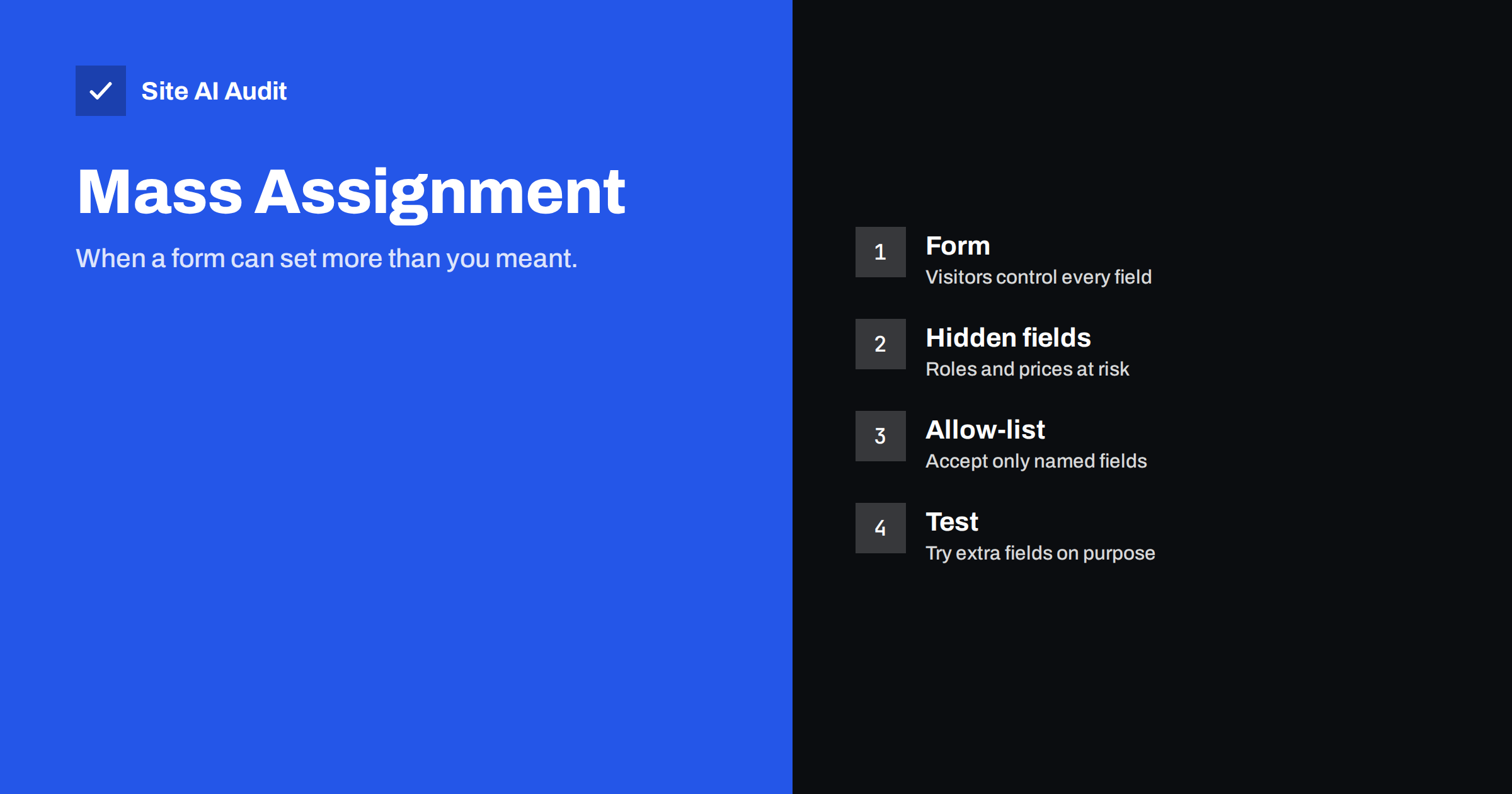
Short answer: Mass assignment is a flaw in which an application copies everything a visitor sends into an object or database record, including fields that were never meant to be changed. A person who adds an extra field such as role or price to a request may be able to promote an account or change an order. The fix is to accept only a named list of fields on the server and to check permissions for each one.
What mass assignment means
Many frameworks make it easy to fill a record from a form in a single line. The code takes everything that arrives in the request and stores it in the matching columns. This saves time for developers, and most of the time it works as expected. The trouble starts when the record has more columns than the form shows.
Imagine a profile form with two fields: name and phone. The user table also has a column for the role, a balance and a flag that says whether the e-mail has been verified. If the code copies every incoming value into the record, a visitor can send a request with extra fields. The server has no reason to refuse them, because it never decided which fields were allowed.
A simple example
Suppose a registration page sends a name, an e-mail address and a password. A curious visitor opens the browser’s developer tools, copies the request and adds one more value: the role set to administrator. If the application builds the new account from the whole request, the new user may be created as an administrator. Nothing was hacked in the sense of breaking a lock. The application simply believed what it was told.
The same pattern appears in other places. A checkout request that includes a price field may let a buyer change the price. An order update that accepts a status field may let a customer mark an order as paid. A comment form that accepts a user identifier may let one person post as another.
Why it happens
- Convenience features. Helpers that fill a model from the request in one step are popular and are safe only when the allowed fields are listed.
- Trusting the form. Developers sometimes assume that visitors only send what the page offers. Anyone can send any request with simple tools.
- Reusing one model. The same object is used for public forms and for internal screens, so sensitive fields are present in both.
- Auto-generated APIs. Code that exposes every column of a table by default makes every column writable.
- Later changes. A new column is added to the database for an internal purpose and silently becomes writable through an old form.
Where to look in your own site
Most small sites use ready-made software, so the code is not yours to rewrite, but you still control what you install and how it is set up. Pay attention to these areas:
- Registration, profile and account settings forms.
- Checkout, cart and order update requests.
- Custom plugins, themes and small scripts written for your site.
- Any API or endpoint used by a mobile app or a script.
- Import tools that load data from files into your system.
If a developer or agency builds features for you, ask one direct question: which fields does this endpoint accept, and where is that list written? A clear answer is a good sign.
How to prevent it
- Use an allow-list. Name the fields that each request may set, and ignore the rest. Do not use a deny-list, because new fields are forgotten.
- Use separate objects for input. Define a small input structure for each form, with only the fields that form needs, and copy from it into the record.
- Set sensitive values on the server. Roles, prices, balances and verification flags should be set by your own code, never by the request.
- Check permissions per field. An administrator screen may allow changes to roles. A normal user’s request must not.
- Reject unknown fields. Returning an error for unexpected input makes mistakes visible early.
- Log suspicious requests. Repeated attempts to send fields that no form has are a clear warning, as described in the guide to security logging for small sites.
How to test for it
Testing is simple, and it should be done only on your own site or a copy of it that you are allowed to test.
- Open the browser developer tools and watch the network tab while you submit a form.
- Look at the data that is sent, and at the data that the server returns afterwards. Returned records often show fields that the form never displayed.
- Repeat the request with an extra field that you know exists, such as a role, in a test account.
- Check whether the stored record changed.
If it did, the endpoint accepts more than it should. Report it to the developer with the exact request, and fix it at the source. Hiding the field in the page does not help, because the request can be sent without the page.
Related weaknesses
Mass assignment belongs to a wider group of access-control problems, where the server does not check enough. It often appears together with another flaw, in which one user can read or change another user’s data by changing an identifier in the request. That is explained in the guide to insecure direct object references and broken access control. The common cure is the same: decide on the server what each person may do, and do not rely on the browser to enforce it.
When you review a vendor or a plugin, the same thinking applies. Ask how it treats input that it did not expect, whether it validates each field on the server, and whether it has a history of fixed security problems. A product that publishes clear release notes and responds quickly to reports is usually a safer choice than one that is silent. For code written for you, ask for a short security review before launch, and keep a copy of the list of allowed fields in the project notes, so that anyone who changes the form later also sees the rule that protects it.
Common mistakes when fixing it
Teams that discover the problem often make the repair harder than it needs to be. Watch for these patterns.
- Fixing only the one form that was reported. The same shortcut is usually used in several places. Search the code for every place that copies a request into a record, and fix them together.
- Removing the field from the page. This changes what visitors see but not what the server accepts. Attackers do not use your page.
- Checking the role only in the browser. Menus that hide administrator options are cosmetic. The server must refuse the action even if the request arrives.
- Trusting the user identifier in the request. If a request says which user it belongs to, the server should ignore that and use the logged-in session instead.
- Keeping old endpoints. Test pages, old API versions and forgotten import tools often keep the weak behaviour long after the main site was fixed.
- Not testing again. After the change, repeat the extra-field test and confirm that the stored value stays the same. Keep the test as part of your release routine.
It also helps to think about data that flows back out. Many leaks of this kind begin when an endpoint returns the whole record, including internal fields, and a client then sends the same record back with small edits. Returning only the fields that a screen needs makes this accident much less likely. Ask your developer to write down, for each endpoint, a short list of inputs and outputs. A page of notes is often enough to reveal fields that should never have been writable, and it makes later changes easier to review.
How Site AI Audit helps
Site AI Audit does not test your forms for mass assignment, and it does not replace a code review. It checks the public foundations that protect visitors and show how carefully a site is run: the SSL certificate and its expiry date, the redirect from HTTP to HTTPS, security headers and exposed software versions. It also reviews SEO, speed and e-mail authentication. The first check is free, covers up to 50 pages and needs no sign-up. You can run a free check of your website or see the plans for weekly monitoring and alerts.
Related reading
- IDOR Vulnerability Explained: Broken Access Control Basics
- CSRF Explained: How Cross-Site Request Forgery Works
- Website User Accounts: Least Privilege for Admins and Staff
- Security Logging and Monitoring: What Small Sites Should Track
The bottom line
Mass assignment happens when software trusts the request more than it should. The remedy is plain: list the fields that each form may set, decide sensitive values on the server, and test with extra fields. If you depend on custom code, ask who wrote the allow-list and when it was last reviewed.
SSS
Is mass assignment the same as SQL injection?
No. SQL injection tricks the database with crafted text. Mass assignment uses valid requests that set fields the developer never intended to expose.
Can a WordPress site be affected?
Core WordPress is built to avoid it, but custom code, small plugins and poorly written endpoints can introduce it. Keep extra code to a minimum and update what you use.
Does hiding a field in the form help?
No. A hidden field is still visible to anyone who inspects the page, and requests can be sent without the page. The server must decide which fields are allowed.
Who should fix it?
The developer or vendor who owns the code. Give them the exact request that changed a protected value, because that makes the problem easy to reproduce.
How can I find out if I have it?
Test your own forms with an extra field in a safe test account, or ask a developer to review the endpoints. A normal website scan does not prove that this flaw is absent.