 ENEnglish
 LTLietuviškai
 DEDeutsch
 FRFrançais
 RUРусский
 ESEspañol
 PLPolski
 ITItaliano
 UKУкраїнська
 CSČeština
 PTPortuguês
 JA日本語
JA日本語 LVLatviešu valoda
 ETEesti
 HUMagyar
 IDBahasa Indonesia
 TRTürkçe
 HIहिन्दी
 ELΕλληνικά
 ARالعربية
 THไทย
THไทย VITiếng Việt
 RORomână
 MSBahasa Melayu
 BNবাংলা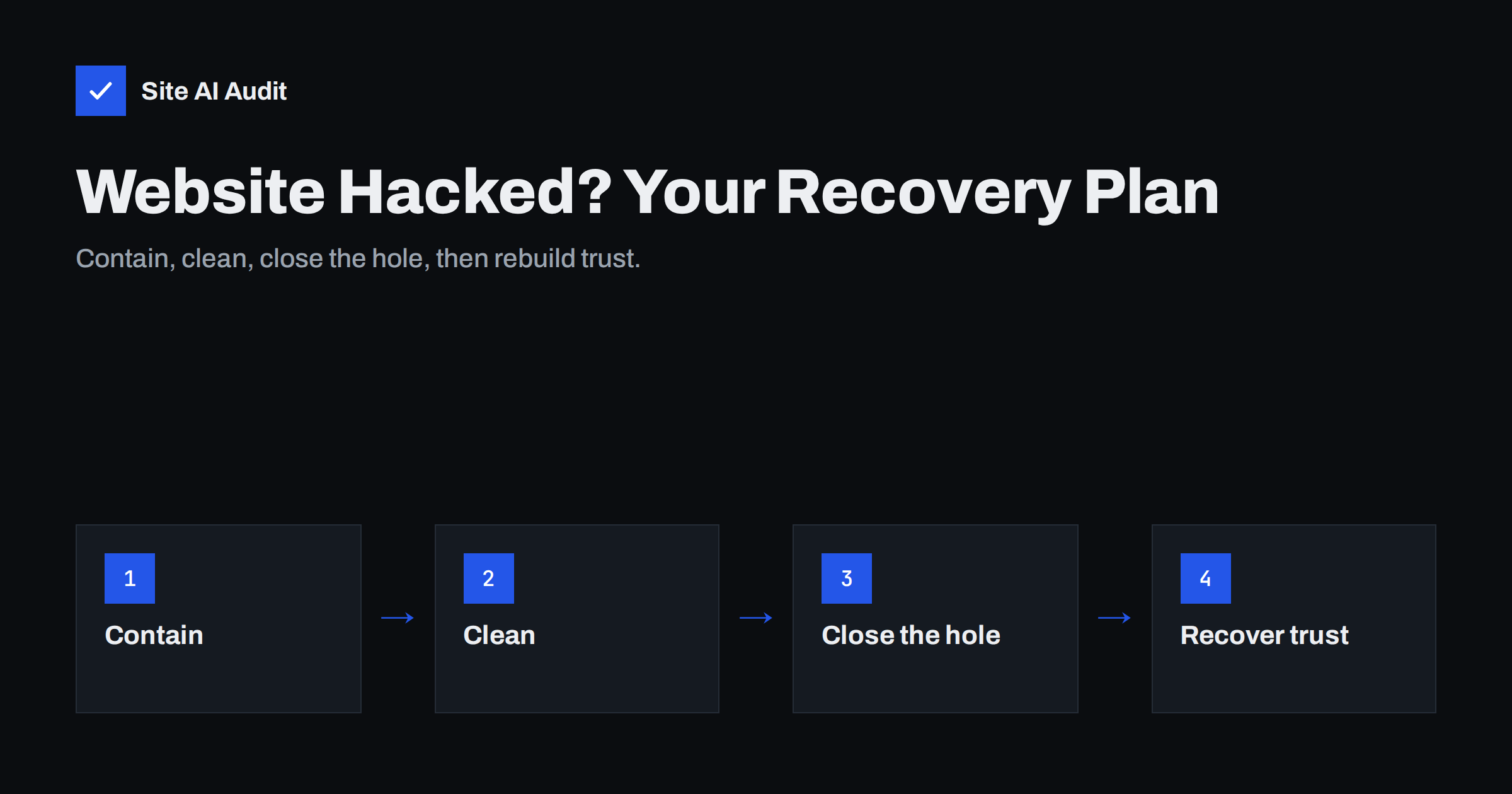
Short answer: If your website has been hacked, work in this order: contain the damage (take the site offline or into maintenance mode if visitors are at risk, change every password from a clean device, preserve logs), clean the site (restore a backup from before the compromise or remove malicious files, users and database entries), close the entry point (update or remove the vulnerable software, fix weak access), then recover trust (request search engine and browser reviews, inform affected customers where required, and add monitoring). Skipping the “close the entry point” step is the most common reason sites get reinfected.
Discovering that your website has been hacked is stressful. Customers may be seeing warnings, your e-mails may be bouncing, and you might not know where to start. The worst reactions are panic-deleting files, restoring a random backup and hoping for the best, or ignoring the problem because the site “still works”. This guide gives a structured plan that owners, agencies and developers can follow, whether you do the technical work yourself or coordinate someone else.
Step 1: Confirm and assess the situation
Before acting, spend a few minutes understanding what you are dealing with. Note what you or others observed and when: browser warnings, redirects, spam pages in search, unknown users, messages from your host. Check from outside – a private browser window, a phone on mobile data, a site: search – because many hacks hide from logged-in administrators.
Ask three questions:
- Are visitors being harmed right now? Redirects to scams, malware downloads or fake payment forms mean the site should go offline immediately.
- Is personal data involved? Customer accounts, order details, form submissions or payment pages raise possible legal obligations.
- What else shares the same hosting? Other sites in the same account may be affected too.
Step 2: Contain the damage
- Put the site into maintenance mode or take it offline if visitors are at risk. Many hosts can block public access while you work; a simple static maintenance page is enough.
- Change passwords from a clean device: hosting control panel, CMS administrators, FTP/SFTP and SSH accounts, database users, domain registrar and DNS, and the e-mail account used for password resets. Enable two-factor authentication where available.
- Revoke sessions and keys. In WordPress, changing the security keys and salts in
wp-config.phplogs everyone out. Rotate API keys and tokens stored on the site, such as payment or mail service keys. - Preserve evidence. Download server access logs, error logs and a copy of the hacked site before cleaning. They help find the entry point, and you may need them if data was stolen.
- Tell your host. Hosting providers often have malware scanning, log access and experience with the same attack on other customers.
Cleaning the site and closing the hole
Step 3: Decide between restoring and cleaning
| Option | When it fits | Watch out for |
|---|---|---|
| Restore a clean backup | You know roughly when the hack started and have a backup from before it | Losing legitimate changes made since; backup may already contain a backdoor |
| Clean the existing site | No clean backup, or too much legitimate data since the last one | Missing a hidden backdoor; requires experience |
| Rebuild on fresh software | Heavily compromised site, unknown extent | More work, but the most reliable result |
In practice, many recoveries combine methods: fresh copies of the CMS core, plugins and themes from official sources, plus your own content and uploads after careful checking, plus a database cleaned of injected content and unknown users.
Step 4: Clean thoroughly
Whichever route you take, cover these areas:
- Core files, plugins and themes: replace them with fresh copies from official sources rather than trying to repair modified files.
- Upload folders: look for PHP or other executable files among images and documents; they should not be there.
- Configuration files: check
wp-config.php,.htaccess,.user.iniand server configuration for injected code or redirect rules. - Database: search posts, options and widgets for injected scripts, hidden links and iframes; remove unknown admin users.
- Scheduled tasks: review cron jobs in the hosting panel and the CMS, which attackers use to reinfect sites.
- Other sites in the same account: an infected neighbour can reinfect a cleaned site.
Then scan again with more than one tool, and compare the cleaned site’s files with official packages.
Step 5: Close the entry point
This is the step that decides whether the problem returns. Look at the evidence and the site’s state before the cleanup:
- Which plugins, themes or software versions were outdated? Check them against published vulnerability reports.
- Do access logs show suspicious requests to a specific plugin file, upload form or login page shortly before the first signs?
- Were passwords reused, shared or weak? Was two-factor authentication missing?
- Were there forgotten copies of the site, test installations or old admin tools on the server?
Update everything to supported versions, remove anything unused, and fix access practices. If you cannot identify the entry point with reasonable confidence, treat all components as suspect and harden across the board.
Step 6: Bring the site back and remove warnings
- Bring the site back online and test key pages, forms and checkout from outside.
- Check that the SSL certificate, HTTPS redirect and security headers are in place – rebuilds sometimes lose server settings.
- In Google Search Console, review the security issues report and request a review once the site is clean. Browser warnings based on Google Safe Browsing are lifted after a successful review.
- Remove spam URLs from search results by making them return 404 or 410, and submit an updated sitemap.
- If your domain or server IP was used for spam, check blocklists and request delisting after the cause is fixed.
Google’s help pages for hacked sites and security issues describe the review process in detail.
Step 7: Communicate honestly
If customer data may have been accessed, check your legal obligations – in the EU, for example, the GDPR can require notifying the supervisory authority and sometimes the affected people within strict deadlines. Even when no notification is legally required, a short, factual message to customers who saw warnings or received suspicious e-mails from your domain helps preserve trust: what happened, what you did, and whether they need to do anything, such as changing a password.
Step 8: Prevent a repeat
- Set up automatic, off-site backups with several versions, and test a restore.
- Agree who updates the site and how often, and enable automatic security updates where sensible.
- Enable two-factor authentication for every account that controls the site.
- Add external monitoring so a future problem is noticed in hours, not weeks.
- Write down this incident: cause, timeline, fixes. It becomes your playbook next time.
Mistakes that make recovery harder
- Changing passwords from an infected computer. If the attacker got in through malware on an administrator’s device, new passwords are stolen again immediately.
- Restoring the newest backup without checking it. Many hacks start weeks before they are noticed, so the most recent backup often contains the backdoor.
- Deleting logs. Without them, finding the entry point becomes guesswork.
- Requesting a search engine review too early. A failed review delays removal of the warning, so request it only after the cleanup is verified.
- Fixing only what is visible. Removing the redirect but leaving the uploaded web shell that created it means the redirect will be back in days.
When to get professional help
Consider bringing in an experienced developer or security service if the site handles payments or personal data, if it has been reinfected after a cleanup, if you cannot find the entry point, or if you simply do not have time to work through the steps carefully. Cleaning quickly but incompletely often costs more than doing it once properly.
How Site AI Audit helps
After a recovery, Site AI Audit is a quick way to confirm that the site looks healthy from outside: SSL certificate and HTTPS redirect, security headers, exposed software versions, broken links and redirects, and indexing signals. Paid plans add unlimited re-checks after each fix and weekly or daily monitoring with alerts. If you want the findings fixed for you, the “Fix it for me” option in the report sends a request to Internet Solutions for an estimate. Run a free check.
Related reading
- 9 Signs Your Website Has Been Hacked (and How to Check)
- WordPress Security Checklist: 20 Steps That Actually Matter
- Website Security for Small Businesses: Where to Start
The bottom line
Recovering from a hack is a sequence, not a single action: contain, clean, close the entry point, bring the site back, remove warnings, communicate and prevent. Most reinfections happen because the entry point was never closed or a backdoor was missed. Work through the steps in order, keep notes, and put backups, updates, two-factor authentication and monitoring in place so the next incident – if there is one – is small.
SSS
How long does it take to recover a hacked website?
A simple site with a clean backup can often be restored and secured within a day. Heavily compromised sites without backups can take several days, and removing search engine warnings adds the time needed for a review.
Should I delete my hacked website and start over?
Rarely necessary. Rebuilding on fresh copies of the software while keeping your checked content and data gives the same safety with much less work than starting from zero.
Why did my site get hacked again after cleaning?
Usually because the entry point was not closed, a backdoor or malicious scheduled task was missed, or another site in the same hosting account was still infected. Review all three before cleaning again.
Do I have to tell my customers about the hack?
If personal data may have been accessed, data protection laws such as the GDPR can require notification. Even when not required, informing customers who saw warnings or suspicious e-mails is usually good for trust.
How do I remove the “This site may be hacked” label from search results?
Clean the site completely, verify ownership in Google Search Console, review the security issues report and request a review. The label is removed once the review confirms the site is clean.


