ENEnglish
 LTLietuviškai
 DEDeutsch
 FRFrançais
 RUРусский
 ESEspañol
 PLPolski
 ITItaliano
 UKУкраїнська
 CSČeština
 PTPortuguês
 JA日本語
 LVLatviešu valoda
 ETEesti
 HUMagyar
 IDBahasa Indonesia
 TRTürkçe
 HIहिन्दी
 ELΕλληνικά
 ARالعربية
 THไทย
 VITiếng Việt
 RORomână
 MSBahasa Melayu
 BNবাংলা

Short answer: A software startup depends on two things that fail quietly: its marketing website and the e-mail it sends to users. Site AI Audit checks both from the outside in one to two minutes. It covers the certificate and security headers, the pages search engines see, the mobile speed and the SPF, DKIM and DMARC records that decide whether sign-up and password-reset messages reach the inbox. Run it before launch, after each larger release and whenever something changes in DNS, and keep each report for comparison.
What a startup site has to get right
A young software company usually has a small team, a fast-moving product and a website that was built in a hurry for a launch. The site has three jobs. It must look trustworthy to a visitor who has never heard of the product. It must be found, which means that search engines can read it. And it must support the product: the confirmation, welcome and password-reset messages that the app sends are part of the first impression, and if they land in spam, a new user may never get past sign-up.
These are exactly the things an outside check can see. The audit does not look at your code or your product. It looks at what any visitor, search engine or mail server can see, and reports what is missing or broken.
The marketing site and the app are different things
Many startups have a marketing site on the main domain and the product itself on an app address behind a login. The audit reads the public pages of the address you enter. It does not sign in, fill in forms or read areas that need a password. So an audit of your main address tells you about the marketing site, its certificate, its headers and its e-mail records, but it does not test the logged-in product. That is how it should be: the product needs its own security testing, and the audit covers the shop window.
Note that the e-mail records belong to the domain, so they matter for the product as well. Messages that the app sends from your domain are judged by the same SPF, DKIM and DMARC records that the audit reads.
Findings that matter before launch
Certificate and HTTPS
A visitor who sees a browser warning on a new product’s site leaves at once. The audit reports a certificate that is expired, close to expiry, not trusted or issued for another name, and it checks that the site works over HTTPS and that the plain HTTP address redirects to HTTPS. After a launch, with new subdomains and new hosting, these are the first things to go wrong. The guide to SSL certificate findings explains each one.
The hidden “do not index” leftover
A staging site is normally told to stay out of search engines. The trap is that the same setting can travel with the site to the live address. The audit has critical findings for a robots.txt file that blocks the whole site and for a home page that tells search engines not to index it. Either one can keep a launch invisible in search for weeks, and nobody notices because the site looks perfect in a browser. Check this on launch day, and again after every move from staging to live.
Titles, descriptions and sharing tags
Launch week is when a startup’s links get shared the most: on social networks, in chats and in newsletters. A page without a good title, description and sharing image looks like a bare address in the preview. The audit flags pages without titles or descriptions, and pages without Open Graph tags. The article on Open Graph tags shows how to control the preview.
E-mail that reaches users
This is the part that founders most often skip. The audit checks the MX records, the SPF record including its limit of ten lookups, the DKIM selectors it can find and the DMARC policy. A missing SPF or DMARC record is a critical finding, and the explanation in the report is plain: anyone can send e-mail that pretends to be you, and your real messages are more likely to land in spam.
Startups add sending services quickly: one for sign-up messages, one for the newsletter, one for the help desk. Each needs to be added to SPF without breaking the ten-lookup limit, and each needs its own DKIM key. The article on choosing an e-mail service provider helps with the choice, and the one on welcome e-mails and deliverability shows why the first message matters. Run the audit after each new service, because the audit is how you find out that the limit was crossed.
Speed on a phone
A startup landing page is often heavy: large hero images or videos, a chat widget, analytics, a cookie banner and fonts. The audit asks Google PageSpeed for the mobile score and the Core Web Vitals of the entered address, and it reports the home page’s weight, the server response time and whether text files are compressed. A score below 90 gives a warning, and below 50 it is critical. For a product whose visitors arrive from social links on phones, this decides how many of them see the page at all.
Security details a product site should not skip
Visitors judge a software company by how seriously it takes security, and the audit has a short list of headers and details that signal it. It reports a missing HSTS header, a missing Content-Security-Policy, a missing Referrer-Policy, a missing X-Content-Type-Options header and a site that can be embedded in other websites. It also reports when the server reveals its software version, and when a WordPress version is publicly visible. All of these are notices, so none of them is an emergency, but together they show whether the site was set up with care. They are quick to add on most hosting setups, and the article on security header findings describes a safe order, starting with the ones that cannot break the site.
When an agency or freelancer builds the site
Many startups do not build the marketing site themselves. If an agency or a freelancer made it, ask for a Site AI Audit report as part of the handover. A report on the live address shows in one document whether the certificate, the redirects, the indexing settings and the mail records were left in a good state, and it gives both sides a shared list of what remains. Keep that first report as the starting point, and compare every later report with it.
A release routine that takes ten minutes
- Before launch: run the audit on the live address, fix everything marked critical and as much of the warnings as you can.
- After DNS or hosting changes: run it again. Changes to DNS are the usual cause of broken mail records and certificates.
- After a larger release: run it once, and compare with the previous report to see what is new, fixed or worse.
- After adding a sending service: run it to check SPF and DKIM.
- Keep the reports, so that the next developer or agency can see the history.
The audit runs when you start it, not by itself, so put these moments in your release checklist. A paid plan adds a PDF report, report history with trends and alerts. The Business plan adds daily SSL and e-mail checks and alerts to team members, which suits a team that cannot afford a forgotten certificate renewal, as the article on the Business plan explains.
Choosing a plan for a small team
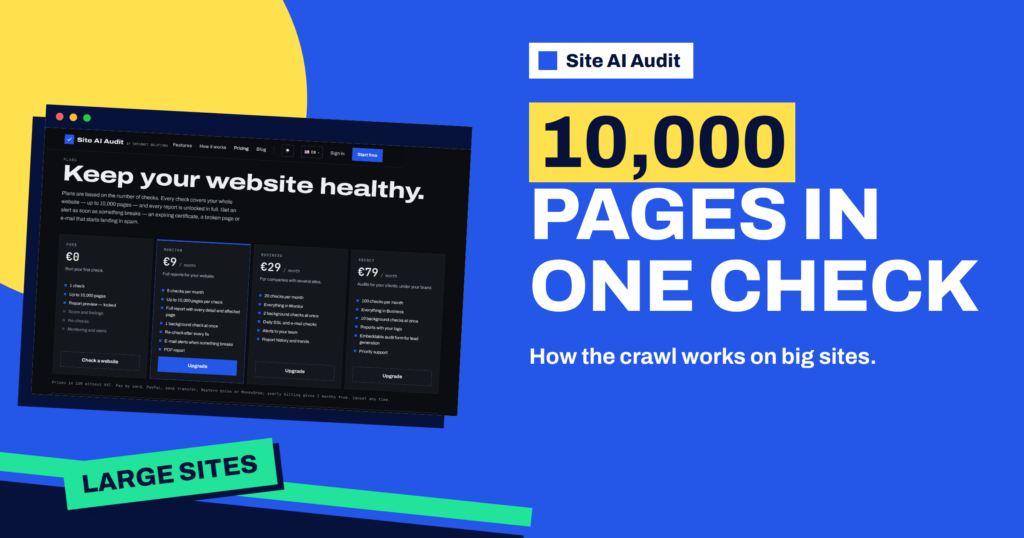
A founder who checks one site before launch and after a few releases will find that the Monitor plan, with 5 checks a month, is enough, and the Monitor plan guide shows a typical routine. A team with a main site, a documentation site and a separate landing page for a campaign should count checks per site, and may prefer Business with 20. A free account runs one check and keeps the report locked, which is enough to see how the report looks and which findings are critical.
To see what a visitor, a search engine and a mail server see on your site, run a Site AI Audit. The check needs a free account, and the plans unlock the full report.
Related reading
- New Website SEO Checklist: What to Do Before and After Launch
- Site AI Audit Email Checks: SPF, DKIM, DMARC and MX
- Is Your Website Protected From Hacking? What the Audit Checks
- Website Speed Checklist: 30 Checks Before and After Launch
The bottom line
For a software startup, Site AI Audit checks the shop window and the mail path: certificate, security headers, indexing settings, mobile speed and the e-mail records that decide whether users receive your messages. Run it before launch, after DNS or hosting changes and after each larger release, and compare the reports.
FAQ
Does the audit test my logged-in app?
No. It reads the public pages of the address you enter and does not sign in or open password-protected areas. It covers the marketing site and the domain’s e-mail records.
Why does a startup need SPF, DKIM and DMARC?
The app’s sign-up and password-reset messages are judged by these records. Without them, messages are more likely to land in spam and anyone can send mail that pretends to be you.
Can the audit find a leftover noindex setting from staging?
Yes. It reports a robots.txt file that blocks the whole site, a home page that tells search engines not to index it and pages hidden by noindex.
How often should a startup run the audit?
Before launch, after DNS or hosting changes and after larger releases. The audit runs only when you start it, so add it to your release checklist.
Which plan fits a small team?
Monitor with 5 checks a month suits one site. Business with 20 checks, daily SSL and e-mail checks and alerts to team members suits a team with several sites.