ENEnglish
 LTLietuviškai
 DEDeutsch
 FRFrançais
 RUРусский
 ESEspañol
 PLPolski
 ITItaliano
 UKУкраїнська
 CSČeština
 PTPortuguês
 JA日本語
 LVLatviešu valoda
 ETEesti
 HUMagyar
 IDBahasa Indonesia
 TRTürkçe
 HIहिन्दी
 ELΕλληνικά
 ARالعربية
 THไทย
 VITiếng Việt
 RORomână
 MSBahasa Melayu
 BNবাংলা
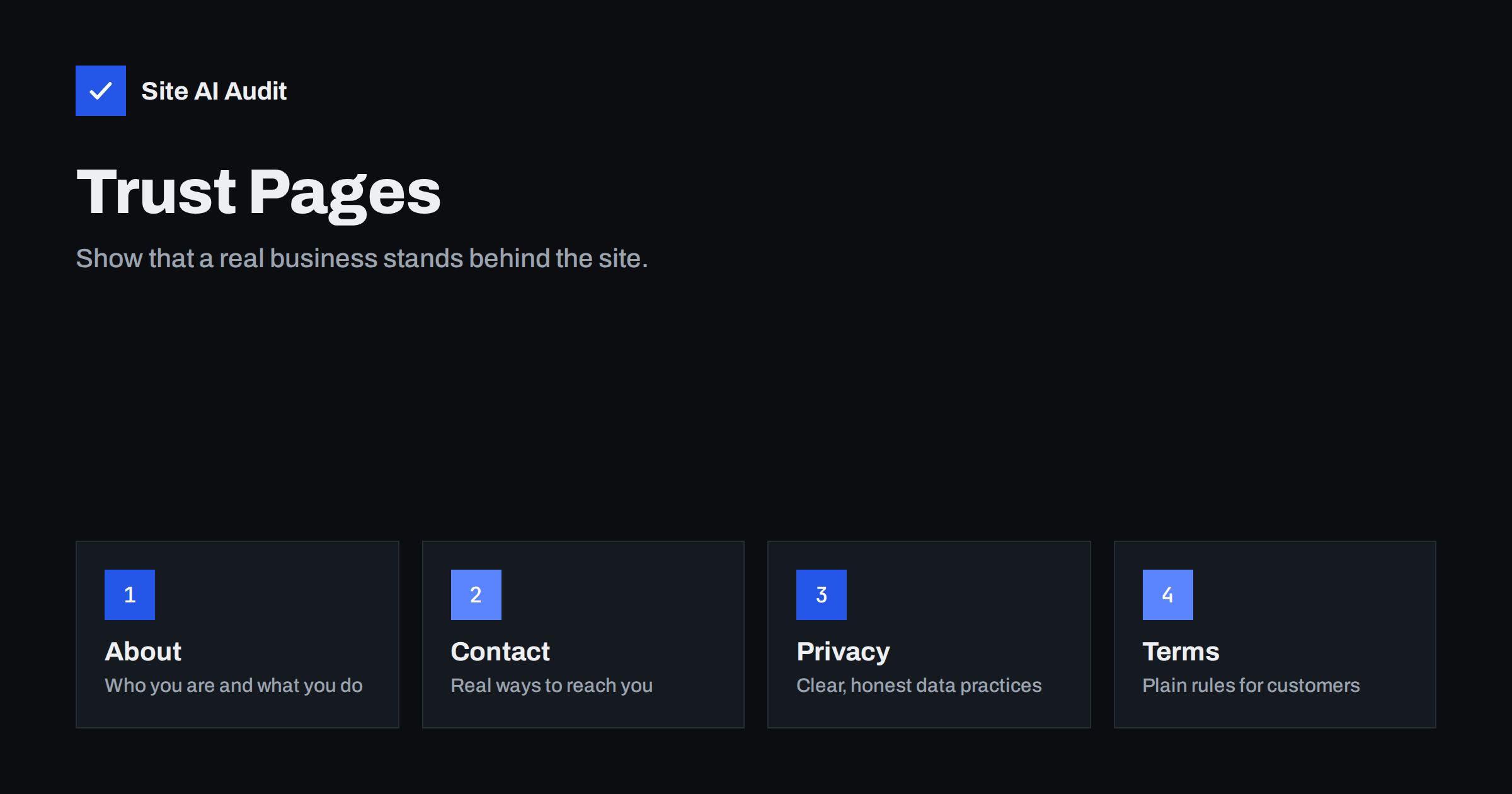
Short answer: Trust pages are the ordinary pages that show who runs a website and how it treats visitors: About, Contact, Privacy Policy, Terms and, for shops, delivery and returns. They are not ranking tricks, but they help visitors decide to trust you, and Google’s quality guidelines for human evaluators mention the importance of knowing who is behind a site. Keep them accurate, easy to find and written for people.
What trust pages are
Every website that asks for attention, personal data or money makes an implicit promise: there is a real organisation behind it, and it will behave responsibly. Trust pages make that promise visible. Visitors rarely read them from start to finish, but many check that they exist, especially before buying, sending personal details or relying on advice.
- About page. Who you are, what you do and why visitors can rely on you.
- Contact page. The ways to reach you, such as an e-mail address, a telephone number, a form and a postal address where relevant.
- Privacy policy. What personal data you collect, why, how long you keep it and what rights people have.
- Terms and conditions. The rules of using the site or buying from you.
- Shipping, returns and payment pages. For online shops, the practical details that buyers look for.
- Cookie information. An explanation of the cookies and tracking that you use and how to choose.
Why they matter for visitors
Trust is built from small signals. A visitor who lands on an unfamiliar site wonders whether it is genuine and whether a message will be answered. A clear contact page, a described team and readable policies answer those questions quickly. The absence of such pages raises doubts, and many people leave quietly. For shops and for any site that handles personal data, they are also a legal and practical necessity in many countries, although the exact requirements depend on where you operate. Ask a qualified adviser about the legal wording, because this article covers presentation and not legal advice.
Why they matter for search
There is no ranking factor named “has a privacy page”. The connection is indirect. Google’s guidance on creating helpful content and its description of E-E-A-T encourage site owners to make clear who is responsible for a site and why it can be trusted. Its guidelines for quality raters, who help evaluate search results, say that a lack of information about the owner or the way to contact a site is a reason to rate it lower, especially for topics that affect health, money or safety. Raters do not change rankings directly, but their work shapes how the systems are improved. The article on E-E-A-T for small business websites explains the idea, and the guide to author pages and bylines covers the personal side.
Search engines also use these pages in practical ways. Business details on a contact page can match your listings and your structured data, which helps them link the site to one real entity, as discussed in the guide to Organization schema.
What a good About page contains
- What you do, in plain words. One or two sentences that a stranger can understand.
- Who is behind it. Names, roles and photos of the people, or at least of the owner.
- Your story and your experience. When you started, who you serve and what you have done, using facts that can be checked.
- How you work. Your process, standards or guarantees, only if you really keep them.
- Proof. Real certifications, memberships or customer statements, with permission. Do not invent them.
- A way to take the next step. A link to the contact page or the main service.
What a good Contact page contains
- At least two ways to reach you, such as an e-mail address and a telephone number or a form.
- The business name, and for companies the registration details that the law in your country requires.
- A postal address or a map where customers visit, and opening hours.
- An honest expectation for the reply time.
- A form that works, is protected against spam and sends a confirmation. The guides to contact form spam protection and contact form e-mails from your own domain help you make it reliable.
Test the page regularly. A broken form or an unanswered address does more damage than not having a page at all.
Privacy, terms and cookies
These pages should be accurate descriptions of what you actually do. Copying a generic text that mentions services you do not use, or leaving out ones you do, creates risk. Review them whenever you add a tool that collects data, such as analytics, advertising pixels, chat or a newsletter service, and whenever you change a supplier. Use plain language and short sections, with a date of the last update. Link to the pages from the footer of every page, so that visitors can find them from anywhere. If you use a cookie banner, make sure that it matches the policy and that it works, as mentioned in cookie banners and page speed.
Avoid promises that you cannot keep. Statements about security or data handling should be true and specific. If you are not certain, say less, and ask the person responsible for compliance to check the text.
Where to place them and how to link
- Link About, Contact, Privacy and Terms from the footer on every page, and put Contact in the main menu if customers need it.
- Give each page a clear title and description, as covered in the title tags guide and the meta descriptions guide.
- Do not block them in robots.txt or mark them noindex without a reason. Contact and About pages should be findable. Privacy and terms pages can be indexed or not, depending on your policy, but they should never be broken.
- Keep the addresses stable. If you must move a page, redirect the old address.
- Include the pages in your sitemap if they are indexable, and make sure that links to them work, as the guide to finding and fixing broken links describes.
Watch out for these common mistakes in all of them:
- A contact page that shows only a form and no other details.
- A fake address, a stock photo team or invented reviews.
- A privacy policy that was copied and never matched the real site.
- Terms that contradict what the pages promise.
- Policy pages hidden behind a broken link or a missing footer.
- Old details after a move, a rebrand or a change of telephone number.
- Thin pages that say only a sentence and add no useful information.
A quick audit you can do today
Set aside half an hour and walk through your own site as a stranger would. Start on the home page and ask whether it is clear who runs the business and what it offers. Look for the contact details within two clicks, and send a test message to confirm that it arrives and that someone replies. Open the privacy policy and read the first paragraph: does it describe what you really do? Check the date of the last update, and compare the list of tools in the policy with the tools actually running on the site. Open the terms or the shop policies and make sure that prices, delivery times and return conditions match your current practice.
Then check the technical side. Are the pages linked from the footer on every template, including the checkout and the blog? Do they load fast and look right on a phone? Are they free of broken links and redirects? Make a short list of fixes, assign each one to a person and set a date. Repeat the exercise every quarter or after any major change. Small, regular care keeps these pages accurate, and accurate pages are the ones that earn trust.
How Site AI Audit helps
Site AI Audit does not judge your legal texts, and it does not decide whether a page is convincing. It checks whether the pages work technically: titles and descriptions, headings, broken links and redirects, the sitemap, robots.txt and noindex rules, together with speed, SSL, security headers and e-mail authentication. The first check is free, covers up to 50 pages and needs no sign-up. You can run a free check of your website or see the plans for re-checks and weekly monitoring.
Related reading
- Website Security for Small Businesses: Where to Start
- Homepage SEO: What Your Home Page Needs to Be Found
- Service Pages That Get Found: A Small Business Guide
- Local SEO Basics: How Small Businesses Get Found Nearby
The bottom line
Trust pages are not glamorous, but they answer the questions that visitors and search engines ask first: who are you, how can I reach you and what do you do with my data? Write them honestly, keep them current, link them from the footer and test the contact methods. The effort is small, and the confidence it creates helps everything else on your site.
FAQ
Do these pages improve rankings?
Not directly. They support trust and the quality signals that Google describes, and they help visitors take the step you want them to take.
Do I need a privacy policy if I only run a blog?
If you collect any personal data, including through analytics, comments or a contact form, a clear policy is usually needed. Check the rules that apply to you.
Can I copy a template for the terms?
A template is a starting point only. Adapt it to your real services, and have a qualified person review it, because mistakes can create legal risk.
Should these pages be indexed?
About and Contact pages usually should be. Policy pages can be indexed or not, but they must be reachable, accurate and linked from the footer.
How often should I review them?
At least once a year, and each time you change a tool, supplier, address or service that affects what the pages say.