ENEnglish
 LTLietuviškai
 DEDeutsch
 FRFrançais
 RUРусский
 ESEspañol
 PLPolski
 ITItaliano
 UKУкраїнська
 CSČeština
 PTPortuguês
 JA日本語
 LVLatviešu valoda
 ETEesti
 HUMagyar
 IDBahasa Indonesia
 TRTürkçe
 HIहिन्दी
 ELΕλληνικά
 ARالعربية
 THไทย
 VITiếng Việt
 RORomână
 MSBahasa Melayu
 BNবাংলা
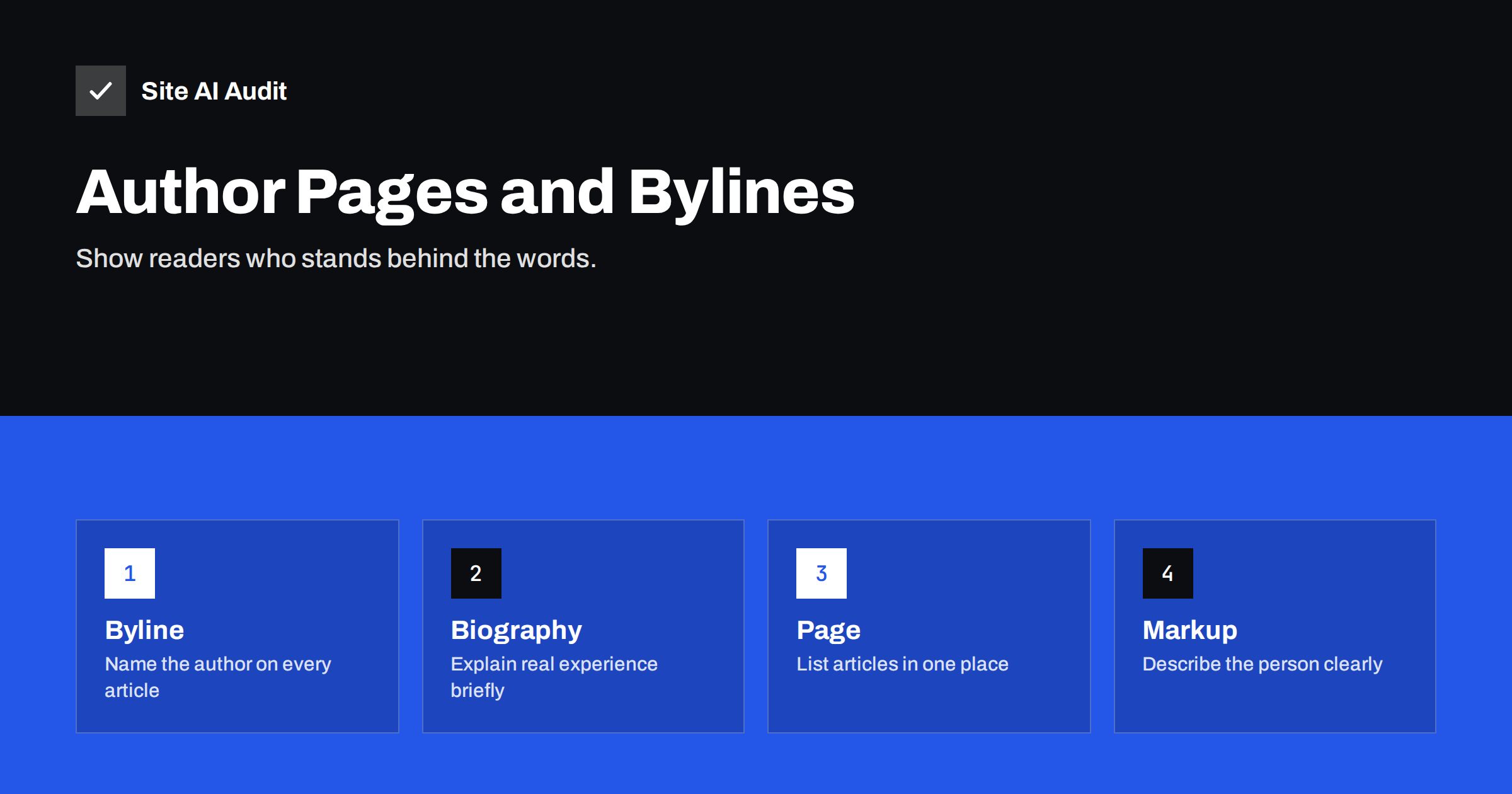
Short answer: A byline names the person who wrote an article, and an author page gives a short, honest biography and lists their work. Together they help readers judge whether to trust the content, and they give search engines clearer signals about who is responsible for it. Add a real name, real experience and links to the author’s other work, and avoid invented credentials or empty profiles.
What bylines and author pages are
A byline is the line near the title that says who wrote the article, often with the date. An author page is a page of its own about that person. It usually has a photo, a short biography, a list of subjects they write about, links to their profiles elsewhere and a list of their articles on your site. On many content management systems, the author page is created automatically from the user account, and it may be thin or even empty unless you edit it.
These elements are old habits of good publishing. Newspapers and magazines have always put names on stories, because readers want to know who is speaking. The web simply made it easier to leave the name out, and many small sites do exactly that.
Why they matter for readers
People make a quick judgement about every page they land on. A named author with a believable background reduces doubt. An anonymous article about health, money, law or security makes careful readers hesitate. Even for less serious topics, a name makes a page feel like it was written by a person and not generated to fill space.
- Accountability. Someone is responsible for the content and can be contacted about mistakes.
- Context. A short line about experience helps the reader understand why this person is worth reading.
- Discovery. Readers who like one article can find others by the same author.
- Consistency. A recurring author builds a recognisable voice for your blog.
Why they matter for search
Google does not say that a byline is a ranking factor. Its guidance on helpful content does encourage site owners to think about who created the content and why, and its descriptions of experience, expertise, authoritativeness and trust, often shortened to E-E-A-T, ask the same questions. Those ideas guide how quality is evaluated. They do not work like a switch that you can turn on by adding a name. The guide to E-E-A-T for small business websites explains how to show these qualities in practice.
Clear authorship may also help machines. Structured data can describe the author as a person with a name, a profile page and links to other official pages, which helps connect your content to the same entity across the web. The result is not guaranteed, but the information is accurate and harmless.
What a good byline contains
- The real name. Use the name that the person uses professionally, spelled the same way each time.
- A link to the author page. The name should be a link, so that readers can learn more.
- The publication date and, if relevant, the review date. Show when the article was last checked, not only when it was first written. The advice in updating old content applies.
- A short role line. For example, a developer, an owner or an editor, as long as it is true.
When a reviewer checks the facts, for example a lawyer reading a legal article, mention them separately. A named reviewer is only useful when the review really took place.
What a good author page contains
- A photo, if the person agrees. A clear, plain photo is better than a stock picture.
- A biography of two to five sentences that explains what the person does and what they have done, using facts that can be checked.
- The topics they write about.
- Links to official profiles, such as a professional network, a company page or a published book.
- A list of their articles on your site, with the most recent first, and enough items that the page has real content.
- A way to contact the author or the editorial team.
Do not invent a history. Fake degrees, awards or years of experience are easy to check and ruin trust once found. If the author is new to the topic, say what they did to research it, for example by interviewing practitioners or testing the product. Honest, modest claims are more convincing than exaggerated ones.
Markup for authors
Your SEO plugin or theme may already add structured data for articles, including an author. If so, check that the name, the profile link and the page match what readers see. If you add your own, use the Person type with a name and a link to the author page, and add official profile links in the same property that organizations use for their profiles. Keep it small and accurate. The overview in the guide to structured data for small business websites helps you decide how much to add, and the article on Organization schema shows the same idea for the business itself.
Google also reports problems with structured data in Search Console. If errors appear, the guide to fixing structured data errors lists common causes.
Special cases
- Company blogs with one voice. If articles are written collectively, use the name of the editorial team, with a page that explains who it includes and how content is checked.
- Guest authors. Give them an author page too, with a real biography and a link to their own site. Review the links to make sure that they are not promotional.
- Freelancers and ghostwriters. The named author should be the person who takes responsibility for the content. If a specialist reviews it, say so.
- Privacy. Some writers prefer not to use their real names. A consistent pen name with an honest description can work, but sensitive topics benefit from people who are willing to stand behind their words.
- AI-assisted drafts. A named editor should still check facts and take responsibility. A byline is a promise that a person has looked at the text.
Common mistakes
- Leaving the author set to “admin”, which tells readers nothing and may expose a user name.
- Letting author archive pages stay empty or duplicate the blog, creating thin pages. See WordPress archive pages and SEO.
- Using different names or photos for the same person across the site.
- Copying a biography from another website.
- Giving an expert title to a person who does not have it.
- Hiding the byline in small grey text that nobody sees.
On WordPress, check the display name in each user profile, and make sure that the author archive is either useful or deliberately removed from search. For sites with a single author, the archive often adds nothing beyond the blog home page, and a clear “About” page can serve the purpose better.
A last practical point: review your authors once a year. People change roles, leave the company or update their profiles, and old biographies become wrong. Check that each active author still has a current photo, a current description and working links, and decide what to do with the pages of authors who have left. Keeping their articles with a note, such as a former contributor, is usually better than deleting them or reassigning the text to someone who did not write it.
If your team is small, do not let the lack of a large editorial process stop you. Even a simple rule works: every article has one named author, one named person who checked the facts, and one date for the last review. Put the rule in a short document, and apply it to new articles first. Over time, add the same details to your most visited older pages, starting with those that bring in the most search traffic.
How Site AI Audit helps
Site AI Audit does not judge who wrote your content, and it cannot tell whether a biography is convincing. It checks the technical basics on which author pages depend: titles and descriptions, headings, broken links and redirects, the sitemap, robots.txt and noindex rules. It also covers speed, SSL, security headers and e-mail authentication. The first check is free, covers up to 50 pages and needs no sign-up. You can run a free check of your website or look at the plans for re-checks and weekly monitoring.
Related reading
- E-E-A-T Explained: Showing Trust on a Small Business Website
- WordPress Attachment, Author and Date Archives: SEO Guide
- Blog Post SEO Checklist: What to Check Before You Publish
- How to Update Old Content for SEO: Refresh, Merge or Remove
The bottom line
Readers want to know who is talking to them. Put a real name on every article, link it to a short, honest author page, keep the details consistent and keep the claims modest. It will not replace good writing, but it makes good writing easier to trust, and it gives search engines clearer facts to work with.
FAQ
Are author pages a Google ranking factor?
Google has not said that they are. They support the wider goals of showing experience and trust, which help readers and fit its guidance on helpful content.
Do I need an author page for a one-person blog?
A good About page can do the job. Make sure that the byline links to it and that it explains who you are and why readers can trust you.
Should I use my real name?
For topics where trust matters, a real name is strongly recommended. If you use a pen name, keep it consistent and describe your experience honestly.
What if my author page is nearly empty?
Add a biography and a list of articles, or turn the page off and point bylines to a better page. A thin page with no content adds little.
Can I add author markup without a plugin?
Yes, but it is easy to make mistakes. A well-supported SEO plugin is simpler. Validate the result and make sure that only one source prints it.