ENEnglish
 LTLietuviškai
 DEDeutsch
 FRFrançais
 RUРусский
 ESEspañol
 PLPolski
 ITItaliano
 UKУкраїнська
 CSČeština
 PTPortuguês
 JA日本語
 LVLatviešu valoda
 ETEesti
 HUMagyar
 IDBahasa Indonesia
 TRTürkçe
 HIहिन्दी
 ELΕλληνικά
 ARالعربية
 THไทย
 VITiếng Việt
 RORomână
 MSBahasa Melayu
 BNবাংলা
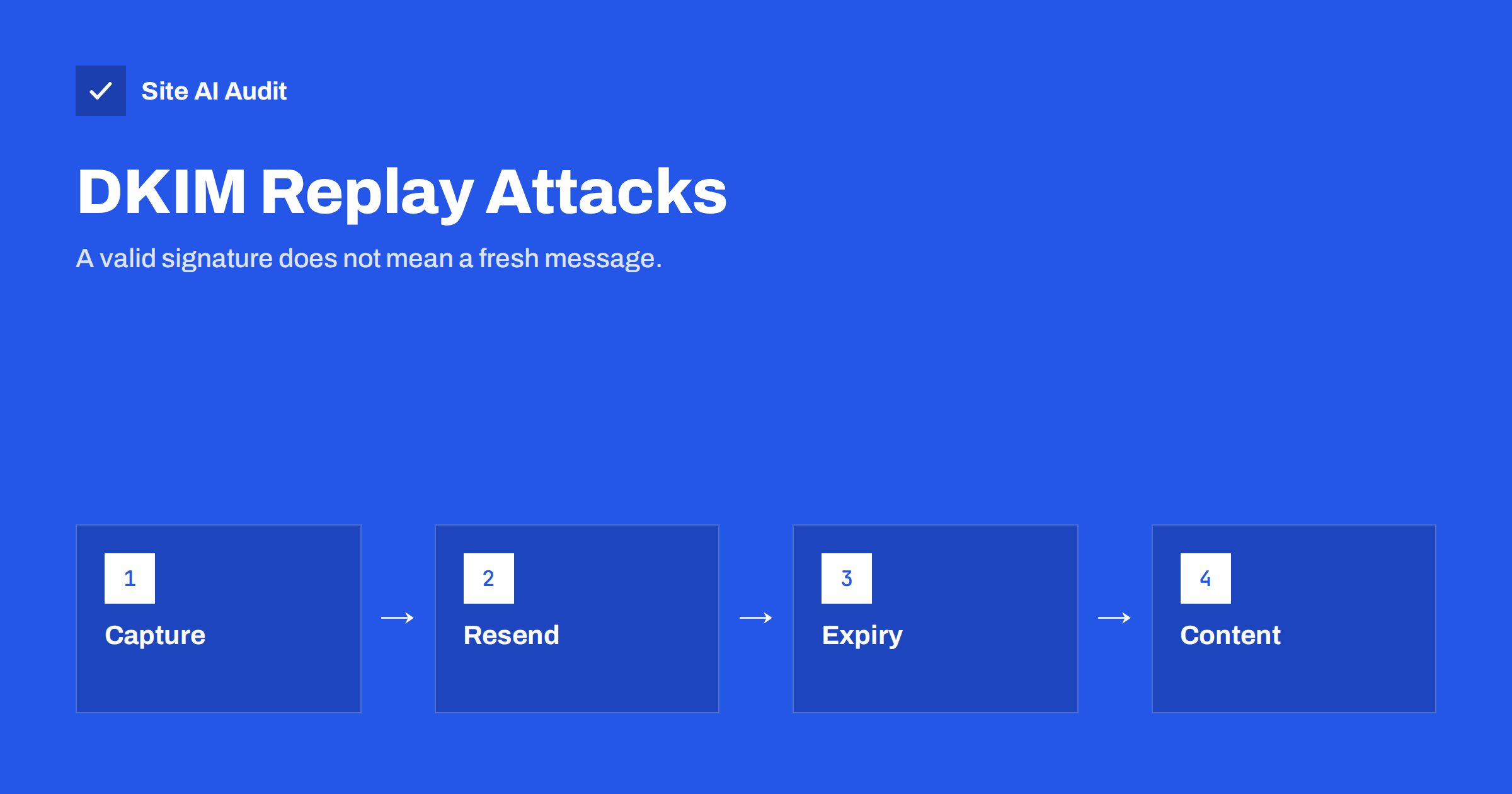
Short answer: In a DKIM replay attack, someone gets hold of a genuine, signed email and sends the same message again to many other people. Because the signature covers the content and not the list of recipients, it still verifies, and the messages arrive looking authentic. Domain owners can reduce the risk by setting signature expiry, signing the right headers, never reflecting untrusted text in system emails and rotating keys when abuse is found.
What DKIM does and does not prove
DKIM adds a digital signature to an email. The sending system uses a private key to sign the body and a chosen set of headers, such as From, Subject and Date. The public key sits in your DNS, in a record described in the guide to setting up DKIM. A receiving server fetches the key and checks that the signature matches. If it does, the receiver knows two things: the message was signed by someone who holds the domain’s key, and the signed parts were not changed on the way.
DKIM does not prove who the message was meant for, when it was sent or how many times it has been sent. Those details are not part of what the signature protects. A valid signature says that the content is genuine, not that this delivery is genuine.
How a replay attack works
- The attacker obtains a signed message. The simplest way is to receive one: sign up for a service, or trigger a notification that the service sends to an address the attacker controls.
- The attacker keeps the message exactly as received, with its headers and signature. They do not change anything that is signed.
- The attacker sends the message again. They connect to mail servers and deliver the same message to a long list of addresses. The envelope recipient is separate from the signed headers, so they can choose any.
- Receiving servers check the signature, find that it is valid and, if the domain has a DMARC policy, find that it aligns with the From domain.
- The messages reach inboxes carrying the reputation of the real sender.
The attacker does not need to break any cryptography or access your DNS. The content may also be dangerous. If the original message contained text chosen by the attacker, for example a warning with a phone number, the replayed copy delivers that text to every recipient under the name of a trusted brand.
How the attacker controls the content
A signed message is only useful to an attacker if it says something that helps them. Many systems send emails that include text supplied by users: the name on an account, the message in a contact form, the title of a shared document, a calendar event or an order note. If the system puts that text into an email without limits, an attacker can make the genuine notification carry a scam message, and then replay it.
This is related to the problems described in the article on email header injection, but the cause is different: nothing is injected into the headers. The text simply arrives in the body of a perfectly legal message.
Why it is hard for receivers to stop
From the receiving side, a replayed message looks the same as a normal one. The signature is valid, the domain is real and the sending server may belong to a large and respected provider. Some receivers look for signs of replay, such as the same signed message arriving at many recipients in a short time. Providers also scan for known phishing content. None of this is perfect, and a few messages usually get through before a pattern is noticed.
Because the message is signed by the real domain, a DMARC policy of reject does not help. The message passes DMARC. This is a good example of why authentication answers the question “who sent this?” and not “is this safe?”. The article on DMARC passing while mail still goes to spam makes a similar point from the opposite side.
What senders can do
- Set an expiry on signatures. The DKIM standard has an optional
x=tag that gives a time after which the signature is no longer valid. A short window, such as a few days for transactional messages, limits how long a captured message can be replayed. Not every receiver or tool honours it, but many do. - Sign the headers that matter and sign them twice. Signing a header more than once, known as oversigning, stops an attacker from adding extra copies of that header later. Include From, To, Subject and Date.
- Do not use the body length tag. The
l=tag lets a signature cover only the first part of the body, so anything can be appended later. Leave it out. - Do not reflect untrusted text in system emails. If a notification must include a user’s text, limit its length, remove links and keep it clearly separate from your own wording.
- Rate-limit the actions that send mail. Account creation, invitations, shared items and password resets should not allow unlimited messages to unlimited addresses. See the article on rate limiting.
- Rotate keys. If you discover that a captured message is being replayed, replace the key and remove the old one from DNS. Signatures made with the old key then stop validating. The guide to DKIM key rotation explains how to do it without losing legitimate mail.
What recipients and brands can do
If you receive a suspicious email that passes authentication, look at the content, not only at the sender. Does it ask you to act quickly, call a number or sign in through a link? A genuine notification can usually be checked by opening the service directly instead of following the message. Brands that send many automated emails should monitor for abuse: unusual spikes in messages containing a certain phrase or link, complaints from people who did not expect a message and reports in their DMARC data. The article on reading DMARC reports shows what to look for.
Replay compared with related attacks
Several email threats sound alike, and the fixes differ, so it helps to keep them apart.
- Spoofing forges the sender. The message is not signed by the real domain, and SPF, DKIM and DMARC are designed to catch it.
- Display name spoofing uses a trusted name with a different address. The article on display name spoofing covers it.
- Account takeover sends mail from a real account that the attacker has stolen. The signature is valid because the message really came from your system, as in a compromised email account sending spam.
- Replay reuses a real message that was captured earlier. No account is stolen, and nothing is forged.
The common thread is that authentication protects the identity of the sender and the integrity of the content. It does not protect the intent behind a message. That is why security teams treat email protection as several layers: authentication records, filtering, user training and monitoring of your own sending systems.
Which domains are most exposed
Domains that send a lot of automated mail with room for user text, and that have a strong reputation, are the best targets: social networks, file-sharing tools, payment services, form builders and support systems. A small business site is less likely to be chosen, but it can still be used if its contact form or order notes pass text into signed emails. If your site sends a copy of a form submission to the visitor, think about what a stranger could make that email say.
How Site AI Audit helps
Site AI Audit cannot tell whether a replay attack is happening, because it does not read your mail or your signing settings beyond the public records. It does check the DNS side of email authentication: SPF and its lookup limit, DKIM signatures, your DMARC policy and your MX records. These checks catch missing and broken records that make your domain easier to abuse. The free check covers up to 50 pages and needs no sign-up. You can run a free check of your website and look at the plans for weekly monitoring and alerts.
Related reading
- DKIM Selectors Explained: How to Find Yours and Use Several
- DKIM Failing? How to Troubleshoot dkim=fail and dkim=none
- DKIM Key Length: 1024 vs 2048 Bits and Long DNS Records
- Email Spoofing: How to Stop People Sending Mail as Your Domain
The bottom line
DKIM proves that a message came from a domain’s key and was not altered. It does not prove that the message is new or meant for the person who reads it. Limit replay with expiry times, careful signing and strict control of the text your system puts into emails. Treat authentication as one layer, and keep the others in place.
FAQ
Is a DKIM replay attack the same as spoofing?
No. In spoofing, the attacker forges a message that claims to come from you. In a replay, the message really was signed by you, and the attacker sends it again.
Does DMARC protect against replay?
Not directly. A replayed message keeps a valid signature, so it passes DMARC. DMARC still protects against plain forgeries, which remain more common.
What is the DKIM expiry tag?
It is the x tag in the signature header. It sets a time after which the signature should be treated as invalid. Use it on transactional mail, with a window that matches how quickly messages are delivered.
Can a small website be affected?
Yes, if its emails include text that visitors can control and the messages are signed. Limit and clean any user text that goes into automated emails.
Should I rotate my DKIM keys regularly?
Regular rotation is good practice. If you find replayed mail in the wild, rotate at once and remove the old key so that captured messages stop verifying.