ENEnglish
 LTLietuviškai
 DEDeutsch
 FRFrançais
 RUРусский
 ESEspañol
 PLPolski
 ITItaliano
 UKУкраїнська
 CSČeština
 PTPortuguês
 JA日本語
JA日本語 LVLatviešu valoda
 ETEesti
 HUMagyar
 IDBahasa Indonesia
 TRTürkçe
 HIहिन्दी
 ELΕλληνικά
 ARالعربية
 THไทย
THไทย VITiếng Việt
 RORomână
 MSBahasa Melayu
 BNবাংলা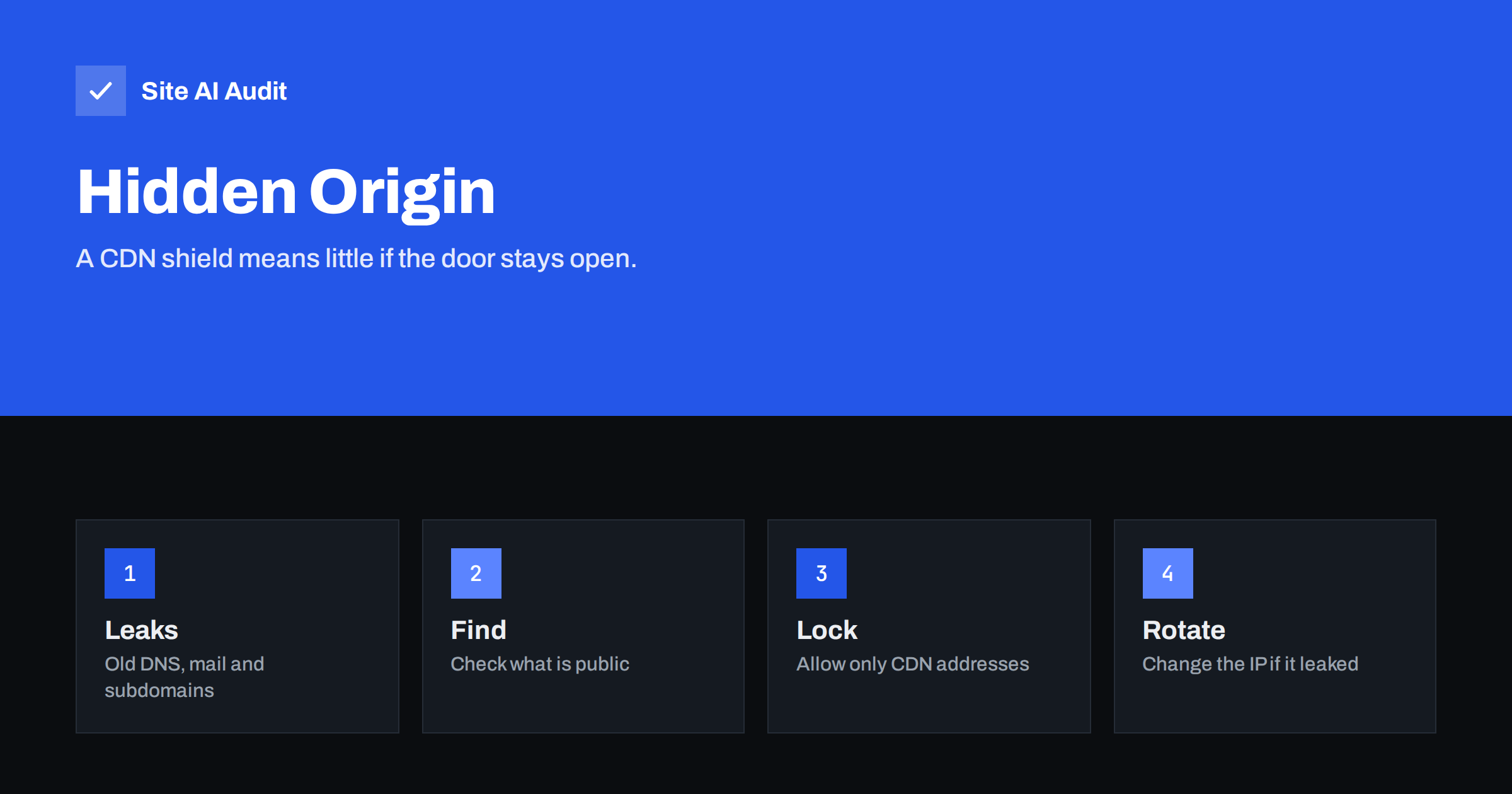
Short answer: A CDN or web application firewall sits in front of your site and filters traffic, but only for requests that pass through it. If an attacker learns the real address of your origin server, they can connect directly and skip every protection the CDN provides. Origin addresses leak through old DNS records, unproxied subdomains, mail servers, certificates and error pages. The fix is to let the origin accept web traffic only from the CDN, and to change the address if it was already exposed.
How a CDN protects you
When you place a content delivery network in front of a website, visitors no longer connect to your server. Your domain points to the CDN, and the CDN forwards requests to your real server, called the origin. This gives you several benefits: pages are cached closer to the visitor, attacks are absorbed by a large network, and a web application firewall can filter harmful requests before they reach you. The overview in do you need a CDN explains the advantages in detail.
All of these benefits rest on one assumption: that visitors, and attackers, can reach your site only through the CDN. The address of the origin is treated like a private phone number. Once it is known, anyone can call it directly.
What attackers do with the real address
An attacker who finds your origin address can do what the CDN would have stopped.
- Bypass the firewall. Requests sent straight to the origin are not checked by the web application firewall, so attacks that the filter would block can reach the application. See how a web application firewall works.
- Flood the server. Volume attacks hit the small hosting plan instead of a large protective network, as discussed in DDoS protection for small websites.
- Skip rate limits and bot rules. Login guessing and scraping can continue unchecked.
- Probe other services. Once the address is known, scanners look for open ports and old software, as in open ports on a web server.
- Ignore your cache. Every request becomes work for the origin, which can slow the site even if no attack is intended.
How origin addresses leak
Attackers do not guess; they collect. Several common sources reveal the address.
- History. Before you moved behind the CDN, your domain pointed directly to the server. Services that record DNS history keep those old records for years.
- Unproxied subdomains. A record such as ftp, cpanel, mail, dev or staging may point to the origin because the proxy was not enabled for it. Anyone can list common subdomain names and look them up.
- Mail servers. If your MX or mail hostname sits on the same server as the website, the mail records reveal it. E-mails sent from the server also include the sending address in their headers. Check the guides on Registros MX and reverse DNS for the basics.
- Certificates. Scanning services record which server answers on port 443 with which certificate. If your origin presents a certificate for your domain, a scan across the internet can match it. See certificate transparency logs for related information.
- Error pages and files. A debug page, a test script or a server status page can print the server address, as covered in debug mode and error messages.
- Outbound requests. Plugins that fetch remote URLs, webhooks, pingbacks and image importers contact other servers from the origin, and the receiver sees the address in its logs. Weaknesses such as server-side request forgery can also expose it.
- Shared hosting neighbours. On shared servers, other sites on the same address may reveal it.
How to check what is visible
You can review your own exposure in an afternoon.
- List all your DNS records and mark which ones point to the origin. Every record that returns your server address is a leak.
- Check which subdomains exist, including old test and admin names, and decide whether each should be proxied, moved or deleted. The article on subdomain takeover prevention covers cleaning up unused records.
- Look at the headers of an e-mail sent by your site, for example a contact form message, and note the addresses.
- Try connecting to the server address directly, for example with a browser or a command-line tool that sends your domain name as the host. If it serves your site, the origin accepts direct traffic.
- Review the history of your DNS records using a public history service, so you know what an attacker can see.
Do this only for your own domains. Testing other people’s servers without permission is not appropriate.
Lock the origin
Hiding the address is helpful, but it is not enough, because addresses leak. The stronger defence is to make the origin refuse anyone but the CDN.
- Restrict by network. Configure the server firewall or your hosting provider’s firewall to accept web traffic on ports 80 and 443 only from the address ranges published by your CDN. Update the list when the provider changes it.
- Use authenticated connections. Many CDNs support mutual authentication between the CDN and the origin, so that the origin accepts only connections that present the right certificate.
- Use a secret header as an extra layer. The CDN adds a private header and the origin rejects requests without it. This is weaker than network rules because headers can leak, so use it as an addition.
- Consider an outbound tunnel. Some providers let the origin connect out to the CDN, so the server needs no open inbound web port at all.
- Use the right SSL mode. Choose full encryption with certificate checks between the CDN and the origin, as in CDN SSL modes explained.
- Close other doors. Limit administration, database and file transfer ports to trusted addresses.
If the address has already leaked
Firewall rules reduce the damage, but if the address was public for a long time, plan to change it. Ask your host for a new address, or move the site to a new server, then update the DNS records behind the CDN and apply the lockdown rules from the start. Remember that old records, mail settings and monitoring tools may still hold the old address. Changing it is only useful if you also remove the other leaks, or the new address will be exposed the same way.
Keep a small checklist for every new subdomain: should it be proxied, does it reveal the origin, and who owns it. A few minutes at creation time saves a migration later.
Good habits that keep the origin private
- Review DNS every quarter. Compare the list of records with what you actually use, and delete the rest.
- Separate mail from web. Use a dedicated mail service, so that messages never reveal the web server.
- Watch the origin logs. Direct requests that do not come from the CDN’s ranges are a sign that the address is known. Alert on them, as suggested in security logging for small sites.
- Be careful with outbound plugins. Disable features that make your server fetch arbitrary addresses, such as old pingback and import tools, unless you need them.
- Document the setup. Write down which addresses are allowed and who updates the CDN ranges, so that a change at the provider does not accidentally lock out real visitors.
Test every change from outside. After you close the origin, request your site normally through the CDN and confirm that it still loads, then confirm that a direct connection to the old address is refused. Both results matter: the first proves that visitors are fine, and the second proves that the lock works.
How Site AI Audit helps
Site AI Audit does not scan the internet for your origin address or configure your CDN. It checks your site from the outside, including SSL, HTTP to HTTPS redirects, security headers, exposed software versions and e-mail authentication, and it explains each finding in plain words, ranked by impact. The first check is free, covers up to 50 pages and needs no sign-up. You can run a free check of your website or see the plans for regular monitoring.
Related reading
- Web Application Firewall (WAF): Does Your Website Need One?
- DDoS Protection for Small Websites: What You Actually Need
- Open Ports on Your Web Server: Which Ones to Close
- Security Logging and Monitoring: What Small Sites Should Track
The bottom line
A CDN is a strong layer only while the origin is unreachable by other routes. Assume that the origin address can leak, review your DNS, mail and certificates for clues, and then make the origin accept web traffic only from the CDN. If the address is already public, change it and clean up the leaks at the same time. Protection that depends on a secret address is fragile, and protection that is enforced by the network is solid.
FAQ
Can attackers really find my server address behind a CDN?
Often, yes. Old DNS records, subdomains that bypass the proxy, mail headers and certificate scans reveal it. That is why the origin should refuse traffic that does not come from the CDN.
Is hiding the IP address enough?
No. Hiding helps, but leaks are common. Use firewall rules or authenticated connections so that a known address is still useless to an attacker.
Do I need to change my IP after moving behind a CDN?
If the old address was public for a long time, it is wise to change it, or at least to lock the origin to CDN traffic. Do both when you can.
Can my mail server reveal the origin?
Yes, if it runs on the same address as the website. Use a separate mail service or server, so that mail records and headers do not point to the web server.
Does a secret header protect the origin?
Only a little. It is a useful extra, but the main protection should be network rules or authenticated connections, because a header can be copied if it leaks.