ENEnglish
 LTLietuviškai
 DEDeutsch
 FRFrançais
 RUРусский
 ESEspañol
 PLPolski
 ITItaliano
 UKУкраїнська
 CSČeština
 PTPortuguês
 JA日本語
JA日本語 LVLatviešu valoda
 ETEesti
 HUMagyar
 IDBahasa Indonesia
 TRTürkçe
 HIहिन्दी
 ELΕλληνικά
 ARالعربية
 THไทย
THไทย VITiếng Việt
 RORomână
 MSBahasa Melayu
 BNবাংলা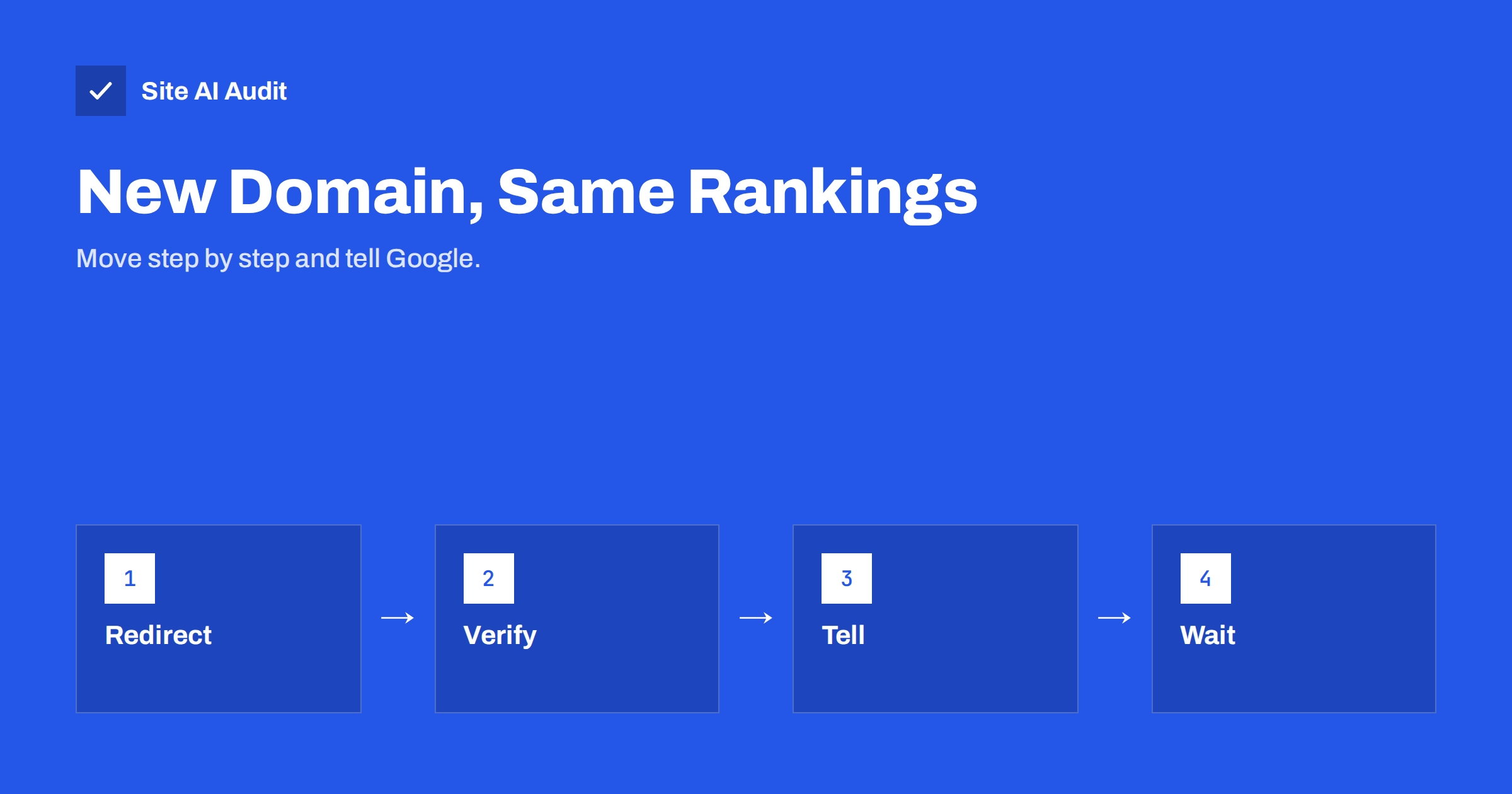
Short answer: When you move a website to a new domain name, you should first set up permanent 301 redirects from every old address to its matching new address, verify both domains in Google Search Console, and then use the Change of Address tool to tell Google about the move. The tool does not replace redirects; it supports them. Keep the redirects in place for at least a year, and expect rankings to wobble for a few weeks before they settle.
When this tool applies
The Change of Address tool is meant for one situation: your whole website moves from one domain to another, for example from old-brand.com to new-brand.com. Companies do this after a rebrand, a merger or when they buy a better domain name. The tool is not intended for every kind of change. It does not apply when you move from http to https, change from www to non-www, or reorganise folders inside the same domain. Those changes are handled by redirects and by setting up the right version in Search Console, as described in our guide to the HTTP to HTTPS redirect.
If you are only moving some pages, or you are changing the structure but keeping the domain, use the general guidance in our site migration SEO checklist instead. A domain change is the more serious case, because Google must transfer all the trust and signals that the old domain has earned to a name that it has never seen.
Preparation before you move
A domain move succeeds or fails in the preparation. Do these things first.
- Record the current state. Save the list of old URLs from your sitemap and from a crawl, and note your top pages, traffic and rankings. You will compare against them later.
- Build the new site and test it on its own domain or on a protected test address. Keep the content, titles and structure as similar as possible. Changing design, content and domain at once makes problems impossible to trace.
- Create a redirect map. Each old URL must point to the equivalent page on the new domain, not to the home page. Pages that no longer exist need a sensible destination or a proper 404 or 410 status, as explained in 404 and 410 for removed pages.
- Check that the new domain is clean. Look at its history, in case a previous owner left spam or a penalty behind.
- Verify both domains in Search Console. You need ownership of the old and the new property. If you need a reminder of the property types, see our Search Console setup guide.
- Plan the date. Avoid your busiest season and keep a few days free afterwards to fix problems.
Step by step: the move itself
- Put the new site live and make sure the HTTPS certificate works on it.
- Set up the 301 redirects on the old domain at the server level. Use permanent redirects, not temporary ones, and avoid chains where the old URL jumps through several steps. Our guides on 301 and 302 redirects and on redirect chains and loops explain the details. Test a sample of old URLs, including the oldest and the most important.
- Update the new site’s own signals: canonical tags that point to the new addresses, internal links that use the new domain, and a fresh XML sitemap. Do not copy canonical tags that still name the old domain. See canonical tags explained.
- Submit the new sitemap in the new property. If you wish, keep the old sitemap with the old URLs for a short time, because it helps Google find the redirects faster.
- Open the Change of Address tool. In the old property, go to Settings and choose Change of address. Select the new property from the list and confirm. The tool checks that the redirects work and then records your request.
- Do not block the old site. Never use robots.txt or noindex on the old domain to “switch it off”. Google must be able to visit the old addresses to see the redirects.
Things that must move with the website
Search engines are only part of the picture. A domain change touches many other places, and the ones people forget cause the most trouble.
- Email. New addresses need SPF, DKIM and DMARC for the new domain, and the old addresses should keep working and forward for a long time. Our guide to switching email provider and the article on changing DNS provider without breaking email are useful here.
- Links you control: social profiles, business listings, your Google Business Profile, directories, newsletters, email signatures, printed material and app store pages.
- Links from other sites. Ask the most important partners and publishers to update their links. Redirects keep the old links working, but a direct link is cleaner.
- Analytics and tracking. Make sure that the new domain is included in analytics and ad accounts, and that cross-domain settings do not break.
- Third-party services, such as payment providers, login providers and APIs, which may have allowed lists of domains.
- Security: the certificate on the new domain, security headers and HSTS settings, which should be set up fresh.
What to expect afterwards
For a few days after the move, you will probably see both domains in search results. Over the following weeks the new domain replaces the old one, and traffic often dips and then recovers. Google has said that the transfer of signals can take a number of months for large sites, so patience is part of the plan. Do not panic and change things every day; each change restarts the clock.
Check Search Console in both properties. The old property should show falling impressions, and the new one rising impressions. Look at the indexing and crawling reports of the new site for errors, and keep an eye on the redirect list for 404 responses on old URLs that were missed. A crawl of the old domain, run a week after launch, is a quick way to find redirects that point to the wrong place.
Do not remove the old domain. Keep it registered, with the redirects active, for at least a year, and ideally longer. Letting it expire not only breaks all old links but can also hand your former address to a stranger. Our article about domain name expiry and the guide to registrar lock show how to protect it.
A simple monitoring plan
Write a short plan for the first month so that nothing depends on memory. On day one, test twenty important old URLs, check the certificate and confirm that the sitemap is accepted. In the first week, compare crawl errors, indexed pages and traffic with the numbers you recorded before the move. After two weeks, search for your brand name and a few key phrases and note which domain appears. After a month, review the old property for any remaining impressions and fix redirects that were missed. Keep these notes together, so that a colleague can see exactly what was done and when.
Common mistakes
- Redirecting everything to the home page of the new site, which wastes the value of deep pages and confuses visitors.
- Using temporary redirects, or redirect chains that pass through several addresses.
- Blocking the old site in robots.txt or with a password.
- Changing the content and the URL structure at the same time as the domain.
- Forgetting to verify the new property before using the tool.
- Removing the redirects after a few weeks.
- Ignoring email until messages begin to bounce.
What Site AI Audit can and cannot tell you
Site AI Audit crawls up to 50 pages of your website the way a search engine does. It reports titles, descriptions, broken links, redirects, the XML sitemap and robots.txt status, and pages blocked by noindex. Running it on the new domain after launch helps you spot broken links, redirect problems, a missing sitemap or an accidental noindex. It does not submit the Change of Address request or track your rankings, and its email checks help you confirm SPF, DKIM and DMARC on the new domain. You can run a free check of your website or see the plans.
Related reading
- Website Migration SEO: How to Move a Site Without Losing Traffic
- 301 or 302? Choosing the Right Redirect for Your Website
- Finding Redirect Chains and Loops on Your Website
- Canonical Tags Explained: How to Handle Duplicate URLs
The bottom line
A domain change can keep your search visibility if you prepare well. Redirect every old page to its new equivalent, verify both properties, tell Google with the Change of Address tool, move your email and links too, and keep the old domain and redirects for a long time. Then watch the numbers calmly while the move settles.
FAQ
Do I need the Change of Address tool if I have 301 redirects?
Redirects are the essential part. The tool adds a clear signal that the move is intended and can speed up the transfer, so use both for a domain change.
Can I use the tool to move from http to https?
No. That is not a domain change. Use redirects, update canonical tags and add the correct version as a property in Search Console.
How long should I keep the old domain?
At least a year, with redirects active. Keeping it longer is safer, because old links and bookmarks continue to work.
Will I lose rankings when I change my domain?
A temporary dip is common. If redirects, content and signals are handled well, rankings usually recover, but timing varies with the size of the site.
Should I redirect everything to the home page?
No. Redirect each old page to the most similar page on the new site, so visitors and search engines find what they expect.