ENEnglish
 LTLietuviškai
 DEDeutsch
 FRFrançais
 RUРусский
 ESEspañol
 PLPolski
 ITItaliano
 UKУкраїнська
 CSČeština
 PTPortuguês
 JA日本語
JA日本語 LVLatviešu valoda
 ETEesti
 HUMagyar
 IDBahasa Indonesia
 TRTürkçe
 HIहिन्दी
 ELΕλληνικά
 ARالعربية
 THไทย
THไทย VITiếng Việt
 RORomână
 MSBahasa Melayu
 BNবাংলা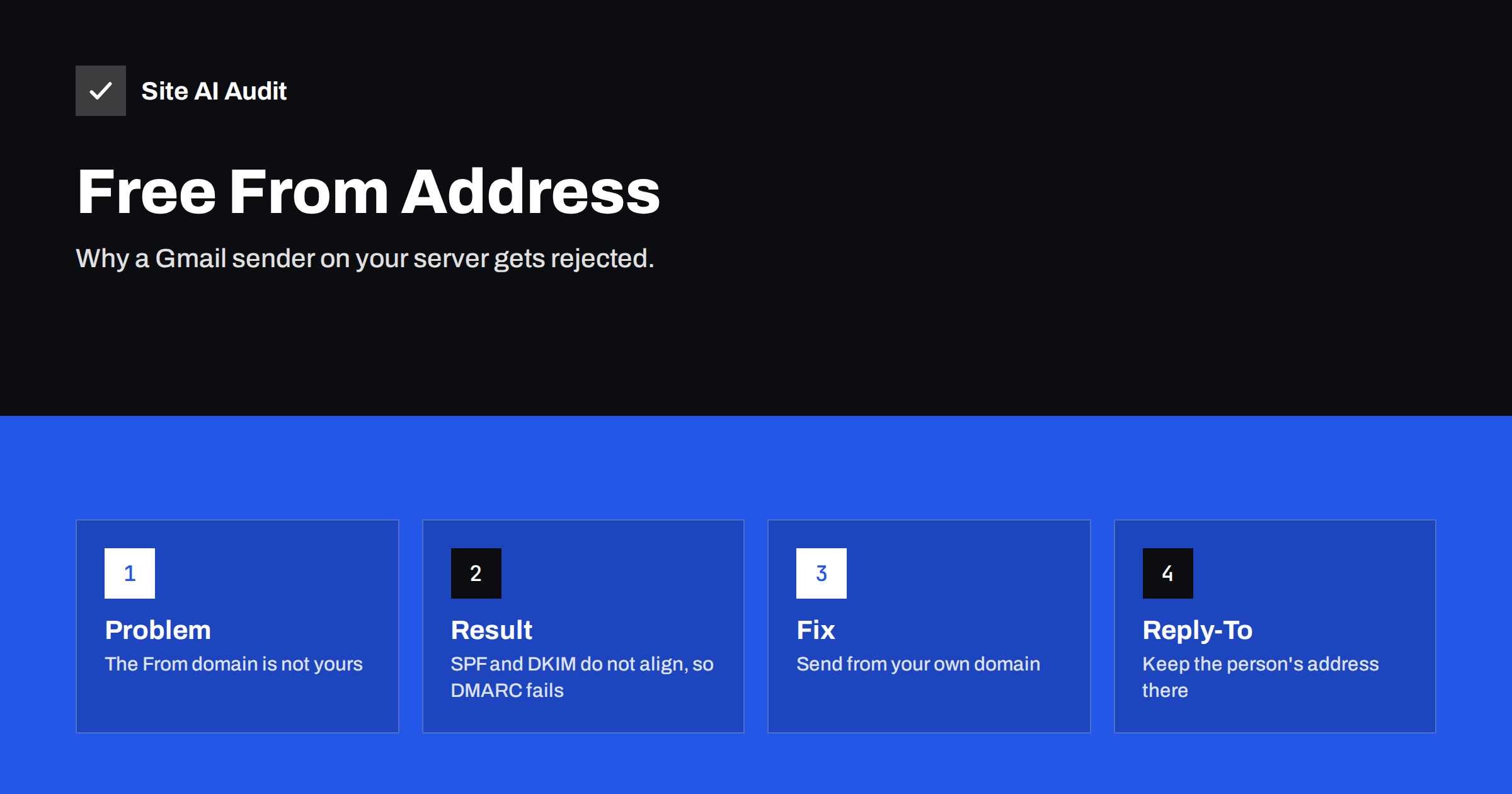
Short answer: If your website, CRM or newsletter tool sends mail with a From address at a free provider, such as Gmail, Yahoo or Outlook, the message claims to come from a domain you do not control. Your server is not allowed to send for that domain and cannot sign for it, so DMARC fails and the mail may be junked or rejected. Send from an address on your own domain and put the free address in the Reply-To header.
What the problem looks like
This issue appears in many small businesses without anyone planning it. A contact form plugin is set to send every message “from” the visitor, so the owner can simply press Reply. A CRM or helpdesk tool is connected with the owner’s personal Gmail address as the sender name. A newsletter tool is set up quickly with a free address because the company domain was not ready.
At first it may even seem to work. A few messages arrive. Then one day the form notifications stop arriving, a newsletter goes to spam for most subscribers, or a customer says that your replies never reached them. The sending tool shows the message as sent, but the receiving side decided not to trust it.
The cause is not a fault in the tool. It is a basic rule of e-mail authentication: you can only send trusted mail for domains that you have set up to allow it.
How DMARC looks at the From address
DMARC compares the domain in the visible From address with the domains that passed the other two checks. SPF checks whether the sending server is on the approved list for a domain. DKIM checks a digital signature added by a domain. DMARC passes only if at least one of them passes and its domain matches, or “aligns” with, the From domain. The basics are in DMARC explained, and the matching rule is described in DMARC alignment.
Now apply this to a message that says From: [email protected] but is sent by your web server.
- SPF. The receiving server sees your web server’s address. Gmail’s SPF record does not list it, so SPF does not pass for gmail.com. Even if your own domain passes SPF, it does not match the From domain.
- DKIM. Your server cannot sign with a Gmail key, because only Google holds it. The message is unsigned or signed with another domain, which does not align.
- DMARC. Neither check aligns with gmail.com, so DMARC fails for that From domain.
The free provider decides what happens next, and many have chosen a strict policy. Yahoo, for example, has published a policy for years that tells receivers to reject mail that fails, and other large providers also treat unauthenticated mail that uses their domain with suspicion. So your form notifications or newsletters may be rejected, or sent to spam, because they look exactly like forgery. In fact, that is what the rule is designed to stop.
Where it happens most often
- Contact forms that use the visitor’s address as From so that you can reply directly.
- Order or booking notifications that copy the customer’s address into the sender field.
- CRM and helpdesk tools that send “as” a team member who uses a free mailbox.
- Newsletter and marketing tools configured with a Gmail address because the domain is not verified yet.
- Mailing lists and forwarding that resend a message while keeping the original From, a related problem covered in mailing lists and DMARC failures.
- Old scripts and plugins that use PHP mail with a hard-coded personal address.
The clean fix: your domain in From, their address in Reply-To
The solution is simple and works for almost every case.
- Create a sending address on your own domain, such as [email protected] or [email protected].
- Use that address in the From field of the form, CRM or newsletter tool.
- Put the visitor’s or team member’s address in Reply-To. When you press Reply, the answer goes to the right person, and the From address stays trustworthy. See the Reply-To header explained.
- Authenticate your domain for that sender. Add the tool to your SPF record if needed and publish the DKIM key it gives you, as described in authenticating third-party email senders.
- Test the result, then view the message headers to confirm that SPF, DKIM and DMARC all pass for your domain.
Most form plugins have a setting such as “force From address” or “set Reply-To from the sender’s e-mail”, so you rarely need code. If the plugin lacks the setting, a different plugin is better than a workaround. For WordPress sites, the guide on contact form emails from your own domain walks through it.
Sending through a proper mail service
An address on your own domain is not enough if the message leaves from an unprepared web server. A shared hosting server may send many sites’ mail, and its address may be missing from your SPF record or reputation may be poor. A dedicated mail service with authentication does this reliably. See SMTP relay versus direct sending for the trade-offs and why WordPress emails go to spam for the common symptoms.
If your team uses Google Workspace or Microsoft 365 for daily mail, make sure that your domain is authenticated there as well. The setup is covered in Google Workspace SPF, DKIM and DMARC and Microsoft 365 email authentication.
An example: a contact form before and after
Imagine a visitor named Anna fills in your contact form with the address [email protected]. Before the fix, the plugin sends a message from your web server with From: [email protected] and your sales address as the recipient. The receiving mailbox sees a message that claims to be from Gmail but comes from an unknown server. DMARC fails, and the notification lands in spam or never arrives.
After the fix, the same message has From: [email protected] and Reply-To: [email protected]. Your server is allowed to send for your domain, the message is signed, DMARC passes and the notification arrives in the inbox. When you press Reply, the answer goes to Anna. The visitor sees no difference, and you stop losing enquiries.
What not to do
- Do not add a free provider to your SPF record. Adding Google’s or Yahoo’s servers to your record does not make mail From their domain pass. The From domain must be one you control.
- Do not lower your own DMARC policy to hide the problem. If you see failures in your reports, find the sender and fix it, instead of weakening protection. Reports are explained in how to read DMARC aggregate reports.
- Do not keep a personal mailbox as the system sender. When that person leaves, notifications stop, and the address may be reused.
- Do not ignore small volumes. A few rejected form messages can mean lost enquiries, which cost much more than the time needed to fix the setting.
How to find senders that still use a free From address
Start with your own tools: forms, shop notifications, booking systems, CRM, helpdesk, invoicing and newsletter software. Open the From setting in each one. Then read your DMARC aggregate reports for a few weeks. Sources that send mail with your domain and fail authentication will show up there. Also send a test message from each tool to a mailbox you control and read the headers, looking for “dmarc=pass” and the domain that passed.
Keep a short list of every tool that sends mail for you, with the From address, the Reply-To setting and the date of the last check. The list takes minutes to build and prevents surprises when a new tool is added or an old one is updated and resets its settings.
How Site AI Audit helps
Site AI Audit cannot see which From address your forms or tools use, because that is set inside each sender. It checks the domain-level records that decide whether your own mail is trusted: SPF, including the lookup limit, DKIM, DMARC and MX records, together with SEO, speed and security. The first check is free, covers up to 50 pages and needs no sign-up. You can run a free check of your website or see the plans, where the Business plan adds daily SSL and e-mail checks.
Related reading
- Email Spoofing: How to Stop People Sending Mail as Your Domain
- SPF Record Explained: What It Does and How to Set It Up
- What Is DKIM and How to Set It Up for Your Domain
- Gmail and Yahoo Bulk Sender Requirements: A Practical Guide
The bottom line
A free-provider address in the From field of mail sent by your own systems cannot pass DMARC, because you control neither its SPF nor its DKIM keys. Use an address on your own domain as the sender, keep the person’s address in Reply-To, authenticate the sending tool and check the headers. The fix usually takes minutes and protects your enquiries.
FAQ
Can I send as a Gmail address from my website?
Not reliably. Unless the message is sent through Gmail’s own servers with your login, it will fail authentication and may be rejected or marked as spam.
Why does my contact form use the visitor’s address as From?
Many plugins do it by default so that replying is easy. The better method is your own From address with the visitor in Reply-To.
Will Reply-To work with every mail program?
Yes. Mail programs use Reply-To when you press Reply, so the answer reaches the visitor even though the message came from your address.
Is it a problem if only a few messages fail?
Yes, because each failure can be a lost customer enquiry. Fix it for every sender, regardless of volume.
How can I confirm DMARC passes after the change?
Send a test message to a mailbox you control, open the full headers and look for dmarc=pass and aligned SPF or DKIM for your domain.