ENEnglish
 LTLietuviškai
 DEDeutsch
 FRFrançais
 RUРусский
 ESEspañol
 PLPolski
 ITItaliano
 UKУкраїнська
 CSČeština
 PTPortuguês
 JA日本語
JA日本語 LVLatviešu valoda
 ETEesti
 HUMagyar
 IDBahasa Indonesia
 TRTürkçe
 HIहिन्दी
 ELΕλληνικά
 ARالعربية
 THไทย
THไทย VITiếng Việt
 RORomână
 MSBahasa Melayu
 BNবাংলা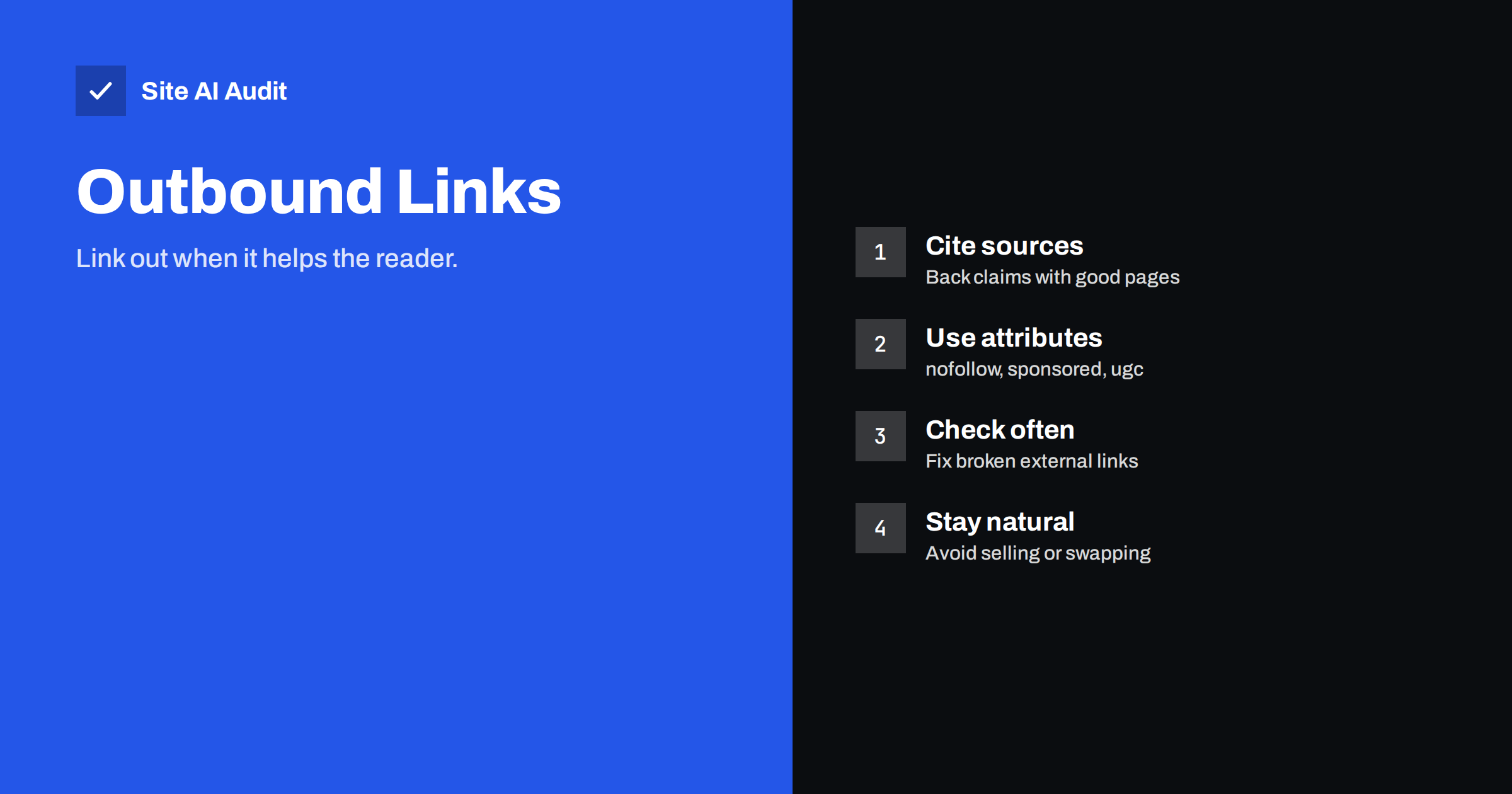
Short answer: Linking to other websites is not something to avoid. Google has said that outbound links are not a direct ranking factor, but pages that point readers to relevant, trustworthy sources are more useful, and usefulness is what search engines try to reward. Link out when it helps your reader, choose reputable pages, use the right link attribute for paid or user-added links, and check for broken links from time to time. Do not link to bad neighbourhoods or sell links without marking them.
What outbound links are
An outbound link, also called an external link, is a link from a page on your site to a page on a different site. It is the opposite of an inbound link, or backlink, which comes from another site to yours, and also different from an internal link between your own pages. Each type plays its own role. Inbound links bring authority, as covered in backlinks for small businesses, and internal links organise your site, as in internal linking for SEO. Outbound links connect your content to the wider web.
The old fear: “link equity leaks”
A common worry says that every link you give away drains the value of your page, so you should link out as little as possible. This idea comes from early descriptions of how link value flows between pages. In practice the picture is much less strict. Google has said many times that linking to other sites does not harm you by itself, and ordinary, relevant links are a natural part of the web.
Think of it this way: a page with no references at all can look like an island. A page that cites sources, explains where a number came from and sends readers to a good tool looks like the work of someone who knows the subject. That quality is closer to what search engines want to find.
When outbound links help
- Citing facts and data. A statistic, a legal rule or a technical specification is more credible with a link to the original source.
- Giving credit. If you quote or build on someone’s work, a link is fair and builds goodwill.
- Offering depth. Your page may answer the main question, while a standard or an official guide covers the details. Send readers there.
- Pointing to tools and examples that you really recommend.
- Showing experience and trust. Links to authoritative sources support the signals described in E-E-A-T for small business sites, although the links alone do not create trust.
The test is simple: would a careful reader be glad that the link is there? If yes, keep it.
When outbound links hurt
- Links to spammy or hacked sites. You vouch for what you link to. Pages about gambling, pills or adult content that have no relation to your topic make your page look compromised.
- Paid or traded links without a label. Search engines treat links that exist because of payment or free products as a violation, unless they are marked, as explained below.
- Link lists with no purpose, such as long link sections stuffed into footers, widgets or old posts.
- Broken links. A link that leads to an error page frustrates readers and signals neglect. See how to find and fix broken links.
- Too many links in thin content. If a page has little original text but many outward links, it looks like a doorway or an affiliate stub. The guide on thin content describes the problem.
- Links that take readers away from the goal. On a sales page, a link out in the middle of the checkout path loses customers.
Choose the right link attribute
You can tell search engines how to treat a link by adding a value to its rel attribute. Three are important.
rel="sponsored"for paid links, advertisements and sponsored placements.rel="ugc"for links inside user-generated content such as comments and forum posts.rel="nofollow"as a general “do not pass endorsement” signal, for links that you do not wish to vouch for.
Ordinary editorial links, which you add because they are useful, need no attribute. The details are in link attributes: nofollow, sponsored and ugc. A rule of thumb: if you received money, goods or a service for the link, mark it as sponsored.
Opening links in a new tab
Whether an external link opens in a new tab is a usability choice, not an SEO factor. There are good arguments both ways: a new tab keeps your page open, while the same tab respects the visitor’s own control. If you open links in a new tab, modern browsers treat the opened page as unrelated to yours, but adding rel="noopener" remains a good habit, and it protects older browsers. Also make the link text clear, as in anchor text best practices, so that people know where they are going.
How many outbound links is right?
There is no official limit and no ideal number. A long guide with ten well-chosen references is fine. A short post with ten links is likely to feel crowded. Let the content decide:
- Link at the point where the reader would naturally want more, not in a block at the end.
- Link to the best single source for each claim, not to five similar ones.
- Prefer primary sources, such as official documentation, standards and research, over summaries of summaries.
- Keep the main answer on your own page, so that the visitor does not need to leave to understand it.
Keep your outbound links healthy
Pages on other sites move, change and disappear. A source that was useful when you wrote the article may become an error page, a parked domain or a completely different site. A maintenance routine handles this.
- Crawl your site every few months and list external links that return errors or redirect through several steps.
- Replace dead links with a current source, or remove the link and keep the text.
- Re-read links on your most visited and oldest pages. A domain that expired might now host unrelated content.
- When you update an old article, as described in updating old content for SEO, review its outbound links at the same time.
- Watch the comment section and user content for spam links, and use the
ugcvalue or moderation.
Outbound links on commercial pages
Product and service pages usually need few outbound links, because the goal is for the visitor to ask, book or buy. Support material, such as a guide, a glossary or a certificate, can still be linked if it builds trust. For shops, see the product page SEO checklist. Affiliate links must carry the sponsored attribute, and many countries also require a clear disclosure for the reader.
Finally, remember the human side. A reader who follows your link has trusted your judgement, and every disappointing destination costs a little of that trust. Choose sources as you would recommend a restaurant to a friend: only those you would be happy to be associated with.
If you write for several authors or accept guest posts, set a simple editorial rule about outbound links. For example, require a reason for each link, forbid links to pages that the author owns without disclosure, and mark any compensated link. A short rule agreed in advance saves awkward clean-ups later and keeps the quality of the whole blog consistent.
How Site AI Audit helps
Site AI Audit checks the site for broken links and redirects, along with titles, headings, alt texts, the sitemap, robots.txt and noindex rules. It also reviews speed, SSL, security headers and e-mail authentication. It does not judge whether each outbound link is a good editorial choice, which remains your decision. The first check is free, covers up to 50 pages and needs no sign-up. You can run a free check of your website or see the plans for weekly monitoring.
Related reading
- Link Attributes on Your Site: nofollow, sponsored and ugc
- Anchor Text Best Practices: How to Write Better Link Text
- Internal Linking for SEO: A Practical Guide for Small Sites
- How to Find and Fix Broken Links on Your Website
The bottom line
Linking out is a normal part of a trustworthy page. Do it when it serves the reader, choose reputable and relevant sources, mark paid and user-generated links correctly, and keep an eye on broken ones. You do not need to count links or fear that a few good references will drain your rankings. Write for the reader first, and let the links support the answer you give.
BUJ
Do outbound links improve rankings?
Not directly, according to what Google has said. They can make a page more helpful and credible, which supports its overall quality, but adding links only for SEO is not useful.
Should I make all external links nofollow?
No. Ordinary editorial links to good sources need no attribute. Use nofollow, sponsored or ugc for links that are paid, user-added or that you do not want to endorse.
Can I link to my competitors?
You can, when it genuinely helps the reader, for example to cite a study or a standard. You need not link to competitors in your sales pages, where the goal is a decision.
How do I find broken outbound links?
Run a crawl or an audit that lists broken and redirected links, or use a link checker plugin on a schedule. Then replace or remove the ones that fail.
Is it a problem if an old page has many external links?
It can be, because they may have decayed or point to changed sites. Review the links, remove those that are no longer useful and update the remaining ones.