ENEnglish
 LTLietuviškai
 DEDeutsch
 FRFrançais
 RUРусский
 ESEspañol
 PLPolski
 ITItaliano
 UKУкраїнська
 CSČeština
 PTPortuguês
 JA日本語
JA日本語 LVLatviešu valoda
 ETEesti
 HUMagyar
 IDBahasa Indonesia
 TRTürkçe
 HIहिन्दी
 ELΕλληνικά
 ARالعربية
 THไทย
THไทย VITiếng Việt
 RORomână
 MSBahasa Melayu
 BNবাংলা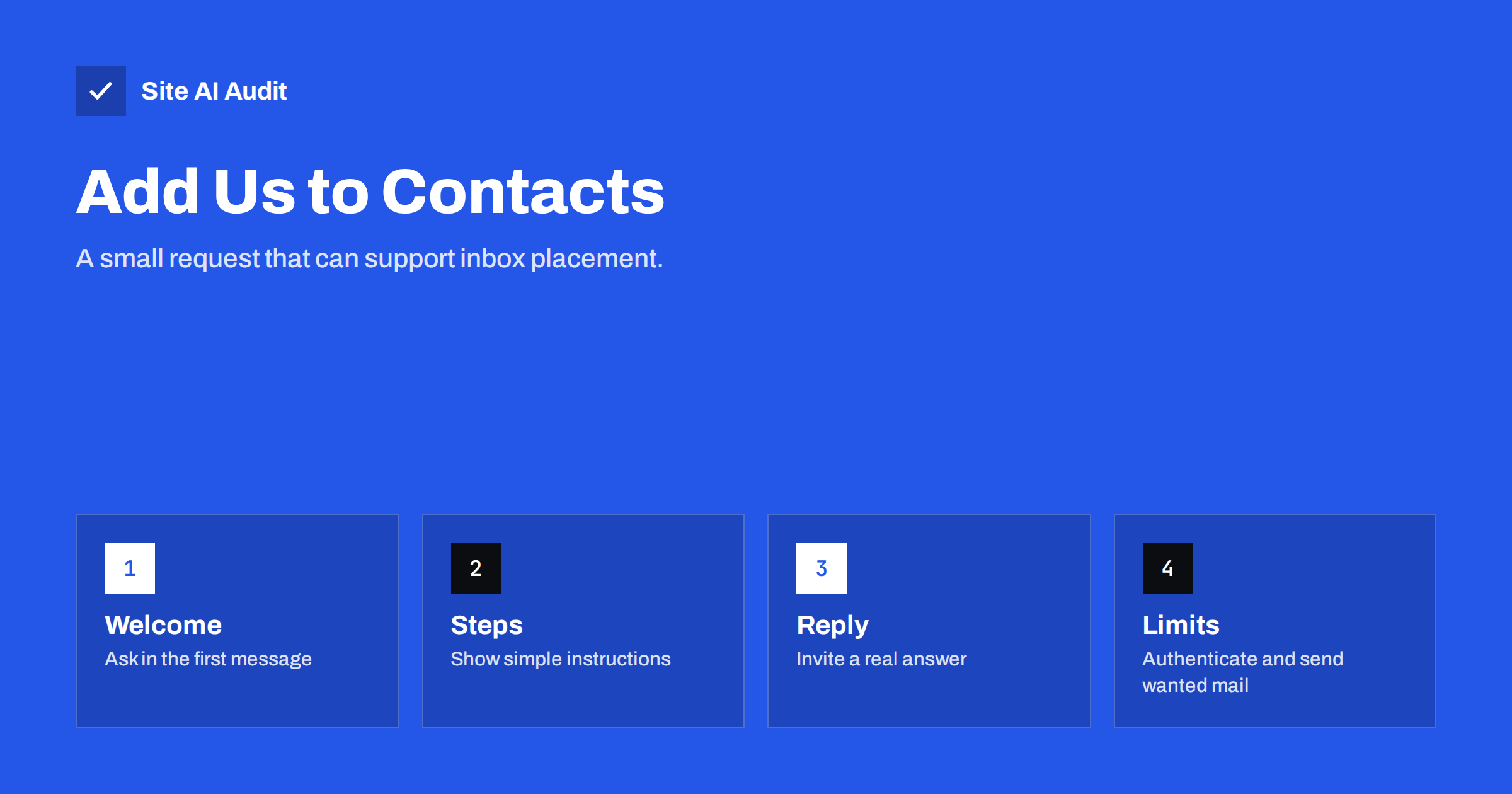
Short answer: Asking subscribers to add your address to their contacts or safe sender list can help, because mailbox providers treat signs of a real relationship as positive signals. It is a supporting step, not a cure. It does not fix failed authentication, spammy content or a poor sending history, and many people will not do it. Ask once, in the welcome message, give short instructions for the main mail programs, invite a reply, and make sure the technical basics are in place first.
Why the request can help
Mailbox providers decide where each message goes by weighing many signals. Some are technical, such as whether your message passes authentication. Others describe how recipients behave: whether they open and read your messages, reply to them, move them out of the spam folder or delete them without reading. A sender that the recipient has saved in the address book shows a clear relationship, and several providers use such a relationship as a favourable sign.
Some providers also have explicit lists. In Outlook, for example, a safe senders list tells the program not to move that sender’s messages into junk. Other programs treat saved contacts in a similar way. The details vary by provider and change over time, so treat these tools as helpful, not as a guarantee.
What it cannot do
Be realistic about the limits. A request to add your address will not rescue a weak setup.
- It does not replace authentication. If SPF, DKIM and DMARC are missing or broken, many receivers will distrust your messages whatever the address book says. Start with the differences between SPF, DKIM and DMARC.
- It does not hide bad content. A message with broken links, misleading subjects or heavy image use can still be filtered.
- It does not reach everyone. Only a fraction of subscribers will follow the instruction, and many do not know what a safe sender list is.
- It does not erase complaints. If many recipients mark your mail as spam, a few saved contacts will not offset the damage.
- It is not a trick. You ask people to take a step that they control, and they can undo it at any moment.
When to ask
The best moment is right after sign-up, when the reader is paying attention and the first message is most likely to be opened. Put a short request in the welcome e-mail, and repeat a shorter version on the confirmation page that appears after the form is submitted. If you use a confirmation step, as discussed in double versus single opt-in, remember that the confirmation message itself must reach the inbox first, so the page should also say which address to look for.
Avoid repeating the request in every newsletter. A constant plea looks desperate and uses space that readers would prefer for content. A one-line reminder in the footer, or an occasional note after you change the sender address, is enough.
How to write the request
- Explain the benefit. Say why you ask: “so that our messages reach your inbox and not the junk folder.”
- Name the address exactly. Show the full From address and the sender name that they will see.
- Keep it short. Two or three sentences, plus links to a help page with the steps.
- Give steps for the common programs. A small list for the mailbox providers your readers use most is enough.
- Offer a simpler action. Invite a one-line reply, such as asking what the reader hopes to learn. A reply is a strong sign of a real conversation.
- Do not over-promise. Do not claim that the step guarantees delivery.
Steps for popular mail programs
Menus change, so keep your instructions general and check them every year. The ideas below are stable.
- Gmail: add the address to contacts, reply to the message, or, if it arrived in the Promotions or Spam folder, move it to the main inbox. The article on the Promotions tab explains what the tabs mean and why you cannot fully control them.
- Outlook and Hotmail: add the sender to the safe senders list or to contacts, and mark the message as not junk if it landed in the junk folder. See also fixing the Outlook and Hotmail junk folder.
- Apple Mail: add the sender to contacts or mark them as a favourite or VIP, where the feature is available.
- Mobile apps: tapping the sender name usually offers a way to save the address as a contact.
- Corporate mailboxes: staff may need to ask their IT team to allow the sender, since company filters have their own rules.
Make the request easier to follow
People respond to clear, small actions. A tidy layout, a button that links to the help page and a short checklist all improve your chance. Use a real, recognisable From name that matches your brand, as covered in choosing the From name and address. A sender name that changes from message to message makes the saved contact less useful.
Use a real address that can receive replies, rather than a no-reply address. A message that says “reply to this e-mail” and then comes from an address that bounces defeats the purpose, as discussed in the problem with no-reply addresses. Make sure someone reads the replies, and answer them. Each answered reply strengthens the relationship that mailbox providers look for.
An example of a short request
A good request is friendly and brief. For example, the welcome message might say: “Thank you for joining. To make sure our messages reach you, please add [email protected] to your contacts. Not sure how? Our short guide shows the steps for the most popular mail programs. And if you would like to tell us what you hope to read about, simply reply to this e-mail. We read every answer.”
Notice what this text does not do. It does not threaten that the reader will miss important information, it does not use capital letters or exclamation marks, and it does not claim that the step is required. It treats the reader as a person who has a choice. After a few weeks, check how many replies arrived, how many readers opened the guide and whether complaints changed. If the numbers are low, simplify the text instead of making it louder.
For an online shop, a similar sentence can appear in the order confirmation, because customers want the receipt and delivery updates to arrive. Here the benefit is easy to explain, and the request is usually well received. Keep transactional messages free from marketing content, so that the request does not look like an excuse to advertise.
Finally, keep a record of the sender address that you ask people to save. If you later move to a new domain or a new mailing platform, tell subscribers in advance and repeat the request, because a saved contact helps only as long as the address stays the same.
What matters more than the request
For long-term inbox placement, a few basics outweigh any single request.
- Authenticate your domain and keep the setup healthy.
- Send only to people who asked for your messages, and remove inactive addresses, following the e-mail list hygiene guide.
- Send useful content on a predictable schedule.
- Make unsubscribing easy, so that unhappy readers do not use the spam button.
- Watch your complaint and bounce rates, and react quickly when they rise.
- Keep the sending address, domain and name consistent over time.
When these are in place, asking for the address book is a polite finishing touch that gives you a little extra support.
How Site AI Audit helps
Site AI Audit does not send your newsletters or manage your contact lists. It checks the e-mail authentication of your domain, together with SSL, security headers and the health of your website, so that you can see whether the technical basics behind your mail are in place. Findings are explained in plain words and ranked by impact. The first check is free, covers up to 50 pages and needs no sign-up. You can run a free check of your website or see the plans for regular monitoring.
Related reading
- Email Engagement and Inbox Placement: How Providers Judge You
- Why Your Emails Land in the Gmail Promotions Tab
- Reply-To Header Explained: When It Helps and When It Hurts
- Why Are My Emails Going to Spam? 12 Causes and Fixes
The bottom line
Asking subscribers to add you to their contacts is a small, honest step that can support good placement, because it shows a real relationship. It works best when it is short, placed in the welcome message, paired with an invitation to reply and backed by solid authentication and wanted content. Do not rely on it alone, and do not promise readers that it guarantees delivery.
DUK
Does adding a sender to contacts guarantee inbox delivery?
No. It is a positive signal, but filters also look at authentication, content, complaints and sending history. Treat it as a helpful extra.
Where should I put the request?
In the welcome e-mail and on the page shown after sign-up. A short reminder in the footer is fine, but do not repeat a long request in every message.
Is asking for a reply better than asking for a contact?
Often it is easier for readers, and a genuine reply is a strong sign of a real conversation. Offer both, and make sure someone actually reads the replies.
Should I use a no-reply address?
It is better to use a real address that receives replies. A no-reply address removes one of the best positive signals and frustrates readers.
Will it help with the Gmail Promotions tab?
It may help some readers see your messages more clearly, but Gmail decides the tab by itself. Do not expect to control it fully.