ENEnglish
 LTLietuviškai
 DEDeutsch
 FRFrançais
 RUРусский
 ESEspañol
 PLPolski
 ITItaliano
 UKУкраїнська
 CSČeština
 PTPortuguês
 JA日本語
 LVLatviešu valoda
 ETEesti
 HUMagyar
 IDBahasa Indonesia
 TRTürkçe
 HIहिन्दी
 ELΕλληνικά
 ARالعربية
 THไทย
 VITiếng Việt
 RORomână
 MSBahasa Melayu
 BNবাংলা
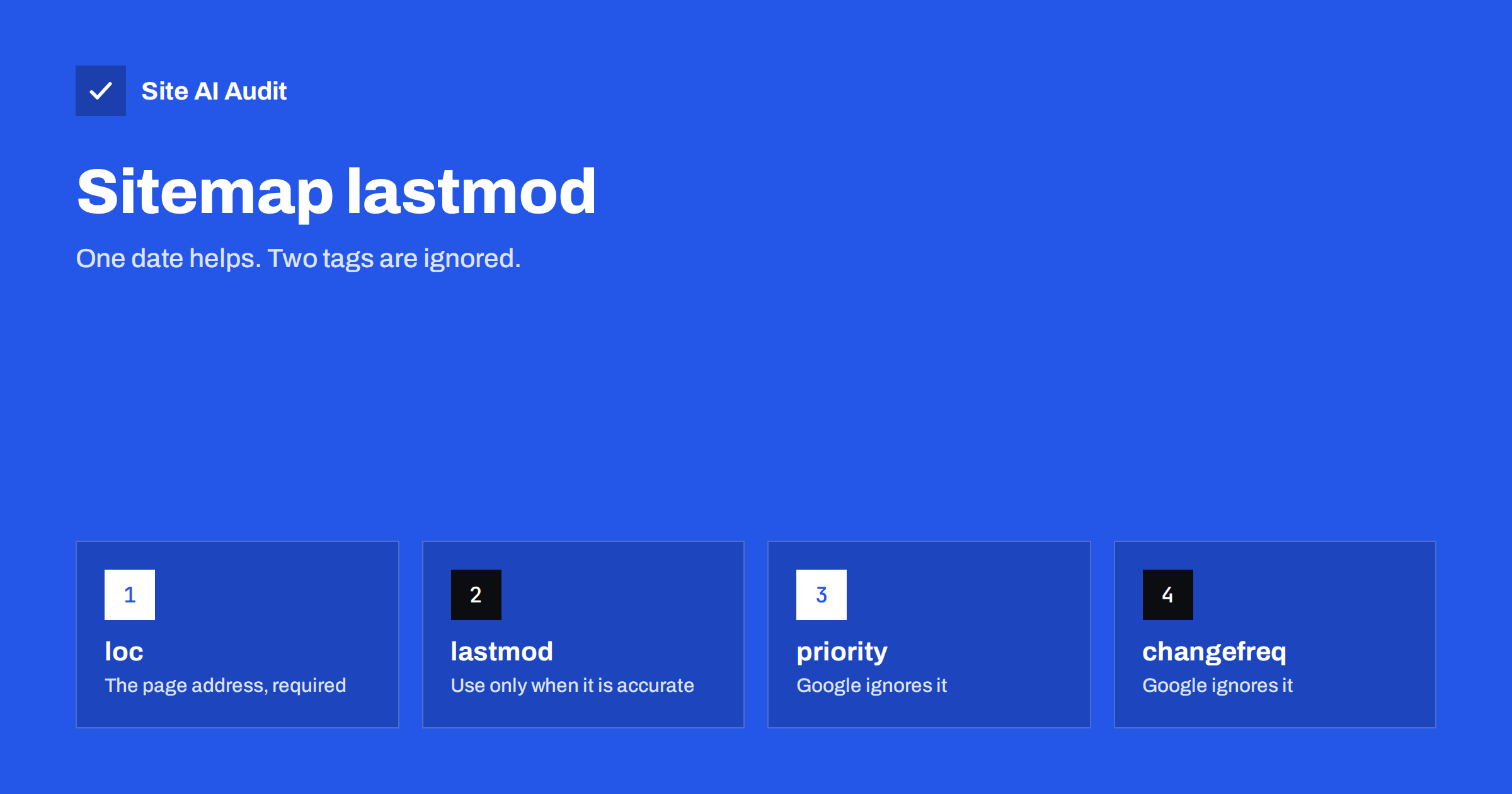
Short answer: In an XML sitemap, only the address is required. Google has said that it ignores the priority and change frequency tags, but it can use the lastmod date, provided that the date is consistently accurate. Set lastmod to the time of the last meaningful change to each page, not to the time when the sitemap was generated, and do not update it for trivial edits.
What is inside a sitemap entry
An XML sitemap is a list of the pages that you want search engines to know about. Each entry is wrapped in a url element and may contain four tags.
- loc. The full address of the page. This is the only required tag.
- lastmod. The date, and optionally the time, when the page was last modified.
- changefreq. A hint about how often the page changes, such as daily or monthly.
- priority. A number from 0.0 to 1.0 that rates the page’s importance compared with other pages on your site.
The sitemap standard defines all four, and many plugins still output them. That does not mean that search engines use them. The complete picture of sitemaps is in the guide to XML sitemaps.
What Google ignores
Google’s documentation states that it ignores the priority and changefreq values. The reasons are practical. Site owners tended to set all pages to the highest priority or to “daily”, so the values carried no information. A value that everyone sets to the maximum cannot help to rank anything. If your plugin offers settings for priority and frequency, you can leave them at their defaults or turn them off. Spending time on them brings no benefit.
Other search engines may treat these tags differently, but none of them has made a strong public case for relying on them. A cleaner sitemap with only the address and an accurate date is easier to maintain and to check.
What Google can use: lastmod
Google has said that it can use the lastmod value as a signal that a page changed and may deserve a new visit, as long as the value is trustworthy. It describes the condition as being consistently and verifiably accurate, for example when it matches what the crawler finds on the page. If the dates prove unreliable, Google learns to ignore them for your site.
The benefit is efficiency. A crawler cannot visit every page every day, especially on larger sites. A correct lastmod helps it spend its time on pages that really changed, which supports faster discovery of updates. The topic of crawl effort is covered in the article on crawl budget. Bing also reads lastmod, and Bing’s own tools encourage owners to keep the dates accurate. The article on Bing Webmaster Tools and IndexNow shows another way to notify that search engine of changes.
How to set lastmod correctly
- Use the real modification time of the content. That means the text, images, structured data or links that matter to a reader, not the whole page template.
- Do not update it for trivial changes. A new year in the footer, a rotating sidebar widget, a changed count of comments or a minor typo fix is not a reason to change the date.
- Use the standard format. A date such as 2026-11-04 is fine. A date with a time and a time zone offset, such as 2026-11-04T09:30:00+02:00, is also valid. Keep the same style throughout.
- Do not use future dates. A lastmod in the future looks like an error.
- Keep it in line with the page. If the page shows “last updated” text or has article markup with a modified date, make all three agree. The article on wrong dates in Google results shows what happens when they do not.
- Leave it out if you cannot keep it accurate. A sitemap with only addresses is better than a sitemap with misleading dates.
The most common plugin mistakes
- Every page gets the generation time. Some generators write the current date into every entry each time the file is built. Then every page appears to have changed today, and the signal is useless.
- The date changes with each save. Opening a page in the editor and pressing update without any change moves the date. Several workflow tools do this automatically.
- Bulk operations. A bulk change of categories, a theme switch or a database search and replace can touch thousands of posts, and their modified dates all jump to the same day.
- Template changes count as content changes. If the generator computes the date from the newest of several elements, such as a related-posts block, the page seems to change whenever any related item does.
- Time zone confusion. Dates written without an offset, or in the wrong zone, can fall on the wrong day. The effect is small, but it makes the data look sloppy.
To test your own sitemap, open it in a browser and look at the dates. If all of them are identical, or all equal to today, your generator is not providing real information. Check the plugin’s settings or ask the developer how it chooses the date.
Sitemap index files and limits
A single sitemap may contain up to 50,000 addresses and up to 50 MB uncompressed. Larger sites split their list into several files, and a sitemap index file lists them. The index can also have a lastmod for each child file, which should equal the most recent change among the pages inside it. The guide to sitemap index files explains the structure. Keep the dates in the index consistent with those inside the child sitemaps, for the same reasons as above.
How to review your sitemap in ten minutes
- Open the file. Visit the sitemap address in a browser. Most WordPress sites use a path such as /sitemap.xml or /sitemap_index.xml.
- Scan the dates. Do they differ from page to page? Do the newest ones match the pages that you edited recently? Identical dates across the file are a red flag.
- Check a few pages. Pick three entries, open the pages and compare the real “last updated” information with the lastmod value.
- Look for stray entries. Search the list for addresses with parameters, tag archives that you set to noindex, thank-you pages and test pages. They do not belong there.
- Test the address list. Open a handful of entries and confirm that each returns a normal page without a redirect. Entries that redirect or return 404 should be corrected.
- Confirm the submission. In Search Console, open the sitemaps report and check that the file is read successfully and that the number of discovered pages matches your expectation.
Repeat the check after a theme change, a plugin switch or a migration. These events are the usual moments when sitemap settings reset themselves, and the problem can remain unnoticed for months because the site itself looks normal.
If you maintain several sites, keep a small checklist with the sitemap address, the plugin that generates it, the date of the last review and the findings. A page of notes is enough, and it turns a vague worry about sitemaps into a routine job that takes a few minutes.
Common mistakes
- Believing that priority boosts rankings. It does not, and it never has for Google.
- Setting everything to daily. It looks like noise, and it is ignored.
- Using lastmod as a trick. Changing dates without changing content to look fresh may lead search engines to disregard the dates, as discussed in the article on updating old content.
- Listing pages that should not be indexed. The sitemap should contain only canonical, indexable pages, a point also made in the guide to pages indexed but not submitted.
- Forgetting to resubmit after a big fix. When you correct a sitemap, tell Search Console. If the file cannot be read, see the article on sitemap fetch errors.
How Site AI Audit helps
Site AI Audit checks that your sitemap and robots.txt are present and consistent with the rest of your SEO setup, together with titles, descriptions, headings, broken links and redirects across up to 50 pages in the free check. It does not judge whether each lastmod date is correct, so review that in your sitemap file. The first check is free and needs no sign-up. You can run a free check of your website or see the plans for weekly monitoring and alerts.
Related reading
- XML Sitemaps Explained: How to Create and Submit One
- ETag and Last-Modified: How Conditional Requests Save Time
- Search Console Crawl Stats Report: What to Look For
- HTML Sitemap Pages: Do You Still Need One for SEO?
The bottom line
Treat the sitemap as a list of honest facts. Keep the addresses clean, drop priority and change frequency, and set lastmod only when you can keep it accurate. A smaller, truthful sitemap serves search engines better than a long one full of guesses.
FAQ
Does sitemap priority affect rankings?
No. Google ignores it, and it does not change how pages rank. Pages are judged by content, links and many other signals.
Should I remove changefreq and priority from my sitemap?
You can. They do no harm, but they add nothing. Removing them makes the file smaller and simpler.
Does a new lastmod date make Google crawl my page at once?
Not at once. It is a hint that may influence how soon the page is revisited, if your dates have proved reliable.
What date should I use for a page that rarely changes?
The date of its last meaningful edit, even if it is years old. Old dates are not a problem when they are true.
Do I need lastmod at all?
No. It is optional. Include it if your system can supply accurate values, otherwise leave it out.