ENEnglish
 LTLietuviškai
 DEDeutsch
 FRFrançais
 RUРусский
 ESEspañol
 PLPolski
 ITItaliano
 UKУкраїнська
 CSČeština
 PTPortuguês
 JA日本語
 LVLatviešu valoda
 ETEesti
 HUMagyar
 IDBahasa Indonesia
 TRTürkçe
 HIहिन्दी
 ELΕλληνικά
 ARالعربية
 THไทย
 VITiếng Việt
 RORomână
 MSBahasa Melayu
 BNবাংলা
Short answer: Duplicate title tags are not a penalty, but they make your pages harder to tell apart. When twelve pages carry the same title, search engines may show only one of them, and visitors who see several tabs or search results cannot tell which page is which. The fix is simple: give every page that matters a title that names its own topic.
What a duplicate title tag is
The title tag is the text inside the <title> element in the head of a page. Browsers show it in the tab, and search engines use it as the main source for the clickable headline in results. A duplicate title tag means that two or more different URLs have exactly the same title text. A near-duplicate is a title that differs only by a number or a single word, such as “Blue Shirt | Shop” and “Red Shirt | Shop” on pages that are otherwise the same.
Duplicates are different from duplicate content. Two pages can have completely different text and still share a title, because the title came from a template that nobody adjusted. The reverse is also possible: two pages with similar text can have different titles. The two problems often travel together, but they are fixed in different places.
Why duplicate titles cause trouble
There is no rule that says a site is punished for repeating a title. The harm is indirect, and it adds up on larger sites.
- Search engines cannot tell the pages apart. If two pages seem to answer the same query, one of them may be left out of the results or shown below the other without good reason.
- Your own pages compete. When several pages aim at the same wording, none of them is a clear best match. The problem is explained in the guide to keyword cannibalization.
- Visitors get no help. A results page with three identical headlines gives people nothing to choose by, and click-through rate suffers.
- Browser history and bookmarks become useless. Someone who saved four pages from your site will see four identical names.
- Search engines may rewrite them. Google often replaces titles it finds weak or repetitive, as described in the article on why Google rewrites your title tags.
Where duplicate titles come from
Most duplicates are created by systems, not by people typing the same words twice.
- Theme or plugin defaults. Some themes use the site name as the title of every page that has no title of its own.
- Paged lists. Page 2, 3 and 4 of a category often repeat the title of page 1. Read the guide to pagination and SEO before changing them.
- Archives. Date, author and tag archives can share a pattern that produces the same words again and again.
- Product variants. Each colour or size can have its own URL with the same product name as the title.
- URL parameters. A filter or tracking parameter creates a new address, but the title stays the same.
- Empty titles. A page with no title at all is shown with the address or the site name, which makes many pages look alike.
- Copied pages. Landing pages made by duplicating an existing one often keep the old title.
How to find duplicate titles
- Crawl the site. A crawler visits every internal link, reads each title and groups pages that share one. This is the most reliable method, because it shows pages that search engines may not have indexed yet.
- Sort by the title column. In a spreadsheet export, sort alphabetically and look for runs of identical text. Also look for titles that start with the same long phrase.
- Check Search Console. The Performance report shows which pages get impressions for the same queries. Pages that compete for one query are good candidates for a closer look. Search Console does not offer a simple list of duplicate titles, so use it as a second source rather than the only one.
- Search your own site. The site: operator shows how titles appear for the pages Google has indexed, including any it has rewritten.
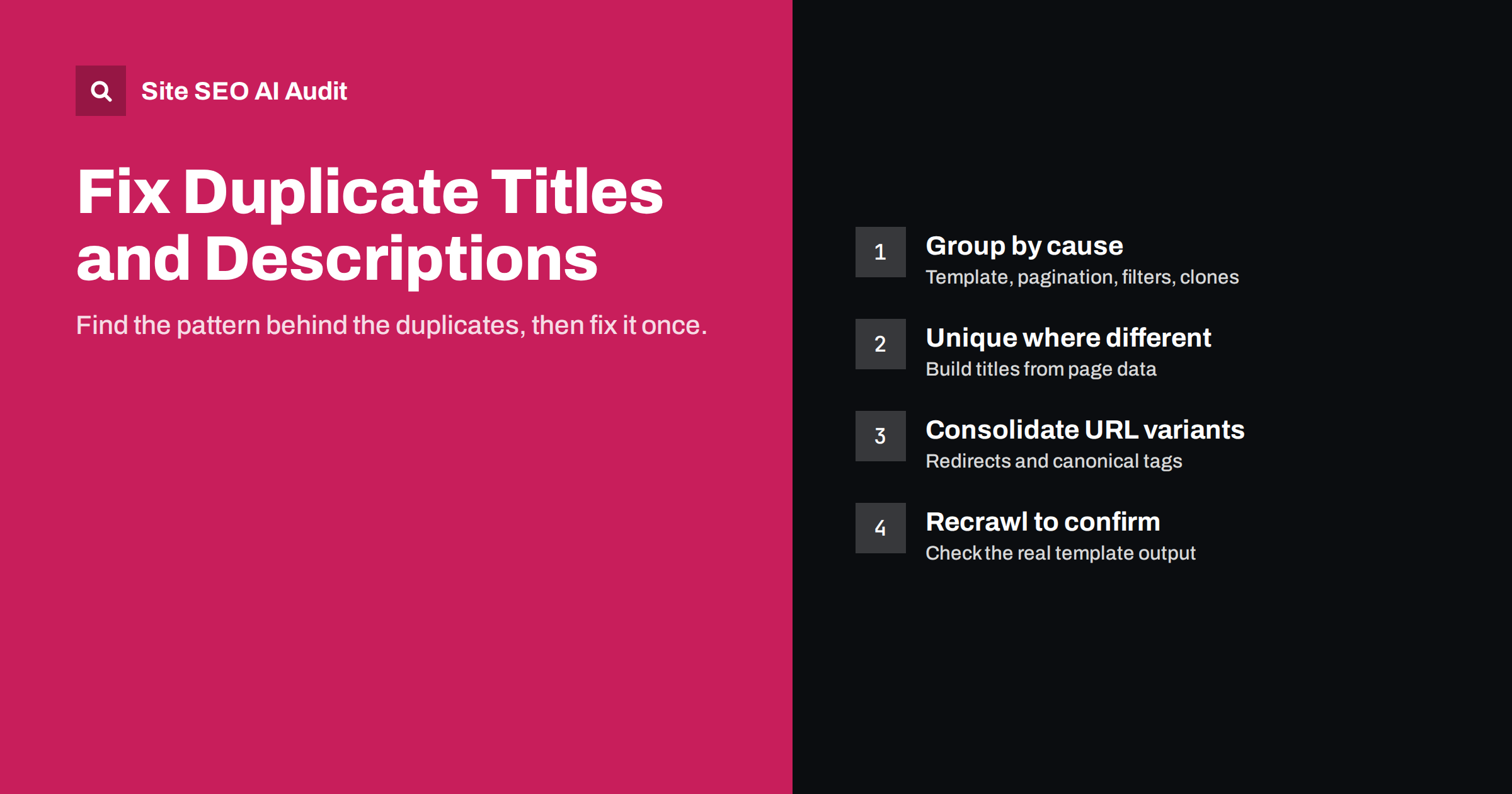
- Look at the type of page. Group the results by template: posts, products, categories, archives. A fix at the template level removes dozens of duplicates at once.
How to write a unique title
A good title is specific to one page, puts the main topic first and stays short enough to be read in full. A length of about 50 to 60 characters is a sensible target, because longer titles are often cut off in results. The guide to writing title tags covers the details.
- Start with what the page is about, then add the site name at the end, or leave it out when space is short.
- Include the detail that makes the page different: the product name and model, the city, the service or the question being answered.
- Write for a person first. A title that reads like a list of keywords is both unpleasant and weak.
- Do not add random numbers or words only to make titles technically different. Each title should say something true and useful.
Fixing duplicates at scale
On a site with hundreds of pages, editing titles by hand is slow. Work from the template downwards.
- Set a pattern with variables. Most SEO plugins let you write a pattern such as the page name, then the category, then the site name. Check that the variables actually fill in on every page type.
- Add the page number to paged lists. A suffix such as “Page 2” makes each page of a list unique, if you decide to keep them indexable.
- Handle variants with care. If colour or size changes are not separate topics, point the variants to the main product page with a canonical tag instead of rewriting all titles. The guide to canonical tags explains how.
- Noindex pages with no search value. Thin archives and internal search results do not need a title that competes in results.
- Write the most important pages by hand. Your home page, main services and best-selling products deserve a title written by a person.
Not every repeat is a problem. Pages that are meant to be the same, such as a print version or a tracking link to the same article, should share a title and use a canonical tag so that search engines know which one to keep. Pagination is another case: the pages are different, but they do not need to rank on their own. Spend your time on duplicates that affect pages you want people to find.
A quick example
Imagine a plumber with a site that has one page for each service. The home page, the boiler repair page and the bathroom fitting page all show the title “Smith Plumbing”. In search results, a person looking for boiler repair sees a headline that says nothing about boilers. After the fix, the pages read “Boiler Repair in Leeds | Smith Plumbing” and “Bathroom Fitting in Leeds | Smith Plumbing”. Nothing else on the page changed, yet each result now matches a specific search and gives people a reason to click. The same logic applies to shops, blogs and agencies: a title is the shortest description of a page, so it should describe that page and no other.
Common mistakes
- Fixing the symptom only. Rewriting a few titles by hand while the template keeps producing new duplicates.
- Making every title long. Stuffing extra words in makes titles unique but unreadable.
- Forgetting to recrawl. A change in the template may not reach every page type. Check again after the change.
- Ignoring meta descriptions. Pages with identical titles often have identical descriptions too, which is covered in the guide to meta descriptions.
How Site AI Audit helps
Site AI Audit crawls up to 50 pages in the free check and lists findings such as pages that share the same title, with an explanation and a suggested fix. The same report covers missing titles and descriptions, broken links, redirects and your sitemap, so you can clear several basic problems in one pass. You can run a free check of your website without signing up, or see the plans if you want weekly re-checks and alerts.
Related reading
- How to Write Title Tags: A Practical Guide for Small Sites
- Meta Descriptions: What They Do and How to Write Them
- Keyword Cannibalization: When Your Own Pages Compete
- Duplicate Content in SEO: Common Causes and How to Fix Them
The bottom line
Duplicate titles are rarely a disaster, but they are easy to fix and they make a site clearer to everyone who meets it. Find them with a crawl, correct the templates that create them, write the key pages by hand and check again after the next crawl. Each page should be able to answer the question: what is this page, in a few words?
FAQ
Can duplicate title tags get my site penalised?
No. Google does not apply a penalty for repeated titles. The risk is that pages become harder to tell apart, so some may rank lower or be shown with a rewritten headline.
How many duplicate titles are too many?
There is no fixed number. Focus on pages you want to rank. A few repeats on paged lists matter less than two service pages with the same title.
Should the site name be part of every title?
It can be, placed at the end, as it builds recognition. If space is limited, the topic of the page is more important than the brand name.
Do I need to fix duplicate titles on noindex pages?
Usually not. Pages that are kept out of search results do not compete in them. You may still want clear titles for people who use your site.
How long until a new title appears in Google?
It depends on how often your pages are crawled. It can take from a few days to several weeks, and Google may still choose to show a different headline.