ENEnglish
 LTLietuviškai
 DEDeutsch
 FRFrançais
 RUРусский
 ESEspañol
 PLPolski
 ITItaliano
 UKУкраїнська
 CSČeština
 PTPortuguês
 JA日本語
JA日本語 LVLatviešu valoda
 ETEesti
 HUMagyar
 IDBahasa Indonesia
 TRTürkçe
 HIहिन्दी
 ELΕλληνικά
 ARالعربية
 THไทย
THไทย VITiếng Việt
 RORomână
 MSBahasa Melayu
 BNবাংলা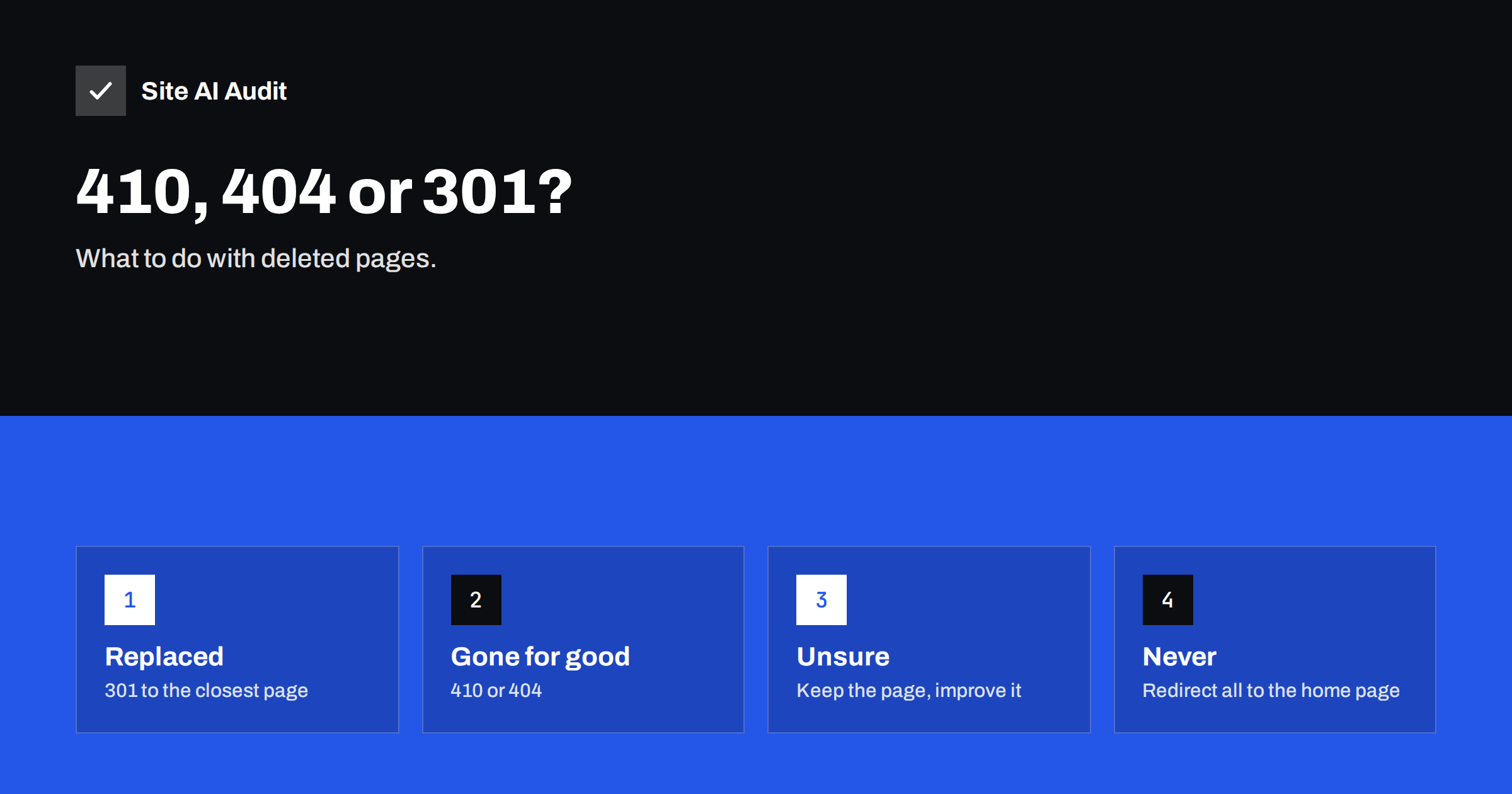
Short answer: If a page has a close replacement, send visitors there with a 301 redirect. If a page is gone for good and has no replacement, return a 404 or a 410 status. Google treats the two in a very similar way; a 410 (“Gone”) states clearly that the removal is deliberate and may be dropped from the index slightly faster, but a correct 404 is perfectly fine. The mistakes to avoid are redirecting everything to the home page and showing an error page that returns a normal 200 status.
What the status codes mean
Every page request gets a three-digit status code from the server. For removed pages, four codes matter:
| Code | Meaning | Use it when |
|---|---|---|
| 301 | Moved permanently | The content has a new address or a close replacement |
| 404 | Not found | The page does not exist, for whatever reason |
| 410 | Gone | The page was removed on purpose and will not return |
| 503 | Temporarily unavailable | The site or page is down for a short time |
A 404 says “I cannot find that”. It does not say whether the page ever existed or whether it will come back. A 410 gives more information: “it was here, we removed it, do not expect it back”. The wider picture of status codes is explained in our guide to HTTP status codes and SEO.
How Google treats 404 and 410
Google has said that it handles 404 and 410 pages in a very similar manner. In both cases the page is removed from the index after Google has seen the status, and Google will crawl the address less often over time. A 410 is a stronger hint of permanent removal, so some pages may disappear from search results a little earlier, but the difference is small and you should not expect a ranking benefit from choosing one over the other.
What matters more is that the status is correct and consistent. A page that was deleted should not return 200 with a “sorry” message, because search engines then think the page exists. We cover this problem in how to fix soft 404 errors.
When to use a 301 redirect
A redirect is the right answer when a visitor who asked for the old page would be happy with another one. Typical cases are:
- the page moved to a new address;
- two similar pages were merged into one;
- a discontinued product has a direct successor;
- an old article was replaced by an updated one on the same topic.
Redirect to the closest equivalent, not to something only loosely related. The destination should satisfy the same need as the original page. Use a permanent redirect, and read about the difference in 301 versus 302 redirects. Avoid chains where an old address leads through several others, which are described in fixing redirect chains and loops.
Why redirecting everything to the home page is a bad idea
It is tempting to send every deleted page to the home page so that no visitor ever sees an error. This helps nobody. A person looking for a specific product or article lands on a page that has nothing to do with it and leaves. Google may also treat such redirects as soft 404 errors, because the destination does not match the original content, and in that case the redirect gives you no benefit. Search Console reports these cases, and our article on “Page with redirect” in Search Console explains what the report means.
If there is no good replacement, an honest 404 or 410 is better for visitors and for search engines.
When a 404 is the right choice
A 404 is natural and healthy in many situations:
- a visitor mistyped an address;
- an old page was deleted and nothing replaces it;
- a link from another site points to a page that never existed.
A site with some 404 errors is not penalised. Search engines expect them. What you want is a helpful 404 page for visitors, with a search box and links to the main sections, returning the true 404 status. See how to build a custom 404 page.
Check what your 404 page does for different visitors. Someone who followed an old link from another site needs a way forward: a short message, a search box and links to your most useful sections. Someone who mistyped needs the same. A page that only says “Error” loses that visitor. If a popular old page now returns a 404, consider whether a new page on the same subject would serve the people still arriving there, and redirect to it once it exists.
When to use 410 Gone
Choose 410 when you want to state clearly that a removal is intentional and permanent. It suits:
- pages created by a hack or by spam that you have cleaned up;
- old campaign or event pages that will never return;
- large groups of low-value pages that you removed during a cleanup;
- products that are permanently withdrawn and have no successor.
For a cleanup after a hack, a 410 helps to remove unwanted addresses from Google more quickly, though you should also read the Japanese keyword hack guide if spam pages were involved. If you are not sure whether the page will return, use a 404 or keep the page. Many servers can return 410 with a single rule. In Apache, a rule or a redirect directive with the gone status does it; in Nginx, a location rule that returns 410. Many WordPress redirect plugins also offer a 410 option.
Removing a page from Google faster
The status code tells Google what happened, but Google still needs to crawl the address to learn it. If you need a page out of search results quickly, for example because it contains private information, use the removals tool in Search Console for a temporary hide and then make sure the page returns a 404 or 410, or is protected by a login, or carries a noindex tag. Our guide to removing a URL from Google walks through the options.
Remember also to take the removed address out of your XML sitemap. A sitemap that lists addresses returning errors sends a mixed message; see the XML sitemap guide. Remove or update internal links to the page too, since links to errors waste visitors’ time and crawling effort.
A checklist for removing a page
- Ask first: should the page be removed at all, or improved? Thin or old pages can often be refreshed, as suggested in updating old content for SEO.
- Check whether it has traffic, links or sales. Pages with value deserve a redirect to the best equivalent.
- Pick the status: 301 for a close replacement, 410 or 404 for a permanent removal.
- Update internal links, menus and the sitemap.
- Test the old address and confirm the real status code, not only what the browser displays.
- Watch the Pages report in Search Console over the following weeks.
If you remove many pages at once, such as during a redesign, follow the plan in the site migration SEO checklist and find leftover problems with a broken link scan.
One more practical point: keep a simple log of removed pages with the date, the reason and the status you chose. When someone asks months later why an address returns an error, you can answer in seconds, and you avoid recreating pages by accident or redirecting the same address twice in different ways.
What Site AI Audit checks
Site AI Audit crawls up to 50 pages on the free check and reports broken links and redirects, so it helps you to find internal links that lead to removed pages and redirects that go through more than one step. It also checks your sitemap, robots.txt and noindex rules. Run a free audit of your website after any cleanup, and look at the paid plans if you want to re-check as often as you make changes.
Related reading
- Orphan Pages: How to Find Pages With No Internal Links
- Thin Content: What It Is and How to Fix It on Your Website
- Crawl Budget Explained: Does It Matter for Your Website?
The bottom line
Redirect a removed page only when there is a truly close replacement. Otherwise return a clean 404 or 410, and keep a helpful error page for visitors. The difference between 404 and 410 is small for search engines, so spend your effort on correct status codes, tidy internal links and an up-to-date sitemap.
FAQ
Is a 410 better than a 404 for SEO?
Not in a way that you will measure. Google treats both similarly and removes the page from the index. A 410 is a clearer signal of permanent removal and may be processed slightly sooner.
Will 404 errors hurt my rankings?
No. Having some 404 pages is normal, and Google does not penalise a site for them. Problems arise when important pages return errors by mistake or when many internal links point to missing pages.
Should I redirect deleted pages to the home page?
Generally no. Redirect only to a closely related page. Mass redirects to the home page confuse visitors and may be treated as soft 404 errors, so they do not pass the benefit you hoped for.
How long does Google take to drop a removed page?
It depends on how often the page is crawled. It can take days or weeks. You can speed up a hide with the removals tool in Search Console, but the page must also return a proper status.
How do I check which status my page returns?
Use the browser developer tools on the Network tab, a command-line request that shows headers, or a status checker tool. Do not rely on how the page looks, because an error page can still return a normal status.