ENEnglish
 LTLietuviškai
 DEDeutsch
 FRFrançais
 RUРусский
 ESEspañol
 PLPolski
 ITItaliano
 UKУкраїнська
 CSČeština
 PTPortuguês
 JA日本語
JA日本語 LVLatviešu valoda
 ETEesti
 HUMagyar
 IDBahasa Indonesia
 TRTürkçe
 HIहिन्दी
 ELΕλληνικά
 ARالعربية
 THไทย
THไทย VITiếng Việt
 RORomână
 MSBahasa Melayu
 BNবাংলা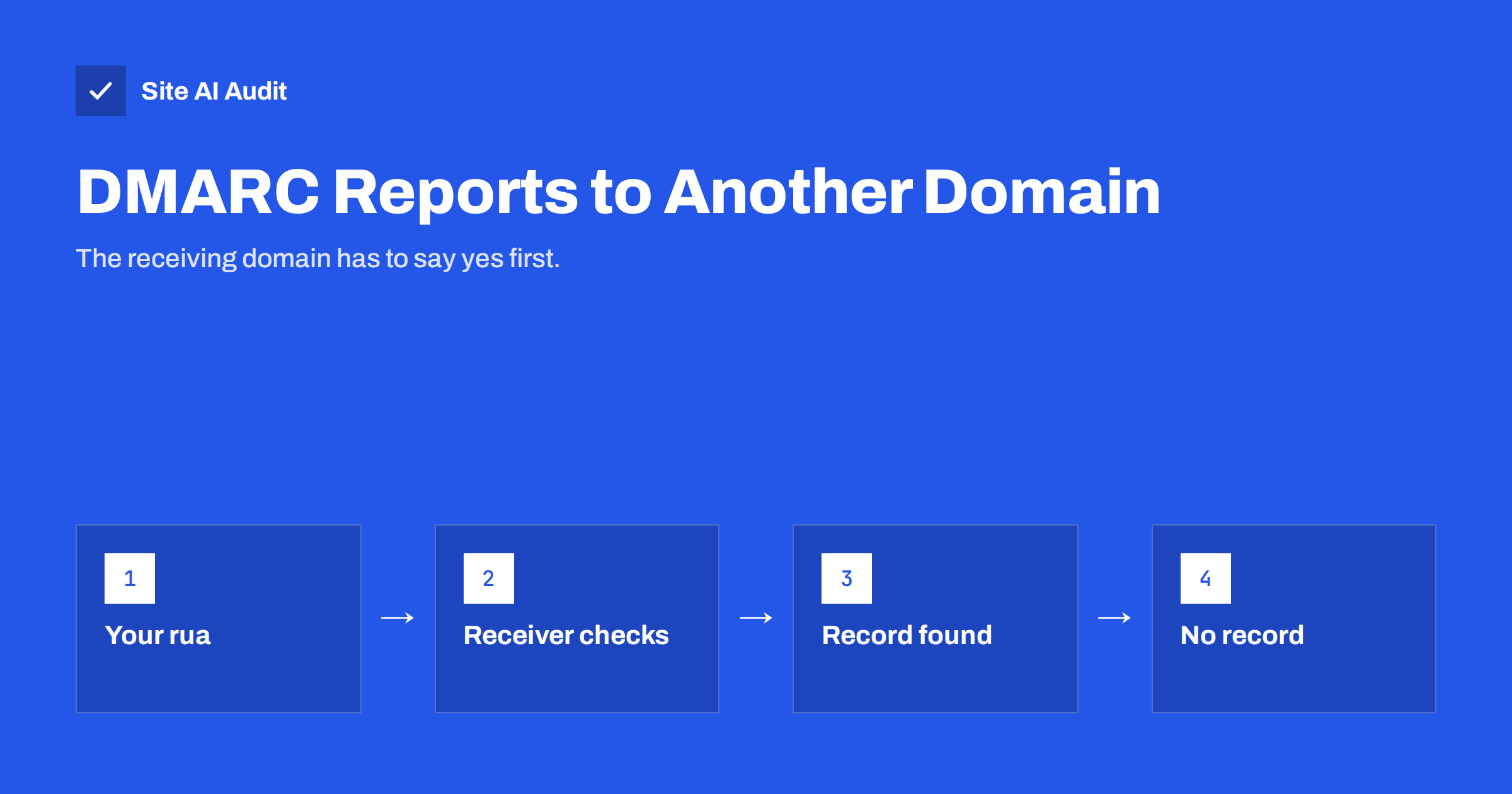
Short answer: When your DMARC record asks for reports to be sent to an email address on a different domain, for example rua=mailto:[email protected] in the record for yourshop.com, mailbox providers first check that the other domain agrees to receive them. They look for a TXT record named yourshop.com._report._dmarc.agency-example.net containing v=DMARC1. If that record does not exist, many providers simply do not send the reports. The fix is to publish the authorization record in the receiving domain’s DNS, or to use a report address on your own domain.
Why DMARC needs an extra check for external addresses
A DMARC record tells receiving mail servers what to do with messages that fail authentication and where to send reports about them. Aggregate reports, requested with rua=, are daily summaries in XML that list which servers sent mail using your domain and whether SPF and DKIM passed. Failure reports, requested with ruf=, are copies or summaries of individual failures where providers still send them.
Without a safeguard, anyone could publish a DMARC record on a domain they control and point its reports at a stranger’s mailbox. With enough domains, that becomes a way to flood an inbox with unwanted email. The DMARC standard therefore requires that when the report address is on a different domain from the one the policy belongs to, the receiving domain must explicitly agree. This is called external destination verification.
The check is done by the organisations that send the reports, such as large mailbox providers, not by your own mail server. That is why the problem is easy to miss: nothing fails visibly, the reports just never come.
When the authorization record is needed
The rule depends on the organisational domain, which is roughly the registered domain without subdomains.
- Same domain:
rua=mailto:[email protected]in the record ofyourshop.com. No extra record needed. - Subdomain of the same domain:
rua=mailto:[email protected]. Still the same organisational domain, so no extra record needed. - A different domain you own: the record for
yourshop.desends reports to[email protected]. These are separate organisational domains, soyourshop.commust authorizeyourshop.de. - A report processing service or agency:
rua=mailto:[email protected]. The service’s domain must authorize your domain. Reputable services do this automatically for their customers, often with a wildcard.
The third case catches many businesses that run several country domains or brands and want all reports in one mailbox.
How the authorization record looks
The record is published in the DNS of the domain that receives the reports. Its name is built from three parts:
- The domain whose DMARC record requests the reports, for example
yourshop.de. - The fixed label
._report._dmarc. - The domain of the report address, for example
yourshop.com.
Put together, the record name is yourshop.de._report._dmarc.yourshop.com, the type is TXT and the value is v=DMARC1. That is all it needs. In many DNS panels you enter only the part before your own domain, so the host field would be yourshop.de._report._dmarc.
If one domain receives reports for many others, you can publish one record per sending domain, or a wildcard: *._report._dmarc.yourshop.com with the value v=DMARC1 authorizes every domain. A wildcard is convenient, but it also accepts reports for domains you do not own, so it is mostly used by report processing services. For a handful of your own domains, explicit records are cleaner.
Step by step: collecting reports for several domains in one place
- Choose one reporting mailbox, for example
[email protected], or the address given by your report processing tool. - Update the DMARC record of each domain so its
ruapoints to that address, for examplev=DMARC1; p=none; rua=mailto:[email protected]on_dmarc.yourshop.de. - Publish an authorization record in the DNS of
yourshop.comfor every other domain:yourshop.de._report._dmarc,yourshop.fr._report._dmarcand so on, each withv=DMARC1. - Check the records with
dig +short TXT yourshop.de._report._dmarc.yourshop.com. The answer should be"v=DMARC1". - Wait a few days. Aggregate reports are usually sent once a day per provider. If reports for the main domain arrive but not for the others, recheck the record names character by character.
Our guide to reading DMARC aggregate reports explains what to do with the reports once they arrive.
How to tell whether reports are being dropped
Because nobody tells you that a report was not sent, you have to look for the gap yourself. A few signs point to a missing or wrong authorization record:
- Reports arrive for one domain but not for others that point to the same mailbox, even though all of them send mail every day.
- Reports come from only a few small providers, while the large mailbox providers, which check authorization strictly, are absent.
- A report service shows “no data” for a domain that you know sends mail, for example your shop’s order confirmations.
To narrow it down, send a few test messages from the affected domain to mailboxes at large providers and wait two or three days. If reports still do not appear, look up the DMARC record of the sending domain with dig +short TXT _dmarc.yourshop.de and copy the exact report address. Then build the expected authorization name from it and look that up too. A typo in either place is the usual culprit.
Also make sure the reporting mailbox actually accepts the messages. Check its spam folder and any rules that reject compressed attachments, because a working DNS setup is useless if the mailbox throws the reports away.
Common mistakes
- Publishing the record on the wrong domain. It belongs in the DNS of the domain that receives the reports, not the domain that sends mail.
- Reversing the name. The record name starts with the domain being reported on, followed by
._report._dmarc.and the receiving domain. Swapping them is the most common typo. - Doubling the domain in DNS panels that append the zone name automatically, ending up with
...yourshop.com.yourshop.com. - Forgetting the
mailto:prefix in the rua tag, which makes the address invalid. - Using an address that cannot receive large attachments. Reports are compressed XML files; a mailbox with strict size limits or attachment filters may reject them.
- Several rua addresses without authorization for each. You can list several addresses separated by commas, but every external domain among them needs its own authorization.
DMARC records themselves have their own rules, such as only one record per domain and a correct policy tag. Our guide to DMARC policies and rollout covers those basics.
Why reports matter before you tighten DMARC
Reports are how you find every service that sends mail with your domain: the office mailboxes, the shop, the newsletter tool, the invoicing system and the forgotten form plugin. Moving from p=none to quarantine or reject without them is guesswork, and guesswork is how legitimate invoices end up in spam. If your reports are silently dropped because of a missing authorization record, you may think a domain has no traffic problems when you simply cannot see them.
That is especially risky for secondary domains, such as country domains or old brand names. They often send a little mail from one or two systems, and they are also attractive to spoofers because nobody watches them. Once reports flow, you can follow the safe path described in our article on DMARC alignment and tighten each domain with confidence. For domains that never send mail, a strict policy is right from the start, as explained in our guide on protecting parked domains.
How Site AI Audit helps
Site AI Audit checks the DMARC record of your domain in every audit. It reports a critical finding when there is no DMARC record, a warning when the policy is only p=none, and a notice when the record does not request aggregate reports with rua=. It also checks SPF, DKIM at common selectors and MX records. It does not test whether an external report address has published the authorization record, so use the dig command above for that. On the Business and Agency plans, daily email checks warn you if the DMARC record disappears. You can check your domain for free, and the pricing page lists the plans for several websites.
Related reading
- DMARC Failure Reports (ruf): What They Show and Their Limits
- DMARC for Subdomains: How the sp Tag Protects Your Domain
- Email Deliverability for Agencies: Managing Client Domains
The bottom line
DMARC reports to an address on another domain are delivered only if that domain agrees, through a TXT record named yourdomain._report._dmarc.otherdomain with the value v=DMARC1. Without it, reports are quietly dropped and you lose sight of who sends mail in your name. Publish one authorization record per reporting domain in the receiving domain’s DNS, verify it with a lookup, and check that reports start arriving before you tighten your DMARC policy.
GYIK
Do I need the authorization record for a subdomain address?
No. An address on a subdomain of the same registered domain, such as [email protected] for yourshop.com, belongs to the same organisational domain and needs no extra record.
Where do I publish the record?
In the DNS of the domain that receives the reports, the one in the email address of your rua tag, not in the DNS of the domain being reported on.
What value does the record need?
Only v=DMARC1. It is a TXT record whose existence confirms that the receiving domain agrees to accept the reports.
Do report processing services need this record?
Yes, but reputable services publish it on their own domain for their customers, often as a wildcard. If reports do not arrive, ask the service to confirm it.
Does this also apply to failure reports?
Yes. The same verification applies to addresses in the ruf tag, although many providers send few or no failure reports at all.