ENEnglish
 LTLietuviškai
 DEDeutsch
 FRFrançais
 RUРусский
 ESEspañol
 PLPolski
 ITItaliano
 UKУкраїнська
 CSČeština
 PTPortuguês
 JA日本語
JA日本語 LVLatviešu valoda
 ETEesti
 HUMagyar
 IDBahasa Indonesia
 TRTürkçe
 HIहिन्दी
 ELΕλληνικά
 ARالعربية
 THไทย
THไทย VITiếng Việt
 RORomână
 MSBahasa Melayu
 BNবাংলা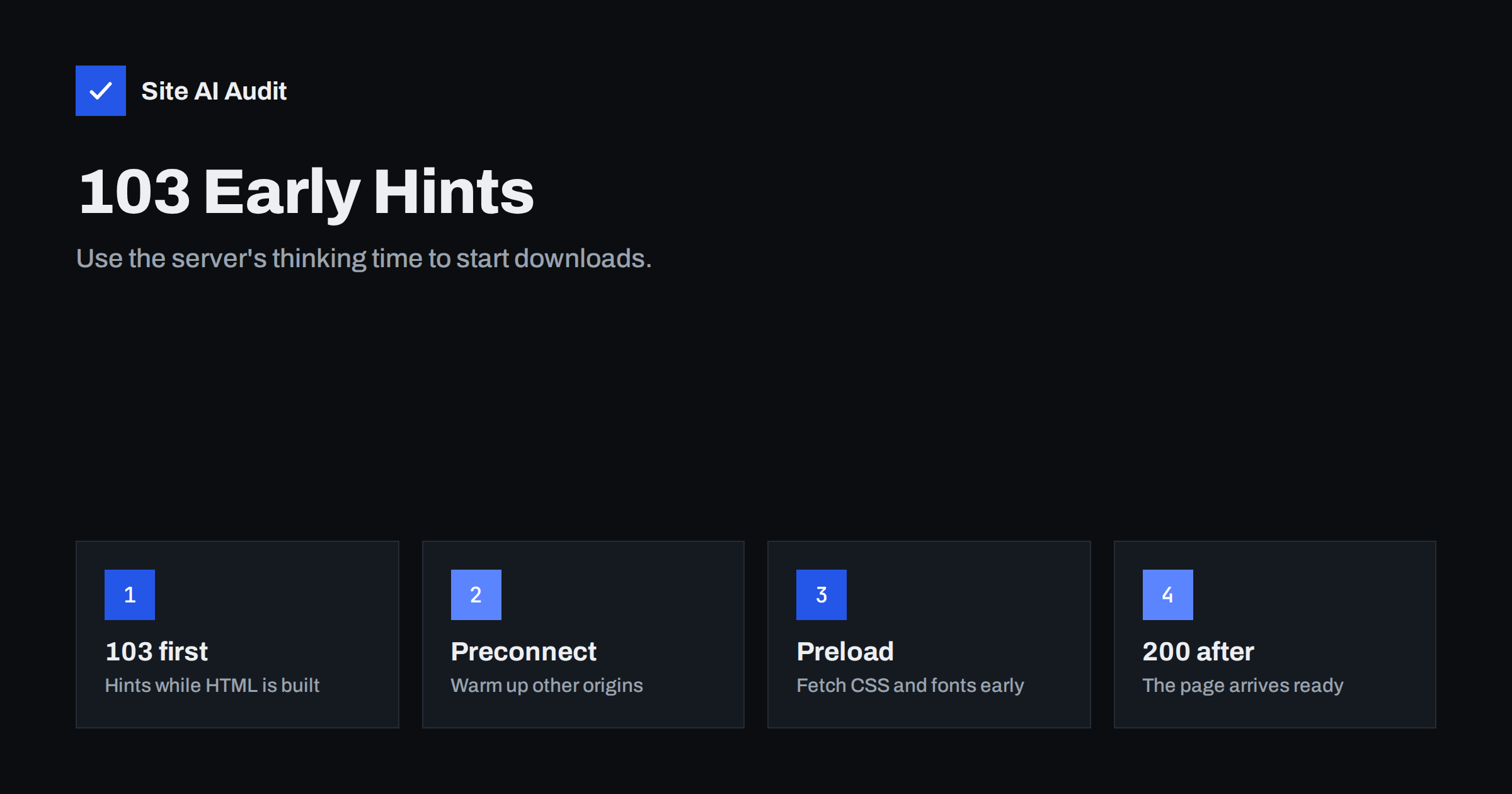
Short answer: 103 Early Hints is an HTTP status code that a server can send before the final response. While your server is still building the page, it sends a short message with Link headers such as preconnect and preload, and the browser starts connecting to other origins and downloading critical files straight away. It helps most on pages with a slow server response, where the browser would otherwise sit idle. It needs HTTP/2 or HTTP/3, and it is easiest to enable through a CDN or a web server that supports it.
The idle time Early Hints fills
When a browser requests a page, it has to wait for the server’s response before it can do anything useful. For a static file or a cached page, that wait is short. For a dynamic page, the server may spend hundreds of milliseconds running code and database queries before the first byte of HTML leaves. This waiting time is part of what speed tools call Time to First Byte, or TTFB.
During that time the browser knows nothing about the page. It cannot discover the stylesheet, the web font or the hero image until the HTML arrives and is parsed. Only then does it start new connections and requests. On a slow mobile network, each of those steps adds round trips, which pushes back First Contentful Paint and Largest Contentful Paint.
Early Hints breaks this sequence. The server already knows that every page on the site needs the same main stylesheet and font, so it can say so immediately, before it knows anything else about the response.
How 103 Early Hints works
A normal response has one status line, such as 200 OK. With Early Hints the server sends an informational response first:
HTTP/2 103with headers likeLink: </css/main.css>; rel=preload; as=styleandLink: <https://cdn.example.com>; rel=preconnect- Then, when the page is ready, the usual
HTTP/2 200with the full headers and HTML.
The browser acts on the hints as soon as they arrive: it opens connections to the listed origins and fetches the preloaded files into its cache. When the HTML finally arrives and references those files, they are already downloaded or on their way.
The hints are the same kind of resource hints you may already use in HTML, which are covered in our guide to preload, preconnect and prefetch. The difference is timing: in HTML they work only after the HTML arrives; in a 103 response they work during the server’s thinking time.
When Early Hints helps, and when it does not
Early Hints gives the biggest gains when:
- The server response is slow, for example a few hundred milliseconds or more for dynamic pages such as shop categories, search results or logged-in views.
- Critical files are the same on most pages, such as the main stylesheet, a web font and the origin of your image CDN.
- Visitors are on mobile networks, where every connection setup costs more.
It helps little or not at all when:
- Pages are cached at the edge and the HTML arrives in a few dozen milliseconds. There is no idle time to fill.
- The real bottleneck is elsewhere, for instance huge images, heavy JavaScript or third-party scripts. Early Hints starts downloads earlier, but it does not make them smaller.
- The hinted files change from page to page. Hints sent before the server knows which page it is building must be generic.
A simple illustration: imagine a shop category page where the server needs 600 milliseconds to build the HTML, and the page depends on one stylesheet and one font from your own domain. Without hints, those two downloads begin only after the 600 milliseconds have passed and the HTML has been parsed. With Early Hints, they begin almost immediately and are often finished by the time the HTML arrives. The page does not get less work, but the work overlaps instead of happening in sequence. The shorter your server response, the smaller this overlap becomes, which is why the benefit shrinks on fast, cached pages.
The best first step is still to reduce the server response time itself, through caching and faster code, as described in our guide to reducing TTFB. Early Hints is the next layer, not a replacement.
Browser and server support
Browsers that do not understand 103 simply ignore it and wait for the final response, so enabling Early Hints does not break anything for them. Chromium-based browsers, such as Chrome and Edge, act on both preconnect and preload hints for page navigations. Other browsers have added support more gradually and in narrower forms, so treat the speed gain as something most, but not all, visitors receive.
Two technical conditions matter. Browsers generally use Early Hints only over HTTP/2 or HTTP/3, not over the old HTTP/1.1, so check that your site supports a newer protocol; see HTTP/2 versus HTTP/3. And hints are used for the main page navigation, not for every sub-request.
On the server side, the easiest route is often a CDN. Some CDNs can generate Early Hints automatically from the Link headers of earlier responses and send them from the edge while the request travels to your origin. Some web servers and application frameworks can send 103 responses directly; Apache’s HTTP/2 module, for example, has an option for it. Check the documentation of your CDN, server or hosting company.
How to choose what to hint
Keep the list short. Each preload competes for bandwidth with everything else on the page, and a wrong hint wastes it. Good candidates:
- The main stylesheet that every page needs to render.
- One or two web fonts used above the fold. Font preloads need the
crossoriginattribute, even on your own domain, or the browser downloads them twice. Our guide to web font performance explains why. - Preconnect to critical third-party origins, such as an image CDN or a font host, rather than preloading specific files from them.
Poor candidates are page-specific images, large JavaScript bundles that are not needed for the first render and anything that only some pages use. If your hero image differs by page, preconnect to its origin instead of preloading a single image.
How to test whether it works
- Check the response. Run
curl -I --http2 https://example.com/. If Early Hints is active, you will see aHTTP/2 103block withLinkheaders before theHTTP/2 200block. - Look at the waterfall. In browser developer tools or a test service, the hinted files should start downloading before the HTML document finishes. Our guide on reading a PageSpeed Insights report helps you link this to the metrics.
- Compare metrics. Measure First Contentful Paint and Largest Contentful Paint on a slow mobile profile before and after. Lab tests show the direction; field data from real visitors confirms it over the following weeks.
If the numbers do not improve, look at what you hint. Hints for files that were already discovered quickly, or for files that are not on the critical path, do not change much.
Common mistakes
- Hinting too many files, which delays the ones that really matter.
- Hinting files that the page does not use, which wastes data and shows up as warnings in the browser console.
- Forgetting
crossoriginon font preloads. - Expecting it to fix a slow server. The server still takes the same time; Early Hints only uses that time better.
- Leaving outdated hints after a redesign, so the server keeps pointing at old files.
How Site AI Audit helps
Site AI Audit measures the parts of speed that decide whether Early Hints is worth trying. It reports how long your server takes to respond, whether the server still uses HTTP/1.1, whether text files are compressed, how heavy the home page is and which pages took more than two seconds to load, and it includes Google PageSpeed results with LCP, CLS and INP for mobile. A slow server response combined with a slow LCP is the typical situation where Early Hints helps. You can run a free check, and the pricing page lists the plans with unlimited re-checks.
Related reading
- How to Improve Largest Contentful Paint (LCP) on Any Website
- First Contentful Paint (FCP): What It Is and How to Improve It
- Fetchpriority Explained: Tell the Browser What Matters First
The bottom line
103 Early Hints turns the time your server spends building a page into time the browser spends downloading what it will need. It is most useful for dynamic pages with a noticeable server response time, it requires HTTP/2 or HTTP/3, and it is harmless for browsers that ignore it. Hint only a few critical, site-wide resources, test with curl and a waterfall, and keep working on the server response time itself.
GYIK
Does 103 Early Hints work over HTTP/1.1?
Browsers generally use Early Hints only over HTTP/2 or HTTP/3. If your site still serves HTTP/1.1, enable a newer protocol first.
Can Early Hints break my website?
No. Browsers that do not support it ignore the 103 response. The main risk is wasting bandwidth with hints for files the page does not need.
Is Early Hints the same as preload in HTML?
It uses the same kind of hints, but sends them earlier, before the HTML exists. HTML preloads are discovered only after the document arrives.
Do I need Early Hints if my pages are cached on a CDN?
Usually it brings little, because cached HTML arrives quickly. It helps most on dynamic pages that take time to generate.
Which files should I hint?
The main stylesheet, one or two critical fonts and preconnects to important third-party origins. Avoid page-specific files and large scripts.