ENEnglish
 LTLietuviškai
 DEDeutsch
 FRFrançais
 RUРусский
 ESEspañol
 PLPolski
 ITItaliano
 UKУкраїнська
 CSČeština
 PTPortuguês
 JA日本語
 LVLatviešu valoda
 ETEesti
 HUMagyar
 IDBahasa Indonesia
 TRTürkçe
 HIहिन्दी
 ELΕλληνικά
 ARالعربية
 THไทย
 VITiếng Việt
 RORomână
 MSBahasa Melayu
 BNবাংলা
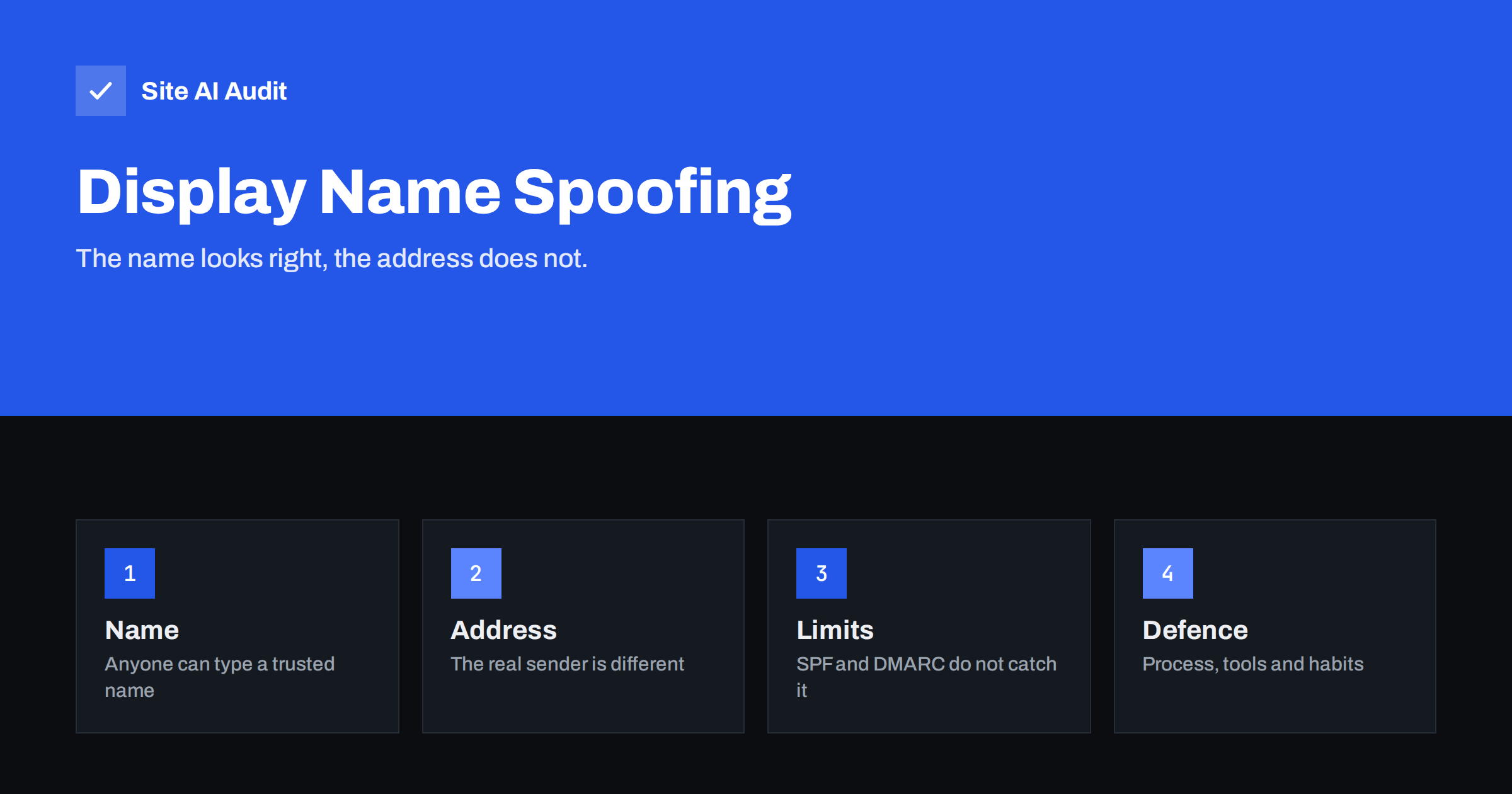
Short answer: In display name spoofing, an attacker sets the visible sender name of a message to someone you trust, such as your manager or a supplier, while sending from an unrelated address. The message can pass SPF, DKIM and DMARC because it does not claim to come from your domain. Defence relies on mail filtering that compares names with known contacts, clear mail client settings, staff habits and a firm rule that payment requests are confirmed another way.
What display name spoofing is
An e-mail message has two ways of showing who sent it. The address is the technical part, for example a name at a domain. The display name is a label that the sender chooses freely, such as a person’s full name. Many mail programs, especially on phones, show only the display name and hide the address unless you tap. A fraudster takes advantage of this by typing the name of a real person into the label while sending from a free mailbox or an unrelated domain.
The recipient sees a familiar name, often with an urgent request such as a payment or a gift card purchase. Because it takes only seconds to set up, the attack is cheap and popular. It is a common first step in business e-mail compromise, which is covered in the article on protecting yourself from invoice fraud by e-mail.
How it differs from domain spoofing
In domain spoofing, the attacker forges the address so that it appears to come from your own domain. The authentication records SPF, DKIM and DMARC exist to stop that. Display name spoofing does not forge your domain. The message honestly comes from the other address, so authentication of that address passes. There is nothing for DMARC to reject.
- Domain spoofing: the address claims to be yours. Authentication can stop it. See how to stop spoofing of your domain.
- Lookalike domains: the attacker registers a similar domain. Different defences apply, as in lookalike domains and typosquatting.
- Display name spoofing: the label is forged and the address is unrelated.
- Account takeover: a real account is hacked. See compromised e-mail accounts.
Setting a strict DMARC policy is still a good idea. It protects your domain from one kind of fraud, but it does not solve this one. That is why people are often surprised when a fake message “from the boss” lands in the inbox with every check passing.
Typical examples
- The urgent request. A message that appears to be from the managing director asks an assistant to buy vouchers and send the codes, because the director is in a meeting and cannot talk.
- The changed bank details. A message in the name of a known supplier says that the bank account has changed and asks that the next invoice be paid to the new one.
- The shared document. A message in the name of a colleague links to a document that asks for a login.
- The delivery notice. A message in the name of a courier or a bank contains a link to a copy of a login page.
- The customer message. A message in the name of one of your customers asks you to change an order address.
Attackers research their targets. Names and roles are easy to find on websites and professional networks, which is why small firms and organisations with public staff lists are often chosen.
How to recognise it
- Check the actual address. Tap or hover over the name to see the full address. A mismatch between the name and an unrelated or free mailbox address is the strongest sign.
- Look at the reply-to. If it differs from the sender, replies go elsewhere.
- Notice the tone. Urgency, secrecy and requests that bypass normal procedure are classic signs.
- Be wary of first contact from a known name. A person who normally writes from a company address and suddenly writes from a free mailbox deserves a call.
- Check the headers. The guide to reading e-mail headers shows where the real sender is recorded.
Technical defences
No single tool stops this attack, but several layers reduce it.
- Impersonation protection in your mail system. Many business mail platforms and security gateways can compare incoming display names with the names of your staff and known contacts, and flag or quarantine messages that do not match. See e-mail security gateways for how gateways work.
- External sender tags. A visible banner on messages from outside the organisation makes a fake internal name stand out.
- Show full addresses. Configure mail clients so that the address is displayed next to the name, where the software allows.
- A strict DMARC policy. It will not stop this attack, but it removes the easier forgery of your own domain. See moving DMARC to reject.
- Protect your own accounts. Turn on two-factor login, so that stolen passwords cannot be used to send real messages from your domain.
Process and people
Because the message is technically honest, the most effective protection is a rule about what people do.
- Verify payment changes by a second channel. Call a known number, not one from the message, before changing bank details or paying an unusual invoice.
- Require approval for unusual requests. Gift cards, urgent transfers and secret tasks need a second person.
- Train with real examples. Show staff what a fake looks like on a phone screen, and explain why the name alone proves nothing.
- Make reporting easy. A single button or address for suspicious messages, and a thank-you for each report, builds the habit.
- Keep a list of contacts and procedures. New staff, in particular, do not know who normally asks for what.
- Do not punish mistakes. People who fear blame hide incidents. Early reports limit damage.
If it already happened
- Stop any payment immediately and contact your bank, which can sometimes recall funds if it acts quickly.
- Preserve the message with its full headers.
- Warn your colleagues and the person whose name was used.
- Check whether any account was really compromised, and reset passwords if in doubt.
- Report the incident to the appropriate authority in your country, and tell the mailbox provider that was used.
Advice for small teams without a security department
You do not need an expensive product to make a real difference. Start with three cheap measures. First, write a one-page payment rule: any change of bank details and any payment outside the normal order needs a phone call to a number that is already on file, and a second person who approves. Second, switch on the external sender warning in your mail system if it has one, so that a message with an internal name but an outside address is labelled. Third, tell everyone who can approve payments, including assistants and part-time staff, that this kind of fraud exists and that nobody will be blamed for asking.
Next, reduce what attackers can learn about you. Names, titles and holiday dates published on your website or on social media are used to choose the best moment and the best name for a fake message. You do not have to hide your team, but think about listing role mailboxes on public pages instead of personal addresses, and avoid announcing in public posts that the manager is travelling. Out-of-office replies that tell strangers when a person is away and who covers for them are another gift to fraudsters, so keep them short and general for external senders.
Finally, practise. Once or twice a year, send your own harmless test message that uses a colleague’s name from a free mailbox, and see who notices. Treat the result as a conversation, not a contest. The aim is to make checking the address and calling back a normal reflex, so that when a real attempt arrives, the habit is already in place.
How Site AI Audit helps
Site AI Audit does not scan incoming mail or detect fake display names. It checks the e-mail authentication for your own domain: SPF and its lookup limit, DKIM signatures, the DMARC policy and MX records, which protect against the forgery of your address. It also reviews SSL, security headers, SEO and speed. The first check is free, covers up to 50 pages and needs no sign-up. You can run a free check of your website or see the plans for monitoring that alerts you when a record breaks.
Related reading
- Email Spoofing: How to Stop People Sending Mail as Your Domain
- Why Gmail Shows “via” Next to Your Sender Name and How to Fix It
- QR Code Phishing in Email: Protect Your Team and Brand
- DMARC Explained: Policies, Alignment and a Safe Rollout
The bottom line
A trusted name in the sender line proves nothing. Display name spoofing slips past SPF, DKIM and DMARC because the attacker never claims your domain. Combine filtering that compares names with known contacts, a visible sender address and a firm rule to confirm money requests through another channel, and the attack loses most of its power.
GYIK
Why does DMARC not stop display name spoofing?
DMARC protects the domain in the From address. In this attack the address is a different, real one, so there is nothing forged for DMARC to check.
Can I stop people from using my name?
You cannot block it on the internet. You can reduce harm by filtering at your own organisation and by teaching contacts how to verify requests.
How can I see the real address on my phone?
Tap the sender name or the small details link in most mail apps to reveal the address. Some apps have a setting to always show it.
Is it the same as phishing?
It is a technique used in phishing and in business e-mail fraud. The message pretends to be from a trusted person to push you into acting.
What is the most effective protection?
A firm procedure: confirm any payment or credential request through a known phone number or in person, however urgent the message sounds.