 ENEnglish
 LTLietuviškai
 DEDeutsch
 FRFrançais
 RUРусский
 ESEspañol
 PLPolski
 ITItaliano
 UKУкраїнська
 CSČeština
 PTPortuguês
 JA日本語
JA日本語 LVLatviešu valoda
 ETEesti
 HUMagyar
 IDBahasa Indonesia
 TRTürkçe
 HIहिन्दी
 ELΕλληνικά
 ARالعربية
 THไทย
THไทย VITiếng Việt
 RORomână
 MSBahasa Melayu
 BNবাংলা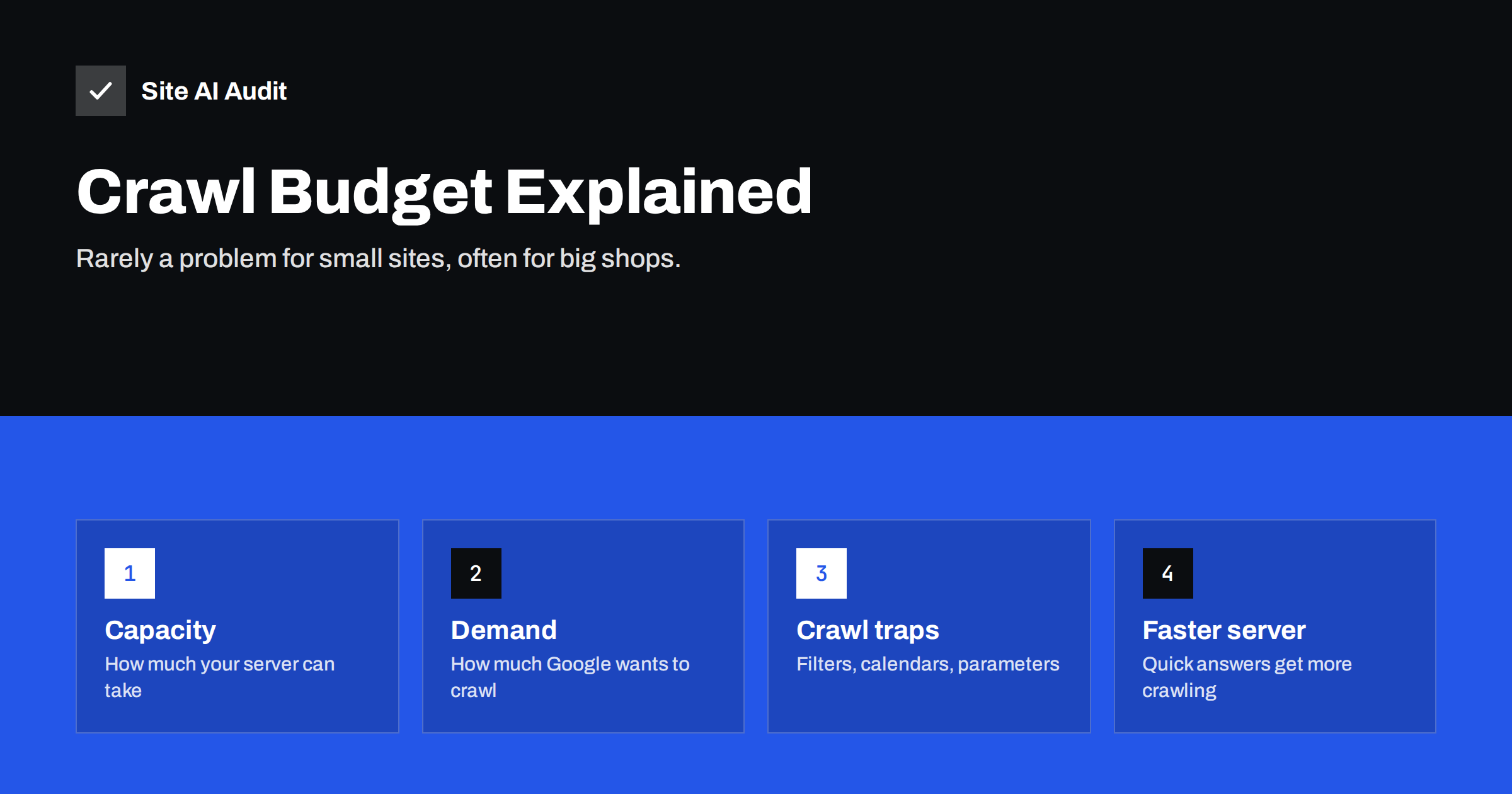
Short answer: Crawl budget is the number of URLs a search engine is able and willing to crawl on your site in a given period. It depends on how much crawling your server can handle and how much the search engine wants to crawl your content. Sites with a few hundred or a few thousand pages rarely need to worry about it. It becomes important for large sites, shops with filters that generate huge numbers of URLs, and sites with slow servers, where wasted crawling can delay the discovery of new and updated pages.
What crawl budget means
Search engines cannot crawl every URL on the web constantly. They decide how often to visit each site and how many pages to fetch. Google describes crawl budget as the combination of two things:
- Crawl capacity limit. How many requests Googlebot can make without overloading your server. If your server responds quickly and without errors, the limit goes up; if it slows down or returns errors, Googlebot backs off.
- Crawl demand. How much Google wants to crawl your URLs, based on how popular and important they seem, how often they change, and whether Google believes it already has a fresh copy.
Together, these determine how much of your site gets crawled and how quickly changes are noticed. Google’s own guide on managing crawl budget is explicitly aimed at large sites, which says a lot about who needs it.
Does crawl budget matter for your site?
For most small business websites, the honest answer is no. If your site has fewer than a few thousand URLs and new pages are usually indexed within a few days, crawl budget is not your constraint. Google can easily crawl everything.
It starts to matter when:
- the site has tens of thousands of pages or more, such as large shops, classifieds, marketplaces or news sites;
- filters, sorting and search generate far more URLs than there are real pages;
- new or updated pages take weeks to be crawled;
- Search Console shows many important URLs as “Discovered – currently not indexed”;
- the server is slow or frequently returns errors, reducing the capacity limit.
Even on small sites, though, the things that waste crawl budget are usually signs of other problems, such as duplicates, broken links and redirect chains. Fixing them helps whether or not crawl budget is the bottleneck.
What wastes crawl budget
Crawlers spend time on every URL they find. The biggest sources of waste are:
- Faceted navigation. Shop filters for size, colour, brand, price and material can combine into millions of URLs, most of them near duplicates.
- Sorting and view parameters.
?sort=price,?view=grid,?per_page=48create extra copies of every category. - Session IDs and tracking parameters embedded in internal links.
- Infinite spaces. Calendars with “next month” links forever, endless paginated archives, or search result pages linked from other search result pages.
- Redirect chains. Each hop is an extra request.
- Broken links and soft 404s. Crawlers keep checking URLs that lead nowhere.
- Duplicate hosts. HTTP and HTTPS, www and non-www all serving content instead of redirecting.
- Low-value pages. Thousands of thin tag pages, empty categories or auto-generated pages.
How to see how Google crawls your site
Search Console has a Crawl stats report, found under Settings. It shows:
- total crawl requests per day;
- total download size and average response time;
- a breakdown by response code, such as 200, 301, 404 and 5xx;
- a breakdown by file type and by purpose, meaning discovery of new URLs versus refresh of known ones;
- host status, including problems with robots.txt fetching, DNS or server connectivity.
Look for warning signs: a high share of requests to redirects or 404s, rising response times, server errors, or crawling concentrated on parameter URLs. For larger sites, server log files show exactly which URLs Googlebot requested, which is the most precise view.
How to improve crawl efficiency
The goal is not to increase crawling for its own sake, but to make sure crawling goes to the pages that matter.
- Speed up the server. Faster responses let Googlebot crawl more without straining your server. Caching, adequate hosting and efficient code all help.
- Fix server errors. Persistent 5xx errors cause Google to slow down crawling of the whole site.
- Control faceted navigation. Let only valuable filter combinations be crawlable and indexable. Use canonical tags for variants and robots.txt rules for parameters that should never be crawled, such as sorting.
- Keep internal links clean. Link to canonical, final URLs without parameters. Crawlers follow what you link to.
- Remove redirect chains and broken links.
- Prune or consolidate low-value pages. Fewer, stronger pages are crawled more efficiently.
- Keep sitemaps clean. Only canonical, indexable URLs, with accurate lastmod dates so Google knows what changed.
- Return correct status codes. 404 or 410 for removed pages, 304 Not Modified where your server supports conditional requests.
Example: how a small shop can create a large crawl problem
Consider an online shop with 800 products in 40 categories. That sounds small. But each category page offers filters for five sizes, eight colours, six brands and four price ranges, plus three sort orders and two view modes, and every combination has its own URL linked from the page.
Even if only a fraction of combinations are ever linked, a crawler following every filter link can find tens of thousands of category URLs, most showing the same products in a different order or a slightly smaller selection. To a crawler, the shop looks like a site with 50,000 pages, of which about 850 matter.
The fix is not complicated. Sorting and view parameters are blocked in robots.txt and never linked as plain URLs. Filter combinations canonicalise to the main category, except for a handful with real search demand, such as a popular brand within a category, which get their own clean, indexable page with a short unique introduction. The sitemap lists only products, categories and those selected pages. After these changes, crawling concentrates on the pages customers actually search for, and new products are usually discovered faster.
What does not help
- Noindex does not save crawl budget in the short term. Google still has to crawl a page to see the noindex, although it may crawl such pages less often over time.
- Nofollow on internal links is not a reliable way to control crawling and can hide pages you need.
- The crawl-delay directive in robots.txt is ignored by Google.
- Submitting URLs repeatedly does not increase the budget.
- Blocking CSS and JavaScript to save requests backfires, because Google needs them to render pages.
A note on crawl rate and server load
Sometimes site owners worry about the opposite problem: crawlers making too many requests and slowing the site down. Google adjusts its crawl rate automatically based on server responses. If your server is genuinely struggling, returning 503 or 429 status codes temporarily tells Googlebot to slow down. Use this only for short emergencies; returning errors for long periods can reduce crawling and even lead to pages being dropped.
Other bots, including SEO tools and AI crawlers, can also add load. Most reputable ones respect robots.txt and publish their user agents, so you can limit or block those you do not need. Audit tools that crawl your site politely, with limited request rates, should not cause noticeable load.
A practical checklist
- Check Crawl stats in Search Console for errors, slow responses and a high share of redirects or 404s.
- Crawl your own site and compare the number of URLs found with the number of real pages you have.
- Identify parameter patterns and crawl traps generating extra URLs.
- Decide per pattern: canonicalise, block in robots.txt, or remove links to it.
- Fix broken links, redirect chains and host duplicates.
- Clean the sitemap to canonical, indexable URLs only.
- Improve server response times.
- Re-check Crawl stats after a few weeks.
How Site AI Audit helps
Site AI Audit crawls your site the way a search engine does, and its report shows what wastes crawling on a small site: broken links, redirects, pages blocked or hidden by robots.txt and noindex, missing sitemaps and slow server response times. Its crawler, SiteAuditBot, respects robots.txt and makes at most about three requests per second, so the check does not strain your server. Run a free check of up to 50 pages.
Related reading
- Crawled or Discovered, Currently Not Indexed: How to Fix It
- Robots.txt Explained: A Beginner’s Guide With Safe Examples
- Redirect Chains and Loops: How to Find and Fix Them
- How to Reduce Server Response Time (TTFB)
The bottom line
Crawl budget is real, but for most small sites it is not the problem. It matters when a site has very many URLs, especially from filters and parameters, or a slow, unstable server. In every case, the same habits help: fast and reliable hosting, clean internal links to canonical URLs, controlled parameters, no broken links or redirect chains, a clean sitemap and fewer low-value pages.
GYIK
Do small websites need to worry about crawl budget?
Usually not. Sites with up to a few thousand URLs are typically crawled fully without special effort. Focus on quality and technical basics instead.
How can I increase my crawl budget?
Make the server faster and more reliable, and make your content more valuable and better linked. You cannot request a higher budget directly.
Does noindex reduce crawling?
Not immediately, because Google must crawl pages to read the noindex. Robots.txt is the tool to stop crawling of URL patterns that should never be fetched.
Where can I see how often Google crawls my site?
In Google Search Console under Settings, Crawl stats. It shows daily requests, response times, status codes and host problems.
Can too much crawling slow down my site?
Google adapts its crawl rate to your server’s responses. If your site slows down under crawling, the server likely needs improvement; temporary 503 responses can reduce crawling in emergencies.


