ENEnglish
 LTLietuviškai
 DEDeutsch
 FRFrançais
 RUРусский
 ESEspañol
 PLPolski
 ITItaliano
 UKУкраїнська
 CSČeština
 PTPortuguês
 JA日本語
JA日本語 LVLatviešu valoda
 ETEesti
 HUMagyar
 IDBahasa Indonesia
 TRTürkçe
 HIहिन्दी
 ELΕλληνικά
 ARالعربية
 THไทย
THไทย VITiếng Việt
 RORomână
 MSBahasa Melayu
 BNবাংলা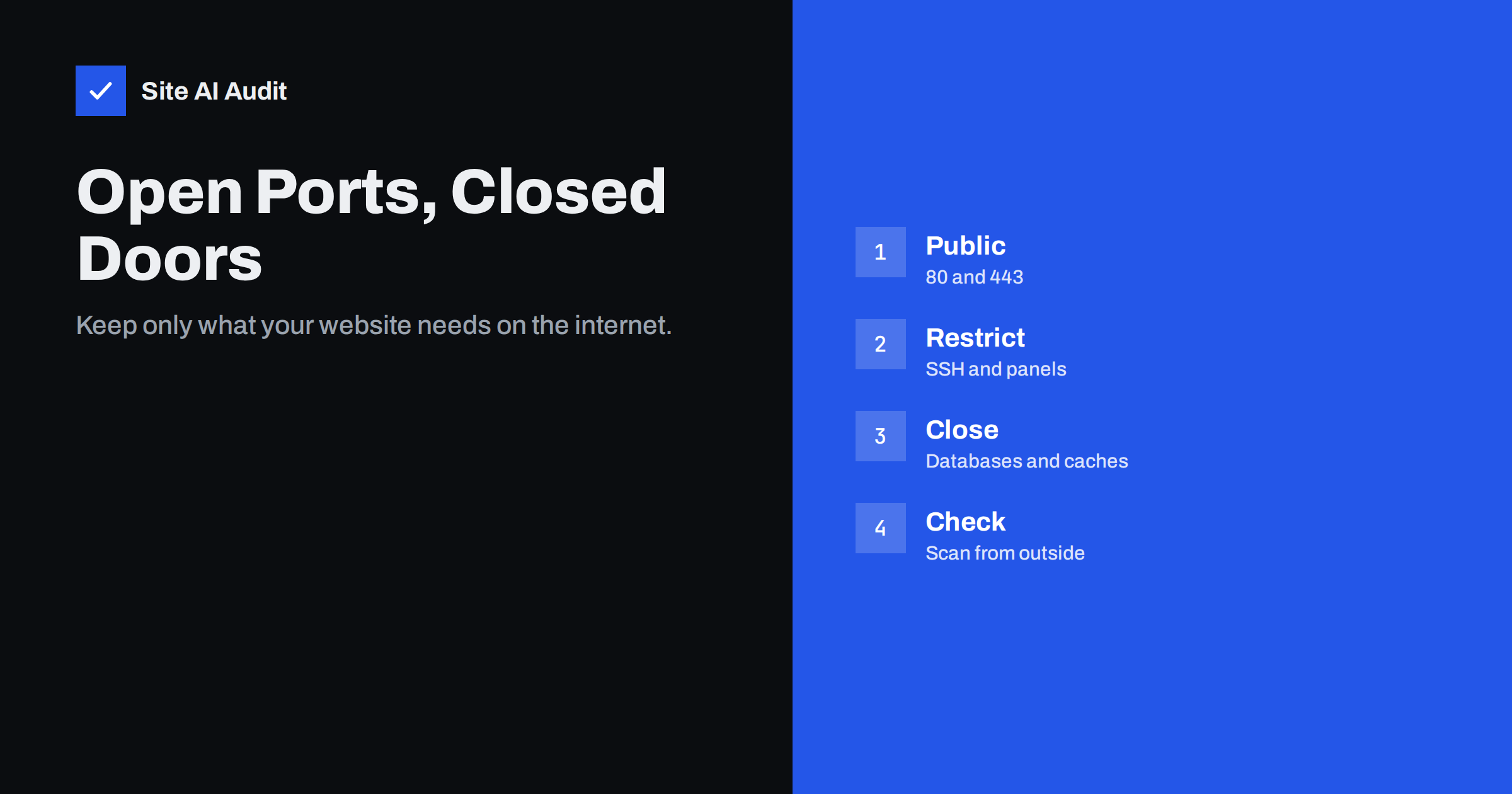
Short answer: A typical website needs only two ports open to the whole internet: 80 for HTTP, which should redirect, and 443 for HTTPS. Mail servers add their mail ports. Administrative services such as SSH, control panels and remote desktop should be limited to known IP addresses or a VPN, and databases, caches and internal APIs should never be reachable from the internet. Check from outside with a port scanner, compare the result with what you expect, and close the rest with a firewall.
What an open port is
A server can run many network services at the same time: a web server, a database, an SSH server for administration, a mail server, a cache. Each service listens on a port number. If the firewall allows connections to that port from the internet, the port is “open”, and anyone in the world can try to talk to the service behind it.
Automated scanners do exactly that, all day, across the whole internet. Search engines for internet-connected devices index open services and their versions, so an exposed database or admin interface can be found within hours of going online. Every open port is a service that must be patched, configured and protected. Fewer open ports means fewer things that can go wrong.
Ports a website actually needs
| Port | Service | Who should reach it |
|---|---|---|
| 443 | HTTPS | Everyone |
| 80 | HTTP, redirecting to HTTPS and used for some certificate checks | Everyone |
| 22 | SSH or SFTP administration | Your team’s IP addresses or VPN only |
| 25 | SMTP between mail servers | Everyone, only if this server receives mail |
| 587, 465 | Mail submission from email clients | Your users, only if this server hosts mailboxes |
| 993, 995 | IMAP and POP3 over TLS | Your users, only if this server hosts mailboxes |
| 2083, 2087, 8443 and similar | Hosting control panels | Your team only, where possible |
| 3306, 5432 | MySQL, PostgreSQL | Nobody from outside; local or private network only |
| 6379, 11211 | Redis, Memcached | Nobody from outside |
Port 80 is worth keeping open even on an HTTPS-only site, so that visitors typing the address without https are redirected. Our guide to the HTTP to HTTPS redirect explains how to set that up correctly. For mail ports, see SMTP ports 25, 587 and 465.
The most dangerous exposed services
- Databases. A MySQL, PostgreSQL or MongoDB server reachable from the internet invites password guessing and exploits. Databases left open without a password have repeatedly been emptied and held for ransom by automated attacks.
- Caches and key-value stores. Redis and Memcached were designed for trusted networks. Exposed instances have been used to take over servers and, in Memcached’s case, to amplify large denial-of-service attacks.
- Search and analytics engines, such as Elasticsearch, which have leaked large amounts of data when left open.
- Container and orchestration APIs. An exposed Docker API gives full control of the host.
- Remote desktop and old file transfer. RDP is a frequent target for ransomware groups, and plain FTP sends passwords unencrypted. Use SFTP over SSH instead of FTP.
- Development servers and admin tools on ports like 8080, 8000 or 3000, started for testing and forgotten.
How to check your server from outside
What matters is what the internet sees, not what you think is configured. Check from a network outside your server:
- Run a port scan of your own server’s public IP address. The open-source tool Nmap is the standard:
nmap -Pn your.server.ipchecks common ports, andnmap -Pn -p- your.server.ipchecks all 65,535 TCP ports. Only scan servers you own or have permission to test. - List what listens locally. On Linux,
ss -tulpnshows every service and the address it listens on. A service bound to127.0.0.1is only reachable from the server itself; one bound to0.0.0.0or::listens on all interfaces and relies on the firewall. - Compare the two lists. Every port that is open from outside should be on your “needed” list. Anything else is a finding.
- Check IPv6 too. Firewall rules are sometimes written only for IPv4, leaving the same services open on the server’s IPv6 address.
If you are on shared hosting, the provider manages the firewall and you usually cannot change it. Port questions then become questions for your host, while you focus on the parts you control, such as the application and its file permissions.
How to close or restrict ports
There are three levels, and the strongest setups use all of them:
- Bind services to the right address. Configure databases, caches and internal tools to listen on
127.0.0.1or a private network address, not on all interfaces. Then they are unreachable from outside even if a firewall rule is wrong. - Use a firewall with a default deny rule. Allow only the ports you need and block everything else. On Linux, ufw, firewalld or nftables do this; cloud providers also offer network firewalls or security groups in front of the server.
- Restrict admin access by source. Allow SSH and control panels only from your office, your VPN or a small list of IP addresses. If that is not practical, use key-based SSH login, disable password login and add rate limiting.
Remove services you do not use at all. A service that is not installed cannot be attacked.
Traps that leave ports open by accident
- Docker and firewalls. On Linux, Docker manages its own firewall rules. A container port published with
-p 3306:3306can be reachable from the internet even when a host firewall such as ufw appears to block it. Publish internal ports only on127.0.0.1, for example-p 127.0.0.1:3306:3306, or not at all. - Temporary rules. A port opened “for an hour” to let a developer connect to the database and never closed again.
- Software installs with defaults. Some packages start listening on all interfaces right after installation.
- Server migrations. Firewall rules do not move with the website. A new server can be wide open until someone configures it.
- Cloud security groups. A rule that allows a port from
0.0.0.0/0, meaning everyone, copied from a tutorial.
Make it a regular check
Ports change whenever someone installs software, changes hosting or deploys a new container. A light routine catches problems early:
- Keep a short written list of the ports each server should expose, and why.
- Scan your public IP addresses from outside every month and after every infrastructure change.
- Keep every exposed service updated, and hide version numbers where possible. Our guide to hiding the server version explains why.
- Watch logs for repeated login attempts on SSH and control panels. See brute-force protection.
- Include ports in your periodic security review, alongside the items in our website security audit checklist.
Open ports on shared hosting, VPS and cloud servers
Who is responsible for ports depends on the kind of hosting you use:
- Shared hosting. The provider runs the firewall and the services for many customers at once. A scan of a shared server often shows mail, FTP and control panel ports that you cannot close. That is normal; what you control is which of these services you use. Prefer SFTP over FTP, use strong unique passwords and two-factor login for the control panel.
- Managed VPS or dedicated server. The provider usually sets up a firewall, but your changes, such as installing a new service, can open ports. Ask what the default rules are and who updates them.
- Unmanaged VPS and cloud servers. You are fully responsible. Many images start with no firewall at all, so the first configuration step after creating a server should be a default-deny rule that allows only SSH from your address, plus 80 and 443.
Whatever the setup, write down who owns the firewall. Many exposed databases are not the result of an attack, but of each party assuming the other had closed the port.
How Site AI Audit helps
Site AI Audit checks your website through the web, the way visitors and search engines see it, and does not scan other ports. It checks the parts of the web service that face everyone: whether the site works over HTTPS, whether HTTP redirects to HTTPS, whether the SSL certificate is valid, trusted, matches the domain and when it expires, whether HSTS and other basic security headers are set, and whether the server or WordPress reveals its version. Use it next to a port scan of your own server. You can run a free check; plans with monitoring are on the pricing page.
Related reading
- Exposed .env, .git and Backup Files: How to Find and Block Them
- Website Security for Small Businesses: Where to Start
- DDoS Protection for Small Websites: What You Actually Need
- Shared Hosting vs VPS: Which Is Faster for Your Website?
The bottom line
Expose only what your website and mail need: 443 and 80 for everyone, mail ports only where mail is hosted, admin services only for your team, and databases and caches for nobody outside. Bind internal services to local addresses, use a default-deny firewall, watch out for Docker and temporary rules, and scan your server from outside regularly.
FAQ
Which ports should be open on a web server?
Usually only 443 for HTTPS and 80 for the redirect to HTTPS. Add mail ports if the server handles email, and allow SSH or control panels only from trusted addresses.
Is it dangerous to have port 22 open?
An SSH port open to everyone attracts constant password guessing. It is much safer to allow it only from known IP addresses or a VPN, use key-based login and disable password login.
How do I check which ports are open on my server?
Scan the server’s public IP address from another network with a tool such as Nmap, and list listening services on the server with ss -tulpn. Compare both with the ports you expect.
Should MySQL port 3306 be open to the internet?
No. Databases should listen only on the local or private network. If a remote application needs access, use a private network, a VPN or an SSH tunnel instead.
Why is a Docker port open when my firewall blocks it?
On Linux, Docker inserts its own firewall rules for published ports, which can bypass host firewall tools such as ufw. Publish internal ports on 127.0.0.1 only, or not at all.