ENEnglish
 LTLietuviškai
 DEDeutsch
 FRFrançais
 RUРусский
 ESEspañol
 PLPolski
 ITItaliano
 UKУкраїнська
 CSČeština
 PTPortuguês
 JA日本語
JA日本語 LVLatviešu valoda
 ETEesti
 HUMagyar
 IDBahasa Indonesia
 TRTürkçe
 HIहिन्दी
 ELΕλληνικά
 ARالعربية
 THไทย
THไทย VITiếng Việt
 RORomână
 MSBahasa Melayu
 BNবাংলা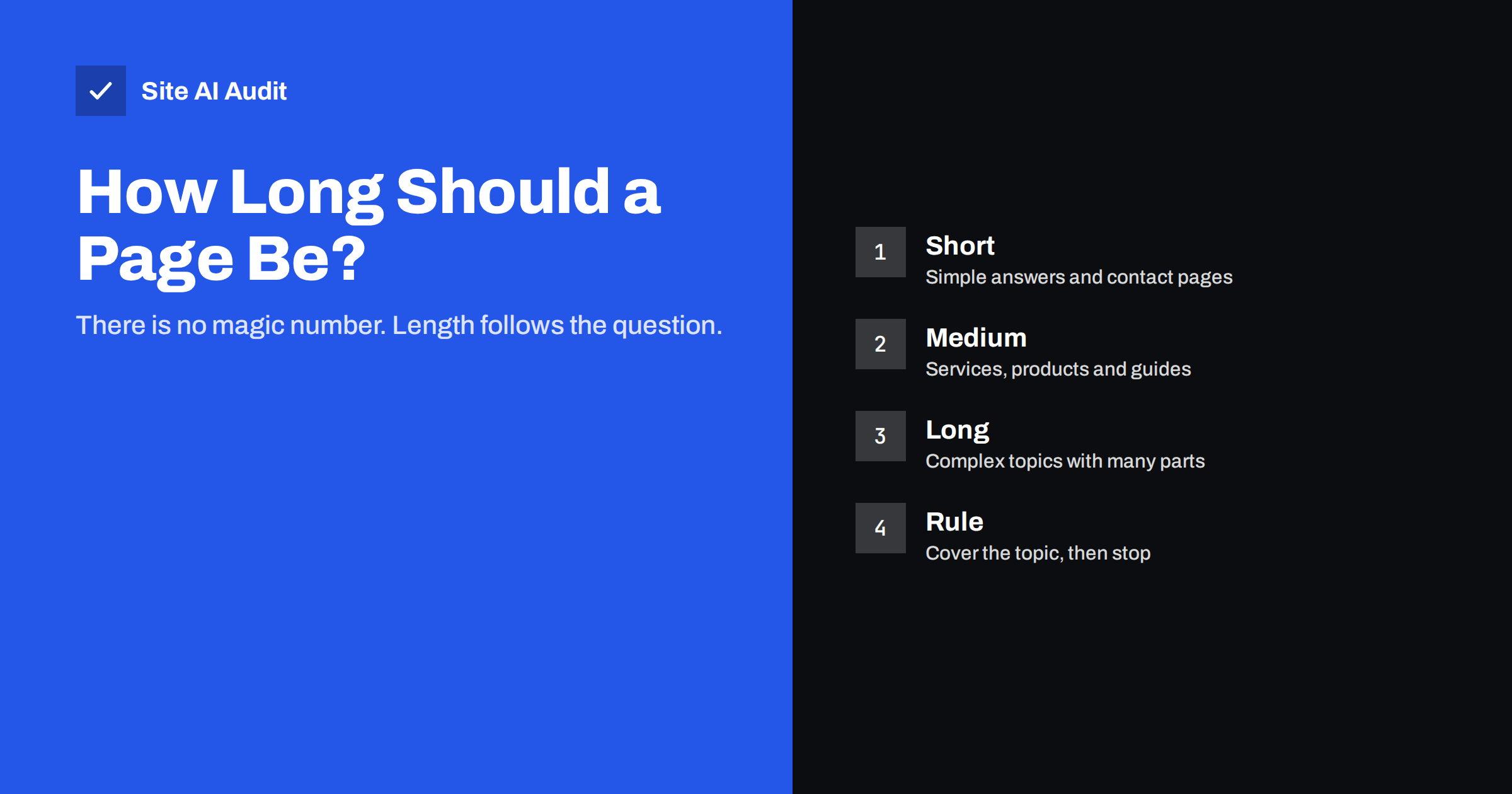
Short answer: There is no word count that Google rewards. A page should be exactly as long as it needs to be to answer the question a visitor came with, and not a sentence longer. Simple questions need short pages, complex topics need longer ones, and padding to reach a target number usually makes a page worse. Measure usefulness, not length.
Why people ask about word count
Almost every small business owner has heard a number. Some say a blog post needs 1,000 words, others say 2,000, and some tools show a green tick only when a page passes a certain length. These rules of thumb exist because pages that rank well are often long. That is a correlation, not a cause. Pages about difficult subjects tend to be long because the subject needs space, and they also tend to rank well because they are thorough. Copying the length without copying the thoroughness gives you the cost without the benefit.
Search engines do not count words and award points. They try to work out whether a page satisfies the person who searched. Length matters only when it changes how well the page does that. Our guide to search intent describes the idea behind this: first understand what the searcher wants, then decide what the page needs to contain.
What decides the right length
Three questions settle most cases. The answers are different for every page, which is why a single target never works.
- How complex is the question? “What time do you open?” needs one line. “How do I move my website to a new host without losing rankings?” needs steps, warnings and examples.
- What do the best existing results contain? Search for your main phrase and look at the pages that rank. Note which sub-topics they cover, whether they use tables or images, and how deep they go. You are not copying them; you are learning what the audience expects.
- How much does the reader already know? A page for beginners needs definitions and examples. A page for specialists can be shorter because it can skip the basics.
If you write down the questions a visitor is likely to have and answer every one of them clearly, the page will find its natural size. Sometimes that is 300 words, sometimes 2,500.
When short pages work well
Short pages are not a weakness. Contact pages, opening hours, simple policies and definition-style answers are best kept brief, because the visitor wants a fact and will leave if they must scroll through an introduction to find it. A page that gives the answer in the first paragraph can also be a good candidate for a highlighted answer in search, as described in our guide to featured snippets.
The risk with short pages is not their length but their emptiness. A page with a single paragraph that repeats a keyword and says nothing new is the kind of page described in our article on thin content. The test is simple: could a visitor do what they came to do, or learn what they came to learn, from this page alone? If yes, the page is complete, whatever its length. If not, it needs more.
When long pages work well
Long pages make sense when the topic has many parts that belong together: a full guide, a comparison of several options, a process with many steps, or a topic where readers need background before the answer makes sense. A long page can also earn links and shares because it saves the reader the trouble of reading five separate sources.
Long does not mean difficult to read. Use clear headings so that visitors can jump to the part they need, put the answer or summary near the top, keep paragraphs short and add lists where they make comparison easier. A reader who lands on a 2,000-word page and cannot find their section in ten seconds will leave just as quickly as from a bad short page.
Also think about whether a very long page should be split. If it covers three separate questions that people search for separately, three focused pages linked together often serve visitors better than one large page. This is the idea behind topic clusters and pillar pages. Be careful not to split so finely that pages compete with each other, a problem covered in our article on keyword cannibalization.
How to recognise padding
Padding is text that increases the count without increasing the value. Readers notice it immediately, and so do quality systems. Typical forms are:
- A long introduction that explains why the topic is important before saying anything useful.
- The same point repeated in different words in every section.
- General statements anyone could write without knowing your business, such as “quality is important in every industry”.
- Lists of keywords turned into sentences, or sections added only because a competitor has them.
- Text that was produced in bulk without anyone checking it against the facts.
A good habit is to read each paragraph and ask what the reader would lose if it were deleted. If the answer is nothing, delete it. Your page will be shorter and better, and the remaining text will carry more weight.
Length for different page types
Different pages have different jobs, and the length that suits one does not suit another.
- Service pages: enough to explain what you do, who it is for, how it works, what it costs or how pricing works, and what happens next. Our service page guide lists the parts.
- Product pages: a clear description, specifications, delivery and return information, and answers to common questions. Details are in our product page checklist.
- Blog posts and guides: as long as the question requires, usually longer for how-to topics and shorter for news or announcements.
- Category pages: a short introduction for visitors is often enough, with the products or articles themselves providing most of the content.
- Home page: a clear summary of what you offer and where to go next, not an essay. Details belong on the pages the home page links to.
Updating instead of adding
If a page is not performing, adding words is rarely the first fix. Check whether it matches the search intent, whether the title and opening paragraph answer the question, whether the information is current, and whether other pages on your site link to it. Our guide to updating old content explains a practical routine. Often the best change is to add a missing section, correct outdated facts or remove material that no longer fits, and the word count moves up or down as a side effect.
When you compare your page with competitors, compare coverage, not totals. If three better-ranking pages all explain a step your page skips, add that step. If your page is longer than all of them because of a rambling introduction, trim it.
A practical way to decide before you write
Before writing a page, spend ten minutes on a simple outline. Write the main question at the top, list every sub-question a visitor is likely to ask, and mark which ones need a full explanation and which need a single sentence. Add the facts only you can provide: your prices, your process, your service area, your experience with real cases. Those details are what make your page different from the others, and they are also what visitors remember.
When the outline is complete, write to it. You will notice that some sections want to be long and others stay short, and that is healthy. After publishing, look at how people use the page. If visitors leave within seconds, the opening may not match their question. If they scroll to one section and stop, consider moving that section higher or giving it its own page. Let behaviour, not a number, guide your edits.
How Site AI Audit helps
Site AI Audit crawls up to 50 pages on the free check and reports on-page problems such as missing or duplicate titles and descriptions, heading issues and missing alt text. These are the basics that make a page of any length easier for search engines to understand. It does not judge whether your text is helpful or complete, because that depends on your visitors and your subject. You can run a free check of your website or see the plans.
Related reading
- Thin Content: What It Is and How to Fix It on Your Website
- Search Intent Explained: Match Your Pages to What People Want
- Blog Post SEO Checklist: What to Check Before You Publish
- How to Update Old Content for SEO: Refresh, Merge or Remove
The bottom line
Stop chasing a word count. Work out what the visitor wants, answer it completely and clearly, and stop when the answer is complete. Short pages are fine when the question is simple, long pages are fine when the topic is deep, and padding helps nobody. Judge each page by whether it solves the visitor’s problem.
FAQ
Is there a minimum number of words for a page to rank?
No. Google has said that word count is not a ranking factor. Pages of very different lengths rank well when they answer the query properly.
Are 300 words enough for a blog post?
Only if the question is simple and the post answers it fully. Most how-to and comparison topics need more room, and a short post on a broad subject usually feels thin.
Do long articles always rank better?
No. Long pages often rank well because they cover difficult topics thoroughly, not because of their length. A long page full of filler can do worse than a short, precise one.
Should I add words to a page that does not rank?
Not as a first step. Check intent, title, accuracy, internal links and missing sub-topics. Add text only where it fills a real gap.
Do word count tools in SEO plugins matter?
Treat them as hints. A green tick for length says nothing about whether your page is useful, so use your own judgement first.