ENEnglish
 LTLietuviškai
 DEDeutsch
 FRFrançais
 RUРусский
 ESEspañol
 PLPolski
 ITItaliano
 UKУкраїнська
 CSČeština
 PTPortuguês
 JA日本語
JA日本語 LVLatviešu valoda
 ETEesti
 HUMagyar
 IDBahasa Indonesia
 TRTürkçe
 HIहिन्दी
 ELΕλληνικά
 ARالعربية
 THไทย
THไทย VITiếng Việt
 RORomână
 MSBahasa Melayu
 BNবাংলা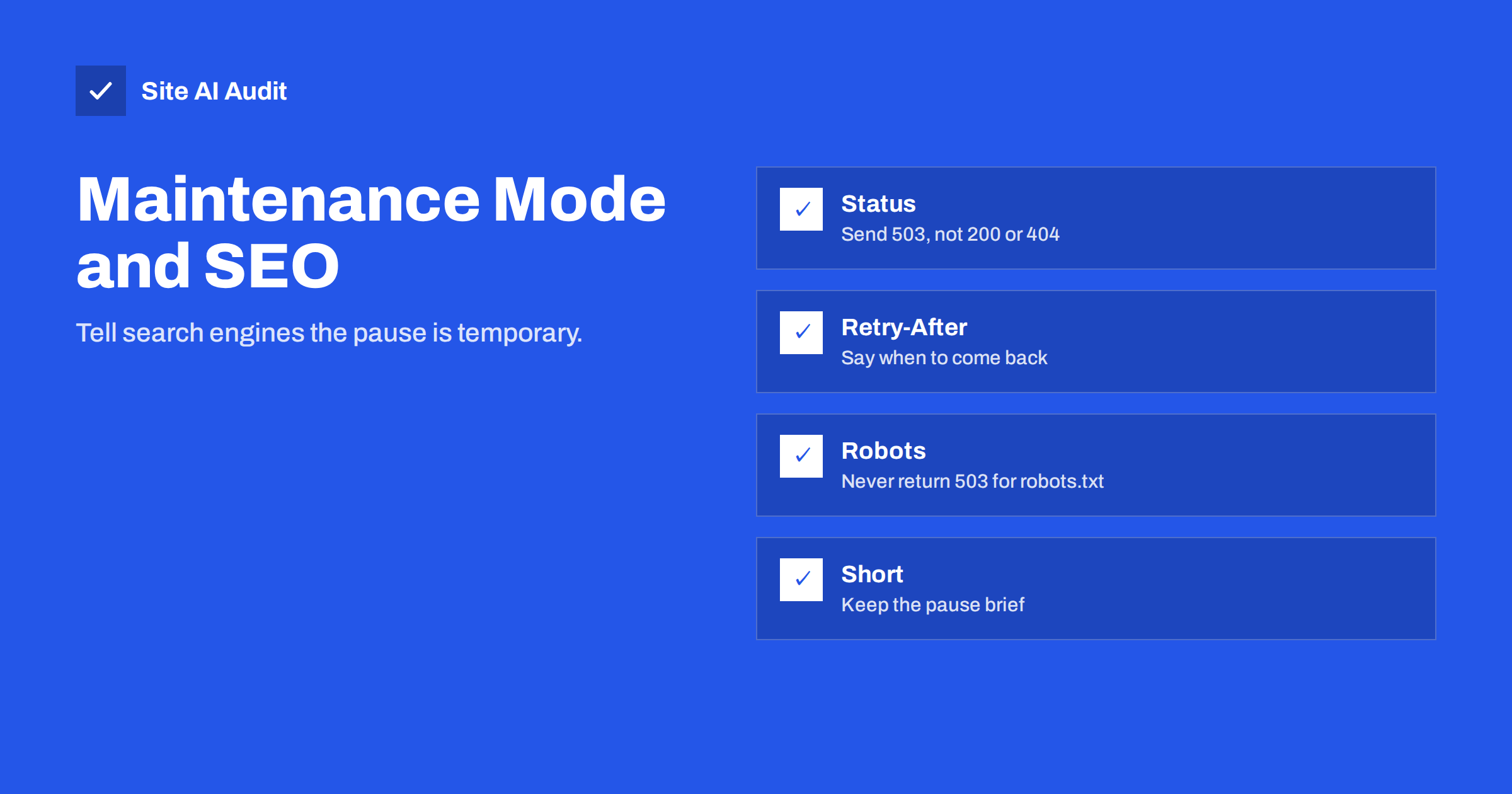
Short answer: When your site is down for maintenance, the HTTP status code tells search engines what is happening. A 503 “service unavailable” status, ideally with a Retry-After header, says the pause is temporary and the pages should stay in the index. A normal 200 status with a “back soon” message, or a redirect to a maintenance page, can make Google treat that message as your real content.
Why maintenance pages need the right status
Every page sends an HTTP status code before any content. Browsers hide it from visitors, but search engines read it carefully. It tells them whether a page exists, has moved or is temporarily out of service.
When a site goes into maintenance mode, most visitors only see a message. But a crawler sees the status code first and the message second. If the code says “everything is fine”, a crawler concludes that the maintenance message is now the page. If the code says “temporarily unavailable”, it understands that the real page will be back and keeps the old version.
You can read the general meaning of the main codes in our guide to HTTP status codes for SEO.
What goes wrong with the wrong status
These are the common mistakes and their effects:
- A 200 status with a maintenance message. Crawlers may index the message as the page content. Titles and descriptions of many pages can be replaced by “we will be back soon”, and rankings can drop. Pages with almost no content may be treated as soft errors, see soft 404 errors.
- A 404 status. This tells search engines that the pages are gone. Repeated 404 responses can lead to removal from the index.
- A redirect to one maintenance page. Every address redirects to a single page, which looks like all your content moved to one place. Search engines may drop the old addresses.
- A 5xx status without any plan. A 503 is the right choice, but if it lasts for many days, search engines may eventually treat the pages as permanently gone.
Visitors suffer too. A clear message with an expected return time is better than a blank error page.
The correct setup: 503 and Retry-After
The status code made for this situation is 503, “service unavailable”. It means that the server cannot handle the request right now but is expected to work again later. Search engines respond by slowing down crawling and trying again later, without removing the pages.
The companion header is Retry-After. It tells clients when to try again, either as a number of seconds or as a date. For a planned update of thirty minutes, a value of one hour is a safe guess. It is a hint and not a promise, but it helps polite crawlers plan their return.
The maintenance page itself can show any text and design you like. Only the status and header are important for search engines. Keep the page light and make sure that it loads quickly.
Do not return 503 for robots.txt
One rule deserves special attention. If the robots.txt file returns a 5xx error, Google treats the whole site as temporarily off-limits and pauses crawling. That is a stronger reaction than for a single page. If robots.txt keeps failing for a long time, Google may fall back to a stored copy or continue cautiously.
Your maintenance setup should therefore serve robots.txt normally, with a 200 status, or at least not break it for long. In practice, short maintenance windows are harmless, but a long outage with a broken robots.txt is worse than the same outage with a working one. Our guide to robots.txt explains the file in detail.
How WordPress handles maintenance
WordPress shows a short message, “Briefly unavailable for scheduled maintenance”, while it updates core, plugins or themes. During that time, it sends a 503 status with a Retry-After header. That is the correct behaviour, and it is one reason why short automatic updates are safe for SEO.
Problems appear when you use a “coming soon” or maintenance plugin or a theme feature. Some of them return a 200 status by default and need a setting to send 503. Others show the message only to logged-out visitors, which is fine, but still need the right status. Check your plugin’s settings, and test the result instead of assuming it.
For a site you update regularly, a stable process reduces the need for long maintenance windows. See a safe website update strategy and make a backup first, as covered in website backup strategy.
How to test your maintenance mode
- Turn maintenance mode on at a quiet time, or on a staging copy.
- Request a page and read the status. Use the browser’s developer tools network tab or a command line tool that shows response headers. You want 503 and, ideally, a Retry-After header.
- Test several addresses. The home page, an inner page and an image. All should behave consistently.
- Check robots.txt. It should return its normal content with a 200 status.
- Test logged-in access. Make sure that you, as an administrator, can still reach the site and finish the work.
- Turn it off and test again. Pages must return 200 and the content must be the real one. Purge any cache that may have stored the maintenance page.
Cache is a frequent hidden problem. If a CDN or caching plugin stores the maintenance page, visitors and crawlers may keep seeing it after the work is finished. Clear all caches and test from outside your network.
How to keep maintenance short and safe
- Schedule work for the quietest hours of your visitors.
- Do as much as possible on a staging copy first.
- Avoid maintenance mode for tiny changes that do not need it.
- If the work is going to take days, consider moving the site to a temporary host instead, or keep key pages available.
- After the work, check Search Console for sudden crawl errors, as explained in 5xx server errors in Search Console.
If something goes wrong and the site stays down, fix it as fast as you can. A short 503 period is routine. A multi-day one starts to carry real risk.
It is useful to prepare a short maintenance checklist that you can reuse every time. Before you start, write down the time window, take a backup and confirm that you can reach the admin area. During the work, keep a note of every change, so you can undo it if needed. After the work, test the home page, a few inner pages, the contact form, the search and the checkout if you run a shop. Then check the status codes and the robots.txt file, clear all caches and look at the logs for errors.
Think about your visitors, too. A good maintenance page explains what is happening, says when the site will return and offers another way to reach you, such as a phone number or an email address. If you send newsletters or run advertising campaigns, pause them during the window, so that people do not click through to an error page and pay for a visit that cannot convert.
Finally, learn from each event. If the work took longer than planned, note why, and give yourself more time in the next window. If the site was slow after the maintenance, look at the caches and the database. Over time, a consistent routine turns maintenance from a risky event into a boring one, which is exactly what you want.
What Site AI Audit can and cannot tell you
Site AI Audit crawls your site and reports on robots.txt, the sitemap, redirects and noindex settings, and it needs your pages to respond normally. It does not simulate a maintenance window or test what your plugin sends while it is switched on. Run it after maintenance to confirm that the site is back to normal. You can run a free check of your website or see the plans.
Related reading
- Finding Redirect Chains and Loops on Your Website
- Why Is My Page Not on Google? A Step-by-Step Checklist
- Custom 404 Pages: What a Good Error Page Should Do
- XML Sitemaps Explained: How to Create and Submit One
The bottom line
For maintenance, send 503 with Retry-After, keep robots.txt working, clear caches afterwards and keep the pause short. Do not use a 200 status for a “back soon” page, and do not redirect everything to one address. A few minutes of testing protects the rankings that took years to earn.
KKK
Will a short 503 hurt my rankings?
No. A short 503 is the standard way to signal a temporary pause, and search engines come back later. The risk grows only if the outage lasts for days.
What should Retry-After say?
Use the number of seconds or a date when the site should be back, with some margin. A planned thirty-minute update could use one hour. It is a hint for crawlers and does not have to be exact.
Can I use a 302 redirect to a maintenance page?
It is not recommended. Redirecting every address to one page looks like a content move. A 503 on the original addresses keeps the signals intact.
Does WordPress use 503 by default?
During its own updates, yes, it shows a short maintenance message with a 503 status. Plugins that create “coming soon” pages may use a different status, so test them.
How can I see the status code of a page?
Open the browser’s developer tools, go to the network tab and reload the page. The status appears next to the first request. A command line tool that prints headers shows it as well.