ENEnglish
 LTLietuviškai
 DEDeutsch
 FRFrançais
 RUРусский
 ESEspañol
 PLPolski
 ITItaliano
 UKУкраїнська
 CSČeština
 PTPortuguês
 JA日本語
JA日本語 LVLatviešu valoda
 ETEesti
 HUMagyar
 IDBahasa Indonesia
 TRTürkçe
 HIहिन्दी
 ELΕλληνικά
 ARالعربية
 THไทย
THไทย VITiếng Việt
 RORomână
 MSBahasa Melayu
 BNবাংলা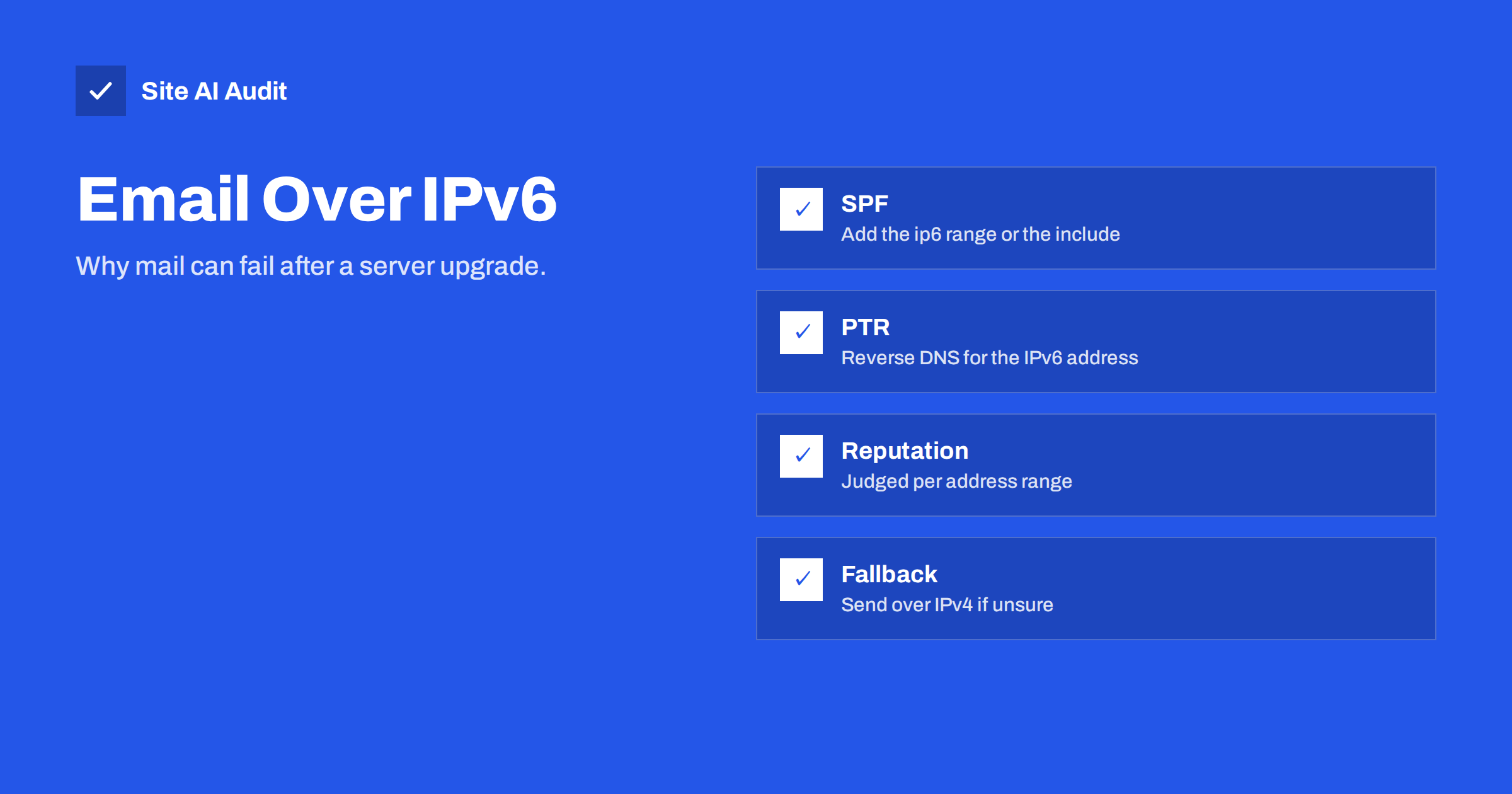
Short answer: If your mail server has an IPv6 address, it may deliver messages over IPv6 without anyone noticing. Receivers then check that address, not your IPv4 one. If your SPF record lists only IPv4 addresses, if the IPv6 address has no reverse DNS record or if it has no sending history, mail can fail authentication or land in spam. Add the IPv6 range to SPF, set up reverse DNS and check the headers of a test message, or send over IPv4 only.
Why IPv6 matters for email
Every device that connects to the internet has an address. The older format, IPv4, looks like four numbers separated by dots. IPv6 is the newer format with long groups of letters and numbers separated by colons. Most hosting providers now give servers both kinds of address, and many networks prefer IPv6 when both ends support it.
For web browsing the switch is invisible. For email it is not, because email is judged by the address of the sending server. Receivers check whether that address is allowed to send for your domain, whether it has a proper reverse DNS name and whether it has a good reputation. When a server starts to send over IPv6 after an upgrade or a hosting move, all of these checks apply to a new address with no history.
The result is an odd failure pattern. Mail that worked for years suddenly goes to spam at some providers but not at others, and the cause is that only some receivers accept connections over IPv6, so only some messages take the new path.
How a server chooses between IPv4 and IPv6
When your server delivers a message, it looks up the receiving mail servers in DNS. A receiver can publish an IPv4 address record, an IPv6 address record or both. If the receiver has an IPv6 record and your server has working IPv6 connectivity, many mail servers try IPv6 first. If there is no IPv6 route, they fall back to IPv4.
This means that the path may differ per recipient. Mail to one large provider may go out over IPv6 while mail to a small company goes over IPv4. When you test your setup by sending to one address, you may be testing only one of the two paths. It is common to find the problem only after real customers complain.
Your email service provider or hosting company usually controls this choice. If you send through a dedicated mail service, the addresses used are theirs, and you only need to keep the authentication records they ask for. The remaining sections matter most when you run your own mail server, or when your website sends mail straight from the hosting server.
SPF: the most common failure
SPF is a DNS record that lists which servers may send mail for your domain. A typical record includes IPv4 addresses, an include for your mail provider and a final policy. If your server sends over IPv6 and the record does not cover that address, SPF fails, even though the message looks perfectly fine.
- The
ip4:mechanism covers only IPv4 addresses. IPv6 addresses needip6:with the address or range. - The
aandmxmechanisms cover the address records of the named hosts. They work for IPv6 only if the hosts actually have an IPv6 address record that matches the sending address. - An
include:from a mail provider is usually enough, as the provider maintains the list for you. Check that the provider’s list includes the addresses used for your account.
Read our guide to SPF record examples for the right syntax, and remember the limit of ten DNS lookups that we describe in SPF: too many DNS lookups. A failing SPF result alone may not send mail to spam when DKIM and DMARC pass, but it is one of the checks that receivers weigh.
Reverse DNS for IPv6 addresses
Reverse DNS, or a PTR record, maps an IP address back to a host name. Receivers often check that the name exists and that it points back to the same address. Large providers expect it from IPv6 senders, and a missing or generic name is a typical reason for rejection or for a spam folder.
Setting it up is the job of whoever owns the IP address, which is normally your hosting company. Ask them to set the reverse record for each sending IPv6 address to a name under your control, for example a mail host name, and make sure that the name has an address record that points to the same IPv6 address. Our article on reverse DNS and PTR records for email covers the details. Many hosts give you a single IPv6 address by default, but others hand you a whole range, and each address you use for sending needs its own reverse name.
Reputation works differently on IPv6
With IPv4, a receiver can track the reputation of a single address. The IPv6 space is so large that a single sender may own millions of addresses, so receivers often judge IPv6 reputation by larger blocks of addresses instead of individual ones. In practice, a poor neighbour in your range can affect you, and rotating among addresses inside the same block does not give a clean start.
A new IPv6 address has no history. A sudden switch of volume to a new address looks suspicious, and receivers may throttle or filter mail until they trust it. Our guides on domain and IP reputation and warming up a sending domain explain how trust is built. If your IPv6 addresses are listed on a blocklist, the steps in checking and removing a blocklist entry apply as well.
How to see which path your mail takes
- Send a test message to an address you can read at a large mailbox provider.
- Open the full message source or headers.
- Look at the topmost
Receivedheader added by the receiving provider. It shows the sending address, and an IPv6 address is easy to recognise by its colons. - Find the authentication results header. Check that SPF, DKIM and DMARC all show a pass.
- Repeat with a second provider, because each one may accept a different connection type.
Our guide on how to read email headers shows where to look. If SPF fails and the sending address in the header is an IPv6 address that is not in your record, you have found the cause.
Fixing it: two practical routes
Route one: make IPv6 properly supported. Add the sending range to SPF with ip6:, set a reverse DNS name for every sending address, make sure the host name has a matching address record, and confirm that DKIM signing and DMARC work. Then watch your delivery for a few weeks, and increase volume slowly if the address is new.
Route two: send over IPv4 only. If you cannot maintain IPv6 correctly, instruct your mail server to use only IPv4 for outgoing mail. In Postfix, the setting for the protocols in use does this, and other mail servers have equivalent options. Keep your well-known and established IPv4 address as the sending identity. This is a practical choice for small senders, and you can add IPv6 later when you have time to prepare it.
Whichever route you choose, do not leave the matter open. Decide deliberately which path your mail takes, and record the decision where your colleagues can find it.
What Site AI Audit can and cannot tell you
Site AI Audit checks the email setup of your domain from the outside: SPF and its lookup limit, DKIM signatures, the DMARC policy and MX records. It shows whether your DNS records are in place and well formed. It does not send a message from your server, so it cannot see which IP address your mail uses or whether a reverse DNS name exists for it. Use message headers and your hosting provider’s tools for that step. You can run a free check of your domain or see the plans.
Related reading
- SPF Record Examples for Common Small Business Setups
- Reverse DNS and PTR Records for Email: What You Need to Know
- Domain Reputation vs IP Reputation in Email: What Counts
- Gmail and Yahoo Bulk Sender Requirements: A Practical Guide
The bottom line
IPv6 is a silent variable in email delivery. When a server gains an IPv6 address, mail may start to flow over it with an incomplete SPF record, no reverse DNS and no reputation. Check your headers, cover the IPv6 address in SPF and reverse DNS, or keep sending over IPv4 until you are ready.
KKK
Do I need IPv6 to send email?
No. Email works fine over IPv4 alone, and many senders still use only IPv4. You need to manage IPv6 only if your mail server has an IPv6 address and may use it for outgoing mail.
Why does my mail go to spam only at some providers?
Not every receiver accepts IPv6 connections, so only some of your messages travel over IPv6. If the IPv6 path fails SPF or has no reverse DNS, only those recipients are affected.
Does the a mechanism in SPF cover IPv6?
It covers the address records of the named host. If that host has an IPv6 address record that matches the sending address, it works. If it only has IPv4, the IPv6 sending address is not authorised.
Should I disable IPv6 on my mail server?
You do not need to disable IPv6 on the server. It is usually enough to tell the mail software to use IPv4 for outgoing messages. That keeps your established identity until you are ready to support IPv6 fully.
Is reverse DNS really needed?
Many large receivers expect it and may reject or filter mail from addresses without a proper name. It is a basic requirement for a trustworthy sending server, on IPv4 and on IPv6.