ENEnglish
 LTLietuviškai
 DEDeutsch
 FRFrançais
 RUРусский
 ESEspañol
 PLPolski
 ITItaliano
 UKУкраїнська
 CSČeština
 PTPortuguês
 JA日本語
JA日本語 LVLatviešu valoda
 ETEesti
 HUMagyar
 IDBahasa Indonesia
 TRTürkçe
 HIहिन्दी
 ELΕλληνικά
 ARالعربية
 THไทย
THไทย VITiếng Việt
 RORomână
 MSBahasa Melayu
 BNবাংলা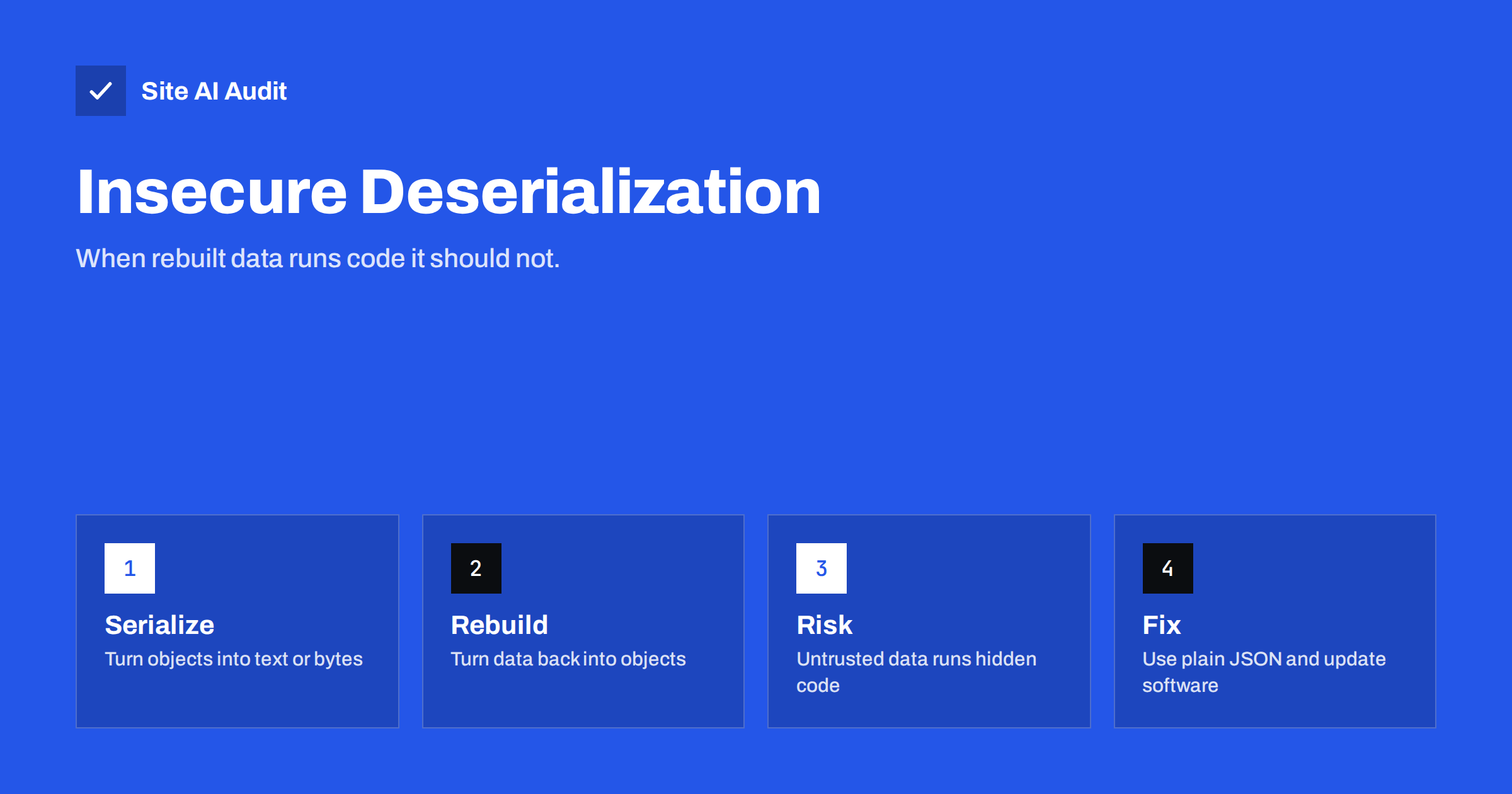
Short answer: Serialization turns an object in a program into text or bytes so that it can be stored or sent, and deserialization rebuilds the object. When an application rebuilds objects from data that an outsider controls, the attacker may change how the program behaves, and in the worst case run their own code. The safest approach is to avoid deserializing untrusted data, use plain formats such as JSON, verify the origin of the data and keep all software updated.
What serialization and deserialization mean
Programs work with objects: a shopping cart, a user session, a settings record. To save an object in a database, put it in a cookie or send it to another system, the program has to convert it into a flat format. That conversion is called serialization. The reverse step, which reads the flat data and builds the object again, is deserialization.
Every popular language has its own mechanism for this. PHP has serialize and unserialize. Java, Python, Ruby and .NET have similar tools, and many of them can rebuild almost any type of object found in the application. That flexibility is the source of the problem. The data does not only say what the values are. It can also say which kind of object to create, and creating an object can trigger code.
For website owners the idea is easy to remember: data that comes from outside must never be allowed to decide what kind of object your application creates or what that object does.
Why it becomes a security problem
Insecure deserialization happens when an application accepts serialized data from a source it cannot trust, such as a cookie, a form field, a URL parameter, an uploaded file or an API request, and rebuilds objects from it without checking.
Objects in many languages have special methods that run automatically at certain moments, for example when an object is created, destroyed or converted to text. An attacker who can choose the object type can make those methods run with values that the attacker also chose. A method that deletes a file, writes to a log or runs a database query then does so on the attacker’s behalf.
The attacker does not need to inject new code into the application. They reuse code that is already there and combine existing methods into a chain, which is why the technique is often called object injection and the chains are called gadget chains. The more classes and libraries your application loads, the more material there is for such a chain.
What attackers can achieve
The result depends on the application and on the classes available to it. Typical outcomes include:
- Privilege changes. If a cookie carries a serialized user record with a role, an attacker may change it to administrator.
- File actions. Methods that read, write or delete files can be triggered with attacker-chosen paths.
- Remote code execution. In the worst case, a chain reaches a function that runs commands. The server then belongs to the attacker.
- Denial of service. Crafted data can consume huge amounts of memory or processing time.
- Data theft. Chains can trigger database queries or outgoing requests that leak data.
These outcomes are close relatives of other injection flaws. Our articles on command injection and SQL injection describe similar goals reached by different routes.
Where it shows up on PHP and WordPress sites
PHP has a long history with this flaw. Its unserialize function creates objects from a string, and many older plugins and themes passed data from cookies, forms or remote servers straight into it. WordPress itself stores many settings in a serialized format in the database and uses helper functions to read them, which is safe as long as the stored values come from trusted sources.
Real-world risks usually appear in the following places:
- Plugins that store state in cookies or hidden fields and read it back with
unserialize. - Import and export tools that accept a serialized file from a user.
- Code that handles uploaded archives and images. Some file functions can read metadata in a way that triggers deserialization if an attacker can make the path point to a specially crafted archive.
- Abandoned or pirated plugins that never received the fix for a known flaw. See our guides on abandoned plugins and nulled themes and plugins.
Most of the time the vulnerable code is in a plugin and not in WordPress core, which is why updates and a short plugin list matter so much.
A simple example in everyday terms
Imagine a website that stores a visitor’s cart in a cookie. Instead of saving only the product numbers, the developer saves the whole cart object as serialized text, including a field that says what to do with a discount code. When the visitor returns, the site rebuilds the object from the cookie. A curious visitor opens the browser’s developer tools, edits the text and changes the discount field or the object type. If the site rebuilds whatever it receives, the edited object now exists inside the application. The visitor never broke into the server. The server simply believed a note that came from outside. This is why developers say that data from the browser is a suggestion and never an instruction.
How developers prevent it
The strongest protection is to avoid the problem altogether. These measures are listed from the most to the least effective.
- Do not deserialize untrusted data. If outside data must enter the application, use a plain data format such as JSON, which holds values and cannot create arbitrary objects.
- Restrict allowed classes. When serialized data is unavoidable, use the option of the language that lists which classes may be created, and allow none or only a few harmless ones.
- Sign the data. Add a signature created with a secret key, and check it before reading the data. An attacker who does not know the key cannot produce valid data. Never rely on encryption without integrity checking.
- Keep the server-side state. Store the session and the user role on the server and give the browser only a random identifier.
- Update libraries. Many gadget chains are removed in later versions of popular libraries.
- Limit privileges. Run the application with the smallest file and network permissions, so that a successful chain can do less damage. See file permissions on a web server.
- Log and monitor. Unusual errors in deserialization code and sudden file changes are warning signs.
What website owners can do without coding
Even if you never write code, you control several important factors.
- Keep WordPress, themes and plugins updated, and enable automatic updates for security releases where it is safe.
- Delete plugins and themes that you do not use. Deactivated code can still be attacked if the files remain on the server.
- Avoid pirated or nulled software completely.
- Choose plugins that are actively maintained and that publish clear update notes.
- Follow the security notices of the plugins you use, as explained in our guide to website security audits.
- Back up your website regularly, so that you can restore a clean version after an incident.
If a site is already compromised, find the entry point before restoring. Our article on web shells and backdoor removal describes what to look for after a successful attack.
Signs that something is wrong
Insecure deserialization attacks are quiet, and the first sign is often a side effect. Watch for unexplained changes in user roles, new administrator accounts, new files in upload or plugin folders, unexpected outgoing connections from the server, sudden spikes in memory or CPU usage after requests to one endpoint and error messages about unexpected classes or malformed data in the log. A security plugin or your host’s malware scanner can alert you to file changes, which is often the earliest reliable indicator.
What Site AI Audit can and cannot tell you
Site AI Audit examines your website from the outside. It checks the SSL certificate and its expiry, the redirect from HTTP to HTTPS, security headers and exposed software versions. It does not send crafted serialized data to your application, so it cannot confirm or exclude a deserialization flaw. The exposed software version check helps indirectly, since software that announces an old version is a good candidate for an update. You can run a free check of your website or see the plans.
Related reading
- SQL Injection Explained: How Sites Get Breached and Protected
- Command Injection Explained: How to Keep Servers Safe
- File Inclusion Attacks (LFI and RFI) Explained Simply
- Abandoned WordPress Plugins: How to Spot and Replace Them
The bottom line
Insecure deserialization turns trusted-looking data into a way to run code that was never meant to run. Avoid rebuilding objects from outside data, prefer JSON, sign anything you must trust and keep plugins and libraries updated. For most site owners the practical defence is simple: fewer plugins, regular updates and no pirated software.
KKK
What is the difference between serialization and encryption?
Serialization only converts an object into a storable format. It does not hide or protect the data. Encryption hides the content. A serialized value in a cookie can be read and changed by anyone unless it is also signed or kept on the server.
Is JSON safe against deserialization attacks?
Standard JSON parsing only produces plain values such as text, numbers, lists and records, so it cannot create arbitrary objects with hidden behaviour. Applications can still misuse the values, but the specific object injection risk is removed.
Does WordPress core have this problem?
WordPress stores some data in serialized form and reads it carefully. The majority of real incidents involve plugins or themes that pass untrusted input to a deserialization function. Updates and a short list of well-maintained plugins reduce the risk.
Can a firewall stop these attacks?
A web application firewall can block known attack patterns and reduce the risk, but it cannot recognise every crafted payload. Treat it as an additional layer, and still fix the underlying code or update the vulnerable component.
How do I know if a plugin is vulnerable?
Check whether it is actively maintained, read its update notes and look for published security advisories for its name and version. If it has been abandoned, replace it with a maintained alternative.