ENEnglish
 LTLietuviškai
 DEDeutsch
 FRFrançais
 RUРусский
 ESEspañol
 PLPolski
 ITItaliano
 UKУкраїнська
 CSČeština
 PTPortuguês
 JA日本語
 LVLatviešu valoda
 ETEesti
 HUMagyar
 IDBahasa Indonesia
 TRTürkçe
 HIहिन्दी
 ELΕλληνικά
 ARالعربية
 THไทย
 VITiếng Việt
 RORomână
 MSBahasa Melayu
 BNবাংলা
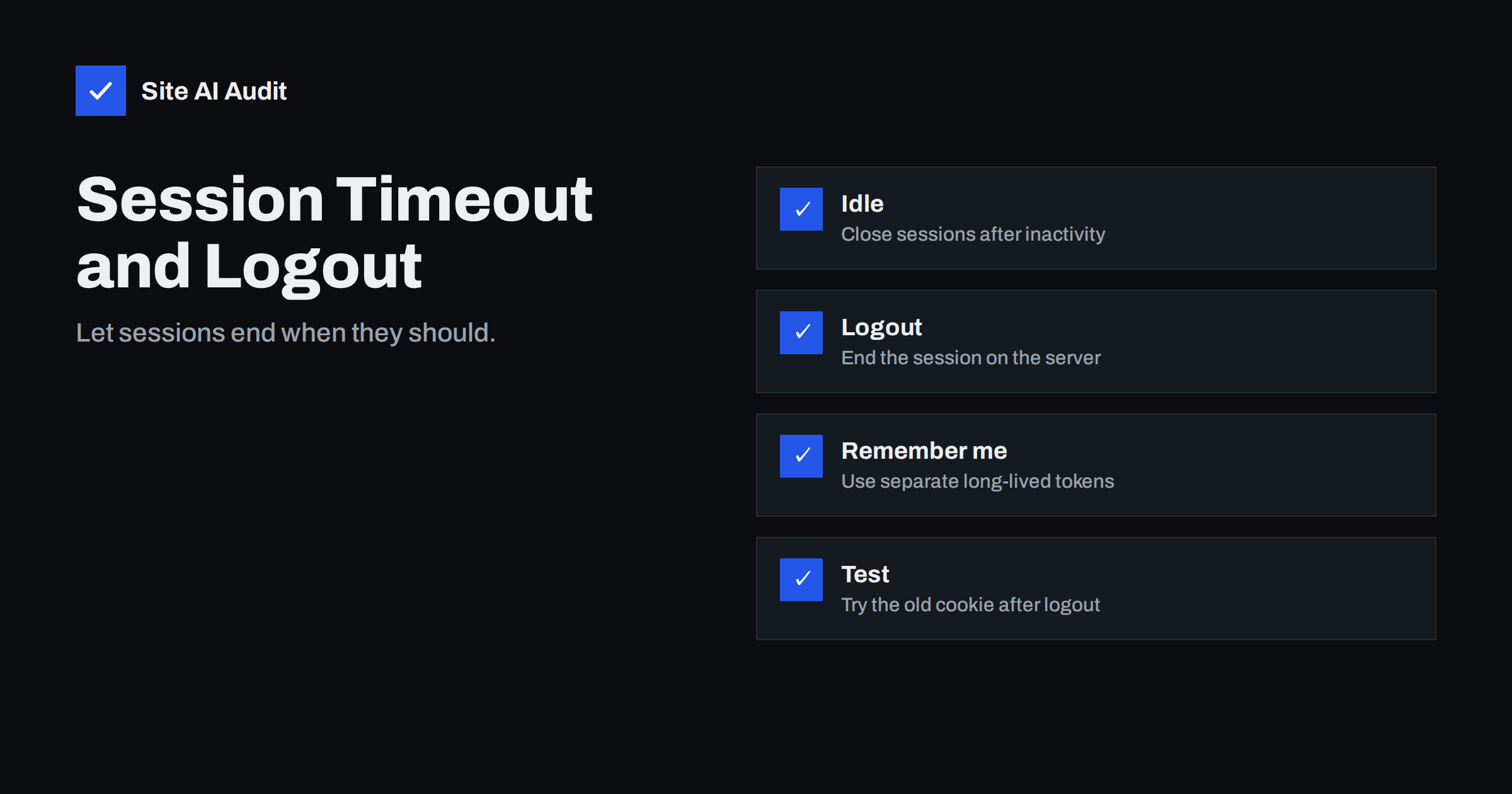
Short answer: A session should end for two reasons: the user chose to log out, or enough time has passed without activity. A safe logout does more than hide the page. It destroys the session on the server, so that a copied cookie stops working. Set an idle timeout that fits the risk, add an absolute limit for sensitive areas, protect the cookie itself and test that an old cookie is useless after logout.
How sessions work
After a visitor logs in, the website gives the browser a small token, normally stored in a cookie. On every later request the browser sends the token, and the server uses it to remember who the person is. The token acts like a temporary key. Whoever holds it is treated as the logged-in user, which is why it must be protected and why it must expire.
The risk is easy to picture. A user logs in on a shared computer in a library, closes the tab and walks away. A phone is lost with the browser still signed in. A cookie is copied by malware or intercepted on a poor network. If the session never ends, each of these gives someone else full access for as long as the token works. The attacks described in the guide to session hijacking and fixation become far less useful when sessions are short and logout is real.
Idle timeout and absolute timeout
There are two different time limits, and a good design uses both.
- Idle timeout. The session ends after a period without any activity. It protects people who forget to log out and leave a device unattended.
- Absolute timeout. The session ends after a fixed time from login, no matter how active the user is. It limits the damage of a stolen token, because the token cannot be refreshed forever.
The right values depend on what the site protects. A page with sensitive data or money, such as banking, payroll or an administration area, needs short limits, for example minutes of inactivity and a few hours at most in total. A low-risk community site can allow longer ones. A common approach is to ask for the password again before a particularly sensitive action, such as changing an email address or making a payment, even when the session is still valid.
Warn the user before the timeout. A short message that says the session will end in one minute, with a button to stay signed in, avoids lost work and complaints. If a form could be lost, save a draft before ending the session.
What a safe logout does
Many sites get logout wrong. They remove the cookie from the browser and show the home page, but the session remains alive on the server. Anyone who copied the token earlier can still use it. A safe logout has several parts.
- Destroy the session on the server. Delete the session record or mark the token as invalid so that it is rejected from then on.
- Clear the cookie in the browser by setting it to expire in the past, with the same path and domain it was created with.
- Use a safe request method. A logout link that works with a simple page request can be triggered by another site through a hidden image. Use a form with a token, or the protection described in the guide to cross-site request forgery, so that only the user’s own action ends the session.
- Clear sensitive data from the page. After logout, the back button should not show private pages. The article on cache control for private pages explains the headers that prevent this.
- End all related sessions when needed. After a password change or a reported theft, close every active session of the account, not only the current one.
Change the session after login
A new session identifier must be issued at the moment of login, and again after any change in privilege. If the site keeps the identifier that existed before login, an attacker who planted that value in advance now owns a logged-in session. This is the fixation attack. Most modern frameworks do it for you, but custom login code and older plugins sometimes do not, so test it. Check the cookie before and after you log in: the value should be different.
Remember me options
The “remember me” box is a convenience that extends the risk. A sensible design uses a separate long-lived token, not the same cookie as the normal session. The token should be random, stored on the server as a hash in the same way as passwords, tied to one device and replaced each time it is used. If it is stolen or the user logs out, it can be revoked. Do not store the user name and password, or a predictable value, in a cookie.
WordPress shows how the choice works in practice. By default its login cookie lasts about two days, and about fourteen days when the user ticks “Remember me”. Site owners who run shops or membership areas can shorten these periods with a small piece of code or a security plugin, and administrators should use stricter rules than ordinary subscribers.
Protect the cookie itself
A timeout helps only if the token is hard to steal during its lifetime. Set the flags that browsers support: the secure flag so that the cookie travels only over HTTPS, the HttpOnly flag so that scripts cannot read it, and a suitable SameSite value to limit use from other sites. The article on secure cookie flags explains each one. Use HTTPS on every page, with the redirect described in the guide to the HTTP to HTTPS redirect, and consider HSTS so that browsers never try the unsecured version.
Sessions beyond the browser
Modern sites often have more than one kind of session. A mobile app may hold a token for weeks. An API may use a signed token that does not exist on the server, so it cannot easily be cancelled before it expires. In that case, keep the lifetime short, pair it with a refresh token that can be revoked and keep a list of cancelled tokens for the period that matters. The mistakes that come with such tokens are covered in the guide to JWT security mistakes. Give users a page that lists their active sessions and lets them end the ones they do not recognise. It also helps your support team to answer questions about unknown logins.
How to test your own site
- Log in and copy the session cookie from the browser developer tools.
- Log out through the normal button.
- Replay the old cookie in a private window or a command-line request. If the private page still loads, the logout is incomplete.
- Wait for the idle limit and try again. The session should be rejected.
- Change the password in one window and check that other sessions end.
- Press the back button after logout and confirm that private data is not shown.
Document your results for each part of the site that has a login, such as the main account area, the administration panel and any customer portal. They often use different code and different settings, and one of them may be weaker than the rest. Administration panels in particular tend to be added by plugins or separate tools, and their sessions may follow rules that nobody has reviewed for years.
Also look at the experience from the user’s side. A timeout that is too short makes people lose work and learn to avoid your site, while one that is too long leaves accounts exposed. Ask a few real users how often they were logged out, and adjust the values until the balance feels right for the sensitivity of the data. Review the settings again after major updates, because a new version of a plugin or framework can quietly change the defaults.
How Site AI Audit helps
Site AI Audit does not look behind your login, so it cannot test session handling. It checks the public side that supports it: the SSL certificate, the redirect from HTTP to HTTPS, security headers and exposed software versions, together with SEO, speed and email authentication. The free check covers up to 50 pages and needs no sign-up. You can run a free check of your website or see the plans for weekly monitoring and alerts.
Related reading
- Session Hijacking and Fixation: Protect Logged-In Users
- Secure Cookies Explained: Secure, HttpOnly and SameSite Flags
- Two-Factor Authentication for Website Owners: What to Protect
- CSRF Explained: How Cross-Site Request Forgery Works
The bottom line
Sessions are temporary keys, and they should behave that way. End them after inactivity, limit their total life, destroy them on the server at logout and issue a new one at login. Protect the cookie with the right flags, treat “remember me” as a separate and revocable token, and test with an old cookie. These steps cost little and close a quiet but common gap.
FAQ
How long should a session timeout be?
It depends on risk. Sensitive areas need short idle limits, measured in minutes, while low-risk sites can allow longer ones. Add an absolute limit as well.
Is deleting the cookie enough for logout?
No. The server must also destroy the session, or a copied cookie will keep working until it expires.
What is the difference between idle and absolute timeout?
An idle timeout ends the session after a period without activity. An absolute timeout ends it after a fixed time from login, even if the user stays active.
Should logout be a link or a button?
A form button with a request token is safer. A plain link can be triggered by another page without the user knowing.
Do I need two-factor authentication if sessions expire?
Timeouts and two-factor login solve different problems. Timeouts limit how long a stolen session works, and two-factor login makes the first login harder to steal. Use both for important accounts.