ENEnglish
 LTLietuviškai
 DEDeutsch
 FRFrançais
 RUРусский
 ESEspañol
 PLPolski
 ITItaliano
 UKУкраїнська
 CSČeština
 PTPortuguês
 JA日本語
JA日本語 LVLatviešu valoda
 ETEesti
 HUMagyar
 IDBahasa Indonesia
 TRTürkçe
 HIहिन्दी
 ELΕλληνικά
 ARالعربية
 THไทย
THไทย VITiếng Việt
 RORomână
 MSBahasa Melayu
 BNবাংলা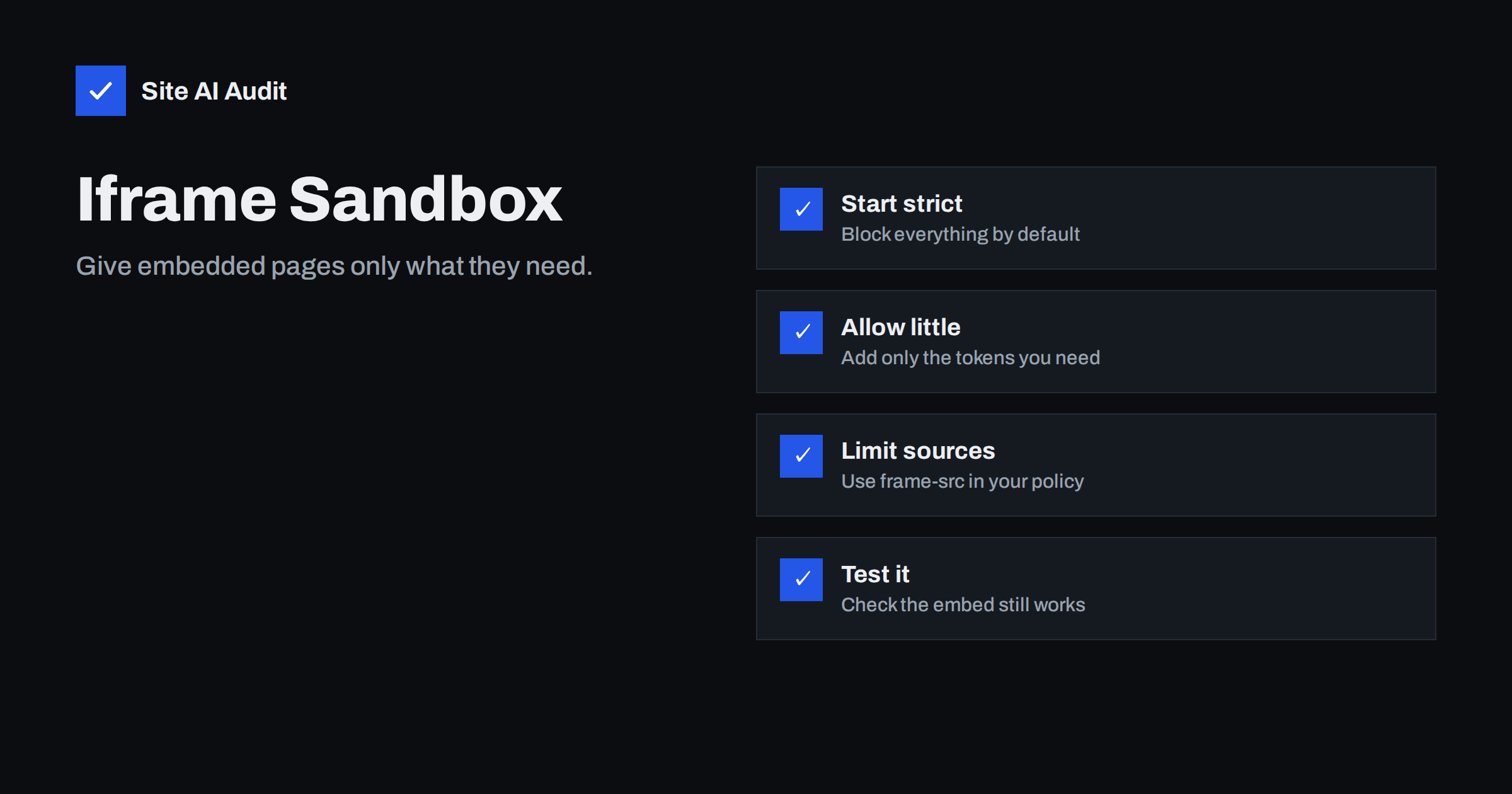
Short answer: An iframe puts another web page inside yours. If that page comes from someone else, you are trusting them with a window on your site. The sandbox attribute lets you take away powers from the embedded page, such as running scripts, submitting forms, opening pop-ups or navigating your visitor away, and give back only what the embed truly needs. Combine it with a policy that limits which sources you allow, and test the result.
What an iframe does
An iframe, short for inline frame, displays a separate web page inside a rectangle on your page. Site owners use it to show a video player, a map, a booking widget, a payment form, a social post or a chat window. The embedded page runs in its own context, with its own scripts and its own address.
This separation is useful, but it is not the same as safety. A frame can still run code, show content that looks like part of your site, and in some cases take the visitor to another address. If the provider is hacked, changes its code or turns out to be careless, the effect appears on your page too. The more third parties you embed, the larger this risk, in the same way as the performance cost described in third-party scripts.
What the sandbox attribute does
When you add the sandbox attribute with no value, the browser applies the strictest set of restrictions to the framed page. In that state the embedded page:
- cannot run scripts;
- cannot submit forms;
- cannot open pop-ups or new windows;
- cannot navigate the top-level page, so it cannot send your visitor elsewhere;
- is treated as coming from a unique, opaque origin, so it cannot read cookies or local storage that belong to its real address;
- cannot use several features such as automatic playback, pointer lock or modal dialogs.
That is ideal for content that should only be displayed. But many embeds need scripts to work at all, so you then add back individual permissions by listing tokens in the attribute.
The most useful tokens
allow-scriptslets the framed page run JavaScript. Most interactive embeds need it.allow-same-originlets the page keep its real origin, so cookies and storage work. Players and payment widgets often need it.allow-formslets the page submit forms.allow-popupslets it open new windows or tabs, andallow-popups-to-escape-sandboxlets those windows run without restrictions.allow-modalsallows alert and confirm dialogs.allow-top-navigation-by-user-activationlets the frame take the whole window to a new address, but only after a real click by the visitor. The broaderallow-top-navigationpermits it at any time and is rarely a good idea.allow-downloadslets the frame start downloads.allow-presentationallows full screen presentation features.
An example for a simple booking widget might be sandbox="allow-scripts allow-forms allow-same-origin". Start from the strict form, then add tokens one at a time until the widget works. Stop as soon as it does.
A dangerous combination
One pairing needs particular care: allow-scripts together with allow-same-origin on a page that comes from your own origin. In that case the framed page can use its scripts to remove the sandbox attribute from itself and escape the restrictions entirely. For content from another origin, the pair is normal, because the framed page is not able to reach into your page anyway. But never use that pair to “contain” your own untrusted content, such as user-submitted HTML. Serve that from a separate domain instead.
Other attributes that matter
- allow. This attribute controls access to browser features such as the camera, microphone, geolocation and full screen. A map may need location, a video usually needs full screen, and most embeds need nothing else. Grant them one by one and see the Permissions-Policy header for the site-wide version.
- referrerpolicy. It decides how much of your address is sent to the provider. See the Referrer-Policy header.
- loading=”lazy”. Load the frame only when it is near the screen, which saves time, as in embedding videos without slowing your site.
- title. A short title describes the content to people who use screen readers.
Limit which sources you embed
The sandbox restricts what an embed can do. A separate control restricts which embeds can appear at all. The frame-src directive of a content security policy lists the origins from which your page may load frames. If an attacker finds a way to inject a frame into your page, the policy stops it from loading an address outside your list. The setup is described in content security policy for beginners.
There is also a mirror image of this question: who can put your pages in their frames. That is covered by clickjacking protection, using X-Frame-Options or the frame-ancestors directive. Both directions deserve attention.
Which embeds work well in a sandbox
- Display-only content, such as a static document preview or a simple image gallery: use the empty attribute, or just scripts.
- Video players: usually need scripts, same origin and presentation. The provider’s own embed code often works with these tokens.
- Maps: typically need scripts and same origin, and may need popups for links. See embedding Google Maps without slowing your pages.
- Forms and payment pages: check the provider’s documentation. Some payment providers state that their frames should not be sandboxed in ways that break the flow, so follow their guidance and test a real transaction.
- Advertising frames: often rely on popups and top navigation. Allow only what the ad network documents, and consider whether you need the ads at all.
A short worked example makes the approach concrete. Suppose you embed a booking form from a scheduling service. You begin with a bare sandbox attribute, and the form appears but does nothing, because scripts are blocked. You add the token for scripts, and the form loads but cannot save a booking, because its session depends on cookies. You add the token for the real origin, and the booking works, but the confirmation link that opens a new tab is blocked. You add the token for popups, and everything works. The final list has only the permissions the service genuinely needs, and the page still blocks navigation, downloads and modal dialogs that the widget never used.
Test before you publish
- Add the sandbox on a staging copy first.
- Open the page with the browser’s developer tools and watch the console. When the sandbox blocks something, the browser reports it clearly.
- Try each function of the embed: play, search, submit, sign in, open a link.
- Test on a phone, because some features, such as full screen, behave differently there.
- Repeat the test whenever the provider changes its embed code.
Common mistakes to avoid
- Adding every token “just in case”, which cancels the benefit.
- Embedding content from sources you have not checked.
- Using a sandbox but no policy for allowed frame sources.
- Leaving old embeds on pages after you stopped using the service.
- Assuming that a provider’s embed code is always safe because it is popular.
It also pays to review embeds regularly. Over the years a site collects frames from services that were tried once and forgotten: an old survey, a retired chat tool, a video channel that no longer exists. Each remaining frame is still a connection to a third party. Make a list of the pages that contain frames, confirm that each provider is still in use, and remove the rest. That review costs an hour and removes risk, load time and maintenance in one step.
How Site AI Audit helps
Site AI Audit does not inspect individual iframes or their sandbox settings. It does check the site-wide protections around them: security headers, HTTPS and the redirect to it, SSL certificate and exposed software versions, together with mobile speed and the SEO and e-mail checks. The first check is free, covers up to 50 pages and needs no sign-up. You can run a free check of your website or see the plans for weekly monitoring.
Related reading
- Content Security Policy for Beginners: A Practical Setup Guide
- Clickjacking Protection: X-Frame-Options vs frame-ancestors
- Permissions-Policy Header: Control Camera, Location and More
- Subresource Integrity: Protect Your Site From Tampered Scripts
The bottom line
Every iframe is a small act of trust. The sandbox attribute lets you reduce that trust to the minimum: start with everything blocked, add back only what the embed needs, limit the allowed sources with a content security policy, and test after each change. A few lines of markup keep a hacked or careless provider from turning your page into their tool.
FAQ
Does the sandbox attribute slow my page?
No. It is a restriction applied by the browser and has no meaningful cost. Speed depends on the embedded page itself, which is why lazy loading helps.
Is the sandbox attribute the same as X-Frame-Options?
No. The sandbox limits what a page that you embed can do. X-Frame-Options and frame-ancestors control whether other sites can embed your own pages.
Why does my embed stop working with a sandbox?
It probably needs a permission you have not allowed, most often scripts, same origin or forms. Open the browser console to see which one is blocked and add only that token.
Should I sandbox YouTube or Google Maps embeds?
You can, but they need several tokens to work, and the benefit is smaller because they are from large providers. A frame-src policy and the least necessary permissions are still sensible.
Can an iframe steal data from my page?
A frame from another origin cannot read your page directly, because browsers enforce the same-origin policy. It can still mislead visitors, run its own scripts and navigate or open windows, which is what the sandbox restricts.