 ENEnglish
 LTLietuviškai
 DEDeutsch
 FRFrançais
 RUРусский
 ESEspañol
 PLPolski
 ITItaliano
 UKУкраїнська
 CSČeština
 PTPortuguês
 JA日本語
 LVLatviešu valoda
 ETEesti
 HUMagyar
 IDBahasa Indonesia
 TRTürkçe
 HIहिन्दी
 ELΕλληνικά
 ARالعربية
 THไทย
 VITiếng Việt
 RORomână
 MSBahasa Melayu
 BNবাংলা
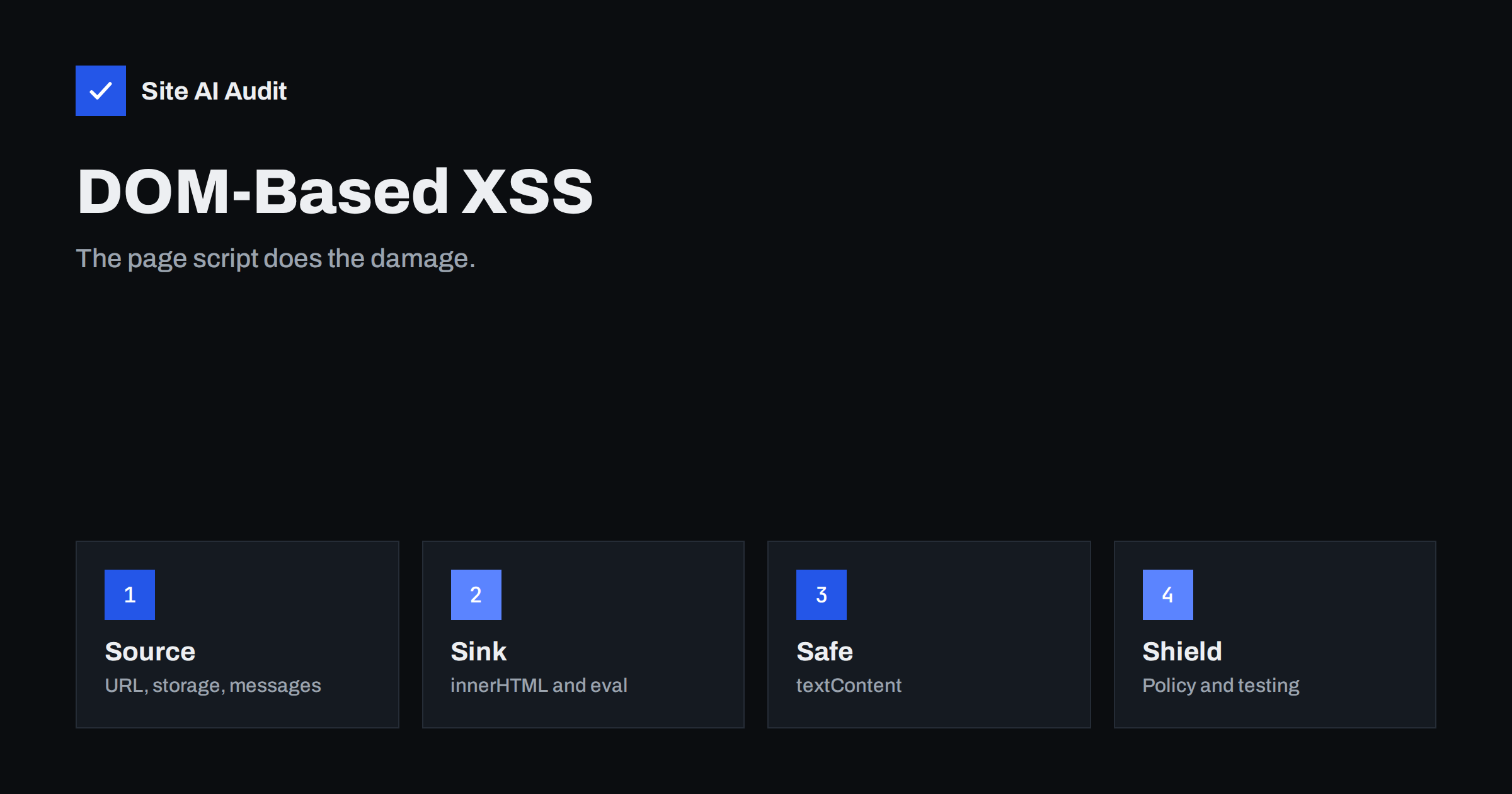
Short answer: DOM-based cross-site scripting happens when JavaScript already on your page takes data that an attacker can influence, such as a part of the URL, and writes it into the page in a way that the browser runs as code. The server may never see the attack. Prevent it by using safe methods that treat data as text, avoiding dangerous functions, sanitising any HTML you must insert and adding a content security policy.
How it differs from other XSS
Cross-site scripting means that an attacker gets their script to run in a visitor’s browser on your site. The general idea is described in the article on XSS. In the two classic kinds the server is involved: in reflected XSS the server sends the attacker’s input back inside the page, and in stored XSS the server saves it and shows it to others later.
DOM-based XSS is different, because the dangerous step happens entirely in the browser. The server sends a perfectly normal page, with a script of your own. That script reads something that the visitor, or an attacker through a link, controls, and writes it into the page structure, called the Document Object Model or DOM. If the script writes it as HTML, any tags in the data become real elements, including ones that run code. Because the malicious data may sit in the part of the address after the # sign, which browsers do not send to the server, server logs and many firewalls never see it.
Sources and sinks
Security people describe this with two words. A source is a place where data comes from that an attacker can influence. A sink is a function or property that can turn data into running code or markup. DOM XSS happens when data flows from a source to a sink without proper handling.
- Common sources: the address bar parts such as the fragment, the query string and the path, the referrer,
window.name, local storage and session storage, cookies, messages received from other windows, and data fetched from other servers. - Common sinks:
innerHTMLandouterHTML,document.write,eval, the string forms ofsetTimeoutandsetInterval,new Function, settinghreforsrcto a value that starts withjavascript:, and some library functions that insert HTML, such as the old jQueryhtml()method.
A simple example
Suppose a search page shows “You searched for” followed by the query. A developer writes a script that reads the query from the address and puts it into the page with innerHTML. A normal visitor searching for “garden tools” sees the words. An attacker builds a link whose query contains an image tag with an error handler that runs a script. When a victim clicks the link, the script writes that tag into the page, the image fails to load, the handler runs, and the attacker’s code now acts as the victim on your site. It can read data shown on the page, send requests as the user or show a fake login form.
The fix in this case is one word: use textContent instead of innerHTML. The browser then treats the query as text and shows the tag characters as they are, without running them.
Where it hides
- Single-page applications. Code that builds the page from the address and from API data has many sinks.
- Old libraries and plugins. Known flaws in outdated scripts are a common route. See outdated JavaScript libraries.
- Analytics and marketing snippets. They often read parameters from the address and insert them into the page.
- Widgets and themes. Sliders, tabs and pop-ups that read an identifier from the fragment and use it in a selector or insert it as HTML.
- Messaging between windows. A page that accepts messages from any origin and writes their content into the page.
- Third-party scripts. A script loaded from another site can be a source of trouble. See subresource integrity.
How to prevent it
- Treat data as text. Use
textContent,innerTextor functions that create elements and set their text. Avoid building HTML by joining strings. - Avoid dangerous functions. Do not use
eval,new Function,document.writeor string versions of timers. There is nearly always a safer way. - Sanitise when HTML is unavoidable. If you must show user-supplied HTML, run it through a well-maintained sanitising library with a strict allow list, and do it as close to the sink as possible.
- Validate and encode for the context. A value placed in an attribute, in a URL or in a script needs encoding for that exact place. Check that URLs begin with
https:or/before you set them as links. - Keep libraries current. Update frameworks and plugins and remove those you do not use.
- Add a content security policy. A policy that blocks inline scripts and restricts script sources reduces the damage when a flaw exists. See the content security policy guide.
- Use browser features such as Trusted Types. Where supported, they force sinks to accept only values that passed a policy you control.
- Protect cookies. HttpOnly keeps scripts from reading session cookies, which limits the damage. See secure cookie flags and cookie prefixes.
How to test your own site
Only test sites that you own or have permission to test, preferably a copy. A simple approach is to search the code for the dangerous sinks listed above, then trace where the values come from. For pages that use parameters, try harmless markers, such as a unique string with an angle bracket, in the query and the fragment, and look at how they appear in the page source after the scripts have run, using the developer tools, not the “view source” function. If tags that you typed appear as real elements, you have a sink to fix. Automated scanners can find some cases, but they often miss logic that is hidden in complex scripts, so combine them with code review. The article on the difference between a scan and a penetration test explains the limits of each.
Common mistakes
- Believing that server-side filtering protects you. It cannot see the fragment or data that the script fetches by itself.
- Escaping data once in the wrong place and assuming it is safe everywhere.
- Using a sanitiser and then changing the result with more string handling.
- Leaving a policy in report-only mode forever.
- Trusting data from your own API without checking it, when users could have stored it earlier.
A worked example: tabs that read the fragment
Many pages have tabs or accordions that open a section based on the fragment in the address, for example #pricing. A common piece of code takes the fragment, builds a selector or an HTML string from it and uses it to find and show the section. If the code inserts the fragment into HTML, or uses it in a way that a library interprets as markup, an attacker can craft a link with a fragment that includes a tag. The visitor clicks the link on a trusted page, sees nothing unusual, and the script runs. The safe version checks the fragment against a fixed list of known section names, such as pricing, features and contact, and ignores anything else. An allow list is simple, fast and nearly impossible to bypass, which makes it better than trying to remove bad characters.
What a content security policy can and cannot do
A strict policy that blocks inline scripts and allows only scripts from your own domain can stop the typical attack code from running even when a flaw exists, because an injected script tag or an event handler attribute is not allowed. This turns many serious flaws into minor ones. But policies can be weakened by allowing unsafe inline code, by trusting wide domains that host many scripts, or by sites that rely on old libraries that need eval. A policy is a safety net, not a replacement for fixing the sink. Roll it out in report-only mode first, review the reports, fix the legitimate violations and then enforce it. Keep reviewing it when you add new scripts, because every new source you allow is a new place to trust.
If you find a flaw
Fix the sink, then check whether similar code exists elsewhere, since developers often copy patterns. Consider whether the flaw could have exposed sessions or personal data and, if so, follow your incident steps, which the article on responding to a data breach outlines. Add a test or a code review rule so that the same pattern is caught in future. Finally, rotate any secrets that a script could have read, and tell users if their data was at risk, according to the rules that apply to you.
How Site AI Audit helps
Site AI Audit does not read your JavaScript code or test for DOM-based flaws, so it cannot find a dangerous sink. It checks the public protections that limit the damage and the basics around them: security headers, the SSL certificate, the redirect from HTTP to HTTPS and exposed software versions. If a content security policy is missing, the report points it out as a header finding. The free check covers up to 50 pages and needs no sign-up. You can run a free check of your website or see the plans for re-checks.
Related reading
- Cross-Site Scripting (XSS) Explained for Website Owners
- Content Security Policy for Beginners: A Practical Setup Guide
- HTML Injection and Content Spoofing: Fake Text on Real Pages
- HTTP Security Headers Explained: What Each One Does
The bottom line
DOM-based XSS lives in your own scripts. Treat everything that comes from the address, storage or other windows as untrusted, write it to the page as text, avoid code-running functions and add a policy as a safety net. Review the sinks in your code whenever you add a widget or a script.
FAQ
Can a server-side firewall stop DOM-based XSS?
Often not, because the malicious data may stay in the browser, such as in the URL fragment, and never reach the server.
Is innerHTML always unsafe?
It is safe for fixed strings that you wrote. It is risky whenever the value includes data from a user, a URL or another service. Use textContent for data.
Do frameworks protect me?
Modern frameworks escape text by default, but they also offer escape hatches that insert raw HTML. Using those with untrusted data brings the risk back.
What is the quickest improvement?
Search your code for innerHTML, document.write and eval, replace them where data is involved, and add a content security policy.
How is it found in practice?
By reviewing sources and sinks in the code and testing with harmless markers in addresses and storage. Scanners help but do not replace review.


