ENEnglish
 LTLietuviškai
 DEDeutsch
 FRFrançais
 RUРусский
 ESEspañol
 PLPolski
 ITItaliano
 UKУкраїнська
 CSČeština
 PTPortuguês
 JA日本語
 LVLatviešu valoda
 ETEesti
 HUMagyar
 IDBahasa Indonesia
 TRTürkçe
 HIहिन्दी
 ELΕλληνικά
 ARالعربية
 THไทย
 VITiếng Việt
 RORomână
 MSBahasa Melayu
 BNবাংলা
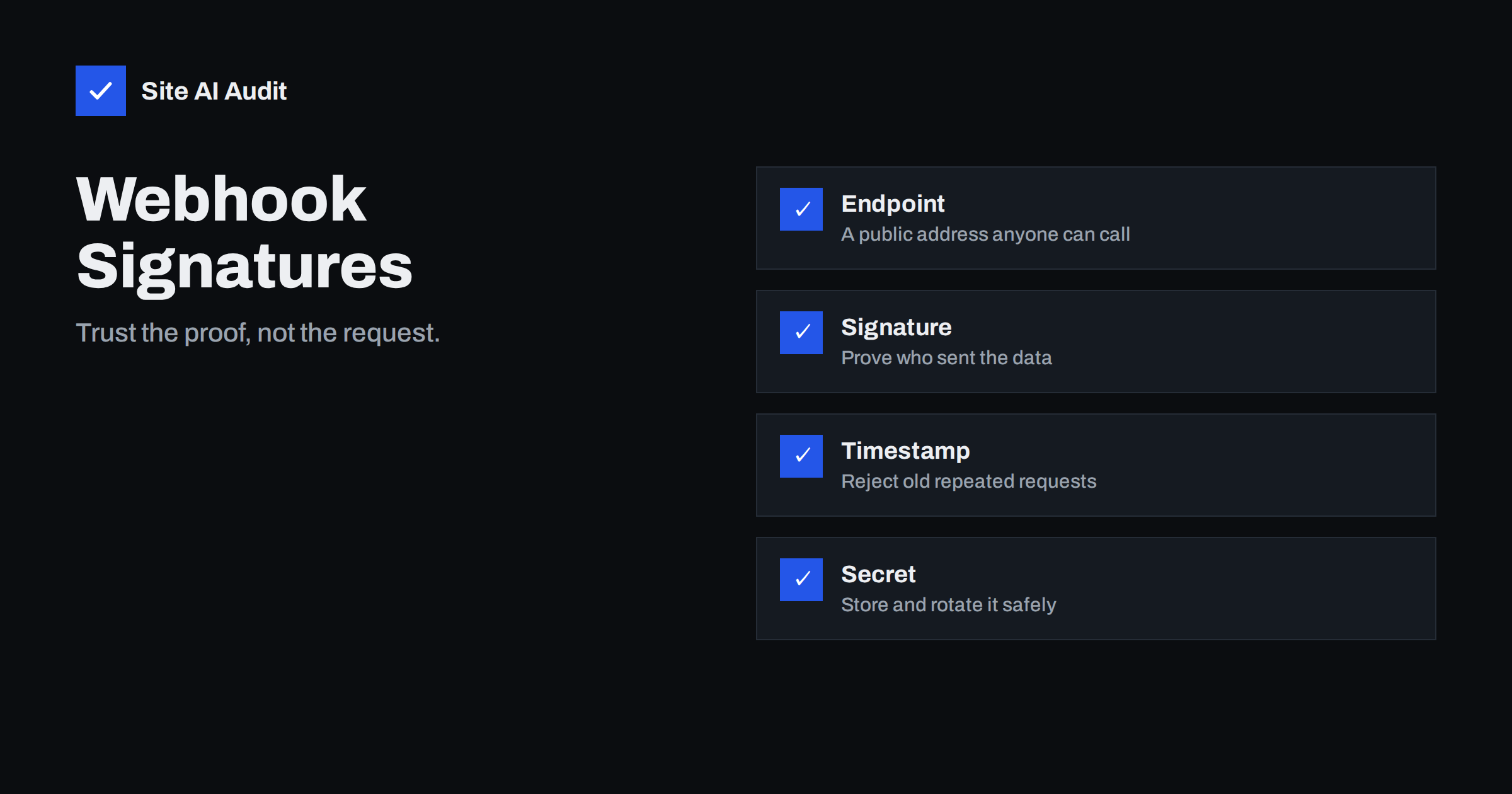
Short answer: A webhook is a public address on your site that another service calls when something happens, such as a payment or a new order. Because anyone can send a request to that address, you must verify that the call really came from the service. Use the signature that the provider sends, compute it yourself from the raw body and a shared secret, compare carefully and reject old or repeated messages.
What a webhook is
Many services notify your website instead of waiting to be asked. A payment provider tells your shop that a payment succeeded. A form tool tells your system that a message arrived. A shipping service reports that a parcel left the warehouse. The mechanism is simple: when the event happens, the provider sends an HTTP request with the details to an address you gave them. That address is called a webhook endpoint.
The endpoint is on the public internet. It has to be, so that the provider can reach it. That is also the problem: the same address can be called by anyone who finds or guesses it.
What can go wrong without verification
If your code trusts every request, an attacker can send a fake one. The results depend on what the endpoint does.
- Fake payments. A forged message that says an order was paid could release goods or unlock a subscription for free.
- Fake cancellations. A false event might cancel real accounts or orders.
- Data poisoning. Bad records enter your database, and later reports become wrong.
- Resource drain. A flood of requests to a heavy endpoint can slow the site.
- Replay of real events. An attacker who captures a genuine message can send it again and again to repeat its effect.
Keeping the address secret does not solve the problem. Addresses leak through logs, browser history, screenshots and shared documents.
How signatures work
Most reputable providers sign each webhook. The idea is the same across services. You and the provider share a secret key that only the two of you know. For every message, the provider combines the body of the message with the secret using a hashing method called HMAC and sends the result in a header. Your server repeats the calculation with its own copy of the secret. If the results match, the message was sent by someone who knows the secret and was not changed on the way.
The details differ between providers, such as the header name, the hashing algorithm and the format. Read the documentation of the provider carefully, and use its official library if it has one, because libraries handle the details correctly.
Steps to verify a webhook
- Read the raw body. Compute the signature from the exact bytes that arrived. If a framework parses and re-encodes the body first, spaces and ordering may change, and the signature will no longer match.
- Get the signature header. Reject the request if it is missing.
- Compute the expected value. Use the shared secret and the algorithm specified by the provider.
- Compare in constant time. Use the comparison function that your language provides for secrets, not a plain equality check, which can leak information through timing.
- Check the timestamp. Many providers include a time in the signed data. Reject messages that are too old, for example more than a few minutes, to limit replay.
- Handle only if valid. Do any real work after verification succeeds, and return an error status when it fails.
- Log failures. Repeated failures from one address are worth looking at. The advice in security logging for small sites helps you decide what to record.
Prevent replays and duplicates
Even with a valid signature, the same message can arrive twice. Providers often resend events when they do not receive a quick answer, and attackers can replay captured ones. Protect yourself in two ways. First, store the unique identifier of each event that you have processed, and ignore any that you have seen. Second, design your handlers so that repeating them does no harm. Creating an order record for an identifier that already exists should do nothing the second time. This property is called idempotency, and it is the same idea that protects against double clicks on a button. Two requests that arrive at the same moment can both pass a simple “have I seen this?” check, so the check itself must be protected by a unique constraint in the database or by a lock.
Protect the secret
- Keep it out of the code and the page. Store it in environment settings or a secrets store, not in a file that is committed to a repository.
- Use a different secret for each endpoint and environment. A test secret should never work on the live site.
- Limit who can read it. Share it only with the people and systems that need it.
- Rotate it. Change it if someone leaves, if it appeared in a log or after a suspected leak. Many providers allow two secrets to work at once during a switch.
- Never expose it in front-end code. The article on API keys exposed in front-end JavaScript shows how easily this happens.
Other layers worth adding
A signature should be the main check, but extra layers help.
- Use HTTPS only. The data in a webhook may be private. Make sure the endpoint has a valid certificate.
- Allow lists. If the provider publishes the addresses it sends from, you can limit access to them at the firewall. Treat this as a bonus, because the lists change and spoofing is possible in some setups.
- Rate limits. Cap the number of requests per minute to protect the site, as discussed in rate limiting for websites.
- Small answers, fast. Reply quickly with an acknowledgement, and do the heavy work in the background, so that the provider does not time out and resend.
- Minimal data. Fetch full details from the provider’s API using your own credentials, instead of trusting everything in the notification.
Testing your endpoint and common mistakes
Test with real examples. Most providers offer a test mode and a tool to send sample events. Check that a valid message is accepted, that a message with a changed body is rejected, that a message with a wrong or missing signature is rejected, and that an old message is refused. Repeat the same valid message to confirm that your duplicate handling works. Keep these tests so that they run again after every change to the code. If a plugin handles your webhooks, ask the vendor how it verifies signatures, and keep it updated, because a flaw in a popular plugin spreads quickly, as described in plugin supply chain attacks.
Watch for these frequent mistakes as well:
- Skipping verification during testing and forgetting to switch it on.
- Comparing signatures with a simple equality operator.
- Parsing the body before checking the signature.
- Using one secret everywhere and posting it in a chat.
- Returning detailed error messages that help an attacker adjust the request.
- Ignoring the timestamp, which leaves the door open to replays.
It also helps to write a one-page runbook for each webhook: what the event means, which fields you rely on, what happens when verification fails and who to contact at the provider. When something breaks at night, such a page saves hours. Review the list of active webhooks every few months, and delete endpoints for services that you no longer use, because an unused endpoint that nobody watches is an easy target.
For small teams, a simple routine is enough: every webhook has an owner, a test that runs after every deployment, and an alert when verification failures rise above the usual level. A sudden increase can mean a broken secret after a rotation, a changed provider format or someone probing your endpoint. In each case you want to know within hours, not at the end of the month when the books do not add up.
How Site AI Audit helps
Site AI Audit does not test your webhook endpoints or the way your code verifies signatures. It checks the public layer that protects the traffic, such as the SSL certificate and its expiry, the redirect from HTTP to HTTPS, security headers and exposed software versions. It also reviews SEO, speed and e-mail authentication. The first check is free, covers up to 50 pages and needs no sign-up. You can run a free check of your website or see the plans for weekly monitoring and alerts.
Related reading
- Rate Limiting Explained: Slow Down Attackers and Bad Bots
- SSL Certificate Monitoring: How to Never Miss an Expiry Again
- Exposed API Keys in Front-End Code: How to Find and Fix Them
- CSRF Explained: How Cross-Site Request Forgery Works
The bottom line
A webhook endpoint is a door that a stranger can knock on. Verify the signature on the raw body, compare it safely, reject old messages, handle duplicates and guard the secret. A few dozen lines of careful code protect payments, orders and data from forged and repeated requests.
FAQ
Is a secret URL enough to protect a webhook?
No. Addresses leak through logs and shared documents. Use it as a small extra, and rely on signature checks for real protection.
Why does my signature never match?
The usual cause is that the body was changed before the check. Use the raw bytes, the exact algorithm and the correct secret for that environment.
What is a replay attack?
It is the reuse of a genuine message. A timestamp check and a record of processed event identifiers stop it from having an effect.
Should I verify webhooks from big providers too?
Yes. A large provider does not protect you from someone who sends a forged request to your address. Always verify.
How often should I rotate the secret?
Rotate it when people leave, after any suspected leak and on a regular schedule that you can keep. Use the overlap feature if your provider offers it.