ENEnglish
 LTLietuviškai
 DEDeutsch
 FRFrançais
 RUРусский
 ESEspañol
 PLPolski
 ITItaliano
 UKУкраїнська
 CSČeština
 PTPortuguês
 JA日本語
JA日本語 LVLatviešu valoda
 ETEesti
 HUMagyar
 IDBahasa Indonesia
 TRTürkçe
 HIहिन्दी
 ELΕλληνικά
 ARالعربية
 THไทย
THไทย VITiếng Việt
 RORomână
 MSBahasa Melayu
 BNবাংলা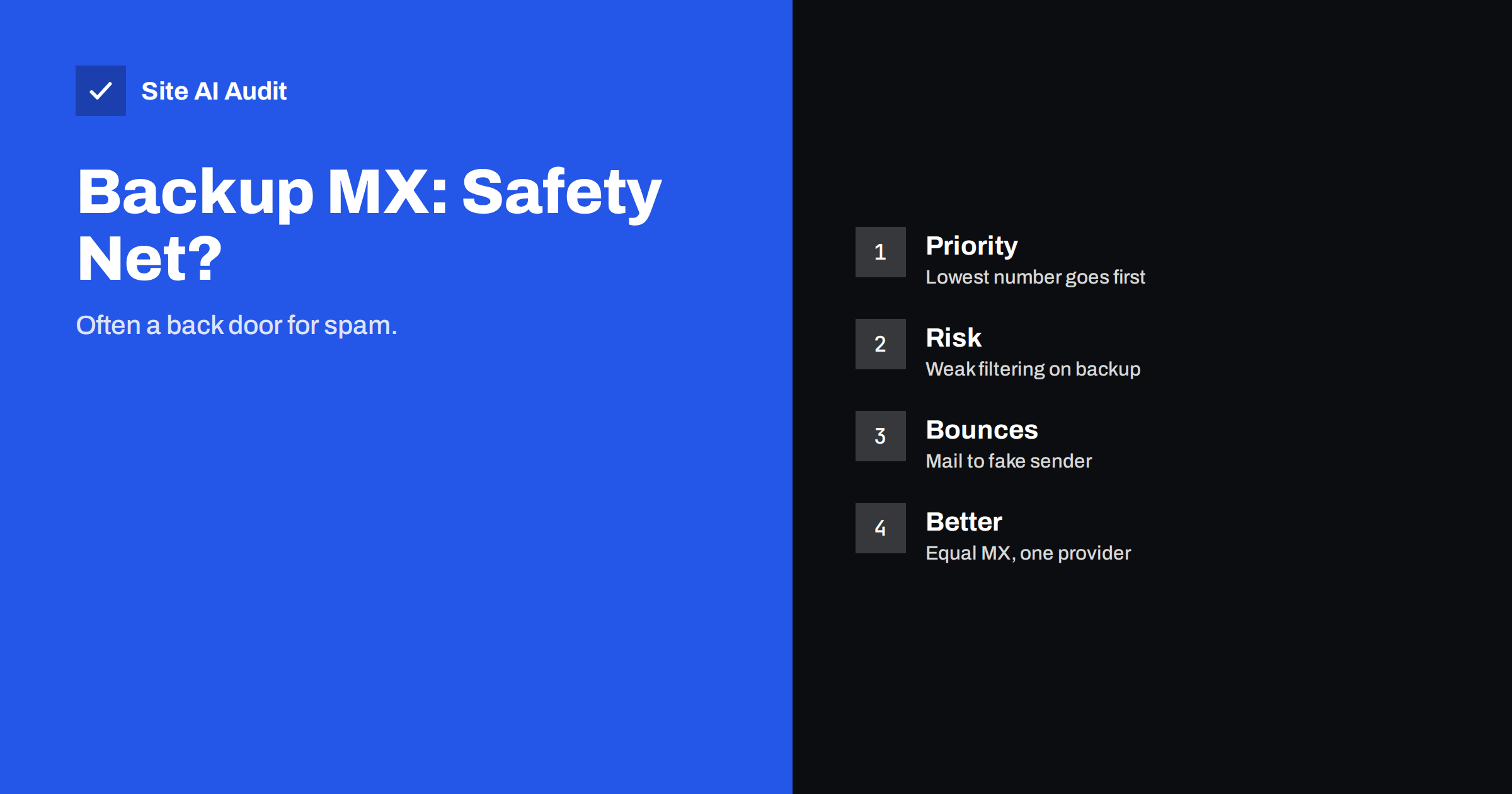
Short answer: A backup MX is a second mail server listed with a higher priority number, to catch email when the main server is down. Today it is rarely needed, because sending servers already retry for days, and it is often harmful. Spammers aim at the backup because it is usually less protected, and a backup that accepts every message can create bounces to innocent people. Use the several MX records your mail provider gives you, and avoid adding a separate backup of your own.
How MX records and priority work
An MX record tells the world which servers receive email for your domain. A domain can list several. Each record has a priority number, and the lowest number is tried first. A record with priority 10 is used before one with priority 20.
When a server wants to deliver a message to you, it looks up your MX records, tries the lowest number, and moves on to the next only if the first one cannot be reached. A backup MX (or secondary MX) is a server with a higher number than the main one. It is meant to accept mail while the main server is offline and pass it on later. Our article on MX records explained shows how the records look.
Why backup MX used to be a good idea
In the early days of email, servers were fragile, connections were slow and a sending server might give up quickly. Companies bought a backup so that a short outage on their side did not lose mail. It was sensible at the time.
The situation has changed. Mail is a store-and-forward system, and standard servers keep trying to deliver a message that cannot be delivered. They normally retry for several days, often four to five, before returning an error to the sender. A few hours of downtime on your side therefore cost you nothing: the messages wait in the sender’s queue and arrive once your server returns. The backup adds little protection for a normal outage.
The problems a backup MX creates
Spammers go straight to the backup
Spam software knows that a secondary server is often the weakest part of a setup. It may run old software, lack the filtering of the main server, or accept messages without checking them. Attackers connect directly to the backup and skip the protection on the main server. The spam then arrives in your mailbox, passed along by a server that you trust.
The backup does not know your valid addresses
A simple backup accepts mail for anything at your domain, because it does not have the list of real mailboxes. It says “message accepted”, then later tries to forward it to the main server, which rejects the unknown address. Now the backup is holding a message it cannot deliver. It must send a bounce, and the sender address on spam is almost always forged. The bounce goes to an innocent person who never wrote to you. This is called backscatter, and it can get your backup server listed on blocklists. Read more in backscatter bounces.
Authentication gets lost
When mail passes through a second server before reaching you, checks that rely on the original connection, such as SPF, may fail. The message looks as if it was sent by your backup server, not by the true sender. Without careful setup, good mail can fail checks and end up in spam. We explain the technical side in email forwarding, SPF and ARC.
Delays and confusion
If the backup holds mail and releases it in a burst, messages arrive late and out of order. Troubleshooting becomes harder, because there are two places where a message may be waiting.
More to maintain
Every extra server needs updates, security checks and records. A forgotten backup server running old software is a security risk, and nobody remembers it exists until something goes wrong.
When a backup MX is acceptable
There are cases where a secondary server is a deliberate design:
- It is run by your provider as part of the same service. Large providers such as Google and Microsoft operate many servers behind their MX records, and apply the same filtering on all of them.
- It has the same filtering and the list of valid recipients. A properly managed backup rejects unknown addresses during the connection instead of accepting and bouncing later.
- You have a real need. For example, a business that cannot tolerate even a few hours of delay, with the skills to run a second server correctly.
If you cannot answer “Does the backup check recipients and spam exactly like the main server?” with a clear yes, you probably should not have one.
What to use instead
- Use the records your provider gives you. If you use Google Workspace or Microsoft 365, add exactly the MX records they publish, with the priorities they specify. Do not add extras. See Google Workspace email authentication and Microsoft 365 email authentication.
- Choose a reliable mail host. The reliability of the provider is a better insurance than a home-made backup.
- Remove old leftovers. After changing provider, delete MX records that point to the old host, as our guide on changing DNS provider without losing email explains.
- Monitor your mail. Test regularly that mail arrives, and set an alert if it does not.
- Lower the time to live before a planned change. A short TTL lets you switch servers quickly if you must.
How to check your own setup
Look up the MX records of your domain with any DNS lookup tool. Note every host name and priority. Then ask yourself:
- Do I know and use every server in the list?
- Does any record point to a former provider, a test server or a hosting account I no longer use?
- Are the priorities those recommended by my provider?
- Is there a record with a higher number that belongs to a different company?
If a host in the list is unfamiliar, find out who runs it before you do anything else. Removing the wrong record can interrupt mail, so confirm first. It is also worth checking parked and unused domains, because forgotten domains with MX records can be misused.
Test whether the backup accepts anything
A simple test shows how a secondary server behaves. Connect to it with a mail testing tool and start to send a message to an address that does not exist at your domain. A well-run server refuses the recipient immediately with an error. A weak backup says OK and bounces later. Do the test only against your own domains, and ask your provider or administrator for help if you are unsure. If the backup accepts unknown recipients, fix it or remove it.
Practical example of a safe change
Suppose a small company moved its mail from an old hosting package to a cloud provider two years ago. The DNS still lists the provider’s new records at priority 1 to 10, plus one old record at priority 50 that points to the previous hosting company. Nobody uses that old server any more, but it still accepts connections. Spammers found it long ago, and most of the junk that reaches the staff arrives through it.
The fix takes minutes: confirm in the provider’s setup guide which records are correct, lower the time to live, delete the old record, and wait for the change to spread. Then send test messages from outside accounts and confirm that they arrive. The company loses nothing, and the spam level usually drops at once. Keep a note of what you changed and when, in case you need to undo it.
What Site AI Audit can and cannot tell you
Site AI Audit checks the MX records of your domain along with SPF, DKIM and DMARC, so you can see every mail server that is published. It cannot test how a server answers during a conversation, so it does not tell you whether a backup accepts unknown addresses. Use the list from the audit as the start of your own review. Run a free check, or see the plans to get alerts if something changes.
Related reading
- Greylisting Explained: Why Some Emails Arrive Late
- Catch-All Email Addresses: Pros, Cons and the Spam Problem
- Email Spoofing: How to Stop People Sending Mail as Your Domain
The bottom line
A backup MX is a leftover from a time when mail servers gave up quickly. Today, senders retry for days, so a short outage costs you nothing, while a weak backup lets spam bypass your filters and creates bounces to innocent people. Publish only the MX records your provider recommends, remove old leftovers and test your setup from time to time.
FAQ
What is a backup MX record?
It is an MX record for a second mail server with a higher priority number than your main one. Senders try it only when the main server cannot be reached. Its purpose is to accept mail during an outage and hand it over later.
Do I lose email if my mail server is down?
Normally not for a short outage. Sending servers keep messages in a queue and retry for several days. The mail arrives when your server is back, though some delay is possible.
Which MX priority is used first?
The lowest number is used first. A record with priority 10 is tried before one with priority 20. Records with the same number share the traffic.
Should I add a backup MX to Google Workspace or Microsoft 365?
No. Use the records the provider publishes and nothing more. Their servers are already built for reliability, and an extra server of your own mostly adds spam and bounce problems.
How do I find old MX records I forgot about?
Look up your domain with a DNS lookup tool and compare each host name with the providers you actually use. Any host you cannot explain should be investigated before you change anything.