ENEnglish
 LTLietuviškai
 DEDeutsch
 FRFrançais
 RUРусский
 ESEspañol
 PLPolski
 ITItaliano
 UKУкраїнська
 CSČeština
 PTPortuguês
 JA日本語
 LVLatviešu valoda
 ETEesti
 HUMagyar
 IDBahasa Indonesia
 TRTürkçe
 HIहिन्दी
 ELΕλληνικά
 ARالعربية
 THไทย
 VITiếng Việt
 RORomână
 MSBahasa Melayu
 BNবাংলা
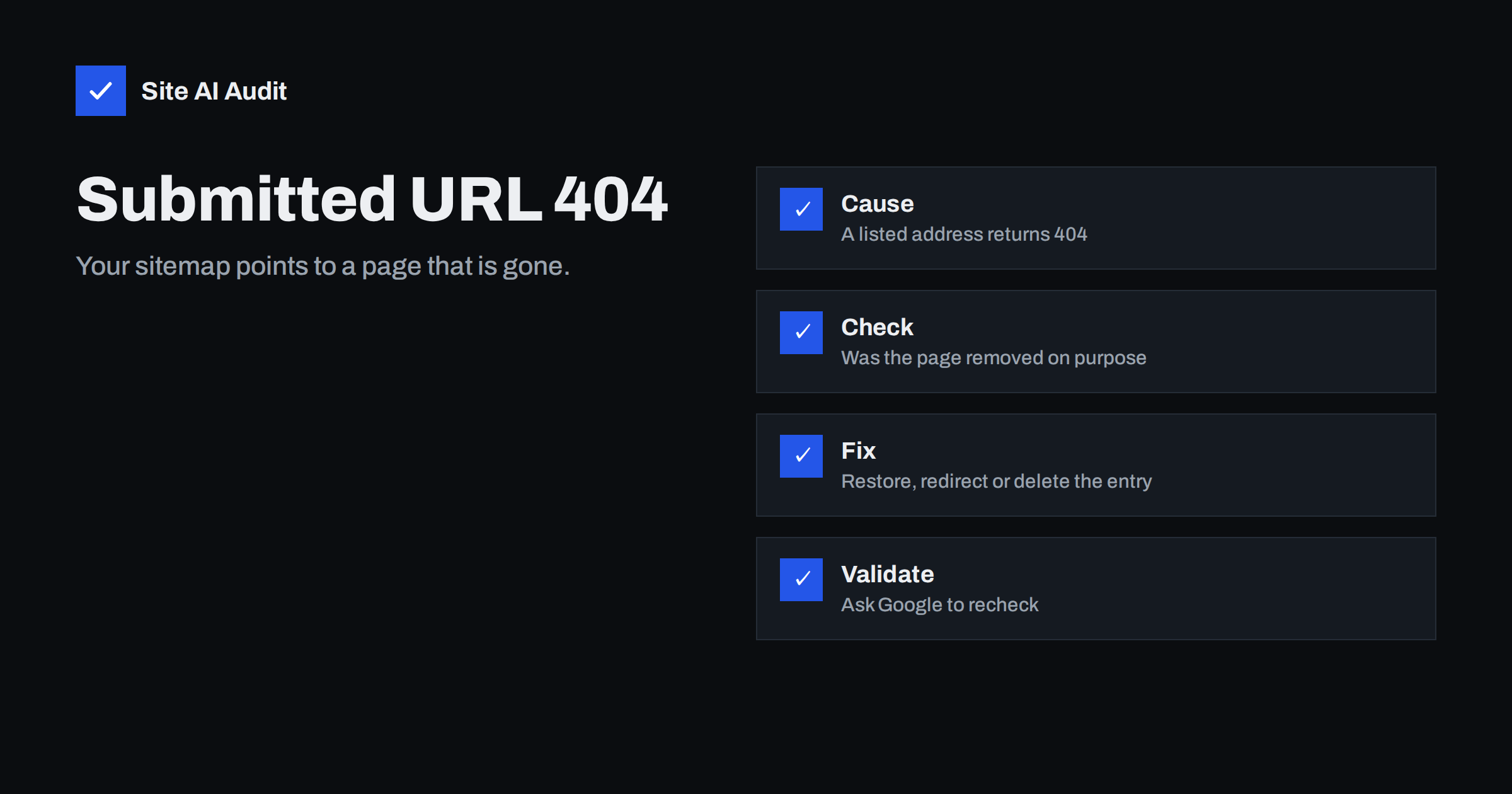
Short answer: “Submitted URL not found (404)” means that an address listed in your XML sitemap returns a “not found” response when Google visits it. Decide whether the page should exist. If yes, bring it back or redirect it to the right replacement. If no, remove it from the sitemap, and let the 404 or 410 stand. Then ask Google to validate the fix.
What the message means
A sitemap is a list of addresses that you ask search engines to consider. When Google processes it and finds an entry that responds with the 404 status code, it reports a problem in the page indexing report of Search Console, under the name “Submitted URL not found (404)”. The word “submitted” is the key. You told Google that this page exists, and the server says that it does not.
This is different from the plain “Not found (404)” reason, which Google lists for addresses that it found by following links or from the past. Those are usually normal, and not an error for your site. The submitted version is flagged because it is a contradiction that you can fix easily.
Why it happens
- A page was deleted but the sitemap was not updated. This is the most common cause on sites with a hand-made or old, static sitemap file.
- A plugin or cache serves an old sitemap. The sitemap is generated automatically, but a caching layer keeps an old copy, with addresses that no longer exist.
- The address changed. A new slug, a new category structure or a changed permalink setting makes the old entries invalid, as described in the article on changing WordPress permalinks without losing rankings.
- Wrong address format. The sitemap lists addresses without a trailing slash while the site needs one, or the reverse, or it lists the wrong domain version. The topic is covered in the guide to www, non-www and trailing slashes.
- Test or staging addresses. A sitemap copied from a development site may point to addresses that exist only there.
- A temporary error. A server problem or a security rule may return 404 to Googlebot for a short time, while visitors see the page.
- Unpublished content. Drafts, private posts or scheduled pages that appear in a sitemap by mistake.
Step 1: confirm that the page is really missing
- Open the report in Search Console and click the reason to see the list of examples.
- Click an address and open the URL inspection tool, described in the guide to using the URL inspection tool. Test the live address.
- Open the same address in a normal browser and in a private window. Note the status code with the network tab of the developer tools.
- If the live test shows a 200 response, the problem was temporary, and Google will clear it after the next visit.
- If the live test shows 404, move to the next step.
It also pays to look at patterns instead of single addresses. If most of the failing entries share a folder, a category or a date range, the cause is probably one change, such as a removed section or a renamed category, and one rule or one setting will clear them all. If the failing entries are scattered, they are more likely individual deletions. Group the examples in a spreadsheet by the first part of the path, and the pattern usually becomes visible within minutes.
Step 2: decide what should happen to the page
There are three honest answers.
- The page should exist. Restore it, or publish the draft, and check that it returns 200. Then leave it in the sitemap.
- The page moved or was replaced. Create a 301 redirect from the old address to the most relevant new page. Redirect to a related page, not automatically to the home page. Then replace the old entry in the sitemap with the new address. The choice of redirect type is explained in the article on 301 or 302.
- The page is gone for good. Remove it from the sitemap. Let it return 404, or 410 if you want to signal that the removal is permanent, as explained in the guide to 410 Gone vs 404 Not Found. A helpful error page for visitors is described in the article on custom 404 pages.
Do not redirect a deleted page to a page that has nothing to do with it. Google may treat it as a soft 404, a related problem covered in the article on soft 404 errors.
Step 3: fix the source of the sitemap
Removing single entries by hand solves today’s list but not the next one. Find out how the sitemap is made.
- Generated by a plugin or the CMS. Check its settings. Make sure that it includes only published, indexable content, and exclude pages with a noindex tag. Clear the cache of the sitemap after changes.
- A static file. Replace it with an automatic sitemap, or update it every time that you add or delete pages.
- Several sitemaps or an index. Look at each one. A forgotten old file can keep listing removed pages. See the guide to sitemap index files.
- Both versions of the site. Make sure that the sitemap lists only the final, preferred addresses, with the right protocol and domain.
If you need a refresher on what belongs in a sitemap, read the guide to XML sitemaps.
Step 4: validate the fix
- After you correct the pages and the sitemap, return to the report and use the validate option. Google then rechecks the listed addresses.
- Resubmit the sitemap address in the sitemaps report so that Google reads the updated version.
- Wait. Validation can take days or longer, and the status will show whether it is passing or failing.
- If it fails, open the remaining examples. Some addresses are probably still in a cached sitemap or still return 404.
Do not panic if old errors remain on the list for a while. The report shows what Google found at its last visit, and visits to rarely changed pages are less frequent.
Does it hurt your SEO?
A few such errors are not a disaster, and 404 pages do not cause a penalty by themselves. The bigger cost is wasted attention. Google spends crawling effort on addresses that lead nowhere, and a sitemap with many bad entries is a weaker signal about what you consider important. Cleaning it keeps the file trustworthy. It also helps you spot real problems, such as an important page that disappeared after an update. The related topic of pages that are indexed but missing from the sitemap is covered in the article on Indexed, not submitted in sitemap.
Make the check a habit. Open the page indexing report once a month, look at the reasons that have grown since last time and deal with them while the list is short. When you delete pages or restructure a section, update the sitemap in the same work session and test a few addresses from it by hand. A short checklist for every content removal, covering the redirect, the sitemap entry, the internal links and the cache, prevents the same error from returning month after month.
Common mistakes
- Redirecting everything to the home page. It hides the problem and creates soft 404s.
- Ignoring the report. Small errors grow quietly when nobody looks.
- Deleting pages that have good links. Check traffic and links before removal. A 301 to a close replacement keeps the value.
- Forgetting the cache. A cleaned sitemap that is still cached shows the old list.
- Blocking the pages in robots.txt instead. A blocked page cannot be recrawled to confirm that it is gone.
How Site AI Audit helps
Site AI Audit crawls up to 50 pages in the free check and reports broken links, redirects, the sitemap and robots.txt among its SEO findings, so you can find missing pages before Google reports them. It does not read your Search Console data. The first check is free and needs no sign-up. You can run a free check of your website or see the plans for weekly monitoring and alerts.
Related reading
- Sitemap Couldn’t Fetch in Search Console: Causes and Fixes
- How to Find and Fix Broken Links on Your Website
- Why Is My Page Not on Google? A Step-by-Step Checklist
- HTTP Status Codes for SEO: What 200, 404, 410 and 503 Mean
The bottom line
This report asks a simple question: should this page exist? Restore it, redirect it or remove it from the sitemap, then fix whatever produces your sitemap so that the list stays clean. A tidy sitemap is a small but real sign of a well-kept site.
الأسئلة الشائعة
Is a 404 error bad for SEO?
Not in itself. Pages that no longer exist should return 404 or 410. The problem is listing them in your sitemap as pages that you want indexed.
Should I redirect every 404 to the home page?
No. Redirect only to a closely related page. Mass redirects to the home page are treated as soft 404s and confuse visitors.
How long does validation take?
It can take several days or longer, depending on how often Google visits your pages. The status in the report shows progress.
Why does Search Console list a page that works for me?
The error may have been temporary, or Google may have seen a different response because of caching, a security rule or a server problem. Test the live address in the inspection tool.
Do I need to remove old URLs from Google manually?
Usually not. Once they return 404 or 410 and leave the sitemap, they drop out over time. A removal request is only for urgent cases.