ENEnglish
 LTLietuviškai
 DEDeutsch
 FRFrançais
 RUРусский
 ESEspañol
 PLPolski
 ITItaliano
 UKУкраїнська
 CSČeština
 PTPortuguês
 JA日本語
JA日本語 LVLatviešu valoda
 ETEesti
 HUMagyar
 IDBahasa Indonesia
 TRTürkçe
 HIहिन्दी
 ELΕλληνικά
 ARالعربية
 THไทย
THไทย VITiếng Việt
 RORomână
 MSBahasa Melayu
 BNবাংলা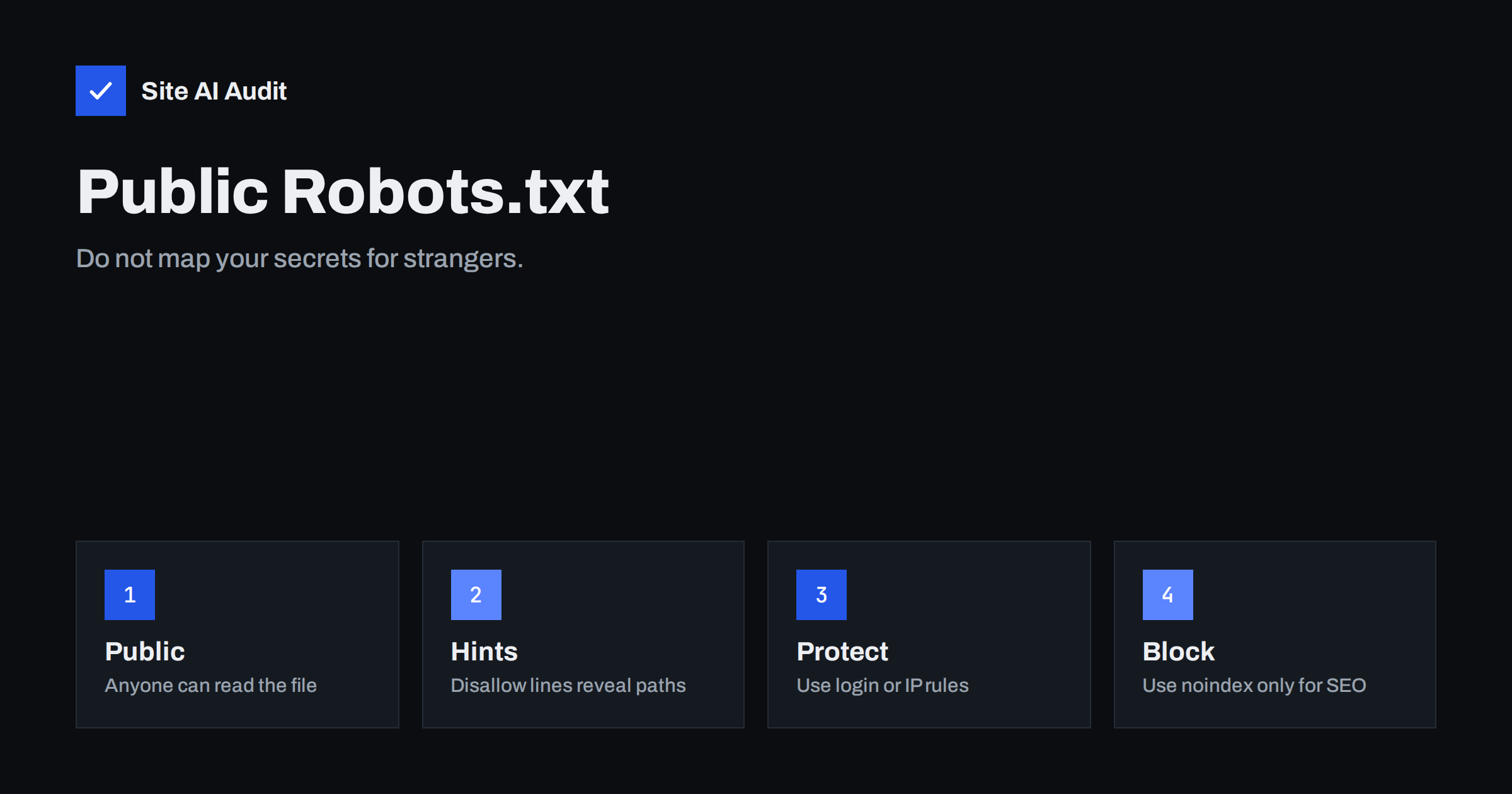
Short answer: A robots.txt file is public, and anyone can read it by adding /robots.txt to your address. Every Disallow line shows where you do not want crawlers, which makes the file a convenient map for people looking for admin areas, backups, test folders or private downloads. The file is not a security tool. Keep sensitive paths out of it, protect them with logins, network rules or removal, and use noindex or other headers to keep harmless pages out of search results.
Robots.txt is a public note
Robots.txt is a small text file in the root of a website. It gives instructions to well-behaved crawlers, such as which parts of the site they should not request. Search engines read it before they crawl. Because the file must be readable by robots, it is readable by everyone. There is no password, no hidden version and no way to show it only to search engines.
That is not a design flaw, but it has consequences. A note that says “please do not look in this drawer” tells every passer-by exactly where the drawer is. The instruction is followed by polite crawlers and ignored by anyone who wants to look.
Why attackers read it first
Security testers and attackers check robots.txt early because it is cheap and sometimes rewarding. A site owner who writes a line for a hidden path has told them that the path exists and that it matters to someone. Lines such as these invite attention:
- folders for administration panels with a custom name,
- backup, dump or archive folders,
- staging, test or development copies of the site,
- private upload or download areas,
- internal tools, reports or customer data exports,
- old versions of the application that may contain known flaws.
The paths listed may be reachable by anyone who types them. If a folder is protected only by being unlisted in links and disallowed in robots.txt, it is not protected. This is a form of security through obscurity, and the file itself destroys the obscurity.
What robots.txt cannot do
- It cannot enforce anything. The rules are requests. Malicious bots, scrapers and people ignore them.
- It cannot hide a URL. A disallowed address can still be opened, shared and linked from other sites.
- It does not guarantee removal from search. If other sites link to a blocked page, the address can still appear in results without a description. The article on pages indexed though blocked by robots.txt explains this.
- It is not a substitute for noindex. A crawler that is blocked cannot see a noindex tag on the page. See robots.txt versus noindex.
What not to put in the file
Review your file with one question for each line: would I be comfortable if a stranger read this? If the answer is no, the line should go and the path should be protected another way.
- Do not name private areas. Do not write the exact name of an admin folder, a backup directory or a staging site.
- Do not list files with secrets. Configuration files, database dumps and environment files should not be reachable at all. Check them using exposed environment, git and backup files.
- Do not use it for personal data. Never rely on it for documents that contain private information.
- Do not leave comments with details. Notes such as “old admin, remove in 2024” are a gift to readers.
- Do not copy rules blindly. A rules file from another site may reference paths that are meaningless or sensitive on yours.
Common, harmless lines are fine. The default WordPress file blocks the admin area from crawling, and anyone already knows the standard location, so it reveals nothing new.
Protect private areas properly
- Require a login. Anything private should need authentication on the server side, not just an unlisted address.
- Restrict by network. Admin and internal tools can be limited to your office address or a VPN, or placed behind basic authentication; see restricting the admin area.
- Remove what you do not need. Old backups, test copies and unused scripts should be deleted from the web root.
- Turn off directory listings. A folder without an index file should not show its contents. See disabling directory listing.
- Protect staging sites. Put them behind a password, not behind a robots rule. The article on staging sites indexed by Google shows what goes wrong otherwise.
- Change default credentials and remove setup pages, as in default passwords and setup pages.
Keep pages out of search the right way
Some pages are not secret but should not appear in results, such as thank-you pages, internal search results or filtered lists. For these, use a noindex directive in the page or in a header, and let crawlers fetch the page so that they can read it. For files that are not HTML, such as PDFs, the header method works; see the X-Robots-Tag header.
Use robots.txt for what it does well: to reduce crawling of low-value or endless URL spaces, like internal search or calendar pages, so that the crawler spends its time on useful pages. Write patterns that describe a type of page and do not spell out a confidential folder name. For example, a rule that blocks any address containing a search parameter reveals nothing special about your server.
A worked example
Imagine a small company whose robots.txt contains lines for a folder called /backup-2023/, a folder named after the old agency that built the site and a path that ends in “test”. A visitor who reads the file learns that the site once had a backup area, that an agency worked on it and that a test copy might still exist. Each fact is a lead. The visitor opens the paths one by one, finds that the backup folder still holds an archive of the site and downloads it, including a configuration file with database details.
Now see how a careful owner would handle the same situation. They delete the old archive from the web server and store backups outside the public folder. They remove the test copy or put it behind a password. They delete the revealing lines from robots.txt and keep only a few general rules, such as one for internal search pages. Finally, they check the server logs for requests to those paths over the last months, in case someone has already been there. The file then says very little, and the paths it once named no longer exist. That is the outcome to aim for.
Remember that cleaning the file is the last step, not the first. If you simply delete the lines but leave the folders in place, the paths still exist and can be found by guessing, by old copies of the file in web archives or by scanners that try common folder names.
How to review your file today
- Open yourdomain.com/robots.txt in a browser and read every line.
- For each Disallow, ask whether the path is secret, sensitive or merely low-value.
- Test the sensitive ones in a private browser window. If they open without a login, protect or remove them first.
- Then delete the revealing lines, or replace them with a general pattern.
- Check the sitemap too: a sitemap that lists private URLs is just as public.
- Use the robots.txt report in Search Console to see how Google reads the file, and test important pages to confirm they are still allowed.
The beginner’s guide in robots.txt explained gives examples of safe rules that you can adapt.
How Site AI Audit helps
Site AI Audit checks the robots.txt file together with the sitemap and noindex rules, so you can see whether important pages are blocked by mistake, and it reviews security headers, exposed software versions and SSL, with explanations in plain words ranked by impact. It does not decide for you which of your folders are private, so read the file with that question in mind. The first check is free, covers up to 50 pages and needs no sign-up. You can run a free check of your website or see the plans for regular monitoring.
Related reading
- Robots.txt Explained: A Beginner’s Guide With Safe Examples
- Robots.txt vs Noindex: Which One Should You Use?
- Website Security Audit Checklist: What to Check and in What Order
- File Permissions on a Web Server: Safe Settings Explained
The bottom line
Robots.txt helps crawlers, not security. Treat it as a public sign: keep it free of secret names, protect private areas with logins and network rules, remove old files, and use noindex or headers to control what appears in search. Review the file now and again, because every line you add is a line that strangers can read.
الأسئلة الشائعة
Can anyone see my robots.txt file?
Yes. It sits at a standard address and must be readable by every crawler, so any visitor can open it in a browser.
Is it safe to disallow my admin folder?
The common default location is already well known, so a line for it reveals little. A custom or sensitive folder should be protected by a login instead of being named in the file.
Does Disallow keep a page out of Google?
Not reliably. A blocked page can still be indexed if other pages link to it. Use noindex, and let the crawler read it, to keep a page out of results.
Should I delete robots.txt completely?
Not necessarily. A short file with general rules and a sitemap line is useful. Just avoid listing secrets and test that important pages remain crawlable.
How do I protect a private folder then?
Use server-side authentication, network restrictions or remove it from the web root. Obscurity is not protection, and neither is a robots rule.